
- Top Pick: Acer 27 Inch Monitor- KB272-27 Inch FHD IPS (1920 x 1080) Display, Up to 120Hz Refresh Rate, 99% sRGB, Tilt, Adaptive-Sync Support (FreeSync Compatible) 1ms (VRB), sRGB 99% Color, HDMI & VGA Ports
- Best Value: Sceptre New 22-Inch Gaming Monitor, FHD 1080p, Up to 144Hz, HDMI, DisplayPort, Built-in Speakers, Machine Black (E225W-FW144 Series, 2026)
- Premium Choice: Samsung 27" Essential S3 (S36GD) Series FHD 1800R Curved Computer Monitor
Finding a single monitor that handles spreadsheets by day and shooters by night is trickier than it sounds. A great work-and-play display needs accurate color and a comfortable panel for long hours, plus a fast enough refresh rate to keep competitive gaming feeling crisp. The good news is that the two goals overlap far more than they used to.
We’ve spent time with dozens of hybrid displays to find models that genuinely pull double duty without forcing you to compromise on either side. Below are our favorite picks for 2026, followed by a straightforward buying guide so you can match a panel to your desk and workflow.



As an Amazon Associate we earn from qualifying purchases at no extra cost to you.






🎮 Get More From Your Setup — Free
Prime Gaming gives you free PC games every month, in-game loot, and a free Twitch channel sub — plus fast free shipping on all the gear above. New members get a 30-day free trial.
Watch: Best Work Gaming Monitor — Video Review
How to Choose a Work-and-Gaming Monitor
- Refresh rate: Aim for at least 120Hz. Anything above that feels smoother in games, while 60Hz office work looks identical either way, so higher is a safe bet.
- Panel type: IPS gives you the wide viewing angles and color consistency that document and photo work demand, whereas VA curved panels deliver deeper contrast for immersive gaming.
- Resolution and size: A 27-inch 1080p panel is fine for mixed use, but ultrawide QHD gives you far more room for side-by-side windows during the workday.
- Color coverage: Look for 99% sRGB or higher if any of your work involves design, editing, or brand-accurate visuals.
- Connectivity: USB-C with power delivery cleans up laptop setups, while dual HDMI and DisplayPort make swapping between a work PC and a console painless.
The Best Work-and-Gaming Monitors Reviewed
Acer KB272 27-Inch IPS
This 27-inch FHD IPS panel is the sensible all-rounder, pairing 99% sRGB accuracy with a 120Hz ceiling. It’s a natural fit for a productivity-first desk that still wants smooth gameplay after hours.
SANSUI 27-Inch USB-C Curved
The USB-C connection and built-in speakers make this 27-inch 1500R curved model a tidy laptop companion, and its 110% sRGB coverage keeps colors punchy for both work and play.
Samsung Essential S3 27-Inch Curved
Samsung’s S36GD leans into eye comfort with a gentle 1800R curve and Advanced Eye Comfort tech, a smart choice if marathon workdays leave your eyes tired.
SANSUI 34-Inch UWQHD Curved
If you crave desktop real estate, this 34-inch ultrawide runs up to 200Hz and covers 97% DCI-P3. The PIP/PBP feature lets you keep a work feed and a game visible at once.
Sceptre E225W 22-Inch 144Hz
Budget-minded buyers get a genuine 144Hz experience here, with DisplayPort and built-in speakers. It’s a compact secondary screen or a starter display that punches above its price.
Related Guides
- Arzopa 32 4K UHD IPS Monitor 144Hz (2026)
- Omen OLED Monitor (2026)
- Best Gaming Monitor Black Friday Deals (2026)
- Arzopa 32 4K UHD IPS Monitor 144Hz (2026)
Frequently Asked Questions
Is 120Hz enough for both work and gaming?
Yes. 120Hz delivers noticeably smoother motion than a standard office display and is plenty responsive for the vast majority of players outside high-level esports.
Do I need an IPS or a curved VA panel?
Choose IPS for color-critical work and shared viewing angles; choose a curved VA panel if immersion and contrast in games matter more to you.
Is an ultrawide better for productivity?
Often, yes. Ultrawides replace a dual-monitor setup with one seamless surface, which is excellent for coding, editing, and juggling multiple windows.
Should I prioritize USB-C connectivity?
If you work from a laptop, USB-C with power delivery lets you drive the display and charge with one cable, dramatically reducing desk clutter.
Final Thoughts
For most people, the Acer KB272 hits the sweet spot of color accuracy and smooth motion at a fair price. Step up to the SANSUI 34-Inch ultrawide if you want maximum workspace, or grab the SANSUI 27-Inch USB-C model when a clean single-cable laptop setup is the priority.
Top picks from this guide
SceptreSceptre New 22-Inch Gaming Monitor, FHD 1080p, Up to 144Hz,…$65 \xc2\xb7 99/100 MNNMNN 15.6" FHD 60Hz Portable Monitor USB-C HDMI IPS HDR…$45 \xc2\xb7 98/100
 SceptreSceptre Curved 24-inch Gaming Monitor 1080p R1500 98% sRGB HDMI…$79 \xc2\xb7 98/100
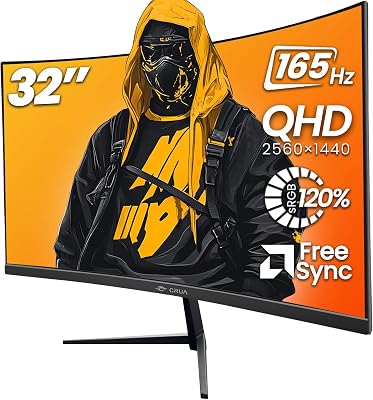
 CRUACRUA 32" 2K QHD 165Hz Curved Gaming Monitor, FreeSync, HDMI/DP,…$170 \xc2\xb7 97/100








