- Top Pick: Sceptre New 22-Inch Gaming Monitor, FHD 1080p, Up to 144Hz, HDMI, DisplayPort, Built-in Speakers, Machine Black (E225W-FW144 Series, 2026)
- Best Value: SANSUI 32 Inch Curved 240Hz Gaming Monitor High Refresh Rate, FHD 1080P
- Premium Choice: AOC 24" Gaming Monitor FHD 200Hz IPS NVIDIA G-SYNC Compatible 0.3ms 24G42HE
Finding the right monitor for PS5 and Xbox Series X|S in 2026 comes down to a different checklist than PC gaming. Consoles output at 1080p, 1440p, and 4K at up to 120Hz, rely on HDMI for most features, and benefit hugely from low input lag and variable refresh rate support. A great console gaming monitor nails the basics without paying for high-end PC features you will never use.
We compared and compared current value-focused gaming monitors that pair well with consoles, prioritizing 120Hz+ refresh rates, Fast IPS or VA panels with low response times, HDMI connectivity, and VRR support like FreeSync Premium and G-SYNC Compatible. Below are our top picks for 2026 for different sizes, budgets, and room setups, from compact 1080p options to a sharp 1440p upgrade for next-gen consoles.
As an Amazon Associate we earn from qualifying purchases at no extra cost to you.







⚡ Save on Your Next PC — Amazon Prime
Prime members get fast free shipping on the systems above, plus early access to Prime Day & Black Friday PC deals. New members get a 30-day free trial.
Watch: Best Monitor for Console Gaming — Video Review
How to Choose
- Resolution Match: PS5 and Xbox Series X support 1080p and 1440p at 120Hz and 4K at 60Hz/120Hz. For most players, 1080p is sharp on 24-inch screens and 1440p is the sweet spot on 27-inch, giving cleaner image quality without the cost of 4K.
- Refresh Rate and HDMI: Look for at least 120Hz to unlock 120fps modes in games like Call of Duty, Fortnite, and Halo Infinite. HDMI 1.4 and 2.0 can handle 1080p at 120Hz and 1440p at 120Hz respectively, while HDMI 2.1 is needed for 4K 120Hz.
- Panel and Response Time: Fast IPS offers the best balance of color accuracy, viewing angles, and speed with 1ms to 0.5ms GtG response times. VA panels provide deeper contrast, especially on curved screens, but check for ghosting. Aim for 1ms or lower for crisp motion.
- VRR and Low Input Lag: FreeSync Premium and G-SYNC Compatible reduce screen tearing and stutter when frame rates fluctuate. Combined with a dedicated Game Mode and input lag under 10ms, you get more responsive controls in competitive titles.
- Size and Curve: 22 to 24 inches is ideal for desk setups and competitive play, 27 inches is immersive for single-player, and 32 inches curved suits living-room or racing setups. 1500R curvature is subtle and immersive without distorting UI elements.
The Best Picks Reviewed
ASUS TUF Gaming VG27AQ3A 27″ QHD 180Hz
The top all-around choice for console gaming in 2026. The 27-inch QHD (2560 x 1440) Fast IPS panel hits 180Hz with a 1ms response time and Extreme Low Motion Blur Sync, so 120Hz Performance Modes on PS5 and Xbox Series X look exceptionally smooth. It covers 130% sRGB and supports HDR, which adds depth in supported console titles, while FreeSync Premium and G-SYNC Compatible keep VRR active from 48Hz to 180Hz. With HDMI and DisplayPort inputs plus built-in speakers, it is the cleanest upgrade for players who want sharp 1440p clarity without moving to expensive 4K 144Hz displays.
SANSUI 32 Inch Curved 240Hz Gaming Monitor
For immersive, big-screen console play, this 32-inch curved FHD 1080p display delivers. The 240Hz refresh rate is overkill for the current 120Hz console cap, but that headroom means flawless 60Hz and 120Hz playback with very low motion blur, and it future-proofs you for higher frame rate support. The VA panel offers high native contrast around 3000:1, so dark scenes in horror and stealth games look richer than on typical IPS. Its large curve pulls you in for racing and sports titles, and the 1080p resolution keeps console GPU load low for stable frame rates.
AOC 24G42HE 24″ 200Hz IPS Gaming Monitor
A competitive sweet spot for 1080p console gamers who prioritize speed. This 24-inch FHD IPS panel runs at 200Hz with a 0.3ms response time and NVIDIA G-SYNC Compatible support, ensuring tear-free 120Hz output from consoles via HDMI. The IPS color reproduction is strong for the price, with accurate sRGB coverage and wide 178-degree viewing angles. At 24 inches, pixel density at 1080p remains sharp at desk distance, and the 200Hz ceiling provides extra smoothness for connected PCs or future console updates while keeping input lag extremely low.
Sceptre E225W-FW144 22-Inch 144Hz Gaming Monitor
The best compact and budget-friendly desk option. The 22-inch FHD 1080p panel is ideal for tight spaces, dorm rooms, or secondary setups, and it still delivers up to 144Hz via HDMI and DisplayPort with built-in speakers to save on peripherals. Text and HUD elements appear crisp at this size, and the smaller screen makes it easier to track the entire image in fast shooters. While it lacks the wider color gamut of pricier Fast IPS models, it covers the console essentials: 120Hz support for Performance Modes, low response time for reduced blur, and simple plug-and-play HDMI connectivity.
SANSUI 24 Inch Curved 160Hz Gaming Monitor
A balanced curved option for 24-inch fans. The 1500R curvature adds immersion without overwhelming your field of view, and the 160Hz refresh rate easily handles 60Hz and 120Hz console signals with smooth frame pacing. This FHD 1080p model is well-tuned for console contrast and brightness, making it a solid pick for living room corners or deep desks where you sit a bit farther back. It supports VRR over HDMI to minimize tearing when games dip below 60fps or 120fps, and the curved VA-style contrast helps with cinematic single-player games.
Frequently Asked Questions
Do I need HDMI 2.1 for PS5 or Xbox Series X?
Not necessarily. HDMI 2.0 is sufficient for 1080p at 120Hz and 1440p at 120Hz, which covers most monitors in this roundup. You only need HDMI 2.1 if you are targeting 4K at 120Hz on a 4K display. Both PS5 and Xbox Series X will automatically offer 120Hz modes when the monitor reports support via EDID.
Is 1080p or 1440p better for console gaming?
Both work well. 1080p is sharper and more affordable on 22 to 24-inch monitors and guarantees the highest frame rates. 1440p on a 27-inch monitor like the ASUS VG27AQ3A looks noticeably cleaner for open-world and story-driven games, and both PS5 and Xbox Series X now support 1440p output natively. Choose 1080p for competitive or budget setups and 1440p for visual fidelity.
Do I need a 240Hz monitor for a 120Hz console?
No, but it does not hurt. Consoles are capped at 120Hz, so any monitor with 120Hz or higher will display all available console frame rates. Higher refresh panels such as 160Hz, 180Hz, and 240Hz simply run at 120Hz when connected to a console and often have better overdrive tuning and lower input lag as a bonus.
Is a curved monitor good for console gaming?
Yes, especially at 24 inches and above. A 1500R curve adds a subtle wrap-around effect that suits racing, sports, and immersive single-player titles. It does not negatively affect performance or VRR, and many players find it more comfortable for longer sessions. For competitive shooters where you want a flat image edge-to-edge, a flat IPS like the AOC 24G42HE is often preferred.
Final Thoughts
For most console players in 2026, the ASUS TUF Gaming VG27AQ3A is the standout thanks to its sharp 1440p resolution, 180Hz Fast IPS performance, and full VRR support that makes the most of PS5 and Xbox Series X. If you want speed on a desk, the AOC 24G42HE 200Hz is ideal for competitive 1080p play, while the SANSUI 32 Inch Curved 240Hz is the go-to for big-screen immersion. Any of these five will unlock smooth 120Hz console gaming without overspending on features you do not need.
Top picks from this guide
 SceptreSceptre New 22-Inch Gaming Monitor, FHD 1080p, Up to 144Hz,…$65 \xc2\xb7 99/100
 SANSUISANSUI 32 Inch Curved 240Hz Gaming Monitor High Refresh Rate,…$180 \xc2\xb7 98/100
 ASUSASUS TUF Gaming VG27AQ3A 27 Inch 1440p 180Hz G-SYNC Gaming…$179 \xc2\xb7 96/100
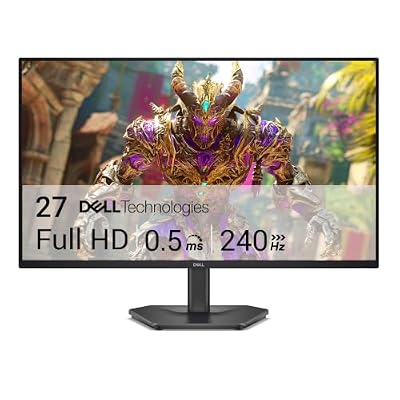 DellDell 27 240Hz Gaming Monitor - SE2726HG - 27-inch FHD…$150 \xc2\xb7 96/100