🛒 Best Price Today on Amazon
Prime members get fast, free shipping on everything above, plus member-only deals. New members get a 30-day free trial — cancel anytime.
- Which Gaming Monitor Should You Target on Black Friday 2026?
- How to Choose a Black Friday Monitor Deal
- The Best Black Friday Gaming Monitors Reviewed
- Related Guides
- More Gaming Monitors Worth Watching on Black Friday 2026
- Panel Types: IPS, Fast-VA and OLED Compared
- Does the HDR Badge Matter on a Gaming Monitor?
- When to Buy: Early November, Black Friday or Cyber Monday?
- Gaming Monitor Deal Red Flags
- Pick X If… Which Gaming Monitor to Buy
- Setup Notes: Cables, Ports and OLED Care
- Frequently Asked Questions
- Final Thoughts
- More Black Friday Gaming Monitor Questions
- Related Articles
- Related Guides
Black Friday is prime time to grab a gaming monitor, when the panels that hover just above your budget all year suddenly slide into reach. But the sales season is also thick with clearance stock and thin discounts dressed up as bargains. Knowing which models are genuinely worth buying keeps you from being dazzled by a big percentage-off sticker on a mediocre screen.
We assembled the gaming monitors most worth watching during Black Friday, spanning budget FHD panels to premium OLED. Here are our picks and a buyer’s guide so you can spot a real deal the moment it appears.
Updated November 2026 — For black friday gaming monitor deals 2026, a 27-inch 1440p panel is the safest all-round target. The three models worth watching first are the ASUS ROG Strix XG27ACS for value, the Alienware AW2725DF for entry-level QD-OLED, and the ASUS ROG Swift OLED PG27AQDP for the best 1440p speed and picture.
Black Friday 2026 falls on Friday 27 November, with Thanksgiving on 26 November and Cyber Monday on 30 November. This guide does not quote live offers, because they change daily. Use the spec lines below to judge any listing you find.
| Model | Tier | Panel and resolution | Refresh rate | Best for |
|---|---|---|---|---|
| ASUS ROG Strix XG27ACS | Budget to mid | 27-inch Fast IPS, 1440p | 180Hz | Value all-rounder |
| Acer Nitro XV273U F5 | Mid to premium | 27-inch IPS, 1440p | 540Hz class | Competitive esports |
| Alienware AW2725DF | Mid to premium | 26.7-inch QD-OLED, 1440p | 360Hz | Entry-level OLED |
| ASUS ROG Swift OLED PG27AQDP | Premium | 27-inch OLED, 1440p | 480Hz | Fastest 1440p OLED |
| Gigabyte MO27U2 | Premium | 27-inch QD-OLED, 4K | 240Hz | Sharp 4K OLED |

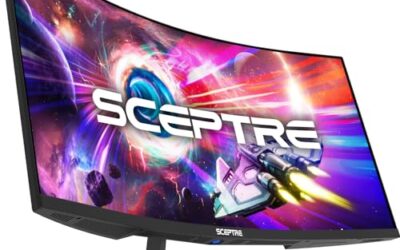
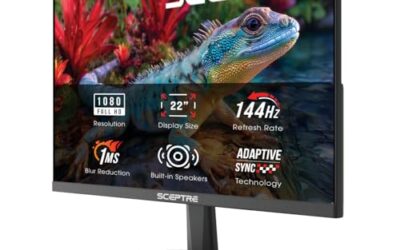
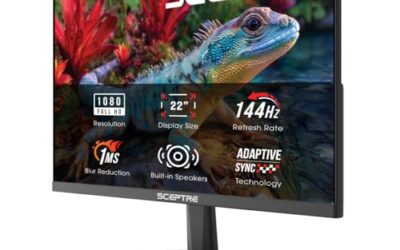
Sceptre New 22-Inch Gaming Monitor, FHD 1080p, Up to 144Hz, HDMI, DisplayPort, Built-in Speakers, Machine Black (E225W-FW144 Series, 2026)
Included for '18 Best Gaming Monitor Black Friday Deals' as a representative home product in this roundup; selection reflects the product set returned for this topic.
View on Amazon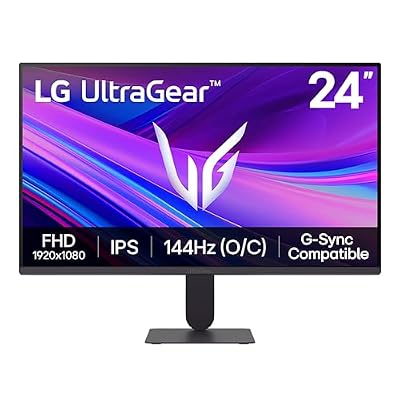
LG 24G411A-B 24-inch Ultragear Full HD (1920 x 1080) IPS Gaming Monitor, 144Hz (O/C), 1ms MBR, NVIDIA G-Sync Compatible, AMD FreeSync, HDR10, HDMI, DisplayPort, Slim Stand, Black
Included for '18 Best Gaming Monitor Black Friday Deals' as a representative home product in this roundup; selection reflects the product set returned for this topic.
View on Amazon
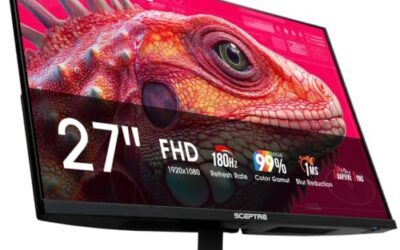
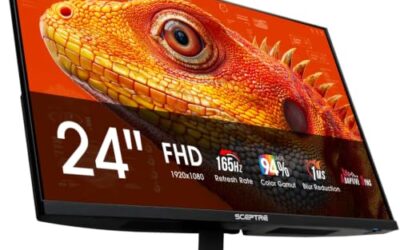
New! Sceptre 24-inch Prime Gaming Monitor DisplayPort x2 165Hz HDMI x2 165Hz Build-in Speakers, Machine Black 2027 (E248B-FW165T Series)
Included for '18 Best Gaming Monitor Black Friday Deals' as a representative home product in this roundup; selection reflects the product set returned for this topic.
View on Amazon
Samsung 27" Odyssey G3 (G30D) Series FHD Gaming Monitor | 1ms, 180Hz, AMD FreeSync, Adjustable Stand, Black Equalizer, Virtual Aim Point, Eye Saver Mode, Flicker-Free, LS27DG302ENXZA
Included for '18 Best Gaming Monitor Black Friday Deals' as a representative home product in this roundup; selection reflects the product set returned for this topic.
View on Amazon
Samsung 27" Odyssey OLED G6 (G61SH) QD-OLED, QHD (1440P) Gaming Monitor | 240Hz, 0.03ms, Glare-Free, Pantone Validated, HDR10, Height-adjustable stand, OLED Safeguard, 3 Yr Warranty (LS27HG612SNXZA)
Included for '18 Best Gaming Monitor Black Friday Deals' as a representative home product in this roundup; selection reflects the product set returned for this topic.
View on AmazonWhich Gaming Monitor Should You Target on Black Friday 2026?
The best gaming monitor to target is the one your graphics card can fully drive. A 1080p screen suits entry-level cards and esports titles, 1440p suits RTX 5070 or Radeon RX 9070 class cards, and 4K makes sense only with an RTX 5080 or RX 9070 XT class card or better.
| GPU class | Sensible resolution | Refresh target | Notes |
|---|---|---|---|
| Entry (RTX 5060, RX 9060 XT class) | 1080p or budget 1440p | 144Hz to 180Hz | Skip 4K at this level |
| Upper mid (RTX 5070, RX 9070 class) | 1440p | 180Hz to 360Hz | Core 27-inch 1440p range |
| High end (RTX 5080, RX 9070 XT class and up) | 1440p high refresh or 4K | 240Hz | 4K OLED becomes realistic |
What to expect at each tier
- Budget: 1080p or 1440p IPS or VA panels at 144Hz to 200Hz, basic stands, limited HDR.
- Mid-range: 1440p Fast IPS up to 360Hz, plus the first QD-OLED models.
- Premium: 4K OLED, 480Hz class refresh rates, USB-C and better warranties.
- All tiers: the headline discount matters less than the real selling history of the model.
How to Choose a Black Friday Monitor Deal
- Know the regular price: A discount only means something against the real everyday price. Track a model for a few weeks so you recognize a true drop.
- Refresh rate and response: Prioritize the panel’s core gaming specs over bundled extras. A 144Hz+ display with low response time ages better than gimmicks.
- Panel technology: Deals make OLED and QD-OLED more attainable, but IPS and VA still offer excellent value, so match the tech to your use and budget.
- Resolution for your GPU: Don’t buy a 4K deal your graphics card can’t drive. Match the panel to the hardware you actually own.
- Warranty and returns: Confirm the deal includes a proper warranty and a fair return window, since clearance items sometimes cut these short.
The Best Black Friday Gaming Monitors Reviewed
Samsung Odyssey OLED G6 (G61SH) QHD
A QD-OLED QHD gaming monitor is the kind of premium panel that becomes far more tempting during Black Friday. The G6’s perfect blacks and blazing response make it the deal to watch for enthusiasts.
LG 24G411A-B 24″ FHD IPS
This 144Hz IPS panel with G-Sync compatibility and HDR10 is already great value and even better on sale. It’s a superb entry-level competitive monitor for tight budgets.
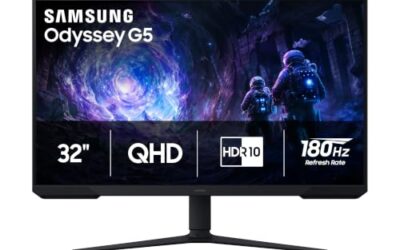
Samsung Odyssey G3 (G30D) 27″ FHD
The Odyssey G3 offers smooth high-refresh FHD gaming in a well-built package. It’s a dependable mainstream pick during sale season.
Sceptre E248B-FW165T 24″ Prime
With dual DisplayPort and HDMI at 165Hz plus built-in speakers, this Sceptre delivers a lot of connectivity and speed for very little money. Black Friday makes it an easy budget grab.
Related Guides
- Best 32 Inch OLED Gaming Monitor (2026)
- Computer Monitor Clip On Light (2026)
- Best 4K Gaming Monitor G Sync (2026)
- Best Gaming Monitor OLED (2026)
More Gaming Monitors Worth Watching on Black Friday 2026
These picks come from published specifications and independent reviewer coverage, not from our own bench measurements. None duplicates the models reviewed above.
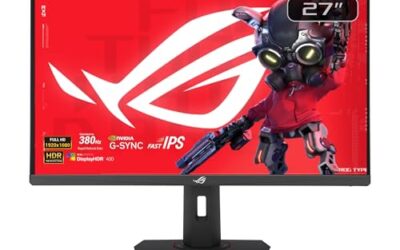
ASUS ROG Strix XG27ACS — Best for Value 1440p

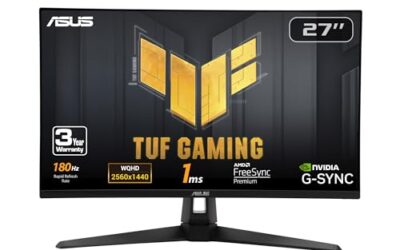
ASUS ROG XG27ACS 27 Inch 1440p 180Hz USB-C G-SYNC HDR Gaming Monitor | DisplayHDR 400, sRGB 133%, 1ms (GTG), Fast IPS, ELMB Sync, AI Gaming, Free Sync, for PS5 and Xbox
Included for '18 Best Gaming Monitor Black Friday Deals' because the listing lists an explicit depth/thickness, which is the attribute this article compares.
View on Amazon27-inch · 2560×1440 · 180Hz · Fast IPS · USB-C · DisplayHDR 400
- Fast IPS panel with strong colour for the money
- G-SYNC compatible and a good match for RTX 5060 Ti or RTX 5070 class cards
- USB-C simplifies a shared laptop and desktop setup
Pros: Excellent value, fast response, no OLED care needed, flexible ports.
Cons: Blacks look grey in dark rooms, HDR 400 is basic.
Skip it if you want true blacks or a refresh rate above 240Hz.
Acer Nitro XV273U F5 — Best for Competitive Esports
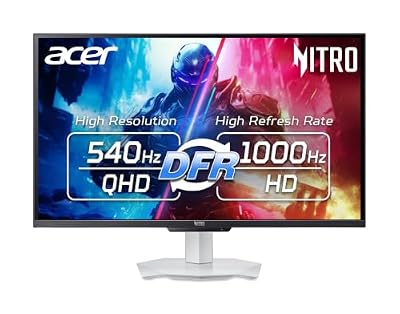
Acer Nitro 27in QHD 2560x1440 IPS 540Hz DFR 1000Hz Gaming Monitor XV273U F5 | IPS, 0.5ms, AMD FreeSync Premium, NVIDIA G-Sync Compatible, DCI-P3 95%, 2xHDMI 2.1, 2xDP, VESA HDR600, Ergo Stand, Speaker
Included for '18 Best Gaming Monitor Black Friday Deals' as a representative home product in this roundup; selection reflects the product set returned for this topic.
View on Amazon27-inch · 2560×1440 · IPS · 540Hz class · FreeSync Premium
- Very high refresh IPS built for fast shooters
- G-SYNC compatible support is listed by the maker
- Gains depend on a strong CPU and low graphics settings
Pros: Extremely smooth motion, no OLED burn-in concerns, good for bright rooms.
Cons: Premium for a 1440p IPS, benefits are small without matching frame rates.
Skip it if you mostly play single-player games, where 240Hz to 360Hz is plenty.
Alienware AW2725DF — Best for Entry-Level QD-OLED

Alienware AW2725DF OLED Gaming Monitor - 26.7-inch Quantom-Dot WQHD (2560x1440) 360Hz 0.03Ms Display, AMD FreeSync Premium Pro, HDMI/DP/USB 3.2 Gen1, Height/Tilt/Swivel/Pivot Adjustability - Black
Included for '18 Best Gaming Monitor Black Friday Deals' as a representative home product in this roundup; selection reflects the product set returned for this topic.
View on Amazon26.7-inch · 2560×1440 · 360Hz · QD-OLED · 0.03ms response
- QD-OLED gives true blacks and wide colour
- 360Hz refresh with FreeSync Premium Pro
- Check the maker page for warranty and burn-in terms in your region
Pros: Near-instant response, deep contrast, strong motion clarity for shooters.
Cons: Lower full-screen brightness than IPS, needs standard OLED care habits.
Skip it if you work with static spreadsheets for hours or sit in a very bright room.
ASUS ROG Swift OLED PG27AQDP — Best for the Fastest 1440p OLED

ASUS ROG PG27AQDP 27 Inch 1440p 480Hz OLED Gaming Monitor | Custom Heatsink, 0.03ms, G-SYNC Compatible, WOLED, DisplayHDR 400, AI Assistant, True 10-bit, 99% DCI-P3, for PS5 and Xbox
Included for '18 Best Gaming Monitor Black Friday Deals' because the listing lists an explicit depth/thickness, which is the attribute this article compares.
View on Amazon27-inch · 2560×1440 · 480Hz · OLED · custom heatsink · G-SYNC compatible
- One of the fastest 1440p OLED panels on the market
- Custom heatsink, so no active fan is needed
- Reviewer coverage places it near the top of 2026 OLED lists
Pros: Top-tier speed, true blacks, strong overall picture.
Cons: Costly unless a real markdown lands, OLED care applies.
Skip it if your graphics card cannot get near 480 frames per second.
Gigabyte MO27U2 — Best for Affordable 4K OLED

GIGABYTE MO27U2 27" QD-OLED UHD AMD Freesync Premium Pro Gaming Monitor | Black, UHD 3840x2160-4K, 240Hz, 0.03ms GTG, G-SYNC Compatible, HDMI2.1, DP1.4, Type-C, KVM, Height and Tilt Adjustable
Included for '18 Best Gaming Monitor Black Friday Deals' as a representative home product in this roundup; selection reflects the product set returned for this topic.
View on Amazon27-inch · 3840×2160 · 240Hz · QD-OLED · 0.03ms response
- 4K on a 27-inch screen gives very sharp text and detail
- 240Hz and FreeSync Premium Pro listed by the maker
- Needs a high-end GPU to use resolution and refresh together
Pros: Sharp image, deep contrast, competitive 4K OLED value.
Cons: Demanding on hardware, OLED care applies.
Skip it if you own a card below RTX 5080 or RX 9070 XT class.
Panel Types: IPS, Fast-VA and OLED Compared
IPS offers consistent colour and wide viewing angles but weaker contrast. Fast-VA improves contrast but can smear dark transitions, so read reviewer response-time charts rather than trusting a one-millisecond claim. OLED delivers near-instant response and true blacks, with lower full-screen brightness and a burn-in question. Many leading makers now cover burn-in in their warranty, often for three years, but terms differ by model and region, so read the warranty text before buying.
Does the HDR Badge Matter on a Gaming Monitor?
Only when the hardware supports it. Basic HDR badges on edge-lit IPS panels often look no better than standard mode. OLED and mini-LED with many dimming zones are where HDR is noticeably better, so check independent peak brightness and contrast measurements.
When to Buy: Early November, Black Friday or Cyber Monday?
- Early November: some makers start sales weeks ahead, and popular models can sell out.
- Black Friday (27 November): best for headline models and bundles, with limited stock on the lowest offers.
- Cyber Monday (30 November): often a second chance on monitors, with some offers extended from the weekend.
- After the sale: previous-generation clearance can continue into December.
Gaming Monitor Deal Red Flags
- A “was” price that was never charged. Look at how the monitor has actually sold over several months.
- Bundles that pair a monitor with accessories you do not need, hiding a weak discount.
- Refresh rate quoted only at a lower resolution. Dual-mode monitors may list a high number that applies only at 1080p.
- Unclear panel type. If the listing does not name IPS, VA, QD-OLED or WOLED, find out first.
- Refurbished or open-box units with a short or unclear warranty, especially OLED.
- A short return window, since dead pixels and backlight issues show up in the first days.
Pick X If… Which Gaming Monitor to Buy
| Pick this | If you |
|---|---|
| ASUS ROG Strix XG27ACS | Want a no-fuss IPS with a mid-range GPU |
| Acer Nitro XV273U F5 | Play competitive shooters in a bright room |
| Alienware AW2725DF | Want OLED without flagship cost |
| ASUS ROG Swift OLED PG27AQDP | Want the best 1440p speed and picture |
| Gigabyte MO27U2 | Own a high-end GPU and want 4K OLED |
Setup Notes: Cables, Ports and OLED Care
High refresh rates at 1440p or 4K need the right cable and port. Use the DisplayPort cable supplied by the maker, and an HDMI 2.1 cable on consoles. For OLED, enable the maker’s pixel-refresh features, set a short screen-off timer, and avoid leaving static windows on screen for hours. Your model’s manual is the final authority.
Frequently Asked Questions
Is Black Friday the best time to buy a gaming monitor?
It’s one of the best, with premium panels like OLED becoming far more affordable. Just verify the discount against the real regular price.
How do I avoid fake Black Friday deals?
Track prices ahead of time and compare against historical lows. A genuine deal shows a meaningful drop, not a marked-up “original” price.
Should I buy OLED on sale?
If the discount is real, OLED offers unmatched contrast and response. Choose a model with modern burn-in protection for peace of mind.
What refresh rate should I look for?
144Hz is the practical minimum for gaming, while 165Hz to 240Hz deals suit competitive players wanting maximum smoothness.
Final Thoughts
The Samsung Odyssey OLED G6 is the premium deal worth waiting for, and the LG 24G411A-B is the best budget competitive buy.
More Black Friday Gaming Monitor Questions
When is Black Friday 2026?
Black Friday 2026 is Friday 27 November, after Thanksgiving on 26 November. Cyber Monday follows on 30 November, and many monitor sales begin earlier in November.
Is a 1440p or 4K monitor better to buy on Black Friday?
For most gamers, 1440p is better because it works with mid-range cards and keeps frame rates high. Choose 4K only with an RTX 5080 or RX 9070 XT class card or better.
Will OLED gaming monitors burn in?
Burn-in is possible on any OLED, mainly with static elements shown for long periods. Makers add pixel shifting and refresh cycles, and many cover burn-in in the warranty, so check the terms for your model.
Are HDR gaming monitors worth paying extra for?
Only with real HDR hardware such as OLED or many dimming zones. Basic HDR badges on edge-lit IPS panels add little.
What is a good budget gaming monitor?
A 27-inch 1440p Fast IPS at 180Hz or higher, such as the ASUS ROG Strix XG27ACS when it is marked down, is a strong target for this budget.