🛒 Best Price Today on Amazon
Prime members get fast, free shipping on everything above, plus member-only deals. New members get a 30-day free trial — cancel anytime.
Gaming mouse polling rate perplexes competitive players who suffer from choppy tracking, sluggish cursor response, or sudden input latency during vital multiplayer matches. This thorough guide analyzes transmission intervals and sensor throughput so you can easily select ideal gear for your esports desktop setup.
How to Choose the Right Polling Frequency
Selecting the proper gaming mouse polling rate demands a balanced evaluation of processing power, display speed, and personal playstyle. You must review hardware constraints, reporting frequencies, USB controller stability, and surface tracking so your desktop pointer moves with flawless precision in every game.
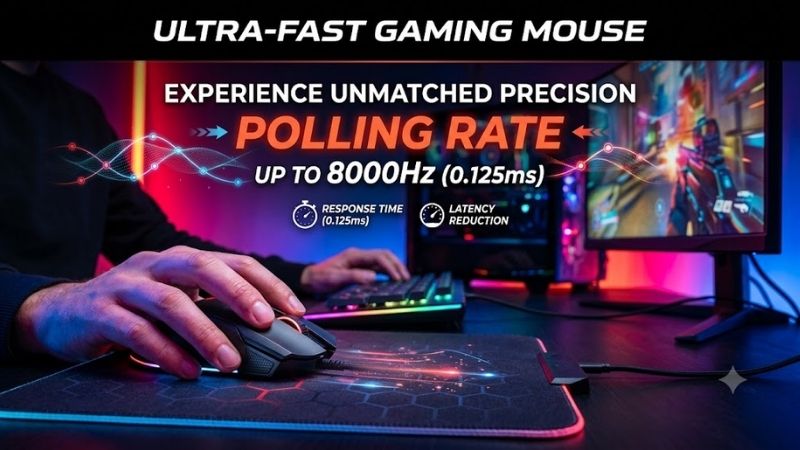
Central Processing Unit Overhead and Thread Usage
Every upward bump in gaming mouse polling rate forces your operating system to process more hardware interrupts per millisecond. While standard single-core chips once choked under intense communication packets, contemporary multithreaded processors smoothly handle the workload without dropping frame rates during frantic firefights.
Budget gaming computers with older architecture may encounter unexpected stutters when paired with hyper-polling peripherals during intensive streaming sessions. Verifying your background application loads before upgrading prevents unwanted rendering drops and keeps mouse telemetry moving smoothly across modern game engines.
Monitor Refresh Rates and Visual Pointer Smoothness
High refresh rate displays operating at two hundred forty hertz or higher showcase the genuine mechanical benefits of rapid sensor reports. When your monitor refreshes pixels four times faster than standard office screens, denser cursor packets translate into a noticeably smoother crosshair arc across your broad battlefields.
Users anchored to traditional sixty hertz panels will notice little perceived fluidness from extreme data reporting cycles. Matching your display capabilities with peripheral hardware avoids unnecessary computer resource consumption while ensuring your physical hand sweeps correspond faithfully to what appears on your panel.
Wireless Power Consumption and Battery Longevity
Transmitting several thousand directional updates every single second drains miniature lithium battery cells at an aggressive pace. Wireless pointers that normally survive weeks of casual productivity might deplete their entire internal charge within a few tournament matches when pushed to their absolute maximum frequency.
Smart players toggle between moderate conservation modes for daytime workstation productivity and maximum transmission velocity for evening rank progression. Selecting an advanced peripheral featuring rapid recharging or dedicated magnetic docks ensures your device never dies midway through an intense championship round.
Microcontroller Architecture and Cable Bandwidth
Internal microcontrollers govern how rapidly raw optical data converts into standardized USB communication packets inside the shell. Premium input devices incorporate dedicated high-speed processing chips that minimize packet queue delays and guarantee every micro-adjustment reaches your motherboard without internal lag.
Flexible paracord cabling also safeguards high gaming mouse polling rate signals against external electromagnetic interference and transmission drops. Shielded wiring lines protect delicate data packets during vigorous swipes across wide cloth pads, providing pristine signal integrity across marathon gaming sessions.
Top Picks for Precision and Speed
Finding your ideal gaming mouse polling rate peripheral requires examining real build quality, sensor fidelity, and wireless stability. We evaluated leading market options to identify four standout tournament mice that deliver astonishing reliability, ergonomic comfort, and hyper-responsive tracking for dedicated players.
| Model | Maximum Polling Rate | Sensor Type | Battery Life | Primary Audience |
|---|---|---|---|---|
| Razer Viper V3 Pro | 8000 Hz | Focus Pro 35K | 95 Hours | Esports Enthusiasts |
| Logitech G Pro X Superlight 2 | 4000 Hz | Hero 2 | 95 Hours | Competitive Shooters |
| Asus ROG Harpe Ace Aim Lab | 8000 Hz | AimPoint 36K | 90 Hours | Aim Training Players |
| Pulsar X2V2 Wireless | 4000 Hz | PixArt PAW3395 | 100 Hours | Lightweight Seekers |
Razer Viper V3 Pro Esports Mouse
Esports professionals striving for extreme precision will appreciate this lightweight weapon designed for championship tournament arenas. Its optical sensor tracks flawlessly across varying pad textures, while the true eight-thousand-hertz wireless transmission eliminates perceptible input lag during high-stakes shootouts.
The symmetrical shell fits claw and fingertip grips wonderfully, but palm grip players with larger hands may find the rear arch too low. Additionally, operating at maximum reporting speed cuts operating battery longevity down considerably, requiring frequent plug-in charging sessions between your daily multiplayer sessions.
Logitech G Pro X Superlight 2
Tactical shooter players who prioritize dependable mechanical build quality and featherweight balance will cherish this iconic pointer. It offers an upgraded gaming mouse polling rate alongside reliable optical-mechanical hybrid switches that resist double-click issues while maintaining crisp, satisfying acoustic clicks.
While the understated ergonomic chassis caters to nearly every hand size, the minimalist design lacks dedicated onboard profile switching buttons. Upgrading to higher frequency modes also demands installing companion software, which might frustrate minimalists who prefer true driverless hardware configuration on clean PCs.
Asus ROG Harpe Ace Aim Lab Edition
Dedicated aim trainers wanting tailored hardware adjustments will adore the specialized software integration baked inside this sleek peripheral. Its specialized bio-based nylon casing keeps total weight remarkably low, providing exceptional structural rigidity that withstands forceful downward pressure during heated matches.
The integrated sensor alignment delivers astonishing spatial precision, yet the tactile texture on the side grips feels overly abrasive to dry hands. Furthermore, unlocking peak multi-thousand-hertz speeds requires purchasing an optional high-rate receiver accessory, adding extra expense to an already premium retail price tag.
Pulsar X2V2 Wireless Gaming Mouse
Budget-conscious enthusiasts hunting for high-tier performance without exorbitant brand markups will discover incredible value in this compact model. The PixArt optical sensor provides stutter-free tracking on glass or cloth surfaces, while refined optical switches ensure zero debounce delay across rapid mouse tap sequences.
The lightweight open construction feels agile during frantic flick shots, but the coating tends to accumulate finger oils after extended playtime. Enthusiasts seeking four-thousand-hertz capability must also purchase an external dongle separately, making initial setup slightly less streamlined than all-in-one bundle packs.
Frequently Asked Questions About Mouse Speed
Navigating technical discussions about gaming mouse polling rate often creates confusion regarding hardware compatibility and tangible benefits. We answered four widespread questions to help you determine whether upgrading your desktop tracking frequency will deliver genuine improvements to your competitive performance.
Does a Higher Refresh Frequency Improve In-Game Aim?
Upgrading your gaming mouse polling rate reduces communication latency, translating your mechanical hand motions into digital crosshair movements more quickly. This tight coupling makes tracking rapid zig-zagging opponents feel significantly more connected, particularly when aiming on high-refresh monitors during skirmishes.
However, faster hardware communication cannot compensate for fundamental aim errors, poor crosshair positioning, or sluggish human reaction speed. Think of elevated reporting frequencies as a subtle mechanical refinement that sharpens existing motor skills rather than an instant miracle cure for poor combat fundamentals.
Can Extreme Transmission Rates Cause Game Stuttering?
Certain older video game engines cannot properly process several thousand directional coordinate packets every single second. When an outdated game loop receives an overwhelming flood of input interrupts, the graphics rendering pipeline temporarily stalls, producing noticeable micro-stuttering during quick mouse sweeps.
Modern competitive titles have patched their input subroutines to accommodate rapid hardware data streams with complete stability. If you observe abrupt framerate drops while swiping your mouse across newer titles, lowering your software frequency setting down to one or two thousand hertz typically resolves the bottleneck.
What Is the Standard Latency Difference Between Frequencies?
A traditional one-thousand-hertz peripheral transmits positional coordinate updates to your operating system once every single millisecond. Increasing that velocity to four thousand hertz shrinks transmission delay down to one quarter of a millisecond, while eight thousand hertz delivers data in one eighth of a millisecond.
While saving fractions of a millisecond sounds negligible on paper, combined system latency reductions accumulate across your entire hardware chain. In split-second duels where simultaneous shots determine tournament survival, having your click packet arrive milliseconds earlier provides an undeniable competitive edge.
Is Hyper Polling Worth It for Casual Desktop Gaming?
Everyday computer users and casual adventure gamers rarely extract meaningful real-world utility from extreme sensor transmission frequencies. Standard titles like turn-based role-playing games or casual building simulations do not demand sub-millisecond reaction speeds or rapid micro-corrections during gameplay sessions.
For non-competitive play, running your hardware at one thousand hertz preserves wireless battery longevity and keeps central processor utilization near zero. Investing in comfortable mouse ergonomics, premium glide skates, and high-quality mousepad surfaces offers far greater everyday value for relaxed recreational play.
View more products:
- Best keyboard for gaming
- Best keyboard for programming
- Wireless gaming mouse latency
- Gaming Mouse DPI Guide
Final Thoughts on Mouse Sensor Performance
Ultimately, optimizing your gaming mouse polling rate unlocks the purest connection between physical dexterity and on-screen crosshair response. Competitive shooter players using premium displays will reap the greatest tracking dividends, while casual gamers can comfortably stick with standard speeds to preserve battery life.
Product links and buying checks
As an Amazon Associate, we earn from qualifying purchases.
- Logitech G PRO X Superlight 2, black on Amazon — Check the exact model, selected variant and seller before ordering.
Prices, availability and included accessories can change. Review the current listing and the compatibility guidance above before purchasing.

Redragon M916 ULT Wireless 8K Polling Rate Gaming Mouse, 49G Ultra-Light 30,000 Max DPI Gaming Mice w/Ergonomic Natural Grip Build, Full Programmable Buttons, Software Supports DIY Keybinds & DPI
Included for 'Gaming Mouse Polling Rate: Ultimate Guide for Best Clicks' because the listing specifies 49G Ultra-Light 30 and 000 Max DPI Gaming Mice w/Ergonomic Natural Grip Build, details this guide uses to compare options.
View on Amazon
Rapoo VT7 Wireless Gaming Mouse, True 8K Wireless Polling Rate, 53g Lightweight, Up to 750 Hr Battery, Nordic nRF54L15 MCU, 100-Million Mechanical Switch, 10 Programmable Buttons, White
Included for 'Gaming Mouse Polling Rate: Ultimate Guide for Best Clicks' because the listing specifies True 8K Wireless Polling Rate and 53g Lightweight, details this guide uses to compare options.
View on Amazon