🛒 Best Price Today on Amazon
Prime members get fast, free shipping on everything above, plus member-only deals. New members get a 30-day free trial — cancel anytime.
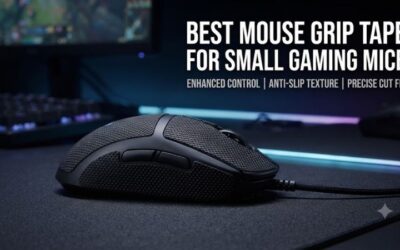
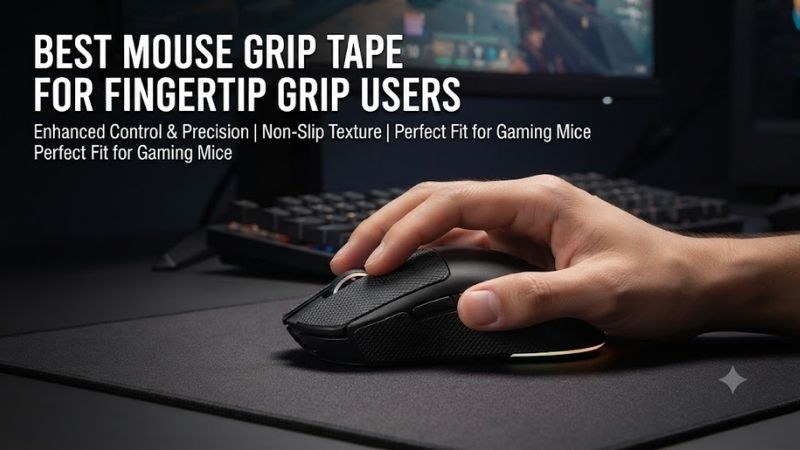
Fingertip grip relies on small contact areas to control a gaming mouse, making surface texture and grip consistency especially important. The best mouse grip tape for fingertip grip users should improve traction without adding unnecessary thickness or changing the mouse’s carefully selected shape. Material, adhesive quality, placement, and fingertip comfort determine the result.
Quick Verdict: Which Grip Tape Is Best for Fingertip Gaming?
Fingertip grip users generally benefit from thin, high-traction tape applied only where the fingers contact the mouse. Covering the entire shell is not always necessary and may change the intended grip geometry. Universal sheets are particularly useful because they allow placement to match individual finger positions.
Best overall: Pulsar Supergrip Universal Grip Tape
Best ultra-thin option: X-Raypad Cicada Wings V2
Best for sweaty fingertips: X-Raypad Gecko V2
Best premium alternative: Corepad SOFT GRIPS
Best for compatible Razer mice: Razer Mouse Grip Tape
Best custom-cut option: ESPTiger Oriole DIY Grip Tape
Quick Comparison Table
| Grip tape | Design | Main advantage | Best for |
|---|---|---|---|
| Pulsar Supergrip Universal | Universal grip material | Strong traction | General fingertip grip |
| X-Raypad Cicada Wings V2 | Ultra-thin pre-cut or universal | Minimal shape change | Lightweight mice |
| X-Raypad Gecko V2 | Thin textured DIY tape | Moisture-oriented traction | Sweaty hands |
| Corepad SOFT GRIPS | Model-specific textured tape | Precision fit | Supported mouse models |
| Razer Mouse Grip Tape | Pre-cut polyurethane | Convenient installation | Compatible Razer mice |
| ESPTiger Oriole DIY | Thin cut-to-fit sheet | Custom contact patches | Unusual grip positions |
How We Selected These Grip Tape Products
Selection emphasized material thickness, traction, moisture handling, adhesive quality, and the ability to cover specific fingertip contact points. We prioritized products that can be used without permanently modifying the mouse shell and considered the trade-offs between model-specific pre-cut pieces and universal DIY sheets.
The recommendations do not assume that stronger traction always improves gaming accuracy. Grip tape changes the physical interface between the fingers and mouse, which can improve confidence for some users while making fine adjustments feel less natural for others.
The 6 Best Mouse Grip Tapes for Fingertip Grip Users
Fingertip grip differs from palm grip because much of the hand remains away from the mouse shell. The thumb, ring finger, little finger, and fingertips on the primary buttons provide most of the control. This makes small, precisely positioned patches potentially more useful than full-surface coverage.
Pulsar Supergrip Universal Grip Tape – Best Overall
Pulsar Supergrip Universal Grip Tape is a strong overall choice for fingertip users seeking increased traction without relying on a mouse-specific adhesive layout. Its universal format allows users to position grip material according to their actual finger contact points, which can vary significantly between hand sizes and mouse shapes.
Best for: Fingertip grip players using lightweight gaming mice.
Key features
-
Gaming-oriented grip material
-
Universal configuration
-
High-traction surface
-
Adhesive installation
-
Suitable for custom fingertip placement
-
Multiple patch arrangements possible
Why fingertip grip needs targeted traction
Unlike palm grip, fingertip grip uses relatively small contact areas.
The mouse may be controlled mainly by the thumb on one side and the ring and little fingers on the other.
During rapid acceleration, these fingers must generate enough friction to move the mouse without slipping.
A suitable grip tape can increase traction at these points.
This may reduce the need to squeeze the mouse as tightly.
However, it does not automatically improve sensor accuracy or reaction time.
Universal placement
The main advantage of a universal set is flexibility.
Users can place smaller patches precisely where their fingers contact the shell.
This is helpful when the mouse is smaller than the hand or when the grip position differs from the manufacturer’s intended ergonomic design.
For example, a player may place a narrow strip near the front of the left side where the thumb rests.
Another patch can be positioned on the opposite side for the ring finger.
Material thickness
Grip tape adds material between the fingers and mouse shell.
Even a small thickness can change the effective width of a lightweight mouse.
For fingertip users who rely on precise shape perception, this may matter.
Start with small patches rather than covering the entire side panel.
Sweat and long-session comfort
Moisture can reduce traction on some smooth mouse coatings.
Grip tape is designed to provide a more consistent contact surface.
Nevertheless, no tape remains perfectly unchanged under every humidity or sweat condition.
Cleaning and eventual replacement may be necessary.
Pros
-
Flexible placement
-
Strong traction-oriented design
-
Suitable for different mouse shapes
-
Useful for small fingertip contact areas
-
Does not require permanent shell modification
Cons
-
Thickness can alter grip feel
-
Adhesive quality depends on installation
-
Excessive coverage may reduce comfort
-
Material may wear over time
Buy If: You want adaptable high-traction patches for a fingertip grip.
Skip If: You prefer the original mouse coating and are highly sensitive to added material.
X-Raypad Cicada Wings V2 – Best Ultra-Thin Grip Tape
X-Raypad Cicada Wings V2 is particularly attractive to fingertip grip users who want additional traction without significantly changing the mouse’s physical dimensions. Its thin construction, universal and model-specific options, and small adhesive sections make it well suited to precise placement.
Best for: Lightweight mice and players sensitive to grip-tape thickness.
Key characteristics
-
Ultra-thin grip material
-
Polyurethane-based versions
-
Universal and model-specific sets
-
3M adhesive backing on supported variants
-
Multiple small grip sections
-
Designed for gaming mouse contact surfaces
Why thickness matters
A fingertip grip player may choose a mouse because of its exact side curvature.
Adding thick tape can reduce the depth of that curvature or make the mouse feel wider.
Ultra-thin tape aims to preserve more of the original geometry.
This is particularly useful for small symmetrical mice.
However, thin material can also provide less cushioning.
Players seeking a soft padded feel may prefer another design.
Traction characteristics
Cicada Wings is intended to provide a tacky contact surface.
This can help the fingers maintain control during rapid movements.
For players with sweaty hands, the surface may feel more consistent than smooth plastic.
Nevertheless, personal preference matters.
Some users prefer a slightly textured surface over a sticky one.
Patch configuration
Universal versions allow users to choose smaller contact patches.
This is useful when the thumb and ring finger rest in unusual positions.
Model-specific sets simplify installation but may place material where a particular user does not need it.
For fingertip grip, coverage should follow the hand rather than the mouse’s appearance.
Adhesive considerations
The adhesive needs a clean surface.
Skin oils and dust can reduce bonding.
After installation, allow the adhesive to settle according to the manufacturer’s guidance.
Avoid repeatedly removing and reapplying the same piece.
Pros
-
Very thin design
-
Minimal shape alteration
-
Universal and pre-cut options
-
Suitable for precise fingertip placement
-
Gaming-oriented texture
Cons
-
Thin material offers limited cushioning
-
Adhesive placement requires care
-
Tacky feeling may not suit everyone
-
Small patches can be difficult to position
Buy If: You want improved traction while preserving the mouse’s original dimensions.
Skip If: You prefer thick, padded grip material.
X-Raypad Gecko V2 – Best for Sweaty Fingertips
X-Raypad Gecko V2 offers a different approach to fingertip traction by emphasizing a textured, moisture-oriented grip surface. Its thin construction and DIY options make it useful for players who experience slipping during long sessions or prefer a more pronounced surface texture.
Best for: Players whose grip changes noticeably with perspiration.
Key characteristics
-
Thin gaming grip material
-
DIY and model-specific configurations
-
Approximately 0.33 mm thickness on documented variants
-
Anti-deformation design claims
-
Tacky textured surface
-
Suitable for custom finger-contact patches
Moisture and traction
When fingertips become damp, smooth mouse shells can feel less secure.
A textured grip can create additional contact friction.
Gecko V2 is marketed toward maintaining traction during gaming.
However, the exact result depends on skin condition, hand pressure, and the mouse’s original coating.
A player with dry hands may experience the material differently from someone with sweaty fingertips.
Thin construction
At approximately 0.33 mm for documented variants, Gecko V2 is relatively thin.
This makes it suitable for users who want additional grip without a major change in mouse width.
Nevertheless, even thin tape can be noticeable on a very small mouse.
Careful placement remains important.
DIY flexibility
The cut-to-fit format allows users to tailor the patch shape.
For example, the thumb may need a longer strip than the ring finger.
A DIY sheet makes it possible to create different shapes for each side.
This is useful for unconventional fingertip grips.
Durability considerations
Grip tape experiences repeated finger pressure.
Over time, surface texture and adhesive performance can change.
The anti-deformation design aims to maintain shape, but users should still inspect the tape for lifting edges.
A loose patch can interfere with grip consistency.
Pros
-
Thin material
-
Strong traction focus
-
Useful for sweaty hands
-
DIY flexibility
-
Textured contact surface
Cons
-
Surface feel may be too tacky
-
Requires careful cutting
-
Added material changes grip slightly
-
Adhesive wear remains possible
Buy If: You need additional traction during long, sweaty gaming sessions.
Skip If: You prefer a smooth, low-friction mouse coating.
Corepad SOFT GRIPS – Best Model-Specific Premium Option
Corepad SOFT GRIPS are designed for gaming mouse owners who prefer accurately cut grip pieces that match the shell of a supported model. Their focus on fit and surface texture makes them appealing to fingertip users who want a clean installation without manually cutting universal sheets.
Best for: Supported gaming mice where precise pre-cut coverage matters.
Design approach
Model-specific grip tape is shaped to fit designated areas of the mouse.
This can simplify installation.
A correctly cut patch follows the shell’s contour without extending over buttons, seams, or openings.
For fingertip grip, this may be useful when the intended contact points align with the pre-cut design.
However, not every fingertip grip position matches the manufacturer’s template.
Surface texture
Corepad SOFT GRIPS use a textured surface intended to improve contact.
The material provides a different sensation from bare plastic.
The best result depends on personal preference.
Some players appreciate the added traction, while others find textured material distracting during fine movement adjustments.
Thickness and shape
The selected model’s material thickness should be checked before purchasing.
A thicker patch may provide additional cushioning but change the apparent width of the mouse.
A thinner patch preserves more of the original shape.
For fingertip grip, small changes can be noticeable because the hand contacts a limited number of points.
Installation considerations
Clean the mouse shell before applying the tape.
Align each piece carefully.
Avoid covering screw holes, charging contacts, or button gaps.
Do not stretch the material excessively during installation.
Pros
-
Model-specific fit
-
Clean appearance
-
Textured grip surface
-
Convenient installation
-
Suitable for supported gaming mice
Cons
-
Limited to specific models
-
Pre-cut coverage may not match every grip
-
Material thickness varies
-
Less flexible than universal DIY sheets
Buy If: You own a supported mouse and want a precisely fitted grip set.
Skip If: Your fingertip contact positions differ significantly from the pre-cut layout.
Razer Mouse Grip Tape – Best for Compatible Razer Mice
Razer Mouse Grip Tape provides a convenient upgrade for owners of supported Razer gaming mice. Its polyurethane construction, pre-cut pieces, and adhesive backing make it useful for players who want additional traction without manually measuring and cutting every patch.
Best for: Fingertip grip users with compatible Razer mice.
Key specifications
-
Polyurethane grip material
-
Approximately 0.5 mm thickness
-
Pre-cut configurations
-
3M adhesive backing
-
Selected DeathAdder, Viper, and Basilisk compatibility
-
Universal version available
Pre-cut design
Razer offers sets designed for specific mouse families.
This makes installation more straightforward.
The pieces are shaped for areas such as the primary buttons and side panels.
For fingertip grip, the side-panel pieces are often the most relevant.
However, the user’s exact finger positions should determine whether every patch is necessary.
Thickness
At approximately 0.5 mm, Razer’s tape creates a noticeable but relatively modest additional layer.
This can increase grip confidence on smooth shells.
However, the added thickness may change how the fingers perceive the mouse’s sides.
Players using very small mice should evaluate this carefully.
Moisture handling
Razer markets the material for sweat absorption and improved traction.
This can be useful for long gaming sessions.
Nevertheless, the tape should be cleaned and replaced when it becomes worn.
A dirty or peeling grip can become less consistent than the original mouse surface.
Adhesive performance
The tape is intended to remain attached during ordinary gaming.
However, repeated removal can weaken the adhesive.
Initial alignment should therefore be performed carefully.
Pros
-
Documented material thickness
-
Model-specific and universal choices
-
Convenient installation
-
Useful side-panel coverage
-
Established adhesive design
Cons
-
Limited model-specific compatibility
-
Thickness may affect grip
-
Repeated repositioning reduces adhesion
-
Full sets may include unnecessary patches
Buy If: You own a compatible Razer mouse and prefer pre-cut grip tape.
Skip If: You need very thin universal material for unconventional finger positions.
ESPTiger Oriole DIY Grip Tape – Best for Custom Fingertip Placement
ESPTiger Oriole DIY Grip Tape is a thin cut-to-fit option for users who prefer designing their own contact patches. This is especially relevant to fingertip grip because the ideal locations depend on individual hand size, finger angle, and mouse shape.
Best for: Enthusiasts seeking precise custom placement.
Key characteristics
-
DIY sheet format
-
Approximately 0.3 mm thickness on listed variants
-
Thin grip material
-
Customizable patch shapes
-
Adhesive-backed installation
Why custom placement matters
Some fingertip grip users place their thumb near the middle of the shell.
Others grip closer to the front.
The ring finger may contact a narrow section below the right mouse button.
Universal pre-cut pieces cannot perfectly match every arrangement.
A DIY sheet allows the user to cover only the actual contact areas.
Thin material advantages
The approximately 0.3 mm material adds relatively little thickness.
This can help preserve the mouse’s original shape.
However, accurate cutting is essential.
Uneven patch edges can become uncomfortable or peel during use.
Installation process
Create a paper template before cutting.
Place it against the mouse to confirm the shape.
Cut the grip tape with clean, sharp tools.
Round the corners to reduce peeling.
Remove the adhesive backing and apply the patch carefully.
Press evenly without stretching the material.
Maintenance
Inspect the edges periodically.
If a patch begins to lift, replace it rather than repeatedly pressing contaminated adhesive back into place.
Avoid aggressive cleaning chemicals that may damage the material or mouse coating.
Pros
-
Thin construction
-
Custom fit
-
Suitable for unusual grip positions
-
Efficient use of small patches
-
Useful for mouse shape preservation
Cons
-
Requires manual cutting
-
Installation mistakes are possible
-
More time-consuming than pre-cut sets
-
Adhesive durability depends on preparation
Buy If: You want precise grip patches tailored to your own fingertip contact points.
Skip If: You prefer ready-made pieces with minimal preparation.
Buying Guide: How to Choose Mouse Grip Tape for Fingertip Grip
Fingertip grip requires careful control over a small number of contact points. Unlike palm grip, the hand does not rely on broad contact with the mouse shell. This makes the placement, thickness, and texture of grip tape especially important.
Understand Fingertip Grip Contact Points
Fingertip grip primarily uses the fingertips to control the mouse.
The palm remains mostly or entirely away from the shell.
The thumb and outer fingers stabilize the sides.
The index and middle fingers operate the primary buttons.
Grip tape should be positioned according to these contact points.
Full-shell coverage is often unnecessary.
Choose the Right Grip Tape Thickness
Thin tape preserves more of the mouse’s original geometry.
Thicker tape may provide additional cushioning and traction but alter the perceived width.
For users who selected a mouse specifically for its narrow shape, this change can matter.
A small patch of thin tape is often a sensible starting point.
Compare Tacky and Textured Materials
Tacky materials provide a slightly adhesive feeling against the skin.
Textured materials rely more on surface friction.
Some players prefer strong tackiness during fast movement.
Others prefer a less sticky surface that allows subtle finger repositioning.
The ideal material depends on personal preference and hand moisture.
Choose Universal or Model-Specific Tape
Universal tape allows custom placement.
Model-specific tape simplifies installation and can provide cleaner visual results.
Fingertip users with unconventional grips may prefer DIY sheets.
Players using a standard grip position on a supported mouse may prefer pre-cut pieces.
How to Install Grip Tape Without Damaging the Mouse
Clean the shell with a manufacturer-approved method.
Allow it to dry completely.
Identify the actual fingertip contact points.
Position the tape before removing the backing when possible.
Apply one patch at a time.
Avoid covering buttons, charging contacts, seams, or sensor openings.
Press the material into place gently.
Maintain Grip Tape During Long Gaming Sessions
Grip tape collects skin oils and moisture over time.
Clean it according to the manufacturer’s instructions.
Avoid harsh solvents.
If the material becomes smooth, heavily contaminated, or begins to peel, replace it.
A worn grip can create inconsistent traction.
Frequently Asked Questions
Does grip tape improve fingertip grip?
It can improve traction for some users, particularly when the original mouse coating feels slippery.
Is thinner grip tape better?
Thin tape preserves more of the mouse’s shape, but some users prefer thicker cushioning.
Should I cover the entire mouse?
Not necessarily. Fingertip grip often benefits from small patches at the actual contact points.
Can grip tape damage mouse coating?
Improper adhesive or removal techniques can affect delicate finishes. Use compatible products.
Is grip tape useful for sweaty hands?
It may help maintain traction, depending on the material and individual conditions.
Does grip tape increase gaming accuracy?
It does not directly change sensor accuracy, but improved grip consistency may help some players control movement.
How often should grip tape be replaced?
Replace it when traction deteriorates, the material becomes damaged, or the adhesive begins to lift.
Final Verdict
Pulsar Supergrip Universal is a strong all-around option for fingertip grip users seeking flexible placement and additional traction. X-Raypad Cicada Wings V2 suits players who want minimal thickness, while Gecko V2 emphasizes grip for sweaty hands. Corepad, Razer, and ESPTiger offer useful alternatives depending on mouse compatibility and placement preferences.