🛒 Best Price Today on Amazon
Prime members get fast, free shipping on everything above, plus member-only deals. New members get a 30-day free trial — cancel anytime.
Loose mouse cables can slide behind a desk, interfere with movement, or create clutter around a gaming mousepad. The best magnetic mouse cable holder for gaming desks provides a convenient way to organize these cables without complicated installation. However, magnetic holders differ significantly in whether they support active gaming or simply store unused cables.
Quick Verdict: Which Magnetic Mouse Cable Holder Should You Buy?
For a wired gaming mouse, a holder designed to manage a moving cable is more suitable than a conventional magnetic charging-cable organizer. Stationary organizers are excellent for keeping a wireless mouse’s charging cable accessible, but they may create resistance when the mouse moves across a large gaming surface.
Best for active wired gaming: CHERRY XTRFY C1 Adjustable Mouse Cord Holder
Best for wireless mouse charging: Anker Magnetic Cable Holder
Best integrated desk organizer: Orbitkey Desk Mat Pro Magnetic Cable Holder
Best reusable magnetic cable management: elago Magnetic Cable Ties
Best minimalist desk accessory: elago Magnetic Cable Management Anchor
Best premium stationary cable holder: Magnetic Wooden Desk Cable Organizer
Quick Comparison Table
| Product | Magnetic mechanism | Best use | Active mouse movement |
|---|---|---|---|
| CHERRY XTRFY C1 | Magnetic holder and metal plate | Wired mouse cable control | Designed for it |
| Anker Magnetic Cable Holder | Magnetic cable clips | Charging cable parking | Limited |
| Orbitkey Desk Mat Pro | Sliding magnetic holder | Integrated desk organization | Not a true bungee |
| elago Magnetic Cable Ties | Reusable magnetic ties | Cable bundling | Not recommended |
| elago Magnetic Anchor | Magnetic cable retention | Stationary cable storage | Limited |
| Wooden Magnetic Organizer | Magnetic cable parking | Premium desk organization | Not recommended |
How We Selected These Magnetic Cable Holders
Selection focused on mounting security, cable compatibility, adjustability, ease of repositioning, and suitability for different gaming-mouse connections. We distinguished products that guide a moving mouse cable from organizers designed to retain stationary charging cables, preventing the two functions from being treated as interchangeable.
We also considered mounting surfaces. A magnetic holder may require a supplied steel plate, a separate ferromagnetic surface, or an adhesive base. A wooden desk or glass mousepad does not automatically provide magnetic attachment, even when the holder contains a strong magnet.
The 6 Best Magnetic Mouse Cable Holders for Gaming Desks
Magnetic cable holders can simplify gaming setups, but their effectiveness depends on how the cable needs to behave. A wired mouse requires unrestricted movement within the playing area, while a wireless mouse charging cable only needs a convenient resting position between charging sessions.
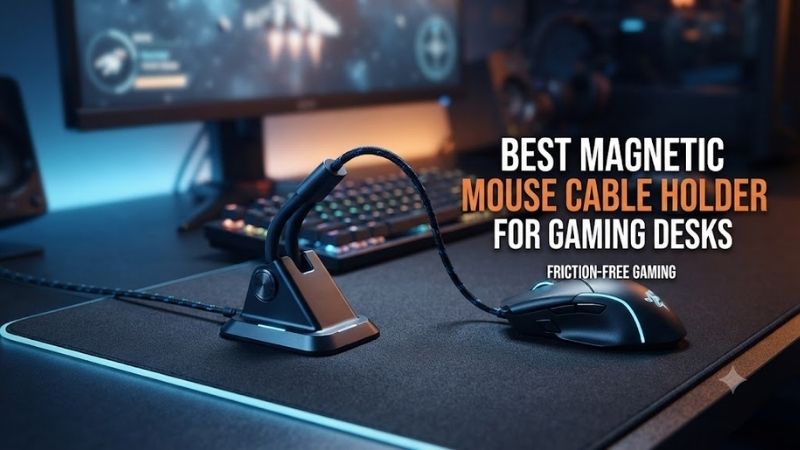
CHERRY XTRFY C1 Adjustable Mouse Cord Holder – Best Overall for Wired Gaming
The CHERRY XTRFY C1 is the most directly relevant option for gamers seeking a genuinely magnetic mouse-cable management accessory. Unlike stationary charging organizers, it is designed to hold a wired gaming mouse cable at an adjustable position and angle while reducing unwanted contact with the desk.
Best for: Wired FPS gaming, compact desks, and users who want a smaller alternative to a conventional mouse bungee.
Key features
-
Adjustable mouse cord holder
-
Magnetic mounting system
-
Adhesive metal mounting plates
-
Four metal plates included
-
Adjustable cable position and angle
-
Compact desktop design
-
Manufacturer model designation XG-C1
How the magnetic mounting system works
The Xtrfy C1 uses a magnetic holder that attaches to a metal plate placed on the desk.
This arrangement allows the holder to remain fixed during normal use while still being removable.
The included plates also make it possible to create several mounting positions.
For example, one position can be used at a home gaming desk and another at a secondary workstation.
The holder itself can then be transferred between those positions.
This is more flexible than permanently attaching a conventional cable clip.
Cable movement and drag
The C1 is designed to reduce drag by controlling where the mouse cable changes direction.
Instead of allowing the cable to pull from the rear of the desk or scrape across the mousepad, the holder establishes a more predictable cable path.
This can be useful for lightweight wired mice because even modest cable resistance may become noticeable during wide aiming movements.
However, the C1 does not eliminate all physical cable resistance.
Cable stiffness, slack length, and the holder’s position still affect the result.
Adjustable positioning
The ability to change cable angle is particularly useful for different aiming styles.
A low-sensitivity FPS player may need a longer free cable section than a high-sensitivity player.
If the holder is positioned too close to the mouse, the cable can become taut during rapid swipes.
If it is too far away, loose cable may still contact the pad.
Adjust the holder gradually while moving the mouse through its complete playing range.
Magnetic stability
The magnet is designed to keep the holder attached to its metal plate.
However, magnetic attachment should not be confused with permanent mechanical fastening.
A strong cable pull may dislodge the holder.
This can be beneficial during accidental snags, but it also means that mounting quality matters.
Pros
-
Designed specifically for gaming mouse cables
-
Magnetic repositioning
-
Adjustable cable angle
-
Multiple mounting plates
-
Compact footprint
-
Suitable for active wired use
Cons
-
Requires appropriate plate installation
-
Not identical to a spring-arm bungee
-
Cable tension can dislodge the mount
-
Less useful for thick or unusually stiff cables
Buy If: You want a compact magnetic holder for actively using a wired gaming mouse.
Skip If: You only need to park a wireless mouse charging cable between sessions.
Anker Magnetic Cable Holder – Best for Wireless Mouse Charging
The Anker Magnetic Cable Holder is a practical option for gamers who use wireless mice and want their charging cables to remain accessible. Its magnetic clips attach to a desk-mounted base, creating designated resting positions for cables instead of allowing them to fall behind the desk.
Best for: Wireless mouse charging cables, keyboard cables, and other stationary USB connections.
Key characteristics
-
Magnetic cable retention
-
Multiple removable cable clips
-
Adhesive desk base
-
Designed for cables around 3.5 mm in diameter
-
Washable and reusable adhesive concept
-
Suitable for various smooth desk surfaces
Charging cable organization
Wireless gaming mice often require occasional charging.
After disconnecting the cable, the loose USB-C connector may slide behind the desk.
A magnetic holder keeps the cable accessible.
This is particularly convenient when the same desk contains several charging accessories.
Rather than searching for the correct connector, the user can assign one magnetic clip to the gaming mouse cable.
Why cable diameter matters
Anker’s cable-holder design is intended for a limited range of cable thicknesses.
A thick braided cable or unusually large paracord jacket may not fit securely.
Before buying, measure the cable’s outside diameter.
Do not force an oversized cable into a small clip.
Excess pressure may damage the jacket or prevent the clip from closing properly.
Adhesive mounting
The base uses an adhesive arrangement intended for smooth surfaces.
Installation begins with cleaning and drying the selected location.
The holder should be positioned where the cable can reach the mouse comfortably without becoming stretched.
For most gamers, a location near the rear or side of the mousepad is convenient.
Limitations for wired gaming
The Anker holder is not designed to provide a moving spring arm.
Its primary role is cable retention.
Using it as the only support for a wired gaming mouse may introduce an undesirable fixed point.
Players who regularly make large mouse movements should use a proper bungee or adjustable gaming holder instead.
Pros
-
Convenient charging cable storage
-
Multiple magnetic clips
-
Reusable mounting concept
-
Compact design
-
Useful for several desk accessories
Cons
-
Limited cable diameter support
-
Not intended for dynamic mouse movement
-
Adhesive performance depends on the surface
-
Magnetic clips can be misplaced
Buy If: You want your wireless mouse charging cable to remain accessible and organized.
Skip If: You need continuous support for an actively moving wired mouse.
Orbitkey Desk Mat Pro Magnetic Cable Holder – Best Integrated Desk Setup
The Orbitkey Desk Mat Pro integrates magnetic cable management into a broader desktop organization system. Its adjustable magnetic cable holder slides along the mat’s toolbar, making it relevant to gamers who want their mouse charging cable organized alongside other workstation accessories.
Best for: Premium desk setups combining gaming, productivity, and organized cable storage.
Integrated design
The main advantage is that cable management is incorporated into the desk mat.
A separate adhesive holder is unnecessary for the primary cable-retention feature.
The magnetic holder can move along the toolbar.
This allows the user to adjust the cable’s resting position as the desk setup changes.
For example, a wireless mouse charging cable can be positioned near the mousepad area without occupying the center of the workspace.
Desk organization
The Desk Mat Pro includes additional organizational features beyond cable retention.
These can be useful for people who share one desk between gaming and office work.
However, gamers should consider the mat’s material and dimensions.
A premium desk mat is not necessarily a substitute for a dedicated gaming mousepad with a preferred surface and glide characteristics.
Mouse cable suitability
The integrated magnetic holder is best used for organizing cables when they are not under continuous movement.
It is not intended to provide the spring-loaded freedom of a conventional gaming mouse bungee.
Users with a wired FPS mouse may still need a separate dynamic cable guide.
Practical limitations
Purchasing an entire premium desk mat solely for its magnetic cable holder may be unnecessarily expensive.
It becomes more attractive when the user also values the mat’s other organizational features.
Pros
-
Integrated magnetic organization
-
Adjustable holder position
-
Premium desk appearance
-
Useful for multiple work accessories
-
No separate holder base required
Cons
-
Complete desk mat rather than standalone accessory
-
More expensive approach
-
Not designed as a dynamic mouse bungee
-
May not replace a performance gaming mousepad
Buy If: You want an integrated workstation organization system.
Skip If: You only need an inexpensive mouse cable holder.
elago Magnetic Cable Ties – Best Reusable Cable Bundling
elago Magnetic Cable Ties provide a different approach to managing mouse cables. Rather than holding a single connector at a fixed point, they use reusable magnetic fastening to keep excess cable neatly bundled, making them useful behind a gaming desk or during transportation.
Best for: Organizing surplus cable length and storing unused charging cables.
Why bundling matters
Many gaming mice include charging cables longer than the distance between the device and computer.
Excess cable can become tangled with keyboard, headset, and monitor connections.
A reusable magnetic tie helps keep the unused section together.
This can improve desk organization without requiring permanent clips.
Practical use
The magnetic fastening design allows users to adjust or release a cable bundle.
For a stationary charging connection, this is convenient.
However, the bundled section should remain outside the mouse’s active movement area.
A tightly coiled or bundled cable can create additional stiffness and resistance.
Compatibility
Magnetic ties can accommodate different cable arrangements, but the exact size and holding capacity vary by product.
Large power cables may require a different organizer.
Avoid bending cables sharply or compressing connectors against one another.
Pros
-
Reusable design
-
Flexible cable bundling
-
No permanent mounting required
-
Useful for travel
-
Suitable for excess cable management
Cons
-
Not an active mouse bungee
-
Does not elevate a moving cable
-
May require additional desk mounting
-
Magnetic strength varies by arrangement
Buy If: You want to organize excess charging cable behind your gaming setup.
Skip If: You need a holder that guides a mouse during gameplay.
elago Magnetic Cable Management Anchor – Best Minimalist Holder
The elago Magnetic Cable Management Anchor is intended to keep small cables organized and accessible. It is particularly useful for gaming desks where the mouse charging cable is frequently disconnected and needs a consistent resting place.
Best for: Minimalist cable parking and ordinary desktop charging accessories.
Design appeal
A small magnetic anchor occupies less space than a conventional mouse bungee.
This is useful on compact desks where the primary gaming mousepad occupies most of the available surface.
The holder can be positioned away from the main aiming area.
Its function is straightforward: prevent the cable from falling or moving into an inconvenient location.
Charging convenience
A wireless gaming mouse may need charging only occasionally.
A cable anchor keeps the connector close to the mouse without requiring it to remain attached.
This reduces clutter and makes reconnecting more convenient.
However, users should confirm the exact cable-retention method and supported cable sizes.
Active-gaming limitations
A stationary anchor is not designed to move with the mouse.
If the cable remains clipped firmly while gaming, it may pull against the mouse during wide swipes.
For active wired use, a dynamic holder is preferable.
Pros
-
Compact appearance
-
Convenient cable parking
-
Useful for charging accessories
-
Minimal desktop footprint
Cons
-
Limited dynamic movement
-
Compatibility depends on cable size
-
Not a replacement for a spring-arm bungee
Buy If: You prefer a clean desk with a dedicated charging-cable position.
Skip If: You need minimal resistance during continuous wired gaming.
Magnetic Wooden Desk Cable Organizer – Best Premium Stationary Option
A magnetic wooden desk cable organizer combines cable retention with a decorative desktop accessory. Solid-wood models are available in different slot configurations, making them attractive to users who prefer an organized setup with natural materials rather than visible plastic clips.
Best for: Premium gaming and productivity desks where cables remain mostly stationary.
Construction and appearance
Wooden organizers are designed to sit visibly on the desk.
Their appearance can complement a wooden desktop, monitor stand, or keyboard case.
The magnetic component retains the cable or its dedicated clip.
However, appearance should not outweigh practical cable compatibility.
The organizer must hold the relevant cable securely without excessive bending.
Cable positioning
A two-slot organizer can be sufficient for a mouse and keyboard charging cable.
Larger configurations may accommodate headset and controller cables as well.
The best location is one that keeps connectors accessible but away from the gaming mouse’s movement path.
Limitations
A premium wooden organizer does not provide the dynamic support of a mouse bungee.
It is a cable-management accessory rather than a performance gaming tool.
The exact model and dimensions should be verified before purchase.
Pros
-
Premium appearance
-
Multiple slot options
-
Useful for charging cables
-
Suitable for coordinated desk setups
Cons
-
Not intended for active wired mouse movement
-
Higher cost than simple cable clips
-
Limited compatibility with oversized connectors
-
Exact construction varies by manufacturer
Buy If: You value appearance and organized charging connections.
Skip If: You need a functional gaming mouse bungee.
Buying Guide: How to Choose a Magnetic Mouse Cable Holder
A magnetic cable holder should be selected according to the job it needs to perform. Stationary cable parking, active mouse-cable guidance, and excess-cable bundling are different applications, and one product rarely performs all of them equally well.
Understand Magnetic Holders Versus Mouse Bungees
A magnetic holder usually secures a cable or cable clip to a desk-mounted base.
A mouse bungee uses a flexible arm to accommodate movement.
For wireless mouse charging, a stationary magnetic holder is convenient.
For continuous wired gaming, a moving cable support generally provides greater freedom.
The Xtrfy C1 is an exception because it is specifically designed as an adjustable gaming mouse cord holder.
Choose the Correct Mounting Surface
Magnets require a compatible ferromagnetic material or a supplied metal plate.
A glass desk does not inherently provide magnetic attachment.
Many products therefore use an adhesive metal plate or an adhesive-backed holder base.
Follow the manufacturer’s preparation instructions.
Ensure that the surface is clean, dry, and suitable for adhesive use.
Measure Cable Thickness
Mouse cables differ in diameter and jacket construction.
A narrow magnetic clip may fit a thin USB-C charging cable but not a thick braided cable.
Forcing the cable into an undersized opening can damage its jacket.
Choose a holder that supports the cable’s actual dimensions.
Consider Repositioning and Adhesive Removal
Some holders are designed for repeated repositioning.
Others rely on adhesive pads that lose effectiveness after removal.
If you frequently change desk layouts, a reusable or replaceable mounting system is preferable.
Avoid mounting adhesives on delicate finishes without checking compatibility.
Position the Holder Outside the Mousepad
The holder should not interfere with the mouse’s movement.
Place it behind or beside the active gaming area.
Leave enough cable slack for the widest intended mouse movement.
Test the setup with slow sweeps before beginning competitive gameplay.
Frequently Asked Questions
Are magnetic mouse cable holders useful for gaming?
Yes, but the benefit depends on whether they manage an active wired cable or a stationary charging cable.
Can a magnetic holder replace a mouse bungee?
Only certain adjustable gaming-oriented designs can perform a similar function.
Will magnets interfere with a gaming mouse sensor?
Ordinary desktop cable holders are not designed to affect optical tracking, but avoid placing magnetic hardware directly against sensitive devices or storage media.
Can magnetic holders attach to wooden desks?
Yes, when they include an appropriate adhesive base or metal mounting plate.
Do magnetic cable clips fit paracord cables?
Some do, but cable diameter and flexibility must be checked.
Are magnetic cable holders reusable?
It depends on the attachment method and the manufacturer’s instructions.
Final Verdict
The CHERRY XTRFY C1 is the strongest choice for active wired gaming because it combines magnetic mounting with adjustable cable positioning. Anker is better for wireless mouse charging cables, while Orbitkey and elago products prioritize desk organization. Choose according to cable movement requirements rather than magnetic strength alone.