🛒 Best Price Today on Amazon
Prime members get fast, free shipping on everything above, plus member-only deals. New members get a 30-day free trial — cancel anytime.
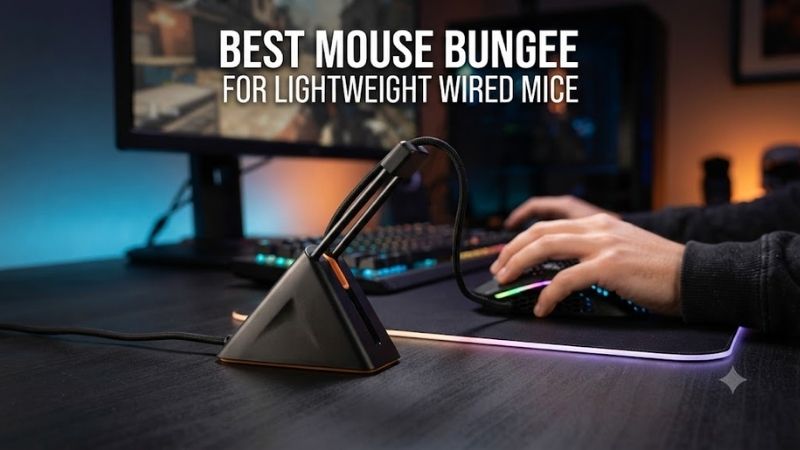
Lightweight wired gaming mice can offer excellent control, but cable drag may become more noticeable as mouse weight decreases. The best mouse bungee for lightweight wired mice should keep the cable elevated, provide enough slack for wide movements, and remain stable during rapid aiming. Its effectiveness depends on cable flexibility, mounting design, and correct positioning.
Quick Verdict: Which Mouse Bungee Is Best for Lightweight Mice?
For most lightweight wired mice, a stable spring-arm bungee provides a straightforward way to reduce cable contact with the desk. Gamers with small workspaces may prefer a compact monitor-mounted design, while low-sensitivity FPS players often benefit from a heavier base that resists movement during large swipes.
Best overall: Razer Mouse Bungee V3
Best compact design: Pulsar Micro Bungee ES
Best for base stability: ZOWIE CAMADE II
Best minimalist weighted option: Endgame Gear MB1
Best for smooth desktops: COUGAR Bunker
Best budget alternative: Glorious Mouse Bungee
Quick Comparison Table
| Mouse bungee | Design | Best application | Main limitation |
|---|---|---|---|
| Razer Mouse Bungee V3 | Weighted spring arm | Overall wired gaming | Requires desk space |
| Pulsar Micro Bungee ES | Adhesive monitor mount | Compact setups | Mounting position less flexible |
| ZOWIE CAMADE II | Heavy retractable spring | Large FPS swipes | Discontinued or limited stock |
| Endgame Gear MB1 | Weighted adjustable support | Minimalist setup | Cable grip must be checked |
| COUGAR Bunker | Vacuum suction base | Smooth surfaces | Requires suitable desk finish |
| Glorious Mouse Bungee | Weighted flexible arm | Value-oriented gaming | Lighter mounting approach |
How We Selected These Mouse Bungees
We evaluated mounting stability, cable support height, compatibility with flexible paracord cables, available movement range, and ease of adjusting cable slack. Products were selected to represent distinct approaches rather than simply different appearances of the same basic spring-arm design.
A mouse bungee cannot change polling rate, sensor accuracy, or electronic input latency. Its job is mechanical: reduce the unwanted forces that a cable can introduce during mouse movement. The most important qualities are therefore predictable cable routing and enough flexibility for the player’s aiming style.
The 6 Best Mouse Bungees for Lightweight Wired Mice
A lightweight mouse is particularly sensitive to changes in how its cable moves. A stiff cable pulling from one side can create a noticeable difference between left and right swipes. The following six mouse bungees attempt to manage this problem through spring tension, mounting stability, or controlled cable positioning.
Razer Mouse Bungee V3 – Best Overall for Lightweight Wired Gaming
The Razer Mouse Bungee V3 is a strong all-around choice for gamers using lightweight wired mice. Its spring-loaded arm elevates the cable above the mousepad, while a weighted base with an anti-slip underside helps keep the unit stationary during normal gaming movements.
Best for: FPS and MOBA players seeking a conventional, adjustable cable-management solution.
Key features
-
Spring-loaded cable support arm
-
Rubber-coated cable catch
-
Compatibility with many rubber, braided, and paracord cables
-
Weighted base
-
Anti-slip underside
-
No external power requirement
-
Separate Chroma RGB version available
Spring-arm design
The cable catch holds the mouse cable above the desk.
As the mouse moves, the spring arm flexes to accommodate changes in cable position.
This reduces the amount of cable that drags across the mousepad.
For lightweight mice, the reduced resistance can make movement feel more consistent.
However, the bungee must be positioned correctly.
If the free cable section is too short, the spring arm can become another source of tension.
Base stability
The weighted base helps resist movement when the mouse cable pulls against the arm.
Its rubber underside provides additional friction against the desk.
This is useful during wide flicks and repeated directional changes.
Nevertheless, even a weighted bungee can move if the cable becomes taut or the desk surface is unusually slippery.
Weight alone does not guarantee stability.
Cable compatibility
Razer states that the V3 accommodates most common mouse cable types, including flexible paracord.
This is important because some narrow cable holders cannot securely retain very thin aftermarket cables.
The cable should remain seated without being pinched excessively.
If a paracord jacket is compressed, the cable may become more resistant to movement.
Real-world setup considerations
Place the bungee behind the mousepad, roughly aligned with the mouse’s normal operating area.
Leave enough cable for the mouse to reach every corner of the pad.
The cable should form a relaxed curve rather than a straight, tensioned line.
After installation, move the mouse through several full-width swipes to check for pulling.
Pros
-
Reliable conventional design
-
Flexible spring arm
-
Weighted anti-slip base
-
Broad cable compatibility
-
No software or power requirement
-
Suitable for many desk layouts
Cons
-
Occupies desk space
-
Requires slack adjustment
-
Not completely free of cable resistance
-
Base stability depends partly on the surface
Buy If: You want a conventional mouse bungee for a lightweight wired gaming mouse.
Skip If: Your desk has almost no free space behind the mousepad.
Pulsar Micro Bungee ES – Best for Minimal Desk Space
The Pulsar Micro Bungee ES takes a different approach by mounting near the monitor rather than occupying a substantial area on the desk. Its compact body, flexible silicone arm, and ball-bearing movement make it attractive for users who want cable guidance without a conventional weighted base.
Best for: Small gaming desks, large mousepads, and minimalist setups.
Key features
-
Compact adhesive-mounted design
-
Flexible silicone arm
-
Ball-bearing mechanism for left-right movement
-
3M VHB adhesive mounting
-
Extra adhesive included
-
Suitable for mounting beneath a compatible monitor
-
Minimal desk footprint
Monitor-mounted cable support
The Micro Bungee ES is designed to attach to a suitable location, such as the underside of a monitor.
This raises the cable-management point above the desk.
The mouse cable is placed into the flexible silicone arm.
As the mouse moves horizontally, the support can pivot.
This design avoids the large base found on conventional mouse bungees.
Advantages for large mousepads
Some gamers use oversized mousepads that occupy nearly the entire available desk width.
A traditional bungee may need to sit on the mousepad itself.
A monitor-mounted solution avoids this problem.
The additional space can be useful for low-sensitivity gaming where wide movements are necessary.
However, monitor position and height affect cable routing.
Adhesive stability
The mounting system uses strong adhesive.
It should be installed on a clean, compatible surface.
Repeated removal can weaken adhesive performance, so the initial position matters.
Pulsar includes an additional adhesive piece, but this does not make the holder infinitely repositionable.
Cable movement
The ball-bearing mechanism allows the arm to follow horizontal movement.
This can reduce the amount of sideways resistance.
However, the cable still requires sufficient slack.
If the mouse reaches the edge of the pad while the cable is fully extended, the mount may experience excessive pulling force.
Pros
-
Very small desk footprint
-
Flexible silicone arm
-
Horizontal movement support
-
No heavy base
-
Useful for oversized mousepads
Cons
-
Requires adhesive mounting
-
Less convenient to reposition
-
Monitor geometry affects placement
-
Cable length must be carefully adjusted
Buy If: You want to preserve desk space while managing a lightweight wired mouse.
Skip If: You regularly move your monitor or change your desk layout.
ZOWIE CAMADE II – Best for Heavy Base Stability
The ZOWIE CAMADE II is a well-known gaming mouse bungee designed around a heavy base and adjustable spring arm. Its substantial construction makes it particularly relevant to low-sensitivity FPS players who perform large, forceful mouse movements and need the bungee to remain stationary.
Best for: Competitive FPS setups prioritizing base stability.
Key characteristics
-
Heavy weighted base
-
Retractable spring support
-
Adjustable cable height
-
Compact desktop footprint
-
Compatibility with various wired mouse cables
-
Product availability may be limited because the model has been discontinued
Why a heavy base matters
During a wide mouse swipe, the cable may pull against the bungee.
A lightweight base can shift across the desk.
The CAMADE II uses a heavier construction to resist this movement.
This can be useful for players who frequently make large horizontal movements.
However, a heavy base cannot compensate for insufficient cable slack.
If the cable becomes fully tensioned, the player may still feel resistance.
Retractable arm
The adjustable spring arm allows users to change the cable-support position.
This can help accommodate different mouse cables and desk layouts.
A thin paracord cable may require less support height than a stiff conventional cable.
The ideal setting keeps the cable elevated without forcing it upward unnecessarily.
Compatibility
The cable holder accommodates several conventional cable types.
However, particularly thick or unusually thin cables may require careful positioning.
The cable should not be damaged by the retaining mechanism.
Availability considerations
The CAMADE II is an older product.
Some retailers may still offer remaining inventory, but users should check availability before treating it as an easy current purchase.
An alternative such as the Razer V3 or Endgame Gear MB1 may be more practical when stock is unavailable.
Pros
-
Heavy stable base
-
Adjustable spring arm
-
Compact footprint
-
Suitable for large mouse movements
-
Established enthusiast reputation
Cons
-
Discontinued or limited stock
-
Heavier than travel-oriented alternatives
-
Requires correct cable positioning
-
Not necessary for every desk
Buy If: You find legitimate remaining stock and prioritize a heavy, stable bungee.
Skip If: You want a current model with straightforward availability.
Endgame Gear MB1 – Best Minimalist Weighted Alternative
The Endgame Gear MB1 is a modern alternative for users who want a compact cable-management accessory with a weighted base. It emphasizes a clean appearance and controlled cable routing rather than additional lighting or USB functionality.
Best for: Minimalist gaming setups with lightweight wired mice.
Design approach
The MB1 uses a weighted base and cable-support arrangement to keep the mouse cable elevated.
This helps reduce the amount of cable contacting the desk.
A stable support point can make movement more predictable, particularly when a mouse uses a soft paracord cable.
However, the exact retention fit matters.
A very thin cable may move too freely inside an oversized holder.
Practical placement
A compact bungee is useful when placed behind the mousepad.
The cable should have enough freedom for both horizontal and vertical mouse movements.
For FPS gaming, the most important test is a complete swipe to each corner.
If the cable pulls against the mouse near the edge, increase the available slack.
Why simplicity can be useful
RGB lighting and USB hubs do not directly improve cable management.
A straightforward mechanical bungee avoids extra cables and software requirements.
This can be attractive to players who want a clean workstation with fewer accessories.
Pros
-
Minimalist design
-
Weighted stability
-
Suitable for cable organization
-
No additional software
-
Relevant to modern gaming setups
Cons
-
Cable-retention fit should be checked
-
Fewer secondary features
-
May offer less adjustment than specialized designs
-
Requires desk space
Buy If: You want a simple weighted bungee for a clean gaming setup.
Skip If: You require monitor-mounted installation or integrated USB ports.
COUGAR Bunker – Best for Smooth Desk Surfaces
The COUGAR Bunker uses a vacuum-style suction base rather than relying primarily on a large weighted body. This makes it an interesting option for players using smooth desks where the suction mechanism can form a secure attachment.
Best for: Smooth glass, laminate, or other compatible nonporous desk surfaces.
Suction-based stability
A suction mechanism can hold a lightweight accessory securely when the contact surface is appropriate.
This allows the Bunker to use a relatively small base.
However, suction performance depends heavily on surface texture and cleanliness.
A porous wooden desk or textured desk mat may prevent the seal from forming correctly.
Flexible cable arm
The bungee includes a flexible support intended to keep the cable raised.
This can reduce contact between the cable and mousepad.
The arm must have enough movement range to accommodate the player’s aiming style.
Installation considerations
Clean the mounting area before attaching the suction base.
Inspect the surface for dust, moisture, or texture that could interfere with the seal.
Test the attachment before beginning gameplay.
If the suction repeatedly releases, move the bungee to a more suitable surface.
Pros
-
Compact mounting footprint
-
No large weighted base
-
Useful on smooth surfaces
-
Flexible cable support
-
Simple appearance
Cons
-
Surface-dependent suction
-
Poor fit for porous or textured desks
-
Requires occasional attachment checks
-
Not ideal for frequent relocation
Buy If: Your desk has a smooth surface suitable for suction mounting.
Skip If: You use a heavily textured or porous desktop.
Glorious Mouse Bungee – Best Budget Alternative
The Glorious Mouse Bungee is a straightforward weighted cable-management option for users who want the benefits of an elevated mouse cable without investing in a more elaborate accessory. Its traditional construction makes it suitable for many ordinary wired gaming setups.
Best for: Budget-oriented FPS and general gaming.
Mechanical design
The bungee uses a weighted base and flexible cable support.
Its purpose is to reduce contact between the cable and gaming surface.
For a lightweight mouse, this can reduce the feeling of the cable pulling across the pad.
However, the degree of improvement depends on cable stiffness.
A very flexible paracord cable may already create little drag.
Value considerations
The Glorious bungee is attractive when the user wants a conventional accessory without paying for specialized mounting or lighting.
However, a low price does not automatically establish better value.
Base stability and cable retention still matter.
A bungee that moves during every wide swipe is not useful merely because it is inexpensive.
Practical limitations
The design may be less stable than heavier alternatives during unusually aggressive movements.
Players should test it on their actual desk.
If the base slides, reposition the unit and check the underside for dust.
Pros
-
Straightforward design
-
Weighted construction
-
Flexible cable support
-
Suitable for many wired mice
-
Value-oriented category
Cons
-
Stability varies by desk
-
Requires adjustment
-
No major specialty features
-
May be less suitable for very forceful cable pulls
Buy If: You want a simple conventional bungee without premium extras.
Skip If: You need maximum stability for extreme low-sensitivity movements.
Buying Guide: How to Choose a Mouse Bungee for Lightweight Wired Mice
The best mouse bungee should reduce unpredictable cable forces without introducing new restrictions. Lightweight mice make these forces more noticeable, so cable-routing geometry matters as much as the bungee’s construction.
Understand How Cable Drag Affects Lightweight Mice
Cable drag occurs when the cable contacts the desk, mousepad edge, or other objects.
As the mouse moves, friction and cable tension create forces that can influence the movement.
A lightweight mouse requires less force to move, so the resistance may be more noticeable.
A bungee helps by elevating part of the cable and controlling its path.
It does not remove the cable entirely.
Choose Between Weighted, Suction, and Adhesive Designs
Weighted bungees are easy to reposition.
Suction designs are compact but depend on smooth surfaces.
Adhesive-mounted designs can save desk space but require more planning during installation.
Each method has trade-offs.
The correct choice depends on desk material, available space, and how often the setup changes.
Check Cable Thickness and Flexibility
Mouse cables can use rubber, braided fabric, or soft paracord-style construction.
The bungee’s retention mechanism should hold the cable without squeezing it excessively.
An oversized holder may fail to retain a thin cable.
An undersized holder may damage a thick cable jacket.
Check the cable before selecting a bungee.
How to Position a Mouse Bungee Correctly
Place the bungee behind the main mousepad area.
Align it approximately with the center of the player’s typical movement zone.
Route the cable through the support.
Leave a gentle curve of free cable.
Move the mouse to every corner of the pad.
If the cable becomes taut, increase the available slack.
If it drags on the desk, reduce excessive loose length or adjust the support height.
Avoid Excessive Spring Tension
A spring arm should accommodate movement.
If the player feels the arm pulling the mouse toward the bungee, the cable arrangement is too restrictive.
The solution is usually better positioning or more slack, not forcing the spring into a different shape.
A well-adjusted bungee should be relatively unobtrusive during normal play.
Do Mouse Bungees Improve Gaming Performance?
A bungee may improve the consistency of physical mouse movement by reducing variable cable drag.
However, it does not directly increase DPI, polling rate, sensor accuracy, or game FPS.
The benefit is mechanical rather than electronic.
For players already using a very flexible cable with minimal contact, the difference may be small.
Frequently Asked Questions
Does a lightweight wired mouse need a bungee?
Not necessarily. It depends on cable stiffness, desk arrangement, and personal sensitivity to drag.
Can a mouse bungee make wired gaming feel wireless?
It can reduce cable interference, but a physical cable remains attached.
Are spring-arm bungees better than magnetic holders?
For continuous movement, spring-arm designs often provide greater dynamic freedom.
Can a mouse bungee damage a paracord cable?
An unsuitable or overly tight clip can compress the jacket.
Where should I place a mouse bungee?
Usually behind the mousepad, with enough slack for complete movement.
Are heavier mouse bungees always better?
No. Stability depends on the mounting method, surface friction, and cable forces.
Final Verdict
The Razer Mouse Bungee V3 is a strong all-around choice for lightweight wired gaming mice because it combines a flexible spring arm with a weighted base. Pulsar Micro Bungee ES is ideal for minimizing desk clutter, while ZOWIE CAMADE II remains attractive where stock exists. Choose according to cable fit, movement range, and mounting stability.