🛒 Best Price Today on Amazon
Prime members get fast, free shipping on everything above, plus member-only deals. New members get a 30-day free trial — cancel anytime.
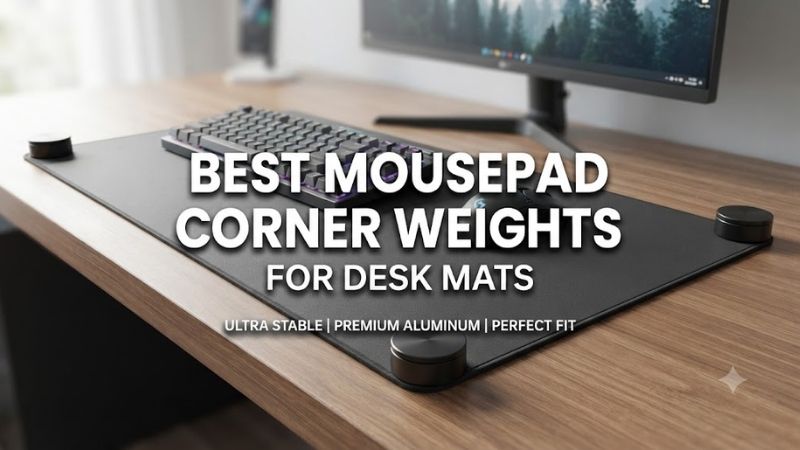
Curled desk mat corners can interfere with mouse movement, disrupt keyboard positioning, and make an otherwise clean gaming setup feel uneven. Finding the best mousepad corner weights for desk mats involves choosing a solution that holds the edges flat without damaging the desk, creating uncomfortable bumps, or affecting the mousepad’s playing surface.
Quick Verdict: What Works Best for Curled Mousepad Corners?
Traditional paperweights are not ideal for most gaming mousepads because they occupy valuable desk space and can obstruct the mouse. Low-profile adhesive fasteners, removable mounting materials, and anti-slip solutions are often more practical. However, these accessories are substitutes for weights rather than products designed specifically as gaming mousepad corner weights.
Best low-profile option: VELCRO Brand Thin Dots
Best removable fastening system: VELCRO Brand Removable Mounting Fasteners
Best for occasional repositioning: Scotch Removable Mounting Putty
Best for larger mat edges: ROBERTS Rug Gripper Roll
Best for secure desk mounting: Command Small Picture Hanging Strips
Best for discreet attachment: VELCRO Brand Thin Tape
These recommendations are conditional. Products designed for walls, rugs, or general mounting are not automatically compatible with fabric mousepads or delicate desk finishes. Test only when both the pad and desk materials are suitable.
Quick Comparison Table
| Product | Holding method | Best application | Main concern |
|---|---|---|---|
| VELCRO Thin Dots | Low-profile hook-and-loop | Small corner attachment | Adhesion to fabric backing |
| VELCRO Removable Fasteners | Removable fastening | Temporary setup | Material compatibility |
| Scotch Mounting Putty | Reusable putty | Light temporary positioning | Residue or staining |
| ROBERTS Rug Gripper | Anti-slip tape | Larger desk mat sections | Not designed for small gaming pads |
| Command Picture Hanging Strips | Interlocking adhesive strips | Stable mounting | Manufacturer use limitations |
| VELCRO Thin Tape | Cut-to-size fastener | Longer edge restraint | Semi-permanent adhesive |
How We Selected These Corner-Holding Solutions
Selection focused on mounting height, holding mechanism, reversibility, desk compatibility, and whether the accessory can keep a mousepad corner from lifting without creating an obstruction. We also considered the risks associated with applying adhesives to rubber, polyurethane, and specialty mousepad bases.
The 6 Best Mousepad Corner-Holding Solutions
Mousepad curling is usually a mechanical problem caused by rolling, storage conditions, material memory, or inconsistent contact with the desk. Adding weight can temporarily flatten a corner, but the effect may disappear once the object is removed. The following solutions approach the problem by increasing retention or reducing movement.
VELCRO Brand Thin Dots – Best Overall Low-Profile Solution
VELCRO Brand Thin Dots provide a compact hook-and-loop fastening system that can be positioned beneath suitable lightweight objects. Their low-profile construction makes them a possible alternative to bulky corner weights when a desk mat needs a small amount of additional restraint.
Best for: Small curling corners on compatible desk mats.
Key characteristics
-
Thin hook-and-loop fastener construction
-
Peel-and-stick application
-
Small circular pieces
-
Designed for compatible smooth mounting surfaces
-
Releasable connection
-
Transparent or discreet configurations
Why low-profile fastening matters
A gaming mousepad should remain flat enough for unrestricted mouse movement.
A conventional weight placed on top of the corner can become an obstacle during wide swipes.
A fastener positioned underneath the pad avoids occupying the active surface.
However, it introduces another consideration: the pad may no longer sit completely flush if the fastener is too thick.
A low-profile design reduces this problem.
Compatibility with mousepad bases
The desk-facing side may adhere to a suitable smooth surface.
The mousepad side is more complicated.
Rubber, textured polyurethane, and porous fabric backings may not provide a reliable adhesive bond.
The product’s general-purpose adhesive should not be assumed compatible with every mousepad.
Test the material only if the manufacturer permits adhesive contact.
Practical installation
Position the dots near the affected corners but outside the main mouse movement area.
Avoid attaching the fastener directly beneath a region where the mouse feet will regularly pass.
Press the pieces according to the adhesive instructions.
Check whether the mat lies flat.
If the fastener creates a noticeable bump, remove it.
Advantages
-
Small footprint
-
Releasable connection
-
Low-profile design
-
Discreet appearance
-
No objects on top of the pad
Limitations
-
Adhesion to mousepad backing is uncertain
-
Can create localized raised areas
-
Not approved for every desk finish
-
Removal may leave residue
Buy If: You have confirmed compatibility with both surfaces and want discreet retention.
Skip If: Your mousepad has a delicate or porous backing that cannot be safely bonded.
VELCRO Brand Removable Mounting Fasteners – Best Temporary Mounting
VELCRO Brand Removable Mounting Fasteners offer a more temporary attachment approach for users who frequently rearrange their desk setups. Their releasable design may be useful when securing suitable desk mat accessories, although the mousepad’s construction must be considered carefully.
Best for: Temporary desk setups where reversibility matters.
Removable construction
A removable fastening system allows connected items to be separated.
This can be useful when the mat needs to be cleaned or moved.
However, the adhesive component may still interact with the underlying surface.
Removable does not mean harmless to every material.
Practical trade-offs
The fastener creates a mechanical connection between the desk and mat.
This can reduce corner movement.
However, it also introduces a slight amount of thickness.
On thin gaming mousepads, this may create a raised region.
For thick desk mats, the effect may be less noticeable.
Use limitations
The product is designed for general mounting applications rather than gaming mousepad care.
Its holding capacity should not be interpreted as evidence of suitability for textured rubber.
Check the adhesive’s approved surfaces.
Advantages
-
Releasable connection
-
Useful for temporary layouts
-
No permanent mechanical hardware
-
Multiple size configurations
Limitations
-
Not mousepad-specific
-
May create uneven contact
-
Adhesive compatibility varies
-
Requires careful removal
Buy If: You want an adjustable mounting approach and have compatible materials.
Skip If: You need a completely adhesive-free solution.
Scotch Removable Mounting Putty – Best for Occasional Adjustment
Scotch Removable Mounting Putty is a reusable material intended for securing lightweight objects to compatible surfaces. Small quantities may provide temporary corner restraint in certain desk mat arrangements, but the product is not designed specifically for gaming mousepads and may stain some materials.
Best for: Temporary experiments on suitable nonporous surfaces.
How putty works
Mounting putty deforms under pressure.
This allows it to conform to small surface irregularities.
Unlike rigid weights, it can hold a lightweight object in place without occupying space above it.
However, the putty’s thickness can create a localized bump.
That is particularly undesirable beneath a precision mousepad.
Material concerns
Scotch identifies several suitable mounting surfaces but warns that staining can occur.
Fabric and porous rubber may absorb oils or retain residue.
For this reason, applying putty directly to an expensive mousepad is not recommended without explicit material compatibility.
When it may be useful
Putty is more appropriate for holding a separate protective corner accessory or testing placement on a suitable surface.
It is less suitable as a permanent solution beneath the active tracking area.
Advantages
-
Repositionable
-
Small amounts can be used
-
No drilling
-
Easy to test on approved materials
Limitations
-
Potential staining
-
Can create bumps
-
Not designed for gaming mousepads
-
Residue may remain
Buy If: You need temporary positioning on a compatible surface and accept its limitations.
Skip If: Your mousepad has an absorbent or delicate base.
ROBERTS Rug Gripper Roll – Best for Large Desk Mats
ROBERTS Rug Gripper Roll is designed to reduce movement and bunching in rugs and mats. Its anti-slip construction makes it a possible reference solution for large desk mat installations, although it is substantially different from a dedicated gaming mousepad accessory.
Best for: Large desk mats where sliding is a bigger issue than minor corner curling.
How anti-slip tape helps
A large desk mat can move when the keyboard and mouse are repositioned.
Additional grip beneath the mat can reduce this movement.
ROBERTS uses an adhesive-backed construction designed for compatible flooring and mat applications.
For desk use, material suitability must be evaluated separately.
Why size matters
A large extended desk mat distributes pressure over a broad area.
In some situations, a narrow section of anti-slip material may provide enough restraint.
However, using thick tape beneath a small mousepad can create an uneven surface.
Precision gaming pads should remain flat.
Compatibility concerns
The product is not specifically approved as a mousepad accessory.
The adhesive may interact differently with desks and pad bases than with floor materials.
Avoid applying it to expensive specialty mousepads without manufacturer approval.
Advantages
-
Designed for anti-slip applications
-
Cut-to-size roll
-
Useful for large mats
-
Can address sliding
Limitations
-
Not purpose-built for gaming
-
Adhesive compatibility uncertain
-
May increase mat height
-
Can create uneven pressure
Buy If: You are securing a large compatible desk mat and have verified surface suitability.
Skip If: You own a premium precision mousepad that should remain unmodified.
Command Small Picture Hanging Strips – Best Secure Mounting Alternative
Command Small Picture Hanging Strips use interlocking adhesive components designed for removable mounting applications. Their compact size makes them a possible option for securing suitable desk accessories, but they should not be treated as manufacturer-approved mousepad fasteners.
Best for: Compatible rigid accessories near the corners of a desk mat.
Mechanical retention
The strips connect through an interlocking system.
This creates a releasable bond between two surfaces.
However, the assembly has measurable thickness.
Under a thin mousepad, that thickness may create a raised area.
Manufacturer restrictions
Command products have specific surface-preparation and removal requirements.
Some materials are excluded from recommended use.
A fabric-backed gaming mat may not meet those requirements.
The product is therefore better suited to holding a separate rigid accessory than being directly attached to a delicate mousepad.
Advantages
-
Established mounting system
-
Releasable connection
-
No drilling
-
Multiple package sizes
Limitations
-
Not designed for cloth mousepads
-
Can create raised points
-
Adhesive compatibility restrictions
-
Removal instructions must be followed
Buy If: You need to secure an appropriate accessory on a supported smooth surface.
Skip If: You intend to attach the strips directly to delicate fabric.
VELCRO Brand Thin Tape – Best for Longer Edge Restraint
VELCRO Brand Thin Tape is useful when a longer section of compatible material needs to remain secured rather than only one small corner. Its cut-to-size design allows the user to select a narrow fastening strip, although permanent or semi-permanent adhesive contact may not be appropriate for premium gaming mousepads.
Best for: Compatible desk mat edges requiring distributed restraint.
Why longer contact can help
A small fastener concentrates holding force in one location.
A longer strip distributes that force across a greater area.
This may reduce the chance of one corner pulling free.
However, a longer attachment can also make cleaning and repositioning more difficult.
Low-profile design
The Thin Tape family aims to minimize the thickness of the fastening interface.
This is useful for flat installations.
Nevertheless, the two connected layers still create some elevation.
Avoid placing them beneath the mouse’s main tracking area.
Material compatibility
The adhesive is intended for suitable smooth surfaces.
A rubber or cloth mousepad base may not provide reliable adhesion.
If uncertain, use a nonadhesive solution instead.
Advantages
-
Cut-to-size construction
-
Distributed holding area
-
Low-profile format
-
Releasable mechanical connection
Limitations
-
Adhesive restrictions
-
Not mousepad-specific
-
Can affect surface flatness
-
Removal may require care
Buy If: You have compatible materials and need longer edge retention.
Skip If: Your mousepad should never be modified with adhesive.
Buying Guide: How to Keep Desk Mat Corners Flat
Before adding weights or adhesives, identify why the desk mat curls. Temporary rolling memory, uneven storage, desk contamination, and material aging require different solutions. Adhesive retention may conceal a problem without correcting its underlying cause.
Identify the Cause of Mousepad Curling
New desk mats may curl because they were shipped in rolls.
Some gradually flatten after being laid on a desk.
Older mats may curl because of material fatigue, temperature exposure, or separation between layers.
If the base has permanently deformed, additional weights may provide only temporary improvement.
Try Manufacturer-Approved Flattening First
Place the mousepad on a clean, flat surface.
Allow it to settle naturally.
Some manufacturers recommend placing a clean, flat object over the affected area for a limited period.
Do not use uncontrolled heat, heavy pressure, or sharp objects.
Follow the exact care instructions.
Avoid Objects That Obstruct Mouse Movement
A heavy corner weight can interfere with large aiming movements.
It may also scratch the desk or damage the pad.
If a weight is used temporarily, position it outside the playing area.
Remove it before gaming.
Understand Adhesive Risks
Adhesives can leave residue, stain fabrics, or affect desk finishes.
Rubber and polyurethane bases may respond differently.
The fact that an adhesive works on polished wood does not establish compatibility with a mousepad backing.
Do not apply unapproved products to valuable mousepads.
Keep the Mousepad Surface Level
A mousepad must remain flat for consistent movement.
A thick fastener beneath the pad may create a bump.
That bump can affect the mouse’s contact with the surface.
Low-profile accessories reduce this risk but do not eliminate it.
Know When Replacement Is Better
If the mousepad’s layers are separating or the base has become permanently distorted, replacement may be preferable.
A deformed pad can create inconsistent tracking surfaces.
Spending money on complicated mounting hardware may not solve the original problem.
Frequently Asked Questions
Do mousepad corner weights really work?
They may temporarily flatten curling corners, but they do not necessarily correct permanent material deformation.
Can I use adhesive underneath a gaming mousepad?
Only when the adhesive and mousepad materials are compatible.
Will a heavy object damage a mousepad?
Excessive pressure can damage or deform certain surfaces.
How long does a rolled mousepad take to flatten?
It depends on material, thickness, storage history, and manufacturer instructions.
Can heat flatten a curled mousepad?
Heat can damage adhesives or surfaces. Avoid unapproved heating methods.
Are rug grippers suitable for mousepads?
Some may work on compatible large mats, but they are not universally approved.
Conclusion
Low-profile fasteners can provide more discreet corner restraint than traditional weights, but no general mounting product is automatically safe for gaming mousepads. VELCRO Thin Dots are worth considering only on compatible materials. Start with manufacturer-approved flattening methods, keep the tracking surface level, and replace permanently damaged mats when necessary.