🛒 Best Price Today on Amazon
Prime members get fast, free shipping on everything above, plus member-only deals. New members get a 30-day free trial — cancel anytime.
Best FPS gaming mouse shoppers frequently face sensor spin-outs, awkward ergonomic grips, and inflated prices across competitive peripheral brands. Choosing between featherlight honeycombs and robust wireless shapes creates persistent hesitation for aspiring marksmen seeking rapid flicks and smooth tracking.
How to Choose the Best FPS Gaming Mouse
Selecting the right peripheral demands balancing raw tracking accuracy against hand shape and switch actuation speed. Finding the best FPS gaming mouse requires evaluating key technical attributes to guarantee that your investment delivers sharp headshots, durable buttons, and effortless target acquisition.
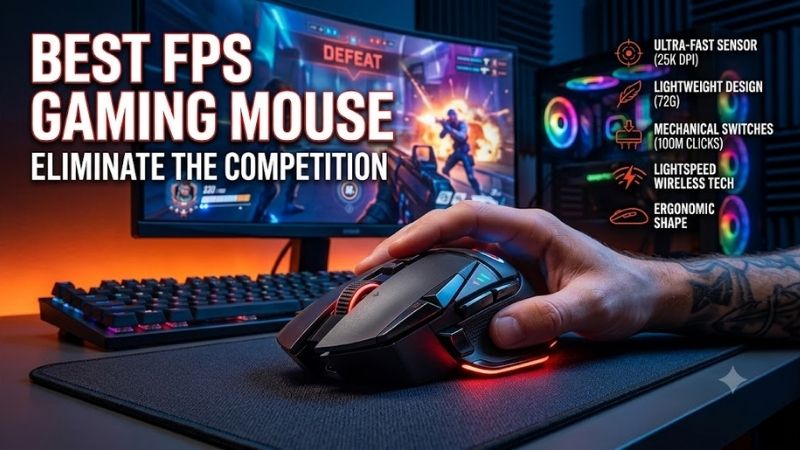
Sensor Accuracy and Polling Rates
Flawless optical sensors eliminate unnatural hardware acceleration, jitter, and erratic tracking anomalies during swift flick shots. Modern competitive mice offer high maximum tracking speeds and acceleration tolerances, ensuring that every rapid swipe across oversized cloth mats translates into pinpoint crosshair control.
Polling rates govern how frequently your mouse reports positional data directly to your computer motherboard. While standard gaming mice cycle at one thousand hertz, bleeding-edge peripherals now push to four or eight thousand hertz, shaving off fractions of millisecond latency to keep movements incredibly fluid on fast monitors.
Overall Weight and Chassis Balance
Physical chassis mass dictates how swiftly you can start, redirect, and stop rapid aiming motions during firefights. When choosing the best FPS gaming mouse, targeting a weight between fifty and sixty-five grams significantly lessens wrist fatigue, allowing you to flick onto moving targets without fighting physical inertia.
Mass distribution across the interior chassis proves just as critical as overall gram measurements. A front-heavy or tail-heavy mouse tends to tilt unexpectedly during sudden lifts, whereas an evenly balanced shell remains level in your palm, ensuring consistent contact between smooth PTFE glide skates and your desk pad.
Grip Ergonomics and Hand Size Fit
Your primary grip style determines which external shell contours will deliver maximum accuracy and comfort. Palm grip players typically favor raised ergonomic humps that fill the hand, while claw and fingertip enthusiasts prefer flatter, symmetrical profiles that grant superior vertical mobility during intense spray control.
Mismatched dimensions can cause severe hand cramping or poor reach toward secondary thumb triggers. Measuring your hand span from wrist crease to middle fingertip lets you choose an appropriate shell proportion, preventing unnecessary strain and ensuring that your fingers rest naturally over the primary left and right clickers.
Optical Switches and Click Latency
Mechanical switch assemblies have historically dominated desk setups, but modern competitive gaming demands optical triggers. Optical switches register actuation using infrared light beams, completely bypassing the debounce delay required by mechanical metal contacts to register instantaneous firearm discharge.
Optical mechanisms completely eliminate double-clicking defects caused by physical oxidation or spring fatigue. This structural longevity guarantees that rapid single taps register reliably for tens of millions of clicks, giving competitive players lasting confidence throughout long tournament seasons and daily rank grinds.
Top Picks for Competitive Gameplay
Navigating high-performance desktop gear becomes simple when you evaluate proven tournament contenders. Our detailed matrix below highlights premier choices for the best FPS gaming mouse, summarizing sensor types, overall weights, switch hardware, and ideal gaming grips to help you make an informed investment.
| Model Name | Sensor Engine | Weight | Switch Type | Battery Life | Best For |
|---|---|---|---|---|---|
| Razer Viper V2 Pro | Focus Pro 30K | 58g | Optical Gen-3 | 80 Hours | Pure Claw / Fingertip |
| Logitech G Pro X Superlight 2 | Hero 2 | 60g | Lightforce Hybrid | 95 Hours | Universal Palm / Claw |
| BenQ ZOWIE EC2-CW | 3370 Optical | 77g | Mechanical Huano | 70 Hours | Dedicated Tactical Palm |
| Pulsar X2 V2 Mini | PAW3395 Optical | 51g | Optical Light | 100 Hours | Small Hand Fingertip |
Razer Viper V2 Pro
This ultra-lightweight contender is custom-built for dedicated esports enthusiasts who prioritize raw speed and low-profile handling. Operating as a top candidate for the best FPS gaming mouse, its thirty-thousand DPI optical sensor and rapid optical switches deliver sensational flick accuracy during fast arena shooters.
On the downside, this streamlined package omits built-in rubber side grips and integrated RGB illumination to shave off excess grams. Gamers with extra-large palms may also find the relatively flat center arch somewhat unsupportive, making it primarily suitable for aggressive claw or fingertip users seeking pure mobility.
Logitech G Pro X Superlight 2
This ubiquitous wireless peripheral represents the gold standard for mainstream competitive players across professional leagues. The balanced sixty-gram chassis fits virtually any grip style effortlessly, while new hybrid optical-mechanical switches preserve crisp tactile clicks alongside near-zero electrical delay.
However, the safe symmetrical geometry feels slightly generic for users who crave aggressive ergonomic thumb grooves or sculpted pinky rests. While the accompanying software delivers robust profile storage and DPI calibration, the premium retail price remains a noticeable investment for casual weekend desktop gamers.
BenQ ZOWIE EC2-CW
This ergonomic wireless mouse specifically targets tactical shooter players who prioritize rock-solid stability and organic palm comfort. Its legendary right-handed shape allows effortless crosshair stabilization during slow angle sweeps, while the enhanced standalone wireless receiver shields against signal dropouts.
Conversely, its seventy-seven-gram weight feels noticeably heavier than modern ultra-light honeycomb alternatives on the market. The reliance on traditional mechanical clickers and older micro-USB charging accessories also represents a minor drawback for shoppers seeking modern USB-C convenience and sub-sixty-gram frames.
Pulsar X2 V2 Mini
This compact powerhouse caters directly to fingertip grippers and players with smaller hands seeking effortless crosshair repositioning. Tipping the scales at an astonishing fifty-one grams, its responsive optical switches and flawless PixArt sensor allow rapid flick adjustments in high-speed battle royale titles.
Nevertheless, palm grip players with average or large hands will find the diminutive shell far too short for supportive everyday use. The absence of textured exterior coating means sweaty palms may require aftermarket grip tape, though the budget-friendly price point makes it an exceptional value for agility lovers.
Frequently Asked Questions
Shoppers researching the best FPS gaming mouse frequently encounter technical questions regarding weight, latency, and hardware maintenance. Clarifying these foundational concepts ensures you make an educated purchase. The answers below resolve common concerns among competitive gamers seeking sharper targeting.
Why Does Overall Mouse Weight Matter for First-Person Shooters?
Chassis weight directly influences dynamic friction and muscle control during high-speed targeting adjustments. When aiming with the best FPS gaming mouse, a lightweight shell under sixty-five grams lowers kinetic inertia, enabling your forearm to snap directly to target heads and stop cleanly without overshooting.
Lighter hardware also minimizes strain along your carpal tunnel during intense multihour practice sessions. Lowering physical resistance allows players to utilize lower in-game sensitivity profiles comfortably, resulting in wider arm swipes and drastically superior crosshair consistency across all shooter genres.
Is a Wireless Gaming Mouse Fast Enough for Esports Play?
Contemporary 2.4-gigahertz wireless transmission protocols match or exceed the latency performance of standard wired peripherals. Modern esports tournaments see top professionals regularly wielding wireless hardware without experiencing packet loss, signal interference, or perceptible tracking latency during match play.
Cutting the cord eliminates annoying cable drag and snagging against monitor stands, unlocking unrestricted glide freedom across your mouse surface. With modern internal batteries lasting eighty to one hundred hours between charges, wireless connectivity delivers pure mechanical freedom without competitive compromise.
What Polling Rate Setting Should Competitive Players Use?
A standard one-thousand-hertz polling rate remains the optimal sweet spot for the vast majority of gaming setups today. This frequency reports cursor updates every single millisecond, which easily synchronizes with high-refresh display panels while imposing negligible processing overhead on your computer central processor.
Stepping up to four or eight thousand hertz offers subtle motion smoothing, but it places extreme demands on system resources. If your rig features an ultra-fast CPU and a five-hundred-hertz monitor, higher rates may feel slightly crisper, though most titles perform flawlessly at standard one-thousand-hertz settings.
How Often Should You Replace Smooth Mouse Skates?
Pure virgin-grade PTFE glide skates typically endure six to twelve months of daily gaming before developing noticeable wear. Maintaining crisp glide on the best FPS gaming mouse requires checking feet periodically for dirt build-up, thin spots, or surface scratches that cause uneven friction against cloth mousepads.
Replacing worn feet with aftermarket pre-cut PTFE skates or ceramic dots instantly restores factory glide speed and tactile responsiveness. Fresh skates ensure your sensor maintains a uniform lift-off distance from the mousepad surface, preventing tracking disruptions during aggressive lifts and sudden repositioning.
View more products:
- Best gaming mouse under 50
- Best MMO gaming mouse
- Linear vs tactile switches
- Gaming Keyboard Switches Guide
Final Thoughts
Selecting the best FPS gaming mouse hinges on aligning shell shape, weight distribution, and switch reliability with your individual grip preference. Prioritizing low-latency optical sensors and balanced ergonomics will elevate your flick precision and preserve long-term wrist comfort across all your competitive gaming matches.
Product links and buying checks
As an Amazon Associate, we earn from qualifying purchases.
- Logitech G PRO X Superlight 2, black on Amazon — Check the exact model, selected variant and seller before ordering.
Prices, availability and included accessories can change. Review the current listing and the compatibility guidance above before purchasing.
As an Amazon Associate we earn from qualifying purchases at no extra cost to you.







Top picks from this guide
 Logitech GLogitech G305 Lightspeed Wireless Gaming Mouse - White | 12,000…$35 \xc2\xb7 99/100
 RazerRazer Basilisk V3 Customizable RGB Wired Ergonomic Gaming Mouse, Black…$35 \xc2\xb7 99/100
 RedragonRedragon M612 Wired RGB Optical Gaming Mouse 8000 DPI Remapping…$17 \xc2\xb7 99/100
 RedragonRedragon M908 Wired MMO RGB Gaming Mouse 12400 DPI Remapping…$28 \xc2\xb7 97/100