Our Short List of 3

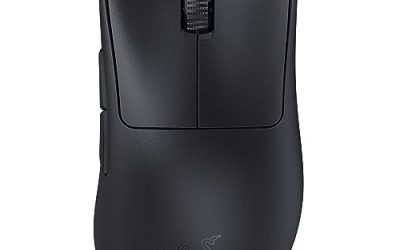
- Best for: Competitive FPS players who want the lightest Razer flagship with the newest sensor and 8,000 Hz polling.

- Best for: Palm grip FPS players who want an ergonomic flagship with an optical scroll wheel.

- Best for: FPS players who want a light ergonomic mouse with a proven shape and simple controls.
All 4 Picks at a Glance
| Product | Specs | Action |
|---|---|---|
| 1. Razer Viper V4 Pro — Best for Competitive FPS |
| Check price on Amazon |
| 3. Razer DeathAdder V4 Pro — Best for Ergonomic Palm Grip |
| Check price on Amazon |
| 4. Razer DeathAdder V3 Pro — Best Ergonomic Value in the Pro Range |
| Check price on Amazon |
 5. Razer Viper V3 HyperSpeed — Best for Long Battery Life |
| Check price on Amazon |
🛒 Best Price Today on Amazon
Prime members get fast, free shipping on everything above, plus member-only deals. New members get a 30-day free trial — cancel anytime.
- How to Choose a Razer Mouse for FPS Games
- Comparison Table
- 1. Razer Viper V4 Pro — Best for Competitive FPS
- 2. Razer Viper V3 Pro — Best Proven Esports Pick
- 3. Razer DeathAdder V4 Pro — Best for Ergonomic Palm Grip
- 4. Razer DeathAdder V3 Pro — Best Ergonomic Value in the Pro Range
- 5. Razer Viper V3 HyperSpeed — Best for Long Battery Life
- Which One to Pick
- Frequently Asked Questions
The best Razer gaming mouse for FPS play is the one that disappears in your hand during a firefight. In first-person shooters, the mouse is the tool behind every flick, every micro-adjustment and every tracking movement, so small differences in weight, shape, sensor behaviour and polling rate can change how confident your aim feels. Razer builds its competitive mice around that idea, with lightweight symmetrical shells in the Viper family and ergonomic right-handed shells in the DeathAdder family, both paired with high-resolution optical sensors and fast wireless connections.
Use this guide to narrow the field to the shape and feature set that fits how you aim. Every pick below is a Razer gaming mouse with the low weight, fast sensor and high polling rate that competitive shooters demand, compared on the specifications Razer lists for it. Confirm the exact model variant on the listing before ordering, since Razer refreshes its line-up often and sells several closely named versions of the same mouse.
How to Choose a Razer Mouse for FPS Games
Choosing an FPS mouse begins with how you hold it. Grip style decides which shell shape will feel natural over a long session, and shape is the hardest thing to fix after purchase. A symmetrical shell, like the ones used across the Viper range, suits claw and fingertip grips and works for both left-handed and right-handed players. An ergonomic shell, like the DeathAdder shape, supports the palm and the thumb side of a right hand, which suits palm grip players and anyone who wants more hand support during long matches.
Weight comes next, and it matters more in FPS games than in most other genres. Low-sensitivity players make large sweeping arm movements, and a lighter mouse is easier to stop precisely at the end of a flick. The mice in this guide range from 49 grams to 82 grams, which covers the full span from ultralight esports designs to a heavier battery-powered model that trades a little weight for very long battery life. As a rough guide, anything under 60 grams feels very light in the hand, while anything above 75 grams feels noticeably more planted. Players who track moving targets smoothly sometimes prefer a little extra mass for stability, while players who flick between angles usually prefer the lightest mouse they can control.
Sensor specifications are the third factor. The Focus Pro optical sensors used across the current Razer range support very high maximum sensitivity settings, far above the levels most players actually use in a shooter. What matters in practice is consistent tracking without smoothing or unwanted acceleration at the sensitivity you play at. A modern Razer optical sensor tracks reliably across the common competitive range, so the difference between a 30K sensor and a 50K sensor is less important than the difference between a good shape and a poor one. Treat the sensor number as a sign of the generation of the mouse rather than a ranking on its own.
Polling rate describes how often the mouse reports its position to the computer, measured in hertz. A 1,000 Hz polling rate reports one thousand times per second, while an 8,000 Hz polling rate reports eight thousand times per second. Higher polling rates reduce the delay between a hand movement and the on-screen response, and they make cursor movement look smoother on high-refresh monitors. The flagship Razer mice in this guide support true 8,000 Hz wireless polling, while the more affordable HyperSpeed model supports 4,000 Hz wireless polling, with an upgrade path to 8,000 Hz through a compatible dongle.
Switch type affects how clicks feel and how consistently they register. Razer uses optical switches in its flagship mice, which actuate with light rather than a metal contact, and mechanical switches in its more affordable models. Optical switches are designed to avoid double-click issues and to keep click timing consistent over a long service life. For FPS play, the practical difference is the feel of the main buttons under rapid fire and the weight of the click.
Battery life and connection type decide how the mouse fits into your setup. Wireless mice in this guide use Razer HyperSpeed Wireless, a 2.4 GHz connection designed for low latency, and they can also run wired over USB-C while charging. Battery life figures from Razer are measured at 1,000 Hz polling, and running at 8,000 Hz shortens them considerably, so read the headline figure together with the polling rate it was measured at. A mouse with a very long battery life on a single AA battery, like the Viper V3 HyperSpeed, suits players who dislike charging cables.
Software and on-board memory round out the decision. Razer Synapse software lets you adjust sensitivity stages, polling rate, lift-off distance and button assignments, and store profiles on the mouse itself. If you play on more than one computer, on-board memory lets you carry your settings with the mouse instead of installing software everywhere.
Comparison Table
| Product | Key specs | Best for |
|---|---|---|
| Razer Viper V4 Pro | 49 g, Focus Pro 50K Optical Sensor Gen-3, 8,000 Hz polling, Gen-4 Optical Switches, up to 180 hr battery | Competitive FPS players who want the lightest flagship |
| Razer Viper V3 Pro | 54 g, Focus Pro 35K Optical Sensor Gen-2, 8,000 Hz polling, Gen-3 Optical Switches, up to 95 hr battery | Proven esports shape at a step below the flagship |
| Razer DeathAdder V4 Pro | 56 g, Focus Pro 45K Sensor Gen-2, 8,000 Hz polling, Gen-4 Optical Switches, optical scroll wheel, up to 150 hr battery | Palm grip players who want an ergonomic flagship |
| Razer DeathAdder V3 Pro | 63 g, Focus Pro 30K Optical Sensor, Gen-3 Optical Switches, HyperSpeed Wireless, up to 90 hr battery | Ergonomic comfort with a lighter, simpler design |
| Razer Viper V3 HyperSpeed | 82 g, Focus Pro 30K Optical Sensor, up to 280 hr battery, Mechanical Switches Gen-2, 4,000 Hz wireless polling | Long battery life and everyday value |
1. Razer Viper V4 Pro — Best for Competitive FPS
- Best for: Competitive FPS players who want the lightest Razer flagship with the newest sensor and 8,000 Hz polling.
Competitive FPS players who want the lightest Razer flagship with the newest sensor and 8,000 Hz polling.
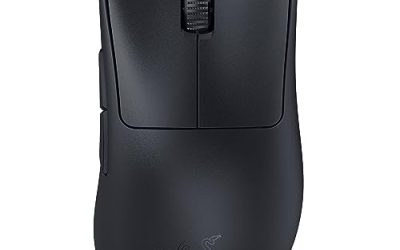
The Razer Viper V4 Pro is the lightest flagship mouse in this guide and the natural first choice for competitive FPS players who want the newest hardware Razer makes. Its symmetrical shell weighs 49 grams in black, which makes it easy to lift and reposition during low-sensitivity play, where the mouse leaves the pad often. The shape is a refined version of the Viper design, with a broad rear and defined side walls that give claw and relaxed claw grips a stable platform without forcing the hand into a deep palm hold.
Inside, the Viper V4 Pro uses the Razer Focus Pro 50K Optical Sensor Gen-3, the highest-resolution sensor in this guide, paired with true 8,000 Hz HyperPolling over HyperSpeed Wireless Gen-2. The combination is aimed at players on high-refresh monitors who want the smoothest possible cursor movement and the lowest input delay the hardware can deliver. Razer Optical Mouse Switches Gen-4 handle the main clicks, with a light actuation designed for rapid repeated fire. Battery life is listed at up to 180 hours, measured at the standard 1,000 Hz polling rate, and the mouse charges over USB-C.
The Viper V4 Pro suits players who already know they like a symmetrical ultralight mouse and want the current flagship rather than the previous generation. It is the pick for Counter-Strike 2, VALORANT, Apex Legends and similar tactical shooters, where fast flicks and clean micro-corrections decide rounds. Players with very large hands or a full palm grip may find the symmetrical shell less supportive than an ergonomic DeathAdder, and those players should compare it with the DeathAdder V4 Pro below before deciding.
2. Razer Viper V3 Pro — Best Proven Esports Pick
ASIN: B0CW25XR5R
Link: https://www.amazon.com/s?k=Razer%20Viper%20V3%20Pro%20Wireless%20Esports%20Gaming%20Mouse
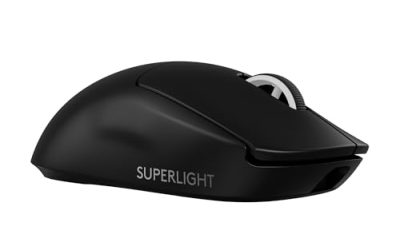
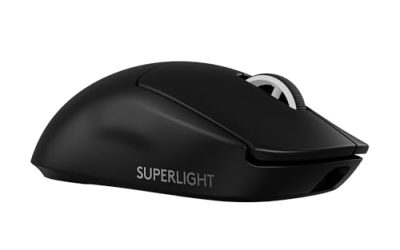
The Razer Viper V3 Pro is the proven esports mouse in the Viper family, and it remains a strong FPS pick even with a newer flagship above it. Its symmetrical shell weighs 54 grams in black, only a little more than the V4 Pro, and it uses the same right-handed symmetrical design language that has made the Viper range a familiar sight in professional play. The shape favours claw and fingertip grips, with a low profile that lets the fingers control the mouse rather than resting heavily on it.
The sensor is the Focus Pro 35K Optical Sensor Gen-2, paired with up to 8,000 Hz HyperPolling over HyperSpeed Wireless. That polling ceiling matches the flagship, so the V3 Pro delivers the same fast reporting rate in game, and the sensor tracks cleanly across the sensitivity range competitive players use. Razer Optical Mouse Switches Gen-3 provide the clicks, and the mouse has 8 programmable controls for sensitivity stages and secondary functions. Battery life is listed at up to 95 hours at 1,000 Hz polling, and the mouse can run wired over USB-C while it charges. The model number for the black version is RZ01-05120100-R3U1.
Choose the Viper V3 Pro if you want a proven tournament shape with flagship polling and a lighter feel than most ergonomic mice, without stepping up to the newest generation.
Best for: FPS players who want a proven ultralight symmetrical mouse with 8,000 Hz polling.
3. Razer DeathAdder V4 Pro — Best for Ergonomic Palm Grip
- Best for: Palm grip FPS players who want an ergonomic flagship with an optical scroll wheel.
Palm grip FPS players who want an ergonomic flagship with an optical scroll wheel.
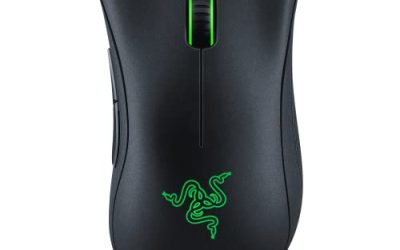
The Razer DeathAdder V4 Pro is the ergonomic flagship in this guide, built for players whose palm rests on the mouse and who want more hand support than a symmetrical shell provides. It weighs 56 grams in black, which is remarkably light for an ergonomic mouse of its size, and its right-handed shape carries the familiar DeathAdder curve with a higher back and a sloped thumb side. That shape suits palm and relaxed claw grips, and it helps larger hands stay comfortable across long sessions.
The sensor is the Focus Pro 45K Sensor Gen-2, with 8,000 Hz polling over HyperSpeed Wireless Gen-2. Razer Optical Switches Gen-4 handle the main buttons, and the V4 Pro adds an optical scroll wheel, designed to keep scroll steps consistent and to avoid the wear that affects mechanical wheel encoders. Battery life is listed at up to 150 hours at 1,000 Hz polling, and the mouse charges over USB-C. The model number for the black version is RZ01-05330100-R3U1.
Pick the DeathAdder V4 Pro if you play FPS games with a palm grip, if you have medium to large hands, or if symmetrical mice leave your hand feeling unsupported after an hour of play. It gives up nothing in sensor or polling performance to the Viper flagships, so the choice between this mouse and the Viper V4 Pro is mainly a choice of shape.
4. Razer DeathAdder V3 Pro — Best Ergonomic Value in the Pro Range
- Best for: FPS players who want a light ergonomic mouse with a proven shape and simple controls.
FPS players who want a light ergonomic mouse with a proven shape and simple controls.
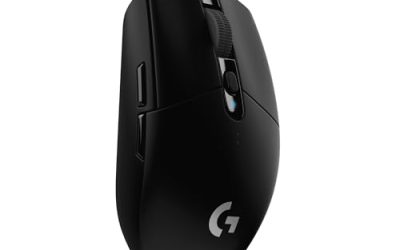
The Razer DeathAdder V3 Pro takes the familiar ergonomic DeathAdder shape and rebuilds it as a lightweight wireless esports mouse. At 63 grams in black, it is far lighter than older ergonomic gaming mice, yet it keeps the full-size right-handed shell that palm grip players rely on. The result is a mouse that supports the hand during long matches without the weight penalty that used to come with ergonomic designs.
Its sensor is the Razer Focus Pro 30K Optical Sensor, paired with HyperSpeed Wireless and Razer Optical Mouse Switches Gen-3. Battery life is listed at up to 90 hours at 1,000 Hz polling, and the mouse charges over USB-C. It has 5 programmable buttons, which covers the controls most FPS players need without adding buttons that interfere with the grip. The model number for the black version is RZ01-04630100-R3U1, and an 8,000 Hz polling upgrade is available through a compatible Razer dongle for players who want the higher reporting rate.
The DeathAdder V3 Pro suits players who want ergonomic comfort and a proven shape at a step below the newest flagship.
5. Razer Viper V3 HyperSpeed — Best for Long Battery Life
- Best for: FPS players who want months of battery life from a single AA battery in a symmetrical shell.
FPS players who want months of battery life from a single AA battery in a symmetrical shell.
The Razer Viper V3 HyperSpeed is the long-battery option in this guide, and the most practical pick for players who dislike charging cables. It uses a single AA battery and is listed at up to 280 hours of battery life, which is far longer than any rechargeable mouse here. That endurance comes with a weight of 82 grams in black, making it the heaviest mouse in this guide, though still light enough for most FPS play.
The sensor is the Focus Pro 30K Optical Sensor, the same generation used in the DeathAdder V3 Pro, and it connects over HyperSpeed Wireless with up to 4,000 Hz wireless polling. Mechanical Mouse Switches Gen-2 provide the clicks, and the mouse has 6 programmable buttons. It runs on a single AA battery, which is included. The model number for the black version is RZ01-04910100-R3U1.
Choose the Viper V3 HyperSpeed if battery life matters more to you than shaving off the last few grams, or if you want a capable Razer FPS mouse with a simpler setup. The symmetrical shell suits claw and fingertip grips, and the 4,000 Hz polling rate is already well above the 1,000 Hz standard that most players used for years. Competitive players chasing the absolute lowest weight will prefer the Viper V3 Pro or V4 Pro, but players who value convenience and long stretches between battery changes will find this model hard to beat.
Which One to Pick
For most competitive FPS players, the Razer Viper V4 Pro is the first mouse to consider, because it combines the lightest shell in this guide with the newest sensor, Gen-4 switches and 8,000 Hz polling. The Viper V3 Pro is the alternative for players who prefer a proven model with the same polling ceiling and a nearly identical feel.
Grip style should decide between the Viper and DeathAdder families. If you play with a palm grip or have larger hands, the DeathAdder V4 Pro gives you flagship sensor and polling performance in an ergonomic shell, with the added benefit of an optical scroll wheel and long battery life. The DeathAdder V3 Pro is the ergonomic pick for players who want the same comfortable shape in a simpler package. If battery life is your main concern, the Viper V3 HyperSpeed is the practical choice, with up to 280 hours from a single AA battery.
Before ordering, confirm the exact variant on the listing, including colour, model number and whether a HyperPolling dongle is included, because Razer sells several versions of each mouse.
Frequently Asked Questions
What is the best Razer mouse for FPS games?
The best Razer mouse for FPS games depends on your grip. The Viper V4 Pro suits competitive players who want the lightest symmetrical flagship, the Viper V3 Pro suits players who want a proven esports shape, and the DeathAdder V4 Pro suits palm grip players who want ergonomic support with the same flagship performance. All three use high-resolution optical sensors and 8,000 Hz polling, so shape and weight matter more than the sensor number alone.
Is a lighter mouse better for FPS games?
A lighter mouse is usually easier to flick and reposition, which helps low-sensitivity players who make large arm movements. Mice under 60 grams feel very light and reduce fatigue across long sessions. Some players still prefer a slightly heavier mouse for tracking, where a little extra mass can feel more stable. The best weight is the one you can control precisely without tiring.
Do I need 8,000 Hz polling for FPS games?
You do not need 8,000 Hz polling to play FPS games well, and most players spent years competing at 1,000 Hz. Higher polling rates reduce input delay and make cursor movement smoother on high-refresh monitors, which can help at the highest level of play. They also use more battery. A practical approach is to run 1,000 Hz or 2,000 Hz for everyday play and switch to 8,000 Hz for competitive matches if your mouse supports it.
Should I choose a Viper or a DeathAdder for FPS?
Choose a Viper if you use a claw or fingertip grip, or if you want a symmetrical shell that suits either hand. Choose a DeathAdder if you use a palm grip, have medium to large hands, or want more support for your palm and thumb during long sessions. Both families use the same sensor and wireless technology at the flagship level, so the decision comes down to which shell lets you aim comfortably for hours at a time.
Disclosure: As an Amazon Associate, we earn from qualifying purchases.