🛒 Best Price Today on Amazon
Prime members get fast, free shipping on everything above, plus member-only deals. New members get a 30-day free trial — cancel anytime.
As an Amazon Associate, we earn from qualifying purchases made through links on this page.


There is no single best way to hold a gaming mouse — there is a best way for your hand, your games and your mouse. Grip decides how you aim: which muscles move the mouse, how stable your tracking is, how fast your flicks are, and how your hand feels after three hours. Most players inherit a grip by accident, from whatever mouse happened to be on the desk, and never reconsider it. This guide explains the three grips that matter — palm, claw and fingertip — how to measure your hand, how to match grip to mouse shape, and the posture details that keep any grip comfortable.
Because grip only works when the mouse fits it, the guide closes with four illustrative gaming mice, each chosen because its shape genuinely suits one grip style. Think of them as reference shapes: once you know which grip is yours, you will know exactly what dimensions to shop for, whether you pick one of these or not.
First, measure your hand
Grip advice is useless without two numbers. Measure hand length from the crease at the base of your palm to the tip of your middle finger, and hand width across the knuckles, excluding the thumb.
- Small: under 17 cm long
- Medium: 17–19.5 cm long
- Large: over 19.5 cm long
As a rule of thumb, your mouse length should be roughly 60–65% of your hand length for palm grip, slightly less for claw, and less again for fingertip. A 19 cm hand in palm grip wants a mouse around 120–128 mm. Keep these numbers in mind through every section below — most grip problems are actually size problems.
The three grips, explained
Palm grip — maximum contact, maximum stability
Your whole hand rests on the mouse: palm on the shell, fingers lying flat along the buttons, movement driven from the shoulder and forearm. It is the most relaxed and stable grip, the kindest to your wrist over long sessions, and the best for smooth tracking and low-sensitivity arm aiming.
It needs: a longer mouse (125 mm+) with a tall hump that fills the palm and supports the arch of the hand. On a small mouse, a palm grip collapses into cramped fingers and a hovering palm — the worst of both worlds.
Watch out for: slower micro-adjustments, because your fingers are committed flat to the buttons and cannot add fine corrections. Palm players often pair the grip with lower sensitivity and a large mousepad.
Claw grip — the competitive middle ground
Your palm contacts only the rear of the mouse, your fingers arch up and come down on the buttons at an angle, and your fingertips and palm heel form the control points. The arched fingers are pre-loaded for fast clicks and quick vertical corrections, which is why claw dominates competitive shooters. Movement mixes wrist and forearm.
It needs: a medium mouse with a hump positioned toward the rear, so the palm heel locks in, and a shape your fingertips can pull against. Length around 118–128 mm suits most hands.
Watch out for: hand fatigue. The constant finger tension that makes claw fast also makes it tiring, and aggressive claw on a too-small mouse is a common route to cramping. A relaxed claw — same contact points, less arch — keeps most of the speed with far less strain.
Fingertip grip — no palm contact, fastest corrections
Only your fingertips touch the mouse; your palm hovers clear of the shell entirely. Control is all in the fingers and wrist, which gives fingertip players the fastest micro-corrections and the easiest vertical aim adjustments of any grip. It pairs naturally with higher sensitivities and smaller, lighter mice.
It needs: a short, light mouse (under ~125 mm, ideally well under 70 g) with a low profile. There is no point fingertip-gripping a large ergonomic mouse — its hump will fight your palm all session.
Watch out for: stability and strain. With no palm anchor, tracking is less steady until the grip is trained, and the constant hovering loads the fingers and wrist. Many players use fingertip for aim-heavy games and rest into a relaxed claw the rest of the time.
Posture: the part of grip nobody mentions
Grip happens at the end of an arm, and the arm’s position matters as much as the fingers. Sit so your elbow rests at roughly 90–100 degrees with your forearm level with the desk; a desk that is too high forces your wrist to bend upward, which strains every grip. Keep your wrist straight and floating slightly rather than planted and pivoting — a planted wrist turns every movement into a bend. Your mousepad should be big enough that you never run out of room mid-swipe at your chosen sensitivity, and your grip pressure should be the minimum that keeps control: squeezing is the most common cause of both fatigue and inconsistent aim. Finally, whichever grip you choose, let your fingers land where they naturally fall on the mouse before you start a session, rather than forcing a textbook position your hand does not fit. Build in short breaks during long sessions, too: shake your hand out, open and close your fingers a few times, and reset your grip deliberately when you return. Fatigue quietly changes how you hold a mouse — fingers creep forward, the wrist drops, pressure rises — and a ten-second reset prevents an hour of compensating for a grip that has drifted.
Illustrative mice for each grip
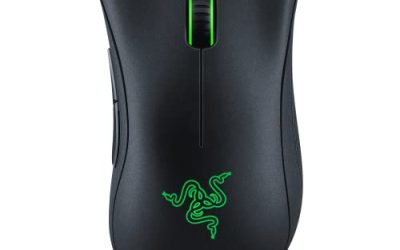
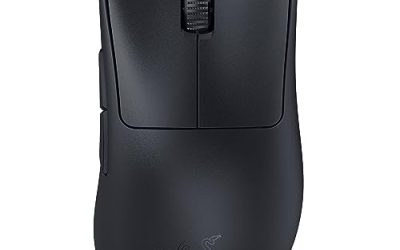
For palm grip: Razer DeathAdder V3 Pro
ASIN: B0B6XZLNHQ — View on Amazon
The reference palm-grip shape: 128 mm long with a 44 mm hump that fills the hand, smooth ergonomic curves, and only 63 g of weight so the big shell never feels sluggish. The Focus Pro 30K sensor and HyperSpeed wireless mean the shape is the only decision — performance is flagship-grade. Best for medium and large hands playing palm or relaxed claw.
- Dimensions: 128 × 68 × 44 mm
- Weight: 63 g
- Sensor: Razer Focus Pro 30K optical
- Connection: HyperSpeed 2.4 GHz wireless, USB-C wired
Limitations as a teaching example: its size shows why palm grip fails on small mice in reverse — small hands will find this shell too much to wrap, and should scale down, not grip harder.
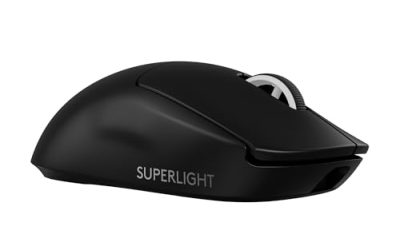
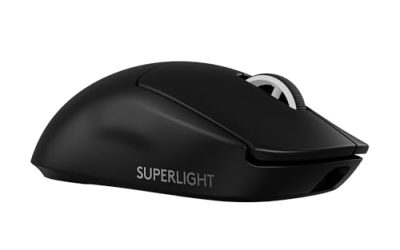
For claw grip: Logitech G Pro X Superlight 2
ASIN: B09NBWL8J5 — View on Amazon
The Superlight 2 is the archetypal claw mouse: a 125 mm symmetrical shell, a centred hump your palm heel can brace against, and 60 g of weight that arched fingers can pull around effortlessly. The HERO 2 sensor and up to 8,000 Hz LIGHTSPEED polling make it a competitive standard. It also works for fingertip players with medium hands, which makes it a good illustration of how one safe shape can serve two grips.
- Dimensions: 125 × 63.5 × 40 mm
- Weight: 60 g
- Sensor: HERO 2 optical, up to 32,000 DPI
- Connection: LIGHTSPEED 2.4 GHz, up to 8,000 Hz polling
Limitations as a teaching example: palm players will find the hump too low and the rear too tapered — a clear demonstration that shape, not quality, decides grip fit.
For fingertip grip: Razer Viper V3 Pro
ASIN: B0CW25XR5R — View on Amazon
At 54 g with a low, flat profile, the Viper V3 Pro shows what fingertip grip wants: almost nothing under the palm, subtle finger grooves to pull against, and a shell light enough that fingertips alone steer it. The Focus Pro 35K Gen-2 sensor and included 8,000 Hz HyperPolling dongle keep performance at the ceiling. Medium hands can fingertip it comfortably; larger hands can too, since fingertip grip needs the least shell of any style.
- Dimensions: 127.1 × 63.9 × 39.9 mm
- Weight: 54 g
- Sensor: Razer Focus Pro 35K Gen-2 optical
- Connection: HyperSpeed 2.4 GHz, 8,000 Hz dongle included
Limitations as a teaching example: players who rest their palm without thinking will keep colliding with the rear of the shell — the cue to either commit to fingertip or choose a claw shape instead.
For relaxed claw: Cooler Master MM720

ASIN: B08K2NMXTZ — View on Amazon
The MM720 illustrates the relaxed-claw idea perfectly: a short, wide 49 g shell with a dedicated rest for the ring finger, so the hand locks in with spread fingers and far less arch than a hard claw. Its honeycomb shell and PMW3389 sensor keep it light and accurate, and the shape shows how width and finger support can substitute for finger tension.
- Dimensions: 105.4 × 76.5 × 37.2 mm
- Weight: 49 g
- Sensor: PixArt PMW3389 optical, up to 16,000 DPI
- Connection: wired, Ultraweave cable
Limitations as a teaching example: the shape is deliberately unusual — it teaches relaxed claw brilliantly and suits almost no other grip, which is itself the lesson.
Comparison table
| Mouse | Best grip | Dimensions (mm) | Weight | Sensor |
|---|---|---|---|---|
| Razer DeathAdder V3 Pro | Palm | 128 × 68 × 44 | 63 g | Focus Pro 30K |
| Logitech G Pro X Superlight 2 | Claw | 125 × 63.5 × 40 | 60 g | HERO 2 |
| Razer Viper V3 Pro | Fingertip | 127.1 × 63.9 × 39.9 | 54 g | Focus Pro 35K Gen-2 |
| Cooler Master MM720 | Relaxed claw | 105.4 × 76.5 × 37.2 | 49 g | PMW3389 |
FAQ
Which grip is most accurate?
None, universally. Palm is the most stable for smooth tracking, fingertip gives the fastest corrections, and claw balances both, which is why it is the most common grip at high level. Accuracy comes from a grip you can hold consistently for hours without fatigue — consistency beats theory.
Can I change my grip?
Yes, but give it two to three weeks of regular play before judging. Start in low-stakes games, expect your aim to dip briefly, and change only one thing at a time — grip first, sensitivity later, if at all. Many players also settle into a hybrid, such as palm for strategy games and claw for shooters.
My hand cramps when I play. Is it my grip?
Often, yes — usually an aggressive claw on a mouse that is too small, or a palm grip forced onto a short mouse so the fingers claw anyway. Check your mouse length against your hand measurement first, relax the grip deliberately, and keep your wrist straight and unweighted.
Does grip affect which sensitivity I should use?
It does. Palm players typically run lower sensitivities and aim from the arm; fingertip players run higher and aim from the wrist and fingers; claw sits between. If you change grip, expect your comfortable sensitivity range to move with it.
Conclusion
The best way to hold a gaming mouse is the grip that fits your hand size, your mouse’s shape and your games — palm for supported stability, claw for competitive balance, fingertip for the fastest corrections. Measure your hand, be honest about how you actually hold the mouse today, and match the shell to the grip rather than forcing your hand to match the shell. The four mice above are reference points for what each grip needs; once you know your grip, their dimensions tell you exactly what to look for in any mouse you consider next.