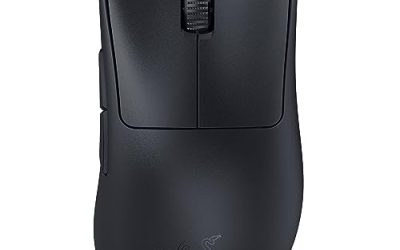
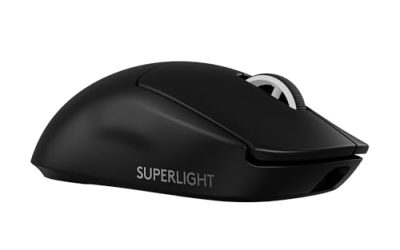
🛒 Best Price Today on Amazon
Prime members get fast, free shipping on everything above, plus member-only deals. New members get a 30-day free trial — cancel anytime.
Yes, the Razer DeathAdder Essential is still worth buying in 2026 — but only for a specific buyer. If you want a comfortable right-handed wired mouse for casual and mid-level play at a budget price, with no interest in wireless or flashy lighting, it remains a sensible pick. If you want a lighter mouse, real RGB, onboard memory, or a stronger sensor, one of the four alternatives in this review serves you better.


This review is for three kinds of buyers: first-time mouse buyers who want the classic DeathAdder shape without paying for a flagship, players replacing a worn office mouse with something built for games, and shoppers torn between the Essential and its rivals. Each product below comes from Amazon listings and manufacturer spec sheets, with the Essential judged against the G203 LIGHTSYNC, the Rival 3, the G502 HERO, and the Basilisk V3.
Quick Picks
As an Amazon Associate we earn from qualifying purchases
| Product | Best for | Key spec from title |
|---|---|---|
| Razer DeathAdder Essential | Comfortable budget wired gaming | 6,400 DPI optical sensor, 96 g, green LED |
| Logitech G203 LIGHTSYNC | Small hands and real RGB on a budget | 8,000 DPI sensor, 85 g, LIGHTSYNC RGB |
| SteelSeries Rival 3 | Light symmetrical mouse for claw grip | TrueMove Core 8,500 CPI sensor, 77 g |
| Logitech G502 HERO | Button-heavy games and tunable weight | HERO 25K sensor, 11 buttons, 121 g |
| Razer Basilisk V3 | The step-up Razer with a better wheel | Focus+ 26,000 DPI sensor, HyperScroll wheel |
How to Choose
Read the Sensor Honestly
The Essential tops out at 6,400 DPI, which sounds modest next to the 25,600 and 26,000 DPI figures on the G502 HERO and Basilisk V3 — and it is. But DPI is a ceiling, not a score, and most players settle between 400 and 1600 DPI, with the Essential defaulting to 1600. What matters more is tracking speed and acceleration: the Essential handles 220 inches per second and 30 G, while the Basilisk V3 manages 650 inches per second and 50 G. If you play slow tactical shooters, the Essential keeps up. If you play fast flick-heavy shooters at low sensitivity, the stronger sensors in this review earn their place.
Match the Shape to Your Hand
The Essential uses the classic DeathAdder shell: ergonomic, right-handed, 127 mm long, and built for palm and claw grips on medium-to-large hands. That shape is the main reason people buy it, and it is also the main reason some people should skip it. Left-handed players cannot use it at all, and fingertip grippers usually find the tall shell awkward. The G203 suits small hands with its short ambidextrous egg shape, the Rival 3 suits claw and fingertip grips with its symmetrical body, and the G502 HERO suits large hands that want a wide, weighty shell.
Count Buttons and Check the Switches
Five buttons cover the Essential, the G203, and the Rival 3 in different ways, while the G502 HERO offers eleven and the Basilisk V3 offers ten plus one. More buttons suit MMO players, productivity users, and anyone who binds abilities to the mouse, while five buttons suit players who want nothing extra under their thumb. Switch life also varies: the Essential is rated for 10 million clicks, the Rival 3 for 60 million, and the Basilisk V3 for 70 million with optical switches. A rating is a lifecycle figure, not a guarantee, but the gap is real.
Lighting, Memory, and Software
The Essential has a single green LED and no onboard memory, so your DPI stages and button assignments live in Razer Synapse 3 on Windows and do not travel with the mouse to another computer. Every alternative here offers real RGB: LIGHTSYNC on the two Logitech mice, Prism on the Rival 3, and eleven Chroma zones on the Basilisk V3. The G203, G502 HERO, and Basilisk V3 all store profiles on the mouse itself. If you switch computers often, or you simply want your settings to follow the mouse, that difference matters more than any DPI number.
The Best Options
Razer DeathAdder Essential
The Essential is the budget entry to the DeathAdder line, and its appeal is the shell rather than the spec sheet. The ergonomic right-handed shape, the 96 g weight, and the braided 2.1 m cable make it a comfortable daily driver for palm and claw grips, and the true 6,400 DPI optical sensor is honest for casual and mid-level play. It is not a flagship in disguise: the sensor, the 10-million-click mechanical switches, and the single green LED are all a step behind the V3 and V4 models, and it has no onboard memory. Buy it for the shape and the price, not for cutting-edge specs.
- Specs:
- True 6,400 DPI optical sensor, 220 IPS, 30 G acceleration
- DPI stages: 400, 800, 1600 (default), 3200, 6400
- 5 programmable Hyperesponse buttons, mechanical switches rated 10 million clicks
- 1000 Hz polling rate, single-colour green LED (not RGB)
- 127 x 61.7 mm grip width x 42.7 mm high, 96 g
- 2.1 m braided cable, USB-A, wired only
- Razer Synapse 3 (Windows), no onboard memory, 2-year warranty
- Best for: Palm and claw grip players with medium-to-large hands who want the DeathAdder shape at a budget price.
- Watch out for: The listing claims rubber side grips, but a verified buyer Q and A says the sides are hard plastic and only the scroll wheel is rubber. Check live availability before buying.
Logitech G203 LIGHTSYNC
The G203 is the small, light alternative for buyers who find the Essential too big or too plain. At 85 g with a short ambidextrous egg shape, it suits small-to-medium hands and fingertip or claw grips that the tall DeathAdder shell does not. Its LIGHTSYNC RGB band and logo, onboard memory, and metal spring button tensioning give it features the Essential lacks, and its sensor reaches 8,000 DPI. The trade-off is tracking: the sensor can spin out on very fast swipes, so aggressive low-sensitivity flick players should look at the G502 HERO or Basilisk V3 instead.
- Specs:
- Gaming-grade optical sensor, 200-8,000 DPI in 50 CPI steps
- 6 programmable buttons, metal spring button tensioning
- LIGHTSYNC RGB, 16.8 million colours, 3-zone rear band plus logo
- Onboard memory, wired USB with 2.1 m rubber cable
- 116.6 x 62.15 x 38.2 mm, 85 g
- 2-year warranty
- Best for: Small-to-medium hands that want a light mouse with real RGB and onboard memory.
- Watch out for: The sensor can lose tracking on very fast swipes. Check live availability before buying.
SteelSeries Rival 3
The Rival 3 is the lightest mouse in this review at 77 g, and its symmetrical shape makes it the natural pick for claw and fingertip players who want something nimble. Its TrueMove Core sensor reaches 8,500 CPI with 300 inches per second tracking, its split-trigger main buttons are rated for 60 million clicks, and its three-zone Prism RGB is a genuine step up from the Essential green LED. The shape is right-handed in use despite the symmetrical body, and the 1.8 m rubber cable is the shortest here. Availability is the weakest in this group, so confirm the listing is live before deciding.
- Specs:
- TrueMove Core optical sensor, 100-8,500 CPI in 100 CPI increments
- 300 IPS, 35 G acceleration, 1000 Hz polling, no hardware acceleration
- 6 programmable buttons, split-trigger main buttons
- Mechanical switches rated 60 million clicks
- Prism RGB, 3 independently controlled zones
- Wired 1.8 m rubber cable, 120.6 x 67 x 37.9 mm, 77 g
- SteelSeries Engine software
- Best for: Claw and fingertip players who want the lightest mouse in this review.
- Watch out for: Availability signals conflict, with one source listing it as currently unavailable. Check live availability before buying.
Logitech G502 HERO
The G502 HERO is the heavyweight option in every sense: 121 g before its five 3.6 g tuning weights, eleven programmable buttons, and a HERO 25K sensor that reaches 25,600 DPI with over 400 inches per second tracking. Its dual-mode hyper-fast scroll wheel switches between notched and free-spin scrolling and tilts left and right, and its onboard memory holds five profiles. That makes it the pick for MMO players, productivity users, and anyone who wants the mouse to do more than point and click. The cost is size and weight: it is 25 g heavier than the Essential and its wide shell does not suit small hands.
- Specs:
- HERO 25K optical sensor, 100-25,600 DPI in 50 DPI steps
- Max acceleration over 40 G, max speed over 400 IPS, zero smoothing
- 11 programmable buttons, dual-mode hyper-fast scroll wheel with tilt
- Adjustable weight system: five 3.6 g weights, 18 g total, storage case
- LIGHTSYNC RGB, 16.8 million colours, onboard memory with 5 profiles
- Wired USB, 2.1 m braided cable, 132 x 75 x 40 mm, 121 g
- 2-year warranty
- Best for: Large hands and button-heavy games, plus anyone who wants tunable weight and onboard profiles.
- Watch out for: Owner forums report double-click failures on some older units. Check live availability before buying.
Razer Basilisk V3
The Basilisk V3 is the step-up Razer for buyers who like the DeathAdder feel but want the specs the Essential lacks. Its Focus+ 26,000 DPI sensor tracks at 650 inches per second and 50 G, its optical Gen-2 switches are rated for 70 million clicks, and its four-way HyperScroll tilt wheel switches between notched and free-spin modes automatically. Eleven Chroma RGB zones, a thumb rest, and a sniper button round out a mouse that shares the ergonomic right-handed DNA of the Essential while beating it on every specification. At 101 g it is only slightly heavier, so the upgrade costs little in comfort.
- Specs:
- Focus+ 26,000 DPI optical sensor, 99.6 percent resolution accuracy
- 650 IPS, 50 G acceleration
- 10+1 programmable buttons, thumb rest and sniper button
- 4-way HyperScroll tilt wheel with notched and free-spin modes
- Razer Optical Mouse Switches Gen-2, 70 million clicks
- 11 Chroma RGB lighting zones, hybrid onboard and cloud storage
- Razer Speedflex cable 1.8 m, 130 x 60 x 42.5 mm, 101 g
- Razer Synapse 3, 2-year warranty
- Best for: Razer fans who want the DeathAdder feel with a far stronger sensor, optical switches, and real RGB.
- Watch out for: Do not confuse it with the Basilisk V3 35K or the wireless V3 Pro, which are different models. Check live availability before buying.
Which One Fits Your Situation
You Want the DeathAdder Shape on a Budget
Buy the Essential. Its ergonomic right-handed shell, 96 g weight, and braided cable deliver the classic DeathAdder feel without flagship pricing, and its 6,400 DPI sensor is enough for casual and mid-level play. Skip it if you need RGB, onboard memory, or a lighter mouse, since the Essential offers none of those.
You Have Small Hands or Want RGB Cheap
Pick the G203 LIGHTSYNC. At 85 g with a short ambidextrous egg shape, it fits small-to-medium hands that the tall Essential shell crowds out, and its LIGHTSYNC RGB and onboard memory cover the two features the Essential lacks. Avoid it only if you make very fast low-sensitivity swipes, where its sensor can lose tracking.
You Play Claw Grip and Want the Lightest Mouse
Choose the SteelSeries Rival 3. Its 77 g weight and symmetrical body suit claw and fingertip grips better than any mouse here, and its 60-million-click switches and Prism RGB beat the Essential on durability and lighting. The short 1.8 m cable is the only real compromise. Confirm the listing is live first, since its availability signals conflict.
You Want Maximum Buttons and a Stronger Sensor
Take the G502 HERO for eleven buttons and tunable weight, or the Basilisk V3 for the best sensor and wheel in this review. The G502 HERO suits MMO and productivity users with large hands, while the Basilisk V3 suits Razer fans who want the DeathAdder feel with a Focus+ sensor, optical switches, and eleven Chroma zones.
Common Mistakes
- Buying the Essential expecting RGB: it has a single green LED only, and Synapse can only switch it on or off.
- Treating 6,400 DPI as a target: the default stage is 1600 DPI, and 400 to 1600 covers most players.
- Mixing up DeathAdder models: the V2, V3, and V4 have different sensors, weights, and polling rates — their specs do not apply to the Essential.
- Assuming your settings travel with the mouse: the Essential has no onboard memory, so Synapse settings stay on one Windows computer.
- Ignoring hand size: the tall right-handed shell suits palm and claw grips on medium-to-large hands, not left-handed or fingertip players.
Frequently Asked Questions
Is the DeathAdder Essential good for gaming in 2026?
Yes, for budget and casual play. Its ergonomic shape, 96 g weight, and 6,400 DPI sensor hold up well for everyday games and mid-level competitive play. It is dated next to the V3 and V4 flagships, but those cost far more, and the Essential remains a sensible pick if you value comfort and reliability over cutting-edge specs.
What is the difference between the DeathAdder Essential and the DeathAdder V3?
The V3 is a different mouse: a Focus Pro 30K sensor at 26,000 DPI, 8,000 Hz polling, 59 g weight, and Gen-3 optical switches rated for 90 million clicks. The Essential has a 6,400 DPI sensor, 1000 Hz polling, 96 g weight, and mechanical switches rated for 10 million clicks. Only the shape family is shared.
Does the DeathAdder Essential have RGB?
No. It has a single-colour green LED only, with no Chroma RGB. Synapse 3 lets you switch the light on or off, but you cannot change its colour or add lighting effects. If RGB matters to you, the G203, Rival 3, G502 HERO, or Basilisk V3 in this review all offer it.
Does the DeathAdder Essential work without Synapse or on a Mac?
Yes, for basic use. The mouse works as a plug-and-play pointing device on any system, but DPI stages and button assignments need Razer Synapse 3, which runs on Windows only. Because the Essential has no onboard memory, custom settings do not carry over to another computer.