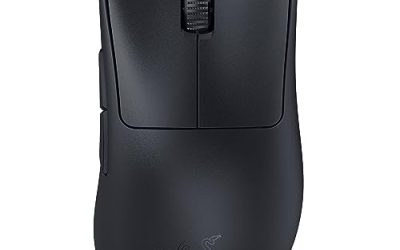
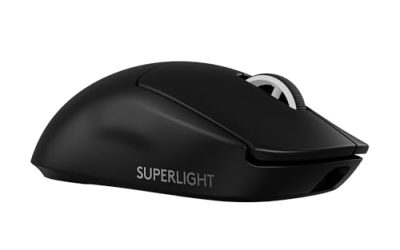
🛒 Best Price Today on Amazon
Prime members get fast, free shipping on everything above, plus member-only deals. New members get a 30-day free trial — cancel anytime.
Staying inside one brand does not make this choice simple, because ROCCAT sells several mice that share the same Owl-Eye sensor family yet behave very differently on a desk. The real decision is which shell, weight and button layout match your hand and your games: a sculpted ergonomic body, a symmetrical frame, or a wired mouse carrying far more buttons than a shooter player will ever touch.


This guide is for PC players who already like the ROCCAT approach and want the clearest pick from the current range. The four mice below were chosen from the names and specifications on their Amazon listings, and they split the range by shape, connection type and button count, so the differences that matter are easy to compare before you commit to one.
Quick Picks
As an Amazon Associate we earn from qualifying purchases.
| Product | Best for | Key spec from title |
|---|---|---|
| ROCCAT Kone Pro Air | The classic Kone shape without a cable | 75 g, Owl-Eye 19K sensor, Stellar Wireless plus Bluetooth |
| ROCCAT Kone XP | Players who bind many commands to the mouse | 15 buttons, 29 functions with Easy-Shift[+] |
| ROCCAT Burst Pro Air | Symmetrical shape for claw and fingertip grips | 81 g symmetrical shell, Owl-Eye 19K sensor |
| ROCCAT Kain 200 AIMO | Wireless play with a simpler, longer shape | Owl-Eye 16,000 DPI sensor, up to 50 hours of battery |
How to Choose
Start with shape, because the sensor is shared
Three of the four mice here use an Owl-Eye sensor that tops out at 19,000 DPI, and the fourth reaches 16,000 DPI, so sensor ceiling alone will not separate them for most players. Shape will. The Kone Pro Air and Kain 200 use sculpted ergonomic bodies built for right hands, the Kone XP stretches that ergonomic idea into a larger multi-button frame, and the Burst Pro Air uses a symmetrical shell that suits claw and fingertip grips. Match the shell to how your hand actually rests, then check the other criteria.
Weigh the mouse against your play style
Weight changes how a mouse starts, stops and lifts. The Kone Pro Air comes in at 75 grams and the Burst Pro Air at 81 grams, both light enough for fast, repeated flicks in shooters. The Kone XP is noticeably heavier at 104 grams, which some players prefer for steadier tracking and because the extra body houses its larger button cluster. None of these models uses added weights, so the listed figure is the figure you live with. If you play at low sensitivity and lift the mouse often, lighter usually wins.
Count buttons by game, not by headline
Button count is where the range splits hardest. The Kone XP carries 15 physical buttons and, through Easy-Shift[+], 29 possible functions, which suits MMO and MOBA players who bind skills, pings and inventory actions to the mouse. The other three mice keep layouts closer to a standard gaming arrangement, which many shooter players prefer because there is less to press by accident mid-fight. Think about the two or three extra commands you genuinely use every session, and buy for those rather than for the largest number printed on a box.
Decide how you want to connect and charge
The Kone XP is wired only, through a flexible PhantomFlex cable, so it never needs charging and never drops a wireless link. The other three pair a 2.4 GHz connection with a cable for charging and wired play, and the Kone Pro Air and Burst Pro Air add Bluetooth for a second device such as a laptop. Battery claims differ too: up to 100 hours or more on the two Air models, up to 50 hours on the Kain 200. Frequent travellers and multi-device desks benefit most from Bluetooth.
The 4 Best Options
ROCCAT Kone Pro Air
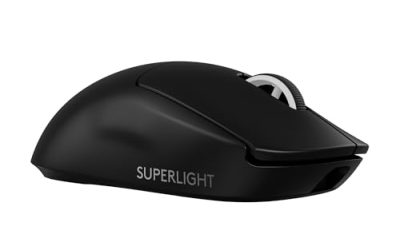
The Kone Pro Air takes the long-running Kone ergonomic shape and cuts it down to 75 grams, which makes it the natural starting point for palm and relaxed claw players who want wireless freedom without a heavy shell. Its Owl-Eye sensor reaches 19,000 DPI, the Titan Switch Optical clicks are built for a long service life, and the aluminium Titan Wheel Pro keeps the wheel light and precise. Stellar Wireless and Bluetooth cover a gaming PC and a laptop from the same mouse, and rapid charging softens the usual wireless upkeep.
Specs
- Sensor: ROCCAT Owl-Eye optical, up to 19,000 DPI
- Weight: 75 g
- Connectivity: Stellar Wireless 2.4 GHz, Bluetooth, and wired via PhantomFlex USB-C cable
- Battery: 100+ hours as listed, with rapid charging over USB-C
- Switches: Titan Switch Optical, 100 million click life cycle
- Scroll wheel: Titan Wheel Pro, milled aluminium
- Dimensions: 125.6 x 72 x 40 mm
- Lighting: AIMO RGB
- Model: ROC-11-410-01
Best for: Right-handed palm and claw players who want the classic Kone feel in a light wireless body.
Watch out for: There is no dedicated DPI button on top; sensitivity changes run through the underside profile switch or the software, so check that workflow suits you.
ROCCAT Kone XP
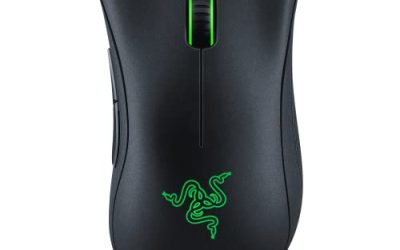
The Kone XP is the range’s command centre. Fifteen physical buttons sit across its larger ergonomic frame, and Easy-Shift[+] expands them to 29 functions, so MMO rotations, MOBA item actives and streaming controls can all live under one hand. It keeps the same 19,000 DPI Owl-Eye sensor as the lighter models, adds a Krystal 4D wheel that also clicks left and right, and surrounds everything with 22 LEDs fed through eight light guides. At 104 grams it feels planted rather than flickable, which suits players who steer with the arm and forearm.
Specs
- Sensor: ROCCAT Owl-Eye optical, up to 19,000 DPI
- Weight: 104 g
- Buttons: 15 physical buttons, 29 functions with Easy-Shift[+]
- Scroll wheel: Krystal 4D wheel with left and right lateral inputs
- Lighting: 22 LEDs with 8 light guides, AIMO RGB
- Switches: Titan Switch Optical, 100 million click life cycle
- Connectivity: Wired USB, PhantomFlex cable
- Dimensions: 126 x 76 x 40 mm
- Model: ROC-11-420-02
Best for: MMO, MOBA and simulation players who want the deepest button layout ROCCAT sells.
Watch out for: It is wired only and the heaviest mouse here, so players who lift the mouse constantly or dislike cables should look at the Air models instead.
ROCCAT Burst Pro Air
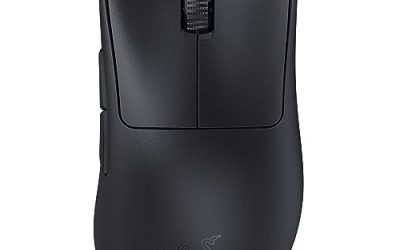
The Burst Pro Air is the symmetrical entry in this group, built around a low, even shell that claw and fingertip players can move without a sculpted thumb rest dictating hand position. It weighs 81 grams, uses the same 19,000 DPI Owl-Eye sensor with 400 IPS tracking, and wraps the internals in a water and dust resistant Bionic Shell lit by four AIMO RGB zones. Stellar Wireless and Bluetooth 5.2 handle connection duties, and the heat-treated PTFE glides give it a quick, consistent glide across cloth pads.
Specs
- Sensor: ROCCAT Owl-Eye optical, 19,000 DPI, 400 IPS tracking speed
- Weight: 81 g
- Shape: Symmetrical
- Connectivity: 2.4 GHz wireless, Bluetooth 5.2, and wired via PhantomFlex USB-C cable
- Battery: Up to 100 hours, with rapid charging that adds 5 hours from a 10-minute charge
- Switches: Titan Switch Optical, adjustable debounce, 100 million click life cycle
- Buttons: 6
- Shell: Bionic Shell, water and dust resistant, 4 AIMO RGB zones
- Extra: NVIDIA Reflex compatible
Best for: Claw and fingertip players who prefer a symmetrical shell and play fast, low-sensitivity shooters.
Watch out for: The button layout is minimal, with no extra thumb cluster, so players who bind many abilities to the mouse will run out of inputs quickly.
ROCCAT Kain 200 AIMO

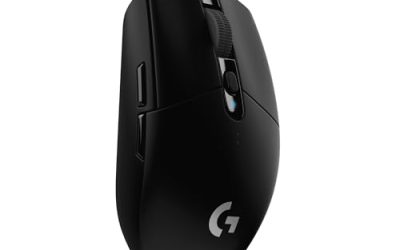
The Kain 200 AIMO takes a different route through the range: a longer ergonomic body, a 16,000 DPI Owl-Eye sensor and a button design built around Titan Click, where hinged buttons and a low-tolerance spring aim for a balanced, cushioned press. It connects over 2.4 GHz wireless or its cable, carries 512 kB of onboard memory for stored settings, and runs up to 50 hours from its 1,000 mAh battery. The Titan Wheel 2.0 and AIMO lighting in 16.8 million colours finish a mouse that feels deliberately calmer than the Kone XP.
Specs
- Sensor: ROCCAT Owl-Eye optical, up to 16,000 DPI
- Connectivity: 2.4 GHz wireless and wired combo, 1.8 m cable
- Battery: 1,000 mAh, up to 50 hours as listed
- Polling rate: 1,000 Hz
- Memory: 512 kB onboard memory
- Switches: Omron switches, up to 50 million clicks, with Titan Click button design
- Scroll wheel: Titan Wheel 2.0
- Lighting: AIMO RGB, 16.8 million colours
- Dimensions: 4.88 x 2.56 x 1.69 inches
- Model: ROC-11-615-BK
Best for: Players who want wireless freedom, a longer ergonomic shape and a softer click feel without a huge button cluster.
Watch out for: There is no Bluetooth, and the 50-hour battery is half the figure of the two Air models, so it needs a charging routine rather than occasional top-ups.
Which One Fits Your Situation
You play shooters with a palm or relaxed claw grip
Choose the Kone Pro Air. Its sculpted right-handed shell supports the whole hand, the 75-gram weight keeps flicks quick across a long session, and the dual wireless modes let the same mouse serve a gaming PC and a laptop. It is the most balanced expression of the Kone idea in this group.
You play MMOs or MOBAs with a crowded action bar
Choose the Kone XP. Fifteen buttons and 29 functions through Easy-Shift[+] mean mounts, potions, pings and cooldowns can sit under your thumb instead of stretching your keyboard hand across extra keys. The wired connection also removes charging from your routine entirely, which matters during long scheduled group sessions each week.
You grip with your fingertips and lift the mouse often
Choose the Burst Pro Air. The symmetrical shell does not force your hand into a sculpted pocket, the 81-gram build lifts and resets without drama, and the PTFE glides keep small corrections smooth on any pad. It is the easiest of the four to throw in a bag for a second setup.
You want one wireless mouse for gaming and everyday desk work
Choose the Kain 200 AIMO if your desk is a single PC, thanks to its longer shape, calmer click feel and onboard memory for saved settings. If a laptop joins the setup regularly, step up to the Kone Pro Air instead, because its Bluetooth mode switches devices without moving a receiver.
Common Mistakes
- Choosing by sensor numbers alone. Three mice here share a 19,000 DPI ceiling and the fourth reaches 16,000 DPI, yet they feel nothing alike in the hand. Shape, weight and button placement change your aim and comfort far more than a DPI gap you will never use at full range, so treat the sensor as a shared baseline and decide on the shell first.
- Buying the Kone XP for a game that needs four buttons. Its 15-button cluster is excellent for MMO play, but shooter players often find the extra thumb inputs easy to press by accident during fast movements. Extra buttons only help when your game gives you real commands to put on them; otherwise they become one more thing to work around.
- Ignoring how the wireless models differ. The Kone Pro Air and Burst Pro Air include Bluetooth as well as 2.4 GHz, while the Kain 200 relies on its receiver and cable. If you switch between a desktop and a laptop, that single line in the specification decides whether one mouse covers both machines or a receiver travels with you every day.
- Forgetting that none of these mice adjusts its weight. The listed figures, from 75 grams to 104 grams, are fixed. Players who like to fine-tune balance with added weights will not find that option anywhere in this range, so it is better to pick the weight class that already matches your sensitivity and grip.
- Assuming symmetrical means left-handed. The Burst Pro Air has a symmetrical shell, but its thumb buttons sit on the left side for a right hand, and the ergonomic Kone and Kain models are right-handed shapes as well. Left-handed players should read the button placement on the listing carefully before ordering any mouse in this group.
Frequently Asked Questions
Are all four of these mice suitable for right-handed players?
Yes. The Kone Pro Air, Kone XP and Kain 200 AIMO use ergonomic shells shaped for the right hand, and the Burst Pro Air pairs a symmetrical shell with thumb buttons placed for right-hand use. Left-handed players will find the button placement awkward on every model here, so check the listing photographs before ordering.
What does Easy-Shift[+] add on the Kone XP?
Easy-Shift[+] works like a shift key for the mouse. Holding the assigned button gives the other buttons a second function each, which is how the Kone XP reaches 29 possible functions from 15 physical buttons. It suits players who bind game commands, media controls or streaming actions beyond the standard layout.
How do the wireless models handle charging?
All three wireless models charge over a cable and can keep working while plugged in. The Kone Pro Air and Burst Pro Air use a PhantomFlex USB-C cable with rapid charging, and the Burst listing states five hours of play from a ten-minute charge. The Kain 200 uses its included cable and a 1,000 mAh battery.
Do these mice store settings without software running?
The Kain 200 AIMO lists 512 kB of onboard memory, so profiles and assignments travel with the mouse between PCs. Other models store profile information on the mouse as well, but the exact storage layout differs by model, so check the specification table on the listing if carrying settings between machines matters to you.