🛒 Best Price Today on Amazon
Prime members get fast, free shipping on everything above, plus member-only deals. New members get a 30-day free trial — cancel anytime.
Buying a mouse for an Xbox Series X is not the same decision as buying one for a PC, and treating it like a normal PC purchase is how people end up with hardware the console barely uses. The Series X accepts a mouse over a wired USB connection, but only in games and apps that have enabled mouse support, and Bluetooth mice do not connect at all. So the real question is not which mouse has the highest specifications, but which wired mouse is documented to work with Xbox, feels right in your hand, and keeps its settings without PC software.

This guide is for Series X owners who play mouse-supported titles such as shooters, strategy games, and simulators, and who want a mouse that also earns its place on a desk PC. Every pick is a wired USB model with an explicit Xbox compatibility basis from its Amazon listing or manufacturer, and specifications are taken from the Amazon product pages.
Quick Picks
As an Amazon Associate we earn from qualifying purchases
| Product | Best for | Key spec from title |
|---|---|---|
| Corsair Harpoon RGB Pro | Lightweight plug-and-play play | 12,000 DPI optical sensor |
| Corsair M65 RGB Ultra | FPS players who tune weight | Marksman 26,000 DPI optical sensor |
| Razer DeathAdder V2 | Palm-grip comfort in long sessions | 20K DPI optical sensor |
| SteelSeries Rival 3 | Simple, light, low-fuss setup | 8,500 CPI TrueMove Core sensor |
How to Choose
Start With Wired USB and Documented Xbox Support
Connection type decides everything on this console. Microsoft’s own guidance is that wired USB mice work only in select games and apps that have enabled mouse navigation, so a cable is not an old-fashioned preference here, it is the supported route. Bluetooth mice have no connection path to a Series X, and a wireless mouse whose listing only promises PC or Mac support is a gamble. Look for Xbox named in the Amazon listing or on the manufacturer’s compatibility list, as with the Corsair and SteelSeries picks in this guide, before you look at any other specification.
Check That Your Games Actually Support a Mouse
A compatible mouse still does nothing in a game that never enabled mouse input, and support varies more than most buyers expect. Some supported titles offer full mouse aiming throughout play, others accept a mouse only in menus, and some need a controller connected to get through setup screens. Before spending anything, check the Microsoft Store capability listing for the exact games you play and confirm they carry mouse support. Strategy games, city builders, and certain shooters benefit most, while many action games remain controller-only no matter which mouse you plug in.
Prioritise Onboard Memory and Hardware DPI Switching
The software that unlocks a gaming mouse on PC, such as iCUE, Synapse, or SteelSeries Engine, does not run on an Xbox, so any setting stored only in that software stays behind when you move to the console. What travels with you is whatever the mouse saves to its own onboard memory, plus changes you can make with physical buttons. A dedicated DPI button, like the ones on all four picks here, lets you adjust sensitivity mid-game from the mouse itself. Configure profiles on a PC first, save them onboard, and the console simply uses what the mouse remembers.
Match Shape, Weight, and Buttons to Your Games
Sensor ceilings far above what a television setup can use matter less than fit. A light mouse around 77 to 85 grams, such as the Rival 3 or Harpoon RGB Pro, suits fast fingertip and claw movements in shooters, while a heavier, contoured shell like the DeathAdder V2 supports a relaxed palm grip through long strategy sessions. Button count matters by genre too: six buttons cover most shooters comfortably, while eight or more help in games with weapon wheels, building keys, or ability shortcuts you want under your thumb instead of on a keyboard.
The 4 Best Options
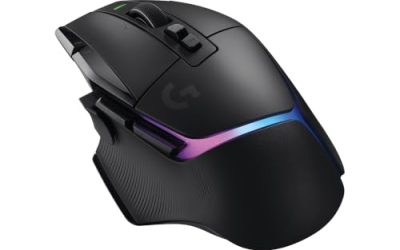
Corsair Harpoon RGB Pro
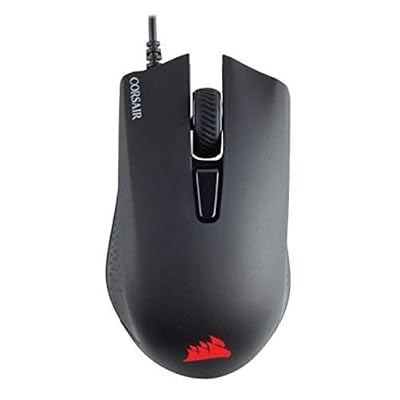
The Harpoon RGB Pro is the easiest recommendation for a Series X owner who wants one inexpensive-feeling, lightweight mouse that simply works when plugged in. Its Amazon listing names Xbox among its compatible platforms, and Corsair includes the model on its own list of mice compatible with Xbox Series X and S, which is exactly the documented basis this purchase needs. At 85 grams with a compact contoured shape and rubber side grips, it suits claw and fingertip grips in shooters and strategy games, and its onboard storage means DPI and lighting settings saved through iCUE on a PC carry over to the console.
Specs
- Sensor: 12,000 DPI optical sensor
- Buttons: 6 programmable buttons
- Connection: Wired USB, plug and play
- Weight: 85 g
- Lighting: Dynamic RGB backlighting, iCUE compatible
- Compatibility listed: PC, Mac, PS5, PS4, and Xbox
Best for: Players who want a light, simple wired mouse with manufacturer-confirmed Xbox Series X and S support.
Watch out for: The compact shell can feel small in large hands, and the six-button layout is lean for shortcut-heavy games.
ASIN: B07QVB51L9
Corsair M65 RGB Ultra
The M65 RGB Ultra is the pick for the shooter player who treats the mouse as a tuned instrument rather than an accessory. Corsair lists it among its gaming mice compatible with Xbox One and Xbox Series X and S, so its wired USB connection has a clear console basis, while its Amazon page leads with the Marksman 26,000 DPI sensor and a tunable weight system adjusting it from 97 to 115 grams. Optical switches, a sniper button that temporarily drops sensitivity for careful shots, and up to 8,000Hz hyper-polling on PC give it the deepest feature set here, even if the console uses only part of that ceiling.
Specs
- Sensor: Corsair Marksman 26,000 DPI optical sensor
- Buttons: 8 programmable buttons
- Connection: Wired USB
- Weight: Tunable from 97 g to 115 g
- Switches: Optical switches with AXON hyper-processing technology
- Frame: Anodized aluminium frame
Best for: FPS players who want adjustable weight, a sniper button, and a durable aluminium frame.
Watch out for: It is the heaviest and most angular mouse here, and its tilt gestures and highest polling rates are PC-side features the console will not use.
ASIN: B09CXQZMHG
Razer DeathAdder V2

The DeathAdder V2 suits the player whose sessions run long and whose hand prefers a full, supportive palm shape over a small esports shell. Razer’s specifications for this wired model state that it is compatible with Xbox One for basic input, and that wired USB route is what the Series X uses for mouse support in enabled games. Its Amazon page highlights the 20K DPI optical sensor, eight programmable buttons, and rubberised side grips, while the 82-gram weight keeps the large ergonomic body easy to move. Five onboard memory profiles mean sensitivity stages set in Synapse on a PC remain available at the console.
Specs
- Sensor: Razer Focus+ 20,000 DPI optical sensor
- Buttons: 8 programmable buttons
- Connection: Wired, Razer Speedflex cable
- Weight: 82 g
- Switches: Razer optical mouse switches
- Memory: Onboard memory profiles, Chroma RGB lighting
Best for: Palm-grip players with medium to large hands who play for hours at a time.
Watch out for: Razer describes the Xbox support as basic input, so expect aiming and clicking in supported games, not Synapse features or macro layers on the console.
ASIN: B082G5SPR5
SteelSeries Rival 3
The Rival 3 is the straightforward choice for a player who wants the lightest mouse in this guide and the least setup thought possible. Its Amazon technical details list its operating system support as Windows, Mac, Linux, and Xbox with a USB port required, which matches SteelSeries’ own product guide compatibility for PC, Mac, and Xbox. At 77 grams it is quick to flick in shooters, the TrueMove Core sensor covers the sensitivity range console play realistically needs, and five onboard profiles store your CPI settings without any software running. Three RGB zones add some desk presence without turning the mouse into a light show.
Specs
- Sensor: SteelSeries TrueMove Core optical sensor, 100 to 8,500 CPI
- Tracking: 300 IPS, 35G acceleration
- Buttons: 6 programmable buttons
- Connection: Wired USB, 1.8 m cable
- Weight: 77 g
- Lighting: 3 independently controlled RGB zones
Best for: Players who want the lightest, simplest wired mouse with Xbox listed directly in its specifications.
Watch out for: The 8,500 CPI ceiling and smaller shell suit most console play, but large-handed palm-grip players may find it cramped.
ASIN: B08176SM7C
Which One Fits Your Situation
You Play Shooters on a TV From the Couch
Distance and simplicity matter more than peak specifications here, because you are managing a cable across a living room rather than a desk. The Harpoon RGB Pro fits well: it is light, plugs straight in, and its onboard settings mean you are not walking back to a PC to fix sensitivity. Keep a controller nearby anyway, since supported shooters may still need it for menus, and route the cable so a sudden movement cannot pull the mouse off its surface.
You Split Time Between a Desk PC and the Series X
A shared mouse should carry its personality with it, and that makes onboard profiles the deciding feature. The DeathAdder V2 stores up to five profiles, and the Rival 3 does the same, so your PC sensitivity stages and button choices survive the move to the console. Set everything up on the PC first, save it to the mouse, and treat the Xbox as a plug-and-play destination rather than a place to configure anything.
You Play Strategy and Simulation Games With a Mouse
These are the genres where a mouse changes an Xbox game the most, replacing stick-driven cursors with direct pointing through menus, maps, and build queues. Button count becomes genuinely useful, so the eight buttons on the DeathAdder V2 or M65 RGB Ultra give you more shortcuts for camera groups, production queues, and map bookmarks. Comfort matters just as much over long sessions, which favours the DeathAdder’s palm shape, while the M65 suits a claw grip and more deliberate movements.
You Are Buying a First Mouse for a Younger Player
Start with the mouse that is hardest to get wrong. The Rival 3 is light enough for smaller hands, its six buttons are easy to learn, and its Xbox compatibility is printed plainly in its own specifications, so there is no guesswork about whether it belongs on this console. The Harpoon RGB Pro is the alternative for bigger hands. Either way, confirm the child’s games support a mouse first, because in unsupported titles the controller remains the only option.
Common Mistakes
- Buying a Bluetooth or wireless-first mouse and expecting it to pair with the Series X, when the console’s mouse support works through a wired USB connection in enabled games and apps.
- Assuming every Xbox game accepts a mouse, then blaming the hardware when a controller-only title ignores it completely.
- Choosing a mouse with no onboard memory, so every DPI stage and button assignment made in PC software disappears on the console.
- Chasing the highest DPI figure on the box, when shape, weight, and a physical DPI button affect console play far more than a five-figure sensor ceiling.
- Forgetting that a controller is still part of the setup, since some supported games need one for menus, sign-in prompts, or initial configuration.
Frequently Asked Questions
Does any USB mouse work on Xbox Series X?
A wired USB mouse is the supported connection, and the models in this guide were chosen because their listings or manufacturers document Xbox compatibility. Even then, the mouse only functions in games and apps that have enabled mouse support, and it does not take over the whole Xbox interface. Gaming models add onboard memory, better sensors, and physical DPI switching that a basic office mouse lacks.
Can I use a wireless gaming mouse on Xbox Series X?
Not in the way most buyers mean it. The Series X does not pair with Bluetooth mice, so the wireless connection these mice advertise for PC use is not a console feature. This guide therefore sticks to wired USB models with documented Xbox support. If a wireless mouse offers a wired USB mode, that cable mode is what matters for Xbox, and compatibility should still be confirmed first.
Do mouse settings and macros carry over from PC to Xbox?
Only the settings the mouse itself stores. DPI stages and button assignments saved to onboard memory travel with the hardware, which is why every pick here offers onboard storage. Macros and lighting effects in a PC program such as Synapse or iCUE should not be expected to run on the console. Configure the mouse on a PC, save the profile onboard, and use the physical DPI button while playing.
Which games on Series X support a mouse?
Support is decided game by game by each developer, so there is no console-wide switch that turns it on. Shooters, strategy titles, and simulation games are the most common categories, and the Microsoft Store marks supported titles with a console keyboard and mouse capability. Some games offer full support, while others limit the mouse to menus or specific modes. Check your own library’s store pages before buying.