🛒 Best Price Today on Amazon
Prime members get fast, free shipping on everything above, plus member-only deals. New members get a 30-day free trial — cancel anytime.
A 165Hz label looks like a small step above 144Hz, and on paper it is: one frame lasts about 6.1 milliseconds instead of 6.9. So why search for it specifically? Because 165Hz is the rate many panels reach when they use the full bandwidth of a standard DisplayPort or HDMI link, and shoppers who set a budget of under 400 dollars often find that this tier carries the best mix of speed, size and resolution.
This guide suits players who already know they want more than the entry level but do not need a 240Hz esports panel. It covers eight monitors that run at 165Hz or beyond, from a compact 24-inch to a 34-inch ultrawide, and and explains where an extra 15Hz matters and where it simply does not in 2026. Every model below is judged only on what its listing states, so a few gaps are flagged for you to verify.
Quick Picks

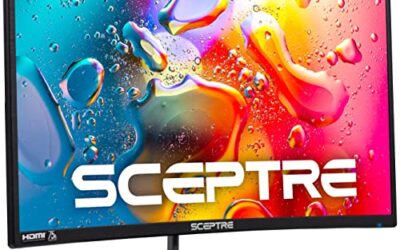
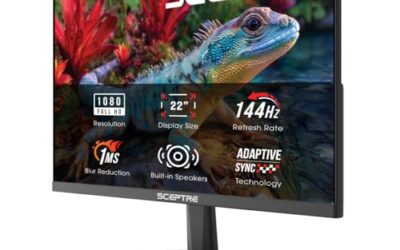
New! Sceptre 24-inch Prime Gaming Monitor DisplayPort x2 165Hz HDMI x2 165Hz Build-in Speakers, Machine Black 2027 (E248B-FW165T Series)


As an Amazon Associate we earn from qualifying purchases. Product prices and availability are accurate as of the date/time indicated.

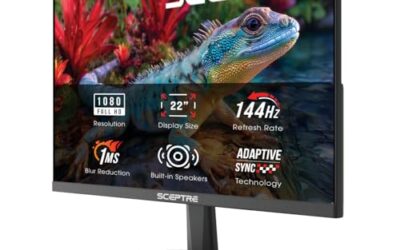
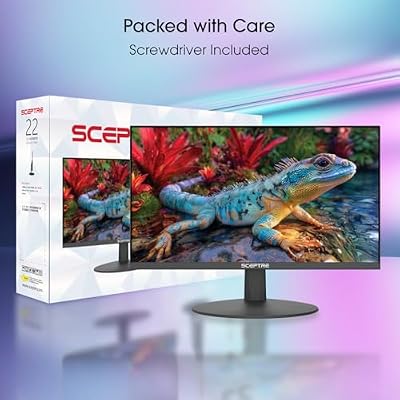
Sceptre New 22-Inch Gaming Monitor, FHD 1080p, Up to 144Hz, HDMI, DisplayPort, Built-in Speakers, Machine Black (E225W-FW144 Series, 2026)



As an Amazon Associate we earn from qualifying purchases. Product prices and availability are accurate as of the date/time indicated.

Acer Nitro 23.8in FHD 1920x1080 180Hz Gaming Monitor KG241Y Sbiip | 1ms, AMD FreeSync Premium, 2xHDMI, DisplayPort, VESA Mountable, Bluelight Filter, Flickerless Technology


As an Amazon Associate we earn from qualifying purchases. Product prices and availability are accurate as of the date/time indicated.

New! Sceptre 27-inch Prime Gaming Monitor DisplayPort x2 180Hz HDMI x2 180Hz Build-in Speakers, Machine Black 2027 (E275B-FW180T Series)


As an Amazon Associate we earn from qualifying purchases. Product prices and availability are accurate as of the date/time indicated.

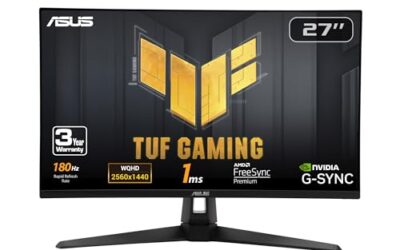
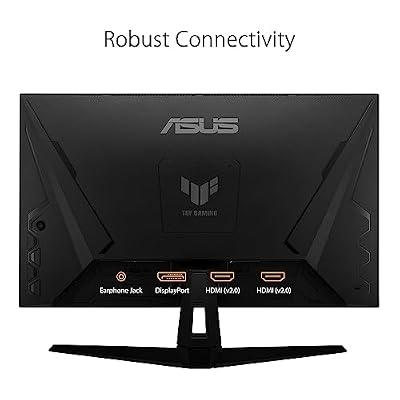
ASUS TUF Gaming VG27AQ3A 27 Inch 1440p 180Hz G-SYNC Gaming Monitor | Fast IPS, ELMB Sync, 1ms, 130% sRGB, Built-In Speakers, FreeSync Premium, HDR10, for PS5 and Xbox, 3yr warranty




As an Amazon Associate we earn from qualifying purchases. Product prices and availability are accurate as of the date/time indicated.

Sceptre 27-inch Gaming Monitor 165Hz 144Hz 1ms AMD FreeSync Premium HDMI DisplayPort Build-in Speakers, 99% sRGB Machine Black 2025 (E275B-FWD168 Series)


As an Amazon Associate we earn from qualifying purchases. Product prices and availability are accurate as of the date/time indicated.
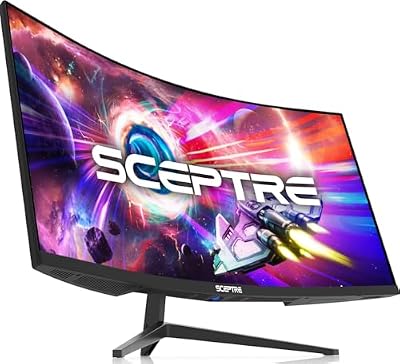
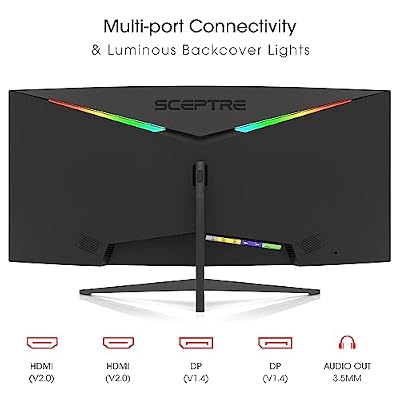
Sceptre 34-inch Curved ultrawide WQHD Monitor (3440 × 1440), R1500, up to 180Hz/165Hz, DisplayPort x2, 99% sRGB, 1ms, Built-in Speakers, Machine Black, 2025 (C345B-QUT168)




As an Amazon Associate we earn from qualifying purchases. Product prices and availability are accurate as of the date/time indicated.

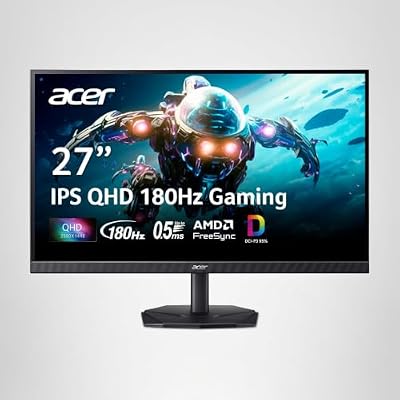
Acer Nitro 27in QHD 2560x1440 IPS 180Hz Gaming Monitor KG271U N3bmiipx | 0.5ms, AMD FreeSync, DCI-P3 95%, 2xHDMI, DisplayPort, Speaker, VESA Mountable, Bluelight Filter, Flickerless Technology




As an Amazon Associate we earn from qualifying purchases. Product prices and availability are accurate as of the date/time indicated.
| Product | Best for | Key spec |
|---|---|---|
| Sceptre E248B-FW165T | Compact desks | 24-inch, 165Hz, four ports |
| Acer Nitro KG241Y | Compact 180Hz | 23.8-inch full HD, 180Hz |
| Sceptre E275B-FW180T | Flat 27-inch with ports | 180Hz, DisplayPort x2 |
| ASUS TUF VG27AQ3A | Sharpness and speed | 1440p, 180Hz, Fast IPS |
| Basics 27-inch | Simple, no-fuss play | 27-inch full HD, 165Hz |
| Sceptre E275B-FWD168 | Color coverage | 27-inch, 165Hz, 99% sRGB |
| Sceptre 34-inch ultrawide | Immersive wide view | WQHD 3440×1440, 165Hz |
| Acer Nitro KG271U | QHD color depth | QHD IPS, 180Hz, DCI-P3 95% |
How to Choose
Treat 165Hz as a sweet spot, not a magic number
Between 144Hz and 165Hz the frame time shrinks by under one millisecond, and 180Hz trims about half a millisecond more. These steps are real but small, and they only show when frame rates keep up. Spend extra only if your graphics card can routinely hold frame rates above 140; otherwise the higher setting just sits idle. A frame cap a few frames under the maximum keeps motion even when adaptive sync is on.
Confirm the cable and port can carry it
Full HD at 165Hz works on most modern ports, but QHD at 165Hz or 180Hz is safest over DisplayPort. Several monitors here list DisplayPort twice, which is handy for a desktop plus a laptop. A cable bundled in the box is not always labeled high-speed, so check the markings if the setting will not appear. Swapping to the shorter, certified cable that ships with a graphics card often fixes it.
Pick a resolution that suits the screen size
Full HD stays sharp at 24 inches but looks soft at 27. QHD at 27 inches gives about 109 pixels per inch, while a 34-inch ultrawide at 3440 by 1440 offers a similar density across a much wider view. Higher resolution costs frame rate, so tie the choice to your GPU. On a midrange card, a 27-inch full HD screen at 165Hz will usually feel smoother than QHD held near 90 frames.
Avoid chasing numbers that do not help
A response time of 1ms or 0.5ms is hard to compare across brands, and HDR claims on mainstream panels rarely deliver dramatic highlights. Better questions are whether adaptive sync is supported, how wide the viewing angles are, and whether the stand tilts, rises or only tilts. Budget models often cut the stand first, so a VESA mount is a handy backup.
The 8 Best Options
Sceptre E248B-FW165T
The only monitor on this list whose name carries 165 as its headline figure. The title lists a 24-inch screen, DisplayPort x2, HDMI x2 at 165Hz, and built-in speakers, which suits someone who wants speed on a desk where width is limited. It is the compact route into the 165Hz tier, and the one most likely to fit beside a second monitor.
- Strength: four video inputs let a PC, laptop and console share one screen
- Strength: a 24-inch panel keeps a full HD image sharp at high refresh
- Trade-off: the title does not name a panel type or response time
Skip it if you need verified color specs or a larger canvas. Photo editors and anyone who sits more than an arm’s length back will prefer a different size, since 24 inches fills little of the view from a distance.
Acer Nitro KG241Y
A 23.8-inch full HD option that shows how 180Hz can fit in a small package. The title lists 1ms, AMD FreeSync Premium, two HDMI ports, DisplayPort, VESA mounting and a bluelight filter, a sensible mix for evening sessions. Where the Sceptre emphasizes ports, this Acer emphasizes eye comfort and a higher ceiling.
- Strength: 180Hz gives headroom above the 165Hz line
- Strength: FreeSync Premium and a bluelight filter suit long evenings
- Trade-off: the title lists no speakers or G-Sync Compatible label
Skip it if you want built-in audio or an NVIDIA-branded sync badge. Most NVIDIA owners will need to confirm compatibility settings themselves, which takes a minute in the driver panel.
Sceptre E275B-FW180T
A flat 27-inch that treats 165Hz as a floor. The title lists DisplayPort x2 and HDMI x2, all at 180Hz, along with built-in speakers; native resolution is not stated, so verify it on the spec sheet before buying. Of the listings here, it is the one that most rewards reading the manufacturer’s spec page.
- Strength: 180Hz carries over HDMI as well, which helps consoles and laptops
- Strength: two DisplayPort inputs suit a desktop and a second computer
- Trade-off: resolution and panel type are not given in the title
Skip it if resolution is a hard requirement. It suits shoppers who can confirm details elsewhere and mainly want flexible connectivity.
ASUS TUF VG27AQ3A
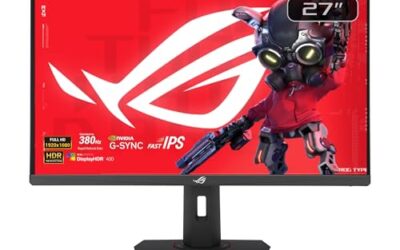
The pick for buyers who want 165Hz-plus speed at QHD sharpness. The title lists 27 inches, 1440p, 180Hz, G-SYNC, Fast IPS, ELMB Sync, 1ms, 130% sRGB, speakers, FreeSync Premium and HDR10, so it spans both major sync standards. It is the model for players who intend to stay on this screen through a graphics card upgrade.
- Strength: QHD at 180Hz delivers more detail than any full HD option here
- Strength: G-SYNC and FreeSync Premium support suit either graphics brand
- Trade-off: holding 165 frames at QHD takes a strong GPU
Skip it if your graphics card averages under 100 frames at QHD. A full HD 165Hz screen will feel smoother on a modest card, and it costs less in graphics horsepower.
Basics 27-Inch 165Hz
The store-brand option, for people who want 165Hz on a 27-inch screen and little else. The title lists full HD 1080p, 165Hz, adaptive sync, a 1ms response claim and VESA compatibility. Its bare-bones listing suggests a value-first approach, with fewer promises than the other models.
- Strength: 165Hz at 27 inches without extra gimmicks
- Strength: VESA compatibility allows arms or wall mounts
- Trade-off: the title mentions no speakers, panel type or HDR
Skip it if you want a feature-rich panel with color specs. This is the simple, plain choice, and the listing keeps it that way.
Sceptre E275B-FWD168
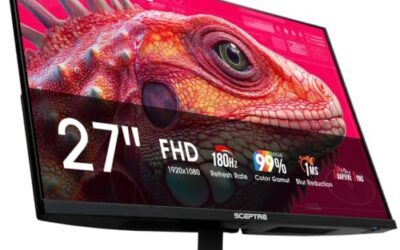
A 27-inch that lists both 165Hz and 144Hz in its title, a hint at flexible refresh behavior. It also lists 1ms, AMD FreeSync Premium, HDMI, DisplayPort, built-in speakers and 99% sRGB. The dual rate in the name suggests it was built for flexible 144Hz and 165Hz use.
- Strength: 99% sRGB coverage is solid for everyday color
- Strength: FreeSync Premium and speakers come in the same package
- Trade-off: the title does not state native resolution or panel type
Skip it if you need a premium stand or want DisplayPort twice. It fits a single-PC desk where color coverage matters, and where one set of ports is enough.
Sceptre 34-Inch Curved Ultrawide
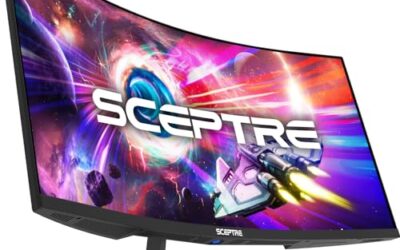
The wide-angle choice for sim racing, strategy games and productivity on one panel. The title lists 3440 by 1440 WQHD, 1500R curvature, up to 180Hz or 165Hz, DisplayPort x2, 99% sRGB, 1ms and speakers. It stands apart because it replaces a two-monitor setup with one sweeping display.
- Strength: 34 inches at WQHD gives a wide, immersive field of view
- Strength: 99% sRGB and speakers add polish at this size
- Trade-off: no HDMI is listed, so consoles need an adapter
Skip it if you play on consoles or dislike curved panels. Ultrawide also demands a stronger GPU than 27-inch full HD, since it draws roughly twice the pixels of a full HD frame.
Acer Nitro KG271U
A QHD IPS for players who want color depth and speed at 27 inches. The title lists 2560×1440, 180Hz, 0.5ms, AMD FreeSync, DCI-P3 95%, two HDMI ports, DisplayPort, a speaker and VESA mounting. Compared with the full HD options, its payoff is a visibly crisper and more colorful image.
- Strength: 95% DCI-P3 coverage suits movies and photos as well as games
- Strength: three inputs and VESA mounting add flexibility
- Trade-off: only FreeSync is named, without G-Sync Compatible
Skip it if you want a stand with height adjustment. A VESA arm can supply that, and it frees desk space under the base.
Which One Fits Your Situation
You have a small desk and want speed
The Sceptre E248B-FW165T fits. Its 24-inch size suits a tight setup, and four inputs let a console and a PC share it. Dim-room players can add a bias light behind it for comfort.
You want the sharpest picture at 165Hz or more
Choose the ASUS TUF VG27AQ3A. QHD, Fast IPS and 180Hz are the strongest all-round mix here for a capable graphics card. Pairing it with a card that holds 140 frames or more shows the full benefit.
You race, fly or play strategy games
The Sceptre 34-inch ultrawide pushes a wide field of view into one screen, which suits cockpit and map-heavy genres. Racing wheels and flight sticks also feel more natural with peripheral vision filled.
You want a lighter, easier 27-inch
The Basics 27-inch gives 165Hz at 27 inches with no extras. It suits a first upgrade where the goal is smoother motion and little else. Its plain approach avoids paying for features you may never use.
Common Mistakes
- Assuming 165Hz is active when the display settings still say 60Hz, a slip that affects many first-time buyers.
- Paying more for 180Hz when your card cannot reach 165 frames.
- Choosing an ultrawide without checking whether your favorite games support its aspect ratio.
- Ignoring port types, then discovering a console or a second computer has no matching input on the back.
- Expecting a full HD panel at 27 inches to look as sharp as QHD.
Related guides
- Logitech G Pro X 2 Vs Steelseries Arctis Nova Pro Wireless
- Travel Controller Case For 8Bitdo Ultimate Series
- Gaming Pc Under 600 For Roblox And Minecraft
Frequently Asked Questions
Is 165Hz noticeably better than 144Hz?
Most players cannot tell them apart in blind comparisons. Treat it as a minor bonus, and pick based on size, resolution and connectivity. A well-chosen size beats an extra 15Hz every time.
Do I need G-Sync or FreeSync?
Adaptive sync prevents tearing when frame rates fluctuate, which is common in demanding games. Both standards work on many modern cards, so confirm yours. Check the monitor’s sync range, since some work only within a limited band.
Is an ultrawide a good choice for competitive shooters?
Some players like the wider view, though many competitive titles prefer standard aspect ratios. Casual and single-player gamers benefit most, especially in racing, strategy and role-playing titles that use the extra width.
Will 165Hz work over HDMI?
Often yes at full HD, but DisplayPort is the safer route for QHD or ultrawide. Check the port version listed by the maker, and use the cable supplied in the box first.