🛒 Best Price Today on Amazon
Prime members get fast, free shipping on everything above, plus member-only deals. New members get a 30-day free trial — cancel anytime.
For years, 144Hz has been the number that separates a gaming monitor from an ordinary one. Moving off a 60Hz office screen to 144Hz makes the cursor, camera pans and fast duels look noticeably smoother, and a budget of under 400 dollars is more than enough to get there, with room to spare for better panels and extra ports. What changes in 2026 is that the cap now buys much more than the baseline.
This roundup treats 144Hz as the entry line, not the finish. It is meant for first-time upgraders, parents choosing a family PC screen, and laptop owners who want a second display. Ten monitors follow, from a 16-inch portable to a 27-inch QHD panel, with several that exceed 144Hz so you can see what headroom looks like.
Quick Picks

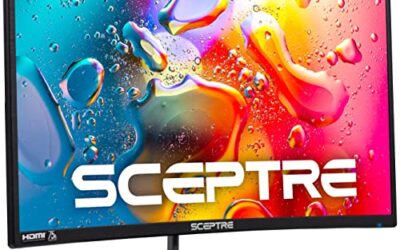
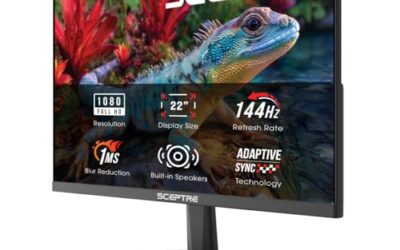
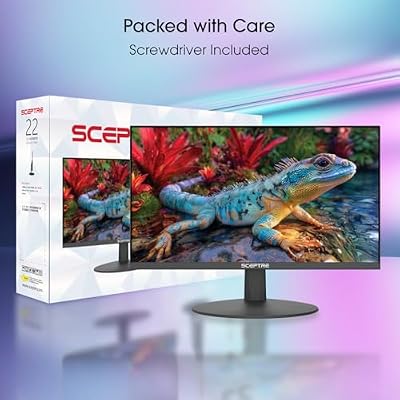
Sceptre New 22-Inch Gaming Monitor, FHD 1080p, Up to 144Hz, HDMI, DisplayPort, Built-in Speakers, Machine Black (E225W-FW144 Series, 2026)



As an Amazon Associate we earn from qualifying purchases. Product prices and availability are accurate as of the date/time indicated.
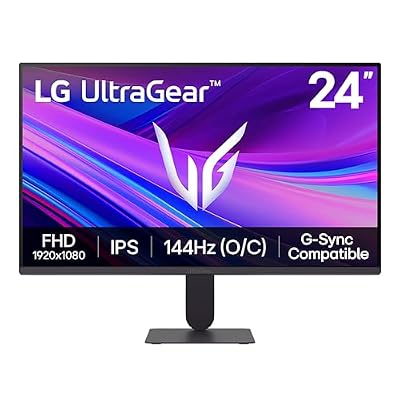
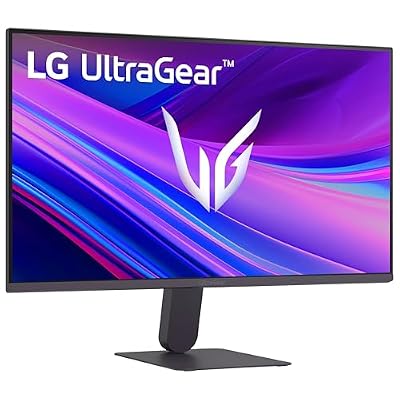
LG 24G411A-B 24-inch Ultragear Full HD (1920 x 1080) IPS Gaming Monitor, 144Hz (O/C), 1ms MBR, NVIDIA G-Sync Compatible, AMD FreeSync, HDR10, HDMI, DisplayPort, Slim Stand, Black





As an Amazon Associate we earn from qualifying purchases. Product prices and availability are accurate as of the date/time indicated.

New! Sceptre 27-inch Prime Gaming Monitor DisplayPort x2 180Hz HDMI x2 180Hz Build-in Speakers, Machine Black 2027 (E275B-FW180T Series)


As an Amazon Associate we earn from qualifying purchases. Product prices and availability are accurate as of the date/time indicated.

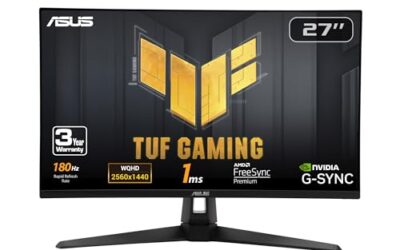
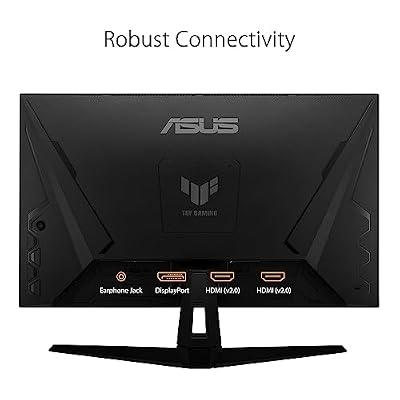
ASUS TUF Gaming VG27AQ3A 27 Inch 1440p 180Hz G-SYNC Gaming Monitor | Fast IPS, ELMB Sync, 1ms, 130% sRGB, Built-In Speakers, FreeSync Premium, HDR10, for PS5 and Xbox, 3yr warranty




As an Amazon Associate we earn from qualifying purchases. Product prices and availability are accurate as of the date/time indicated.

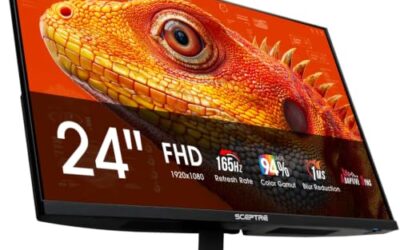
New! Sceptre 24-inch Prime Gaming Monitor DisplayPort x2 165Hz HDMI x2 165Hz Build-in Speakers, Machine Black 2027 (E248B-FW165T Series)


As an Amazon Associate we earn from qualifying purchases. Product prices and availability are accurate as of the date/time indicated.

New! Sceptre Curved 27-inch Prime Gaming Monitor DisplayPort x2 180Hz HDMI x2 180Hz 1500R 1ms Build-in Speakers, Machine Black 2027 (C275B-FW180T Series)


As an Amazon Associate we earn from qualifying purchases. Product prices and availability are accurate as of the date/time indicated.

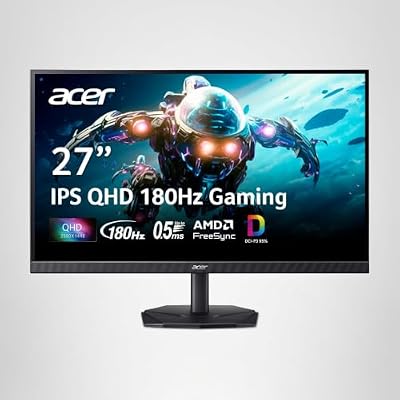
Acer Nitro 27in QHD 2560x1440 IPS 180Hz Gaming Monitor KG271U N3bmiipx | 0.5ms, AMD FreeSync, DCI-P3 95%, 2xHDMI, DisplayPort, Speaker, VESA Mountable, Bluelight Filter, Flickerless Technology




As an Amazon Associate we earn from qualifying purchases. Product prices and availability are accurate as of the date/time indicated.

msi PRO MP243L E14 24-inch IPS 1920 x 1080 (FHD) Gaming Office Monitor, 144Hz, Free-Synch, HDR Ready, HDMI, VGA Port,VESA Mountable, Tilt, 4-Side Slim Bezel,1ms, Black


As an Amazon Associate we earn from qualifying purchases. Product prices and availability are accurate as of the date/time indicated.

SANSUI 24 Inch Curved 160Hz Gaming Monitor,1500R Curved Gaming Monitor | FHD 1080P Computer Monitor,MPRT 1ms Fast VA, Freesync,HDR,3000:1, HDMI2.0,DP1.4, VESA Supp.(ES-G24C1L HDMI Cable Incl.)





As an Amazon Associate we earn from qualifying purchases. Product prices and availability are accurate as of the date/time indicated.

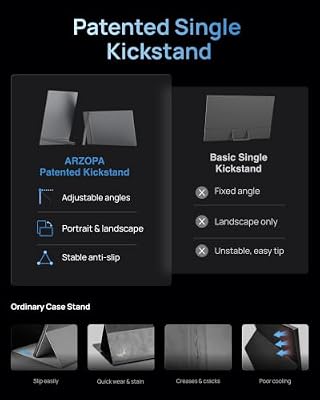
ARZOPA 16.1'' 144Hz Portable Gaming Monitor 106% sRGB - Z1FC | 1080P FHD Kickstand Portable Monitor with HDR, Ultra Slim, Eye Care, External Second Screen for Laptop, PC, PS5, Mac, Xbox




As an Amazon Associate we earn from qualifying purchases. Product prices and availability are accurate as of the date/time indicated.
| Product | Best for | Key spec |
|---|---|---|
| Sceptre E225W-FW144 | Smallest desks | 22-inch full HD, up to 144Hz |
| LG 24G411A-B | True 144Hz IPS | 24-inch IPS, 144Hz (O/C) |
| Sceptre E275B-FW180T | Spare inputs | 27-inch, 180Hz, four ports |
| ASUS TUF VG27AQ3A | Sharper picture | 1440p, 180Hz, Fast IPS |
| Sceptre E248B-FW165T | Compact speed | 24-inch, 165Hz |
| Sceptre C275B-FW180T | Curved immersion | 27-inch, 180Hz, 1500R |
| Acer Nitro KG271U | Color and clarity | QHD IPS, 180Hz |
| MSI PRO MP243L E14 | Gaming plus office | 24-inch IPS, 144Hz |
| Sansui 24-inch curved | Dark rooms | 160Hz fast VA |
| ARZOPA Z1FC | Portable second screen | 16.1-inch, 144Hz |
How to Choose
Understand what 144Hz actually delivers
At 60Hz each frame lasts about 16.7 milliseconds; at 144Hz it lasts about 6.9. That cut in delay is why motion feels fluid, and most of the benefit is already present at 144Hz. Stepping up to 165Hz or 180Hz trims only another 1 to 1.4 milliseconds per frame, so treat higher numbers as nice headroom, not a requirement. The jump from 60Hz is large; every step after it is smaller than the last.
Unlock the refresh rate properly
A 144Hz monitor runs at 60Hz until you change the setting in your operating system. Use DisplayPort or a certified HDMI cable, then pick the highest rate in display settings. Many buyers think a panel is faulty when this setting was simply never changed. On laptops, also confirm the port can carry the rate, since some outputs stop at 60Hz.
Decide whether resolution or frame rate comes first
Full HD at 24 inches is sharp and light on the graphics card. A 27-inch full HD panel looks softer, while QHD at 27 inches looks crisp but needs a stronger GPU to hold 144 frames. Choose resolution to match your card, not your wish list. A midrange card that holds 144 frames at full HD might fall to 70 or 80 at QHD in demanding titles.
Ignore the noise, check the basics
Skip HDR badges on this tier and focus on adaptive sync (FreeSync or G-Sync Compatible), IPS or fast VA panels, and a stand that fits your desk. Budget monitors often trim stand adjustment, so VESA mounting is a useful safety net. Expect budget stands to tilt but not rise, and plan for a book stack or an arm.
The 10 Best Options
Sceptre E225W-FW144
The model whose name literally carries the number. The title lists a 22-inch full HD panel, up to 144Hz, HDMI, DisplayPort and built-in speakers, which suits someone replacing an aging office display with something quick and compact. It is the most space-efficient way into high refresh on this list.
- Strength: DisplayPort keeps the full refresh rate reachable
- Strength: 22 inches fits a student desk or a shared workspace
- Trade-off: “up to 144Hz” suggests you should verify the setting after setup
Skip it if you want a larger canvas or a screen that doubles as a TV for friends visiting. At 22 inches, a console-and-couch setup would feel cramped.
LG 24G411A-B
An IPS panel that makes 144Hz feel premium. The title lists 24 inches, full HD, 144Hz (O/C), 1ms MBR, G-Sync Compatible, FreeSync, HDR10 and HDMI, so the speed comes with broad graphics card support. For competitive play at 24 inches, it is a proven layout of size and resolution.
- Strength: IPS keeps colors steady from different seats
- Strength: both adaptive sync standards are listed
- Trade-off: the 144Hz is an overclock, so the base rate sits lower
Skip it if you want guaranteed native 144Hz out of the box with no extra settings. Buyers who dislike tweaking menus may prefer a panel with a plain native rate.
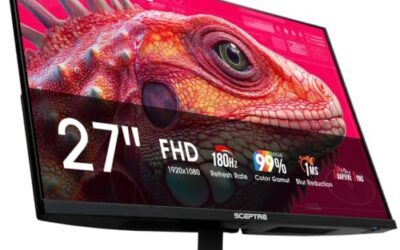
Sceptre E275B-FW180T
A 180Hz screen that lets 144Hz players grow into their hardware. The title lists 27 inches, DisplayPort x2, HDMI x2 and speakers, and gives 180Hz for both connection types; native resolution is not stated, so confirm it before buying. The extra headroom beyond 144Hz is what justifies a look.
- Strength: 180Hz is listed over HDMI too, helpful for consoles or laptops
- Strength: two of each port type reduce cable swapping
- Trade-off: the title leaves out panel type and resolution
Skip it if you need exact panel details before spending anything. Transparency in the listing is its weak point.
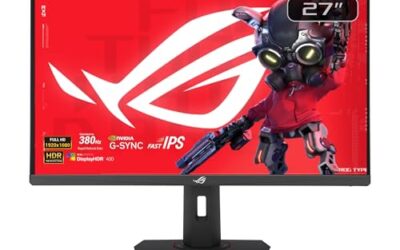
ASUS TUF VG27AQ3A
The sharpness-first pick for players whose graphics card can handle QHD. The title lists 27 inches, 1440p, 180Hz, G-SYNC, Fast IPS, ELMB Sync, 1ms, 130% sRGB, speakers, FreeSync Premium and HDR10.
- Strength: QHD at 180Hz gives 144Hz players ample headroom
- Strength: Fast IPS and 130% sRGB listing point to lively color
- Trade-off: QHD frame rates depend heavily on your GPU, so check your card first
Skip it if you run an older card that struggles to hold 144 frames at full HD. Lower the resolution target first, then revisit this screen after a card upgrade.
Sceptre E248B-FW165T
A small, quick screen for a desk where a 24-inch is the comfortable limit. The title lists DisplayPort x2, HDMI x2 at 165Hz, built-in speakers and a 24-inch size, a balanced setup for a PC plus a console. Among the 24-inch options here, it lists the highest refresh rate.
- Strength: 165Hz sits above 144Hz without a large jump in demands
- Strength: four ports cover a PC, laptop and console
- Trade-off: the title gives no response time or panel type
Skip it if you want colors or contrast specs spelled out. The listing is short on detail beyond refresh rate and ports.
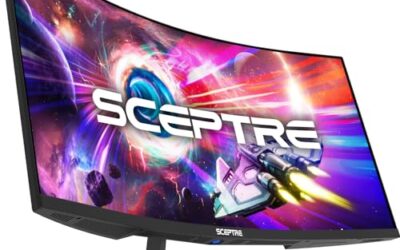
Sceptre C275B-FW180T
A curved 27-inch for people who want the screen to wrap around them. The title lists 180Hz on DisplayPort and HDMI, 1500R curvature, 1ms and speakers. It leans toward people who play racing sims and sprawling worlds where the curve helps draw the eye.
- Strength: 1500R curvature increases immersion in racing and open-world games
- Strength: 180Hz is on offer through both port types
- Trade-off: curved glass can distort straight lines in design work
Skip it if you plan to do layout, CAD or photo editing on the same screen. Straight edges in a design tool will bow slightly near the sides.
Acer Nitro KG271U
A QHD IPS for buyers who want color and clarity without moving up to a premium brand tier. It brings sharper pictures than the full HD options and holds 180Hz as a ceiling. The title lists 2560×1440, 180Hz, 0.5ms, FreeSync, DCI-P3 95%, two HDMI ports, DisplayPort, a speaker and VESA mounting.
- Strength: 95% DCI-P3 coverage suits video and photo viewing
- Strength: three inputs cover multiple devices
- Trade-off: no G-Sync Compatible mention in the title
Skip it if you want a built-in height-adjustable stand. A VESA arm is the tidy fix if posture is a concern.
MSI PRO MP243L E14
A gaming-and-office hybrid, labeled that way in its own title. It lists a 24-inch IPS full HD panel, 144Hz, FreeSync, HDR Ready, HDMI, VGA, VESA mounting, tilt adjustment and slim bezels on four sides. It reads like a screen designed for a desk that does a bit of everything.
- Strength: slim bezels on four sides work well for dual-monitor rows
- Strength: VGA lets you connect older office hardware
- Trade-off: only tilt adjustment is listed, with no height or swivel
Skip it if you rely on speakers built into the monitor, which are not mentioned. Desktop speakers or a headset are the simple answer.
Sansui 24-Inch Curved 160Hz
For late-night players who prefer deep contrast and a gentle curve. The title lists 160Hz, 1500R, fast VA with 1ms MPRT, FreeSync, HDR, 3000:1 contrast, HDMI 2.0 and DisplayPort. It is a mood-setting pick for dim rooms and long evening sessions.
- Strength: 160Hz adds a small cushion above 144Hz
- Strength: 3000:1 contrast gives dark scenes depth
- Trade-off: VA panels lose some color accuracy at wide viewing angles
Skip it if you share the screen with someone sitting at an angle. Couch-side viewers will see the contrast shift.
ARZOPA Z1FC
The odd one out, in a useful way. This is a 16.1-inch portable 144Hz gaming screen with 106% sRGB, 1080p, HDR, a kickstand, an ultra-slim body and an Eye Care mode, suited to a laptop or console on the go. At this size, it is closer to an accessory than a replacement for a desktop display.
- Strength: kickstand and slim frame make it travel-friendly
- Strength: 144Hz on a portable is rare and smooths laptop gaming
- Trade-off: a 16.1-inch screen is a companion, not a main display
Skip it if this will be your only monitor at a desk. A laptop screen alone is not an upgrade, but a desk panel beside it is.
Which One Fits Your Situation
You are leaving a 60Hz office screen behind
The MSI PRO MP243L E14 keeps a familiar 24-inch IPS shape with 144Hz and VGA for older gear, making the switch painless. Slim bezels also make a second matching screen easy to add later.
You want to buy once and grow into a better card
Choose the ASUS TUF VG27AQ3A. QHD and 180Hz give room for future hardware. If your next card is a big step up, this screen will not hold it back.
You game on a laptop away from your desk
The ARZOPA Z1FC adds a fast portable second screen to a laptop and fits a backpack. The kickstand means it works on a coffee table, a dorm bed tray or a hotel desk.
You want a dedicated IPS for esports
The LG 24G411A-B pairs 24-inch IPS with both adaptive sync standards for clean, quick motion. Its IPS color also makes it comfortable for casual video and browsing.
Common Mistakes
- Leaving the refresh rate at 60Hz after plugging in the new monitor.
- Buying 180Hz or 240Hz when your graphics card tops out near 100 frames.
- Using a basic HDMI cable that cannot carry the full refresh rate.
- Choosing a 27-inch full HD screen and expecting QHD sharpness.
- Treating HDR labels on budget panels as a reason to pay more.
Related guides
- Logitech G Pro X 2 Vs Steelseries Arctis Nova Pro Wireless
- Travel Controller Case For 8Bitdo Ultimate Series
- Gaming Pc Under 600 For Roblox And Minecraft
Frequently Asked Questions
Is 144Hz still worth it?
Yes. It remains the point where most players notice the jump from a 60Hz screen, and it remains easy to feed on modest hardware.
Do I need a 144Hz monitor if my PC is old?
It helps only when games reach roughly 100 frames or more. Lighter esports titles often do, even on older cards. Heavy open-world games are the likelier place to fall short.
Can consoles use a 144Hz monitor?
Consoles use whatever the console and monitor both support, which is often lower than 144Hz. Check the console’s output settings before assuming the full rate.
What is the difference between 144Hz and 165Hz in practice?
Most players cannot feel it. The gap is about one millisecond per frame, so choose by features and budget tier instead.