
- Top Pick: Kado Triple Monitor 3-Pack 27" 1920×1080 75Hz FHD Computer Monitor
- Best Value: HUANUO Triple Monitor Mount for 17 to 32 inch Screens, Adjustment Gaming Triple Monitor Stand with Swivel, Tilt, Rotation, Clamp & Grommet Kit
- Premium Choice: Kado 3-Pack Trio 22" Flat Screen 1920×1080 75Hz FHD Computer Monitor
A three-screen setup is the productivity dream: your main work dead ahead, reference on one side, and communication on the other, all without alt-tabbing. For traders, coders, editors, and sim racers, the wraparound field of view a triple-monitor rig delivers is genuinely transformative once you experience it.
Building one well means choosing between a matched three-monitor pack and separate panels on a sturdy triple mount. Below we round up the best options for a three-screen setup and explain how to pick the combination of screens and mounting that fits your desk and workflow.


As an Amazon Associate we earn from qualifying purchases at no extra cost to you.





🎮 Get More From Your Setup — Free
Prime Gaming gives you free PC games every month, in-game loot, and a free Twitch channel sub — plus fast free shipping on all the gear above. New members get a 30-day free trial.
Watch: Best Monitor For 3 Screen Setup — Video Review
How to Choose Monitors for a 3-Screen Setup
- Matched panels: A three-pack guarantees identical size, color, and refresh, avoiding mismatch headaches.
- Mounting: A VESA triple stand clears the desk and lets you angle the side screens inward.
- Bezel width: Slimmer bezels reduce the visual gaps between panels for a cleaner panorama.
- Flat vs curved: Curved side screens angled inward reduce edge distortion in wide setups.
- GPU outputs: Confirm your graphics card or laptop can drive three displays at once.
The Best 3-Screen Options Reviewed
Kado Triple Monitor 3-Pack 27″
The easiest path to a triple setup, this matched 3-pack of 27″ 1080p 75Hz panels arrives ready to line up with identical color and built-in speakers. VESA holes let you wall or arm mount them, making it the standout all-in-one choice for office and hybrid gaming desks.
HUANUO Triple Monitor Mount (17-32″)
If you already own three screens, this is the mount to hold them. It supports 17 to 32-inch panels with swivel, tilt, and rotation, plus both clamp and grommet options, giving you a stable, adjustable foundation for any triple arrangement.
Kado 3-Pack Trio 22″
For smaller desks or tighter budgets, this trio of 22″ 1080p flat panels delivers the same matched-set convenience in a more compact footprint, ideal for stock tickers, monitoring dashboards, or a first triple build.
MOUNTUP Triple Monitor Stand
A heavy-duty triple arm for screens up to 27 inches, with each arm holding a range of weights and offering full articulation. It is the sturdy, budget-conscious mounting pick for standard-sized panels.
ErgoFocus Triple Monitor Desk Mount
Designed for screens up to 32 inches, this mount emphasizes ergonomic adjustability so you can dial in the perfect height and angle across all three displays, reducing neck strain during long sessions.
Related Guides
- Best 32 Inch Gaming Monitors (2026)
- Omen OLED Monitor (2026)
- Triple Portable Monitor (2026)
- Small Side Monitor (2026)
Frequently Asked Questions
Can my computer run three monitors?
Most modern desktop GPUs support three or more displays. Check your card’s outputs, and for laptops confirm it can drive multiple external screens via HDMI, DisplayPort, or USB-C.
Should I buy a matched pack or separate monitors?
A matched pack like the Kado trios guarantees identical color and size for a seamless panorama. Separate panels give more choice but require careful matching and a good triple mount.
Do I need a special stand for three monitors?
A dedicated triple mount like the HUANUO or MOUNTUP clears desk space and lets you angle the side screens inward, which is more comfortable and space-efficient than three separate stands.
Are curved or flat panels better for triple setups?
Flat panels are fine for productivity, but curved side screens angled inward reduce edge distortion and feel more immersive, especially for gaming and sim racing.
Final Thoughts
For most people the Kado Triple Monitor 3-Pack 27″ is the best way to build a three-screen setup, delivering matched panels ready to go. If you already own screens, the HUANUO Triple Monitor Mount is the sturdy foundation to hold them, and the Kado 3-Pack Trio 22″ is the compact, budget-friendly pick for smaller desks.
Top picks from this guide
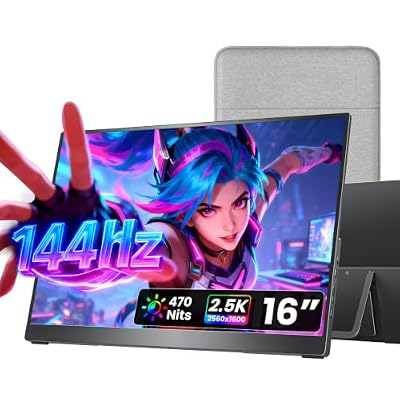 cocoparcocopar Portable Monitor 16 Inch 2.5K QHD 110% sRGB 144Hz…$180 \xc2\xb7 99/100
 ZZA32" 4K UHD IPS Monitor, 60Hz HDMI DP Ergo, MacBook…$190 \xc2\xb7 98/100
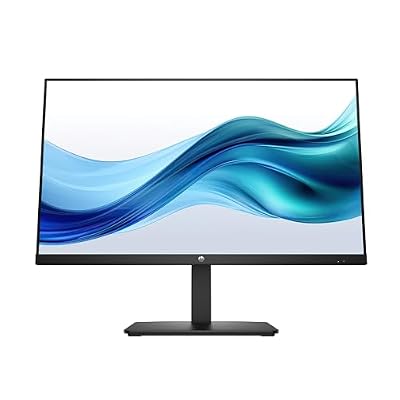 HPHP Series 3 27 inch FHD Monitor, Full HD Display…$186 \xc2\xb7 98/100
 CRUACRUA 32" FHD 200Hz Curved Gaming Monitor, 1800R, AMD FreeSync,…$160 \xc2\xb7 97/100








