
🛒 Best Price Today on Amazon
Prime members get fast, free shipping on everything above, plus member-only deals. New members get a 30-day free trial — cancel anytime.
- Best 49 Inch Gaming Monitors Compared
- Samsung Odyssey OLED G9 G95SC — Best OLED 49-Inch Gaming Monitor
- LG UltraGear 49GR85DC-B — Best 240Hz VA 49-Inch Monitor
- ASUS ROG Strix XG49WCR — Best for Gaming and Productivity
- AOC AGON PRO AG493UCX2 — Best 165Hz 49-Inch Alternative
- How to Choose the Best 49 Inch Gaming Monitor
- FAQ
- Conclusion

Samsung 49” Odyssey G9 Series DQHD 1000R Curved Gaming Monitor, 1ms(GtG), VESA DisplayHDR 1000, 240Hz, AMD FreeSync Premium Pro, Height Adjustable Stand, Ultrawide Screen, LS49CG954ENXZA, 2024
Included for 'Best 49 Inch Gaming Monitor: 4 Top Super-Ultrawide Picks' because the listing specifies 1ms(GtG) and VESA DisplayHDR 1000, details this guide uses to compare options.
View on Amazon
SAMSUNG 49-inch Odyssey G9 (G91F) DQHD, 144Hz, Curved Gaming Monitor, Ultra-Wide 32:9 Screen, DisplayHDR 600, AMD FreeSync™ Premium Pro, Ergonomic Stand, LS49FG910ENXZA, 2025
Included for 'Best 49 Inch Gaming Monitor: 4 Top Super-Ultrawide Picks' because the listing specifies 144Hz and Curved Gaming Monitor, details this guide uses to compare options.
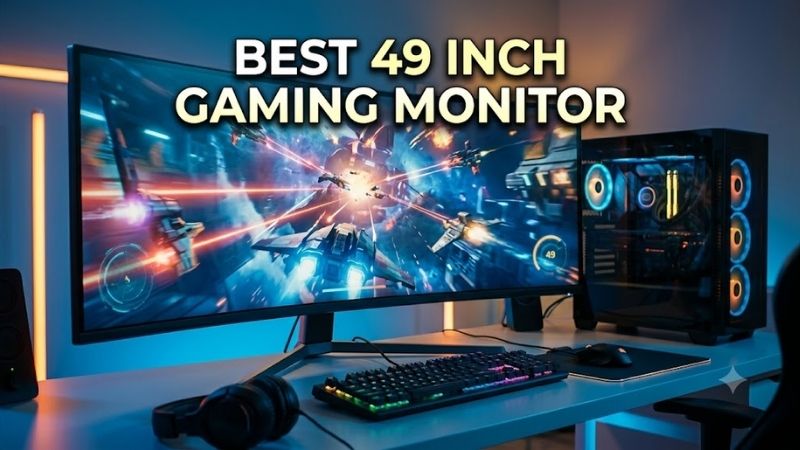
View on AmazonA 49-inch gaming monitor can replace two 27-inch displays while giving supported games a seamless 32:9 field of view. The best 49 inch gaming monitor for you depends on panel type, refresh rate, curve, HDR, connectivity, and whether you prioritize OLED contrast, bright HDR, high-speed VA, or PC-and-laptop flexibility. A 49-inch gaming monitor is effectively a dual-QHD workspace in one chassis, usually pairing a 32:9 aspect ratio with 5120×1440 resolution. That format is ideal when you want an uninterrupted panoramic image, but it also increases GPU load, desk-space requirements, and the importance of game support compared with conventional 16:9 screens.
Quick answer: For most people in 2026, the best 49 inch gaming monitor is the Samsung Odyssey OLED G9 G95SC — our #1 rated choice. See the full ranked comparison, alternatives and buying advice below.
Best 49 Inch Gaming Monitors Compared
| Monitor | Panel | Resolution | Max Refresh Rate | Curve | Best For |
|---|---|---|---|---|---|
| Samsung Odyssey OLED G9 G95SC | OLED | 5120×1440 | 240Hz | 1800R | OLED gaming and motion clarity |
| LG UltraGear 49GR85DC-B | VA | 5120×1440 | 240Hz | 1000R | High-refresh HDR gaming |
| ASUS ROG Strix XG49WCR | VA | 5120×1440 | 165Hz | 1800R | Gaming plus laptop productivity |
| AOC AGON PRO AG493UCX2 | VA | 5120×1440 | 165Hz | 1800R | Core 32:9 gaming features |
Samsung Odyssey OLED G9 G95SC — Best OLED 49-Inch Gaming Monitor
Best For: OLED gaming, high refresh rates, deep blacks, fast-motion games
Key Features:
- 49-inch OLED panel
- 5120×1440 resolution
- 32:9 aspect ratio
- 240Hz maximum refresh rate
- 0.03ms GtG response time
- 1800R curvature
- VESA DisplayHDR True Black 400
- FreeSync Premium Pro
- G-Sync Compatible
Samsung’s Odyssey OLED G9 G95SC is the standout choice for gamers who want OLED image quality in a 49-inch super-ultrawide format. Its 5120×1440 resolution, 240Hz refresh rate, 0.03ms GtG response time, 1800R curve, and OLED panel suit fast games where motion clarity, deep blacks, and wide-screen immersion matter.
The OLED panel is what separates the G95SC from VA-based rivals. Samsung lists VESA DisplayHDR True Black 400, HDR10+ Gaming, 99% DCI coverage, FreeSync Premium Pro, and G-Sync compatibility. The trade-off is that OLED ownership requires more care around static desktop elements than conventional LCD panels.
The G95SC fits players who split time between fast shooters, racing games, cinematic titles, and desktop use but still want premium motion performance. Its biggest appeal is the combination of OLED pixel response and 240Hz. Buyers who leave static windows on screen for very long periods may prefer a VA alternative for simpler ownership.
What Makes It Different
Choose the G95SC when black depth, fast pixel transitions, and high refresh rate matter more than workstation-oriented ports. It is less compelling if you mainly use the monitor for static productivity, need USB-C laptop charging, or want a tighter 1000R curve. Its 1800R shape is broad and immersive without wrapping as aggressively around you.
Pros
- OLED panel with deep blacks
- 240Hz refresh rate
- Extremely fast rated pixel response
- FreeSync Premium Pro and G-Sync Compatible
- Strong choice for fast and cinematic games
Cons
- OLED requires more consideration for long-term static content
- No USB-C laptop docking focus
- 1800R curve is less aggressive than 1000R alternatives
Use Case: Racing, action games, shooters, cinematic PC gaming, premium single-monitor setups
Who It’s For: Gamers prioritizing OLED image quality and 240Hz performance over workstation connectivity
LG UltraGear 49GR85DC-B — Best 240Hz VA 49-Inch Monitor
Best For: 240Hz gaming, simulation setups, HDR, aggressive curvature
Key Features:
- 49-inch VA panel
- 5120×1440 resolution
- 32:9 aspect ratio
- 240Hz maximum refresh rate
- 1ms GtG response time
- 1000R curvature
- VESA DisplayHDR 1000
- DCI-P3 95%
- HDMI 2.1
- FreeSync Premium Pro
LG’s 49GR85DC-B targets gamers who want 240Hz speed without moving to OLED. It combines a 49-inch 5120×1440 VA panel with a steep 1000R curve, 1ms GtG response time, DisplayHDR 1000 certification, 95% DCI-P3 coverage, HDMI 2.1, and FreeSync Premium Pro for demanding high-refresh gaming PC setups.
The 1000R curvature pulls the far edges closer to your viewing position, which can feel more enveloping in racing, flight, and simulation titles. LG also includes Picture-by-Picture and Picture-in-Picture, while FreeSync Premium Pro helps reduce tearing when frame rate varies. Its VA panel cannot match OLED black-level control.
The LG suits sim racers and high-refresh gamers who like an aggressive wraparound view. Its 1000R curve is noticeably tighter than the 1800R Samsung, ASUS, and AOC models here, while DisplayHDR 1000 gives it a stronger HDR specification on paper. The trade-off is using VA rather than OLED for black-level precision and pixel response.
What Makes It Different
Pick the 49GR85DC-B if you want 240Hz, HDMI 2.1, and a deep 1000R curve in one 49-inch package. It is especially logical for a dedicated gaming desk where the screen sits centered and fairly close. Users who also connect a work laptop may find the ASUS model’s USB-C, KVM, and Ethernet features more practical day to day.
Pros
- 240Hz maximum refresh rate
- Tight 1000R curvature
- DisplayHDR 1000 certification
- HDMI 2.1 connectivity
- Picture-by-Picture and Picture-in-Picture
Cons
- VA does not provide OLED-style pixel-level blacks
- Aggressive curve may be less convenient for productivity
- Requires substantial desk space
Use Case: Racing simulators, flight simulators, high-refresh gaming, immersive AAA titles
Who It’s For: Gamers wanting 240Hz and strong HDR specifications without choosing OLED
ASUS ROG Strix XG49WCR — Best for Gaming and Productivity
Best For: Gaming PCs paired with USB-C laptops, hybrid work-and-play desks
Key Features:
- 49-inch VA panel
- 5120×1440 resolution
- 165Hz maximum refresh rate
- 1800R curve
- Adaptive-Sync
- USB-C with up to 90W power delivery
- Smart KVM
- RJ-45 Ethernet
- DisplayPort 1.4
- 5W × 2 speakers
ASUS ROG Strix XG49WCR is the most work-friendly option here because it combines gaming specifications with unusually strong connectivity. The 49-inch 5120×1440 VA panel runs up to 165Hz and adds USB-C with up to 90W power delivery, Smart KVM, RJ-45 Ethernet, DisplayPort 1.4, Adaptive-Sync, and built-in speakers.
Those features matter if one desk serves both a gaming PC and a work laptop. Smart KVM lets one keyboard and mouse control two connected systems, while USB-C can carry display, data, audio, and laptop power. The compromise is refresh rate: 165Hz is fast, but it sits below the 240Hz Samsung and LG models.
The XG49WCR is best for a hybrid desk where gaming and productivity share the same display. Its 165Hz ceiling is lower than the 240Hz Samsung and LG models, yet the Smart KVM, 90W USB-C power delivery, and RJ-45 port reduce cable clutter when switching between systems. That practical flexibility is its clearest advantage.
What Makes It Different
Choose ASUS if your setup includes a desktop gaming PC plus a USB-C laptop and you want one keyboard, mouse, network connection, and display. Its VA panel, 1800R curve, and 165Hz refresh rate remain gaming-focused, but the connectivity package is unusually office-friendly. Competitive players chasing 240Hz should look elsewhere.
Pros
- USB-C with up to 90W power delivery
- Integrated Smart KVM
- RJ-45 Ethernet
- 165Hz gaming refresh rate
- Useful PC-and-laptop connectivity
Cons
- Lower refresh rate than 240Hz alternatives
- VA rather than OLED
- Productivity features may be unnecessary for gaming-only desks
Use Case: Gaming plus remote work, desktop-and-laptop setups, multitasking
Who It’s For: Users who want one 49-inch display to serve as both a gaming monitor and laptop docking display
AOC AGON PRO AG493UCX2 — Best 165Hz 49-Inch Alternative
Best For: 32:9 gaming without prioritizing OLED or 240Hz
Key Features:
- 48.8-inch VA panel
- 5120×1440 resolution
- 32:9 aspect ratio
- 165Hz maximum refresh rate
- 1800R curvature
- Adaptive-Sync
- VESA DisplayHDR 400
- 3000:1 static contrast ratio
- 109 PPI
AOC’s AGON PRO AG493UCX2 focuses on value within the true 49-inch DQHD category. It uses a 5120×1440 VA panel, 1800R curvature, 165Hz maximum refresh rate, Adaptive-Sync, and VESA DisplayHDR 400. Its 3000:1 static contrast ratio also fits games with dark scenes better than low-contrast IPS alternatives.
The AG493UCX2 makes sense for players who want the panoramic 32:9 experience without paying specifically for OLED or 240Hz. Its 109-pixel-per-inch density keeps text and game detail reasonably sharp at normal desk distance. The main limitation is that 165Hz and HDR400 place it below premium 240Hz and HDR1000 options.
The AG493UCX2 is a sensible fit for players who care about 5120×1440, 32:9 immersion, and 165Hz gaming more than flagship extras. Its VA panel and 1800R curve deliver the core super-ultrawide experience, while HDR400 sits at the entry level of VESA’s HDR certifications. It is a simpler choice than the 240Hz premium models.
What Makes It Different
Choose the AOC when you want the panoramic format and solid contrast without prioritizing OLED, 240Hz, or advanced docking features. It is well matched to racing, strategy, simulation, and RPG play at high but not extreme refresh rates. Buyers focused on HDR impact or esports-level 240Hz motion should favor the LG or Samsung instead.
Pros
- 5120×1440 resolution
- 165Hz refresh rate
- 3000:1 rated static contrast
- Adaptive-Sync
- 1800R curve suitable for mixed use
Cons
- 165Hz rather than 240Hz
- DisplayHDR 400 is less ambitious than HDR1000
- Lacks the OLED characteristics of Samsung
Use Case: Racing, RPGs, strategy games, multitasking, general super-ultrawide gaming
Who It’s For: Gamers who want the essential 49-inch 32:9 experience without requiring flagship specifications
How to Choose the Best 49 Inch Gaming Monitor
Resolution and GPU Requirements
Resolution matters because a 49-inch 32:9 screen stretches across a very wide desktop area. All four models here use 5120×1440, often called Dual QHD, which gives the same pixel grid as two 2560×1440 monitors side by side. That sharpness is useful, but driving modern games at this resolution demands a capable GPU.
165Hz vs 240Hz Refresh Rate
Refresh rate should match the games you play and the frame rates your PC can sustain. A 240Hz display benefits competitive titles only when the GPU can produce very high frame rates, while 165Hz is already fluid for many racing, RPG, strategy, and simulation games. Paying for 240Hz makes less sense if your system rarely exceeds 165 fps.
OLED vs VA
Panel type changes the experience more than many spec sheets suggest. OLED delivers near-instant pixel response, strong perceived contrast, and true blacks, while VA panels avoid OLED’s static-image concerns and can offer strong native contrast. Choose OLED for image quality and motion; choose VA for a more conventional long-session desktop setup.
1000R vs 1800R Curvature
Curve is especially important at 49 inches because the outer edges sit far from the center of your vision. A tighter 1000R curve wraps the image more aggressively and can suit cockpit-style gaming, while 1800R feels flatter and often works better for mixed productivity. Desk depth and seating distance should influence which shape feels natural.
Connectivity and Multiple Computers
Connectivity can determine whether a monitor fits your whole setup. HDMI 2.1 supports high-bandwidth sources, while USB-C power delivery, KVM, Ethernet, and USB hubs matter more for people switching between a gaming PC and laptop. Check your graphics card and each input’s limits before assuming every port reaches the monitor’s maximum refresh rate.
Desk Space and Monitor Arms
Desk fit is not optional with a 49-inch monitor. The screen spans roughly the width of two 27-inch displays, and a deep stand can consume significant desk space even if the panel is arm-mounted later. Measure width, depth, viewing distance, and VESA-arm weight support before buying so the curve sits comfortably in your field of view.
FAQ
Is a 49-inch gaming monitor worth it?
A 49-inch gaming monitor is worth it when you want a bezel-free alternative to two 27-inch displays and regularly play games that support 32:9. It is particularly compelling for racing, flight simulation, and expansive single-player titles. It is less practical for shallow desks, unsupported games, or users who prefer a centered 16:9 image.
Do you need a powerful GPU for 5120×1440 gaming?
A 5120×1440 monitor is demanding because it renders about 7.4 million pixels per frame, substantially more than standard 2560×1440. High frame rates therefore require a stronger GPU, especially in newer AAA games. Competitive players may lower settings, use upscaling where appropriate, or accept refresh rates below the monitor’s maximum.
Do all PC games support 32:9 monitors?
Not every game supports 32:9 correctly, so compatibility should be checked before buying primarily for one title. Some games provide proper ultrawide rendering, while others show black bars, restrict cutscenes, or need community fixes. Even when a game is limited, the monitor can still display a centered 16:9 or 21:9 image.
Is a 49-inch monitor good for competitive gaming?
For competitive gaming, 49 inches can work, but it is not automatically the best format. The wide field of view can provide useful peripheral information in supported games, yet competitive titles may cap aspect ratio or favor a smaller centered viewport. A 240Hz 49-inch model makes the most sense when both the game and your GPU can exploit it.
Conclusion
The best 49 inch gaming monitor depends on what you value most: Samsung’s Odyssey OLED G9 G95SC emphasizes OLED contrast and 240Hz speed, LG’s 49GR85DC-B pairs 240Hz with HDR1000 VA, ASUS adds KVM and USB-C flexibility, and AOC delivers the core 5120×1440, 165Hz experience with fewer premium extras.
Ready to decide? Our #1 pick for 2026 is the Samsung Odyssey OLED G9 G95SC.
Live price & availability on Amazon.









