
🛒 Best Price Today on Amazon
Prime members get fast, free shipping on everything above, plus member-only deals. New members get a 30-day free trial — cancel anytime.
- Best Monitors Under $300 Compared
- AOC Q27G3XMN — Best for HDR Gaming Under $300
- Gigabyte M27Q3 — Best for High-Refresh 1440p Gaming
- MSI MAG 274QRF QD E2 — Best for Gaming and USB-C
- ASUS TUF Gaming VG27AQ3A — Best Balanced Gaming Value
- MSI MAG 274CQF — Best Budget Curved Monitor Under $300
- How to Choose the Best Monitor Under $300
- FAQ
- Conclusion
A $300 monitor budget now reaches well beyond basic 1080p screens. The best monitor under $300 can deliver 1440p sharpness, 180Hz or faster motion, adaptive sync, useful USB-C, or even Mini-LED HDR. The right pick depends on whether you value esports speed, contrast, connectivity, or all-round versatility. Monitor pricing changes quickly, so treat $300 as the checkout ceiling rather than a permanent model price. Every pick below was found in a U.S. listing under $300 during this review, but sales and stock can move. If a listed model rises above the cap, compare the next option instead of stretching the budget.
Quick answer: For most people in 2026, the best monitor under $300 is the AOC Q27G3XMN — our #1 rated choice. See the full ranked comparison, alternatives and buying advice below.
Best Monitors Under $300 Compared
| Monitor | Best For | Panel | Resolution | Refresh Rate | Standout Feature |
|---|---|---|---|---|---|
| AOC Q27G3XMN | HDR gaming | VA Mini-LED | 2560 × 1440 | 180Hz | Mini-LED local dimming |
| Gigabyte M27Q3 | Competitive gaming | SS IPS | 2560 × 1440 | 300Hz, 320Hz OC | Extreme QHD refresh rate |
| MSI MAG 274QRF QD E2 | Gaming plus laptop use | Rapid IPS | 2560 × 1440 | 180Hz | Quantum Dot and 65W USB-C |
| ASUS TUF Gaming VG27AQ3A | Balanced 1440p gaming | Fast IPS | 2560 × 1440 | 180Hz | ELMB Sync and speakers |
| MSI MAG 274CQF | Budget curved gaming | Rapid VA | 2560 × 1440 | 180Hz | 1500R curve and 5000:1 contrast |
AOC Q27G3XMN — Best for HDR Gaming Under $300
Best For: Single-player games, HDR gaming, dark-room use

Dell 27 Monitor - SE2726H - 27-inch FHD (1920x1080) 144Hz 1ms Display, in-Plane Switching (IPS) Technology, AMD FreeSync™, TÜV 3-Star 2X HDMI, Tilt
Included for 'Best Monitor Under $300: 5 Top Picks for Gaming and Work' because the listing specifies SE2726H and 27-inch FHD (1920x1080) 144Hz 1ms Display, details this guide uses to compare options.
View on Amazon
Dell 27 Plus QHD Monitor - S2725DSM - 27-inch QHD (2560x1440) 144Hz 1ms Display, 2 x 3W Speakers, HDMI/DisplayPort 1.4 Connectivity, Height/Tilt/Pivot/Swivel Adjustability, AMD FreeSync - Ash White
Included for 'Best Monitor Under $300: 5 Top Picks for Gaming and Work' because the listing specifies S2725DSM and 27-inch QHD (2560x1440) 144Hz 1ms Display, details this guide uses to compare options.
View on Amazon
Dell 27 Plus Monitor - S2725HSM - 27-inch FHD (1920x1080) 144Hz 1ms Display, 2 x 3W Speakers, HDMI Connectivity, Height/Tilt/Pivot/Swivel Adjustability, AMD FreeSync - Ash White
Included for 'Best Monitor Under $300: 5 Top Picks for Gaming and Work' because the listing specifies S2725HSM and 27-inch FHD (1920x1080) 144Hz 1ms Display, details this guide uses to compare options.
View on Amazon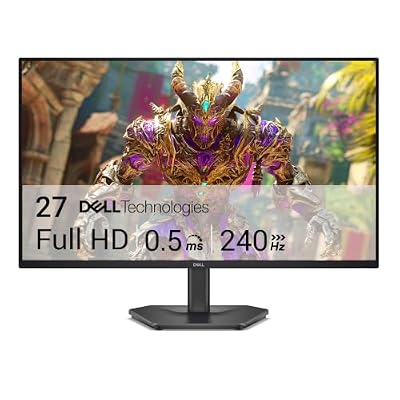
Dell 27 240Hz Gaming Monitor - SE2726HG - 27-inch FHD (1920x1080) Display, in-Plane Switching (IPS) Technology, AMD FreeSync Premium, TÜV 3-Star, 2X HDMI, DisplayPort 1.4, Tilt
Included for 'Best Monitor Under $300: 5 Top Picks for Gaming and Work' because the listing specifies SE2726HG and 27-inch FHD (1920x1080) Display, details this guide uses to compare options.
View on AmazonKey Features:
- 27-inch 2560 × 1440 VA panel
- 180Hz maximum refresh rate
- Mini-LED backlight
- 4000:1 specified static contrast
- DisplayPort 1.4 and HDMI connectivity
- VESA 100 × 100 mounting support
The AOC Q27G3XMN stands out because it gives budget buyers something most sub-$300 gaming monitors still lack: local-dimming Mini-LED backlighting. Its 27-inch QHD VA panel, 180Hz refresh rate, strong native contrast, and HDR hardware make it especially appealing for cinematic games played in darker rooms.
That contrast-focused design comes with a trade-off. VA panels can show more dark-level smearing than the better IPS options during fast transitions, so competitive players should not choose it only because the spec sheet says 180Hz. For RPGs, horror, racing, and mixed gaming, its HDR-first approach is far more distinctive.
What Makes It Different
Most monitors around this price rely on conventional LED backlighting. The Q27G3XMN adds Mini-LED technology, giving the display more control over bright highlights and dark areas. That makes it the most relevant option here for players who rank HDR presentation and black depth above maximum esports refresh rate.
Pros
- Mini-LED backlighting at a budget price
- QHD resolution suits a 27-inch screen
- 180Hz refresh rate
- Higher native contrast than typical IPS displays
- Strong fit for cinematic and HDR-focused games
Cons
- VA motion behavior may not suit every competitive player
- Connectivity is simpler than the MSI and Gigabyte options
- Not the highest-refresh monitor in this comparison
Use Case: Story-driven games, racing titles, horror, RPGs, HDR media
Who It’s For: Gamers who want stronger contrast and HDR impact without moving into premium OLED pricing
Gigabyte M27Q3 — Best for High-Refresh 1440p Gaming
Best For: Competitive FPS, esports, powerful gaming PCs
Key Features:
- 27-inch SS IPS panel
- 2560 × 1440 QHD resolution
- 300Hz native refresh rate
- Up to 320Hz overclocked
- 1ms GTG specified response time
- DisplayHDR 400
- HDMI 2.1, DisplayPort 1.4, and USB-C
- Height, swivel, pivot, and tilt adjustment
The Gigabyte M27Q3 targets buyers who care more about motion speed than HDR impact. Its QHD SS IPS panel reaches 300Hz natively and 320Hz when overclocked, making it unusually fast for this price tier today. That matters most in shooters where a powerful GPU can sustain very high frame rates at 1440p.
Its broader feature set also suits a desk shared between gaming and everyday work. USB-C, a USB hub, height adjustment, and HDMI 2.1 inputs reduce cable friction, while IPS viewing angles are useful when the screen is not perfectly centered. The main limitation is that its 1000:1-class contrast cannot match a good VA or Mini-LED display.
What Makes It Different
The M27Q3 shifts the value equation toward raw refresh rate. Instead of settling around the common 165Hz-to-180Hz range, it provides a 300Hz-class QHD panel while retaining useful desktop connections and ergonomic adjustments. Current U.S. deal listings have also placed the model below the $300 ceiling.
Pros
- 300Hz native and 320Hz overclocked refresh
- QHD resolution
- SS IPS panel
- USB-C and USB hub
- HDMI 2.1
- Fully adjustable stand
Cons
- Extreme refresh rates require a fast GPU and CPU
- IPS contrast is limited beside Mini-LED or VA options
- Overkill for players who mostly use 60–120 fps
Use Case: Counter-Strike 2, Valorant, Overwatch 2, Fortnite, Apex Legends
Who It’s For: Competitive players who can actually drive very high frame rates at 1440p
MSI MAG 274QRF QD E2 — Best for Gaming and USB-C
Best For: Gaming laptops, mixed gaming and productivity, wide-gamut color
Key Features:
- 27-inch Rapid IPS panel
- 2560 × 1440 resolution
- 180Hz refresh rate
- Quantum Dot technology
- DisplayHDR 400
- USB-C with DisplayPort Alt Mode
- Up to 65W USB-C power delivery
- Height, swivel, pivot, and tilt adjustment
MSI’s MAG 274QRF QD E2 is the most balanced choice for buyers who want color, ergonomics, and connectivity without giving up gaming speed. The 27-inch Rapid IPS panel runs at 180Hz, supports QHD resolution, and pairs wide-gamut Quantum Dot color with a fully adjustable stand that works well for long desktop sessions.
The practical advantage is its USB-C port with DisplayPort Alt Mode and up to 65W power delivery, which makes a single-cable laptop setup possible while still keeping DisplayPort and dual HDMI for gaming hardware. Its HDR400 class support is useful for compatibility, but it is not a substitute for the local dimming found on the AOC.
What Makes It Different
Few options in this price range combine Quantum Dot color, 180Hz QHD gaming, USB-C charging, a USB hub, and a fully adjustable stand in one package. MSI’s U.S. store listed the MAG 274QRF QD E2 at around $300 during research, placing it directly at the upper edge of the target budget.
Pros
- 180Hz QHD Rapid IPS panel
- Quantum Dot wide-gamut color
- 65W USB-C power delivery
- USB hub
- Strong ergonomic adjustment
- DisplayPort, HDMI, and USB-C video inputs
Cons
- Sits close to the $300 budget ceiling
- IPS native contrast is lower than VA
- DisplayHDR 400 does not provide Mini-LED-style local dimming
Use Case: Gaming laptop desks, PC gaming, work-from-home setups, mixed content use
Who It’s For: Buyers who want one monitor to handle gaming, a USB-C laptop, and everyday productivity
ASUS TUF Gaming VG27AQ3A — Best Balanced Gaming Value
Best For: Mainstream PC gaming, shooters, general 1440p use
Key Features:
- 27-inch Fast IPS panel
- 2560 × 1440 resolution
- 180Hz maximum refresh rate
- 1ms GTG specified response time
- FreeSync Premium and G-SYNC Compatible support
- ELMB Sync
- Two 2W speakers
- DisplayPort 1.4 and dual HDMI 2.0
The ASUS TUF Gaming VG27AQ3A is a sensible middle-ground pick for buyers who want a fast IPS panel without paying for USB-C or Mini-LED. Its 27-inch QHD screen runs at 180Hz, supports adaptive sync, and includes built-in speakers, making it easy to slot into a gaming desk or secondary entertainment setup.
Its trade-offs are mostly about convenience. The stand supports tilt and swivel but not height adjustment, brightness is modest compared with pricier HDR-focused models, and HDMI is limited to lower refresh rates than DisplayPort. For PC gamers who mainly want clean 1440p motion, the feature set stays focused and useful.
What Makes It Different
ASUS focuses this model on the gaming essentials rather than docking features. ELMB Sync can operate alongside variable refresh technology, while FreeSync Premium, G-SYNC Compatible support, and VESA AdaptiveSync give buyers several routes to variable-refresh gaming. Recent U.S. listings placed it comfortably below $300.
Pros
- Fast IPS panel
- 180Hz QHD gaming
- Broad adaptive-sync support
- ELMB Sync
- Built-in speakers
- Usually leaves room in a $300 budget
Cons
- No height adjustment
- No USB-C
- No USB hub
- Limited HDR hardware compared with Mini-LED
Use Case: Mainstream gaming PCs, FPS games, racing, sports, mixed desktop use
Who It’s For: Buyers who want a recognizable, straightforward 1440p gaming monitor without paying for docking features
MSI MAG 274CQF — Best Budget Curved Monitor Under $300
Best For: Curved-screen gaming, dark-room gaming, value-focused setups
Key Features:
- 27-inch 1500R curved Rapid VA panel
- 2560 × 1440 resolution
- 180Hz refresh rate
- 5000:1 specified contrast ratio
- Adaptive-Sync
- DisplayPort 1.4
- Dual HDMI 2.0b
- VESA 100 × 100 mounting
The MSI MAG 274CQF is the budget curved pick for players who prefer contrast and immersion over a feature-heavy stand or USB connectivity. Its 27-inch 1500R Rapid VA panel combines QHD resolution with a 180Hz refresh rate and a much higher native contrast ratio than typical IPS monitors in this bracket.
That makes it attractive for darker games, movies, and players who like a curved screen at a normal desk distance. The compromises are clear: the included stand only tilts, there is no USB hub, and HDMI tops out below the panel’s maximum refresh rate. DisplayPort is the better connection for a PC aiming at the full 180Hz.
What Makes It Different
The MAG 274CQF prioritizes QHD, curvature, refresh rate, and VA contrast while stripping away costlier extras. MSI’s U.S. store recently listed it well below the $300 limit, so it can make sense when you would rather keep part of the budget for a monitor arm, keyboard, headset, or another PC upgrade.
Pros
- Affordable QHD gaming
- 180Hz refresh rate
- Strong specified native contrast
- 1500R curved panel
- Adaptive sync
- Considerable room below a $300 ceiling
Cons
- Tilt-only stand
- No USB ports
- No USB-C
- HDMI does not reach the full 180Hz QHD mode
Use Case: RPGs, racing games, action games, dark-room entertainment
Who It’s For: Gamers who prefer a curved VA display and want to spend substantially less than $300
How to Choose the Best Monitor Under $300
Resolution and Screen Size
At this budget, 27-inch QHD is the safest default for PC gaming because it balances pixel density, desktop space, and GPU load. A 1440p monitor looks noticeably sharper than 1080p at the same size, but it also asks more from the graphics card. Competitive players should match resolution to the frame rates their PC can actually sustain.
Refresh Rate
Refresh rate matters after the GPU can supply enough frames. Moving from 60Hz to 144Hz or 180Hz is easy to notice in shooters and fast camera movement, while 300Hz-plus mainly benefits competitive players chasing lower frame persistence. Do not pay for extreme refresh rates if your games or hardware rarely approach them.
IPS vs VA vs Mini-LED
Panel type changes the experience as much as refresh rate. IPS usually offers cleaner viewing angles and predictable color, VA usually delivers stronger native contrast, and Mini-LED improves HDR by dimming parts of the backlight independently. Each choice solves a different problem, so panel technology should match how and where you play.
Connectivity
Connectivity can determine whether a monitor feels convenient every day. USB-C with video and power is valuable for laptops, HDMI 2.1 can simplify high-refresh console or PC connections, and a USB hub reduces cable clutter. Check the refresh-rate limits of each input because HDMI and DisplayPort do not always support the same maximum mode.
FAQ
Is $300 enough for a good gaming monitor?
Yes. For most 27-inch gaming setups, $300 is enough to buy a strong QHD monitor with 180Hz-class refresh rates, adaptive sync, and a usable stand. The real choice is what to prioritize beyond those basics: higher esports refresh, stronger HDR, better contrast, USB-C laptop support, or a more ergonomic desktop setup.
Is 1440p better than 4K under $300?
For most buyers, 1440p is a better fit than 4K below $300 if gaming is the priority. QHD needs less GPU power, makes high refresh rates easier to reach, and still looks sharp at 27 inches. A budget 4K screen can be better for text and productivity, but it often trades away refresh rate or gaming-oriented features.
Is a 180Hz monitor worth buying?
A 180Hz monitor is worth it when your PC can push well above 120 fps in the games you play. The benefit is most visible in shooters, racing games, and fast camera movement, where motion appears smoother and input updates more often. For slower strategy titles or console play capped lower, the difference matters much less.
Is Mini-LED worth it under $300?
Mini-LED is useful under $300 when HDR and dark-scene contrast matter more than the cleanest possible motion. Local dimming can create brighter highlights and darker blacks than a conventional edge-lit LCD, but blooming can still appear around bright objects. Competitive players may prefer a fast IPS panel instead.
Do I need USB-C on a gaming monitor?
USB-C matters if you connect a laptop and want one cable for video plus charging. It is less important for a desktop gaming PC that already uses DisplayPort and separate peripherals. Check the monitor’s power-delivery rating before relying on it, because lower-wattage USB-C ports may not fully charge performance laptops.
Conclusion
The best monitor under $300 depends on what you want the display to do best. Choose the AOC for Mini-LED HDR and contrast, the Gigabyte for extreme refresh, the MSI QD model for USB-C and color, the ASUS for balanced simplicity, or the curved MSI for affordable VA immersion. Check live pricing before checkout.
Ready to decide? Our #1 pick for 2026 is the AOC Q27G3XMN.
Live price & availability on Amazon.









