🛒 Best Price Today on Amazon
Prime members get fast, free shipping on everything above, plus member-only deals. New members get a 30-day free trial — cancel anytime.
Thirty-two inches is a lot of screen to sit in front of. At a normal desk depth, the panel fills your side vision, and that is exactly why shoppers hunting for a 32 inch gaming monitor under 400 dollars face a trickier choice than the usual “pick the highest refresh rate” advice suggests. Stretch a 1080p image across that much glass and pixels become visible; push to 1440p and the picture looks sharp, but your graphics card has more work to do. Size is the starting point here, and resolution and refresh rate are the trade-offs that follow from it.
This guide is for players upgrading from a 24 or 27 inch screen who want a bigger canvas for racing, open-world, and single-player titles without crossing the budget line. It also suits anyone who splits the day between gaming and spreadsheets and wants one large display for both. Based on the listed specs, the seven monitors below split into two camps: QHD panels that favor sharpness, and 1080p panels that chase maximum frame rates in 2026 esports-style games.
Quick Picks

Samsung 32" Odyssey G5 (G51F) QHD 180Hz Gaming Monitor | Featuring QHD Screen, 180Hz Refresh Rate, 1ms Response Time (MPRT), and AMD FreeSync (LS32FG510ENXZA)


As an Amazon Associate we earn from qualifying purchases. Product prices and availability are accurate as of the date/time indicated.

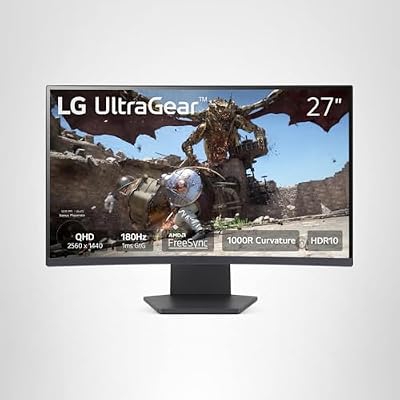
LG 32GS60QC-B Ultragear 32-inch Curved Gaming Monitor QHD (2560x1440) 180Hz 1ms 1000R AMD FreeSync HDR10 HDMIx2 DisplayPort Borderless Design Black Stabilizer DAS Crosshair FPS Counter - Black




As an Amazon Associate we earn from qualifying purchases. Product prices and availability are accurate as of the date/time indicated.

SANSUI 32 Inch Curved 240Hz Gaming Monitor High Refresh Rate, FHD 1080P | Gaming PC Monitor HDMI DP1.4, 1500R Curvature, 1Ms MPRT, HDR,Metal Stand,VESA Compatible(DP Cable Incl.)


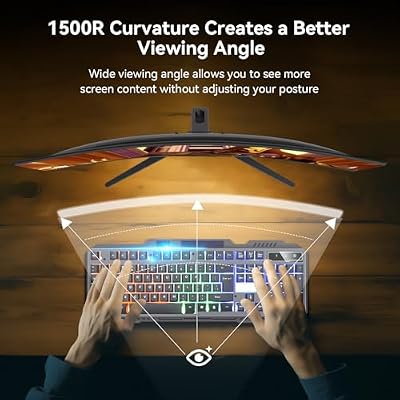


As an Amazon Associate we earn from qualifying purchases. Product prices and availability are accurate as of the date/time indicated.

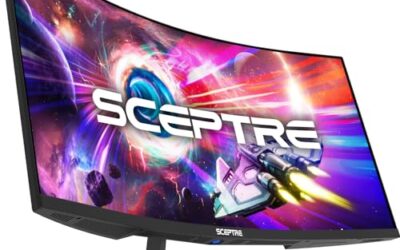
Sceptre New 32-inch 2K QHD 2560 x 1440 Prime Gaming Monitor up to 210Hz USB Type-C DisplayPort HDMI sRGB 115% 1ms Build-in Speakers, Machine Black 2026 ((E325B-QW200D Series)


As an Amazon Associate we earn from qualifying purchases. Product prices and availability are accurate as of the date/time indicated.

Samsung 32” Odyssey G5 (G50F) Series QHD Gaming Monitor | 180Hz, Fast IPS Panel, HDR10, NVIDIA G-Sync Compatible, 1ms (GtG), AMD FreeSync™, Adjustable Stand, LS32FG502ENXZA


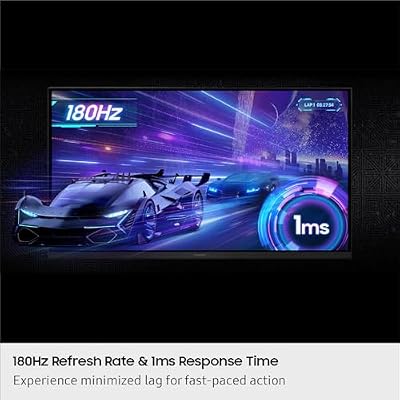


As an Amazon Associate we earn from qualifying purchases. Product prices and availability are accurate as of the date/time indicated.

SANSUI 32-Inch Curved Gaming Monitor WQHD 2560 x 1440 180Hz Curved 1500R | Fast VA,1ms(OD), HDR, 300nits, sRGB 125%, DCI-P3 95%, FreeSync, DP1.4x2, HDMI x2(DP Cable Included)


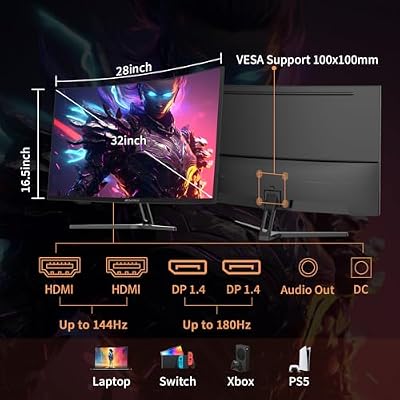


As an Amazon Associate we earn from qualifying purchases. Product prices and availability are accurate as of the date/time indicated.

AOC 32 Inch Curved Gaming Monitor FHD 260Hz Overclocked VA 0.3ms, C32G42ZE | 1920×1080 Computer Monitor, 240Hz Native / 260Hz OC, Adaptive-Sync, DP 1.4, HDMI 2.0, Console Ready, 3-Year Warranty


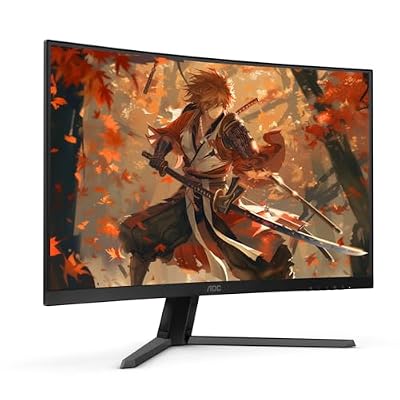


As an Amazon Associate we earn from qualifying purchases. Product prices and availability are accurate as of the date/time indicated.
| Product | Best for | Key spec from the listing |
|---|---|---|
| Samsung Odyssey G5 G51F | Balanced QHD gaming | QHD, 180Hz, 1ms MPRT, FreeSync |
| LG UltraGear 32GS60QC-B | Immersive curved play with extra inputs | QHD 2560×1440, 180Hz, 1000R curve, HDR10, 2 HDMI |
| SANSUI 32 inch 240Hz FHD | Frame-rate-first shooters | 1080p, 240Hz, 1500R, HDMI and DP 1.4 |
| Sceptre Prime 32 inch QHD | Mixed work and play, USB-C users | QHD, up to 210Hz, USB Type-C, speakers |
| Samsung Odyssey G5 G50F | Flat-panel IPS fans | QHD, 180Hz, Fast IPS, G-Sync Compatible |
| SANSUI 32 inch WQHD VA | Contrast-hungry curved fans | WQHD, 180Hz, Fast VA, DCI-P3 95% |
| AOC C32G42ZE | Speed over sharpness | FHD, 240Hz native, 260Hz OC, VA, 0.3ms |
How to Choose
Resolution matters more at this size
On a 32 inch screen, 1080p works out to a fairly low pixel density, so text and fine detail look soft at normal desk distance. A QHD (2560×1440) panel is the practical floor for anyone who also reads or edits on the screen. Pick 1080p only if you sit far back, mainly play fast shooters, or run an older graphics card. A simple check is to lean in to normal typing distance: if you can pick out individual pixels in a menu, the screen will bother you every day.
Refresh rate: know what your GPU can feed
A 180Hz QHD panel needs a graphics card pushing well past 100 frames per second to show its benefit. If your card manages around 90 fps at 1440p, a 240Hz 1080p screen will not look any faster in practice. Match the monitor to the frame rate you actually reach, not the one on the box. Variable refresh rate support (FreeSync or G-Sync Compatible) helps more than a few extra hertz when frame rates wobble.
Panel type and curvature
VA panels deliver deeper blacks and stronger contrast, while Fast IPS offers wider viewing angles and tends to look more consistent from the side. Curves of 1000R or 1500R wrap the image toward you, which many players like at 32 inches. Flat panels suit shared desks and photo work better. Stated response times such as 1ms are measured differently by each brand (MPRT versus GtG), so treat them as a rough guide and not a head-to-head score.
Ports, stand, and what to ignore
Look for DisplayPort for full refresh rate, at least one HDMI, and a stand with tilt or height adjustment. Ignore “HDR” labels without a stated brightness level; a 300-nit HDR badge adds little. Budget models most often cut corners on stands, speakers, and color accuracy.
The 7 Best Options
Samsung Odyssey G5 (G51F)
This is the straightforward choice for a player who wants QHD sharpness at 32 inches and a 180Hz ceiling without fuss. The listing highlights a 1ms MPRT response time and AMD FreeSync, a sensible pairing for mid-range graphics cards in current titles. Buyers who step up from a 1080p screen usually notice the jump in sharpness first and the extra refresh headroom second, which is the right order of priorities on a panel this large.
- QHD resolution keeps text and textures clean on a large panel.
- 180Hz with FreeSync smooths out the frame-rate swings that mid-range cards produce.
- Trade-off: the title lists no USB-C or built-in speakers, so extras must come from elsewhere.
Skip it if you want a curve or need a monitor that doubles as a docking screen for a laptop.
LG UltraGear 32GS60QC-B
LG pitches this as a curved QHD monitor with a tight 1000R curvature, which suits players who like the screen to wrap around their field of view. The title lists 180Hz, 1ms, AMD FreeSync, HDR10, and two HDMI ports plus DisplayPort, giving it better connectivity than most rivals in this group.
- Two HDMI ports and DisplayPort handle a PC, a console, and a spare device without swapping cables.
- The 1000R curve is the most aggressive in this roundup, adding immersion in racing and RPGs.
- Trade-off: a tight curve can distort straight lines in design or spreadsheet work.
Skip it if you prefer a flat screen or share the desk with others who view from an angle.
SANSUI 32 Inch 240Hz Curved FHD
Here the priority flips: 1080p resolution paired with a 240Hz refresh rate and a 1500R curve. It targets players who care about response and frame rate and who run fast competitive games where sharpness is secondary.
- 240Hz delivers fast motion handling, well above the 180Hz that most QHD models in this list top out at.
- A metal stand and both HDMI and DP 1.4 inputs are noted in the title.
- Trade-off: 1080p stretched over 32 inches looks noticeably less detailed up close.
Skip it if you plan to read long documents or play slower, graphics-heavy games.
Sceptre Prime 32 Inch QHD
Sceptre packs the most connection variety here: USB Type-C, DisplayPort, and HDMI, alongside built-in speakers and a QHD panel running up to 210Hz. The title also cites 115% sRGB coverage, a sign that color was not ignored. That combination reads as a general-purpose monitor first and a gaming monitor second, which suits households where one screen has to serve everyone.
- USB-C lets one cable carry video from a compatible laptop.
- Up to 210Hz sits above the 180Hz QHD norm in this list.
- Trade-off: built-in speakers on monitors at this tier are usually thin, so headphones remain the better route.
Skip it if you already own a good speaker setup and want the simplest possible panel.
Samsung Odyssey G5 (G50F)
Where its G51F sibling leans on a conventional spec line, the G50F listing names a Fast IPS panel, HDR10, and NVIDIA G-Sync Compatible support on top of FreeSync. That makes it the more flexible match for owners of either GPU brand.
- Fast IPS typically offers wider viewing angles than VA panels.
- G-Sync Compatible and FreeSync support cover both GPU camps.
- Trade-off: IPS panels generally show weaker black depth than VA in a dark room.
Skip it if you game in a dim room and value contrast over viewing angle.
SANSUI 32 Inch WQHD 180Hz Curved
This Fast VA model offers WQHD, 180Hz, a 1500R curve, 300 nits, and color coverage listed as 125% sRGB and 95% DCI-P3. Those gamut numbers make it attractive to players who also edit photos casually. The VA technology also means the picture tends to hold up better in a dim room, where IPS glow can be distracting during night sessions.
- A VA panel brings strong contrast for dark scenes.
- Wide color coverage is stated up front in the listing, and DP 1.4 appears twice in the port list.
- Trade-off: 300 nits is modest, so bright rooms can wash the picture out.
Skip it if your desk faces a sunny window.
AOC C32G42ZE
AOC focuses on speed: FHD resolution, a 240Hz native rate that overclocks to 260Hz, a VA panel, and a 0.3ms response time. It is the clear pick for shooter players who would rather have frames than pixels. It also asks the least of a graphics card, which matters if the rest of the PC is a few years old.
- The 260Hz overclock gives the highest refresh figure among the seven.
- Adaptive-Sync and DisplayPort support keep motion tear-free.
- Trade-off: 1080p at 32 inches is the softest image in this lineup.
Skip it if you want sharp text or plan to mix gaming with office work.
Which One Fits Your Situation
You play mostly single-player and open-world games
Go with the LG UltraGear 32GS60QC-B. Its QHD sharpness and tight curve reward slower, scenic games, and the extra HDMI port is handy for a console. If you want a flatter look, the Samsung Odyssey G5 G51F covers the same resolution and refresh rate.
You live in competitive shooters
The AOC C32G42ZE gives you the highest listed refresh rate. If you prefer a lower-curve option with a metal stand, the SANSUI 240Hz model is the alternative.
You split time between a laptop and a desktop
The Sceptre Prime 32 inch is the one with USB Type-C, so a single cable can handle video from a compatible laptop. That keeps the desk tidy when a work machine and a gaming rig share the same screen.
You own an NVIDIA card and want an IPS screen
The Samsung Odyssey G5 G50F lists G-Sync Compatible and Fast IPS, which fits that setup directly. It also gives a console player a flat, easy-to-place screen that does not dominate a small desk the way a heavily curved one can.
Common Mistakes
- Choosing 1080p at 32 inches and then being surprised by visible pixels.
- Paying for 240Hz or higher while running a graphics card that cannot reach those frame rates.
- Treating an HDR badge as a promise of real HDR performance.
- Forgetting to measure the desk; a 32 inch screen is wide and needs depth to sit comfortably.
- Plugging into HDMI and never confirming the full refresh rate is enabled in the display settings.
Related guides
- Logitech G Pro X 2 Vs Steelseries Arctis Nova Pro Wireless
- Travel Controller Case For 8Bitdo Ultimate Series
- Gaming Pc Under 600 For Roblox And Minecraft
Frequently Asked Questions
Is QHD or 1080p better on a 32 inch gaming monitor?
QHD is better for most buyers because pixel density at 32 inches is much higher. Choose 1080p only if frame rate is your single priority.
Do I need a curved screen?
No. A curve adds immersion, especially at 1000R or 1500R, but it is a preference. Flat panels are easier for shared desks and design work. If you are undecided, a gentle 1500R curve is the safer middle ground between the two camps, and it rarely bothers anyone after the first week.
Will my graphics card handle a 32 inch QHD display?
Mid-range cards usually manage QHD at moderate settings. Check the frame rates your card reaches in your favorite games before paying extra for 210Hz or higher. Lowering a few visual settings is often cheaper than upgrading the card itself.
Is FreeSync or G-Sync Compatible more important?
Match it to your GPU brand. Both reduce screen tearing, and a monitor that lists both gives you room to change graphics cards later.