🛒 Best Price Today on Amazon
Prime members get fast, free shipping on everything above, plus member-only deals. New members get a 30-day free trial — cancel anytime.
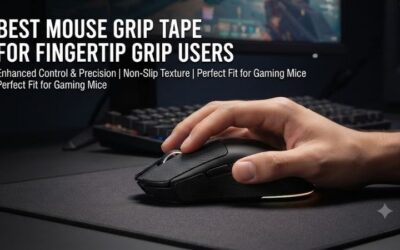
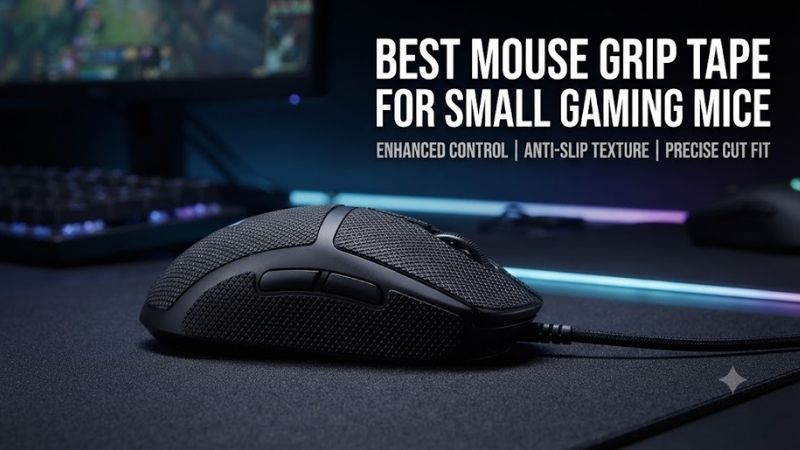
Small gaming mice provide excellent maneuverability, especially for fingertip and claw grip players, but their compact shells can become slippery during intense gaming sessions. The best mouse grip tape for small gaming mice should improve finger traction without noticeably increasing shell width, obstructing buttons, or changing the carefully chosen shape of the mouse.
Quick Verdict: Which Grip Tape Works Best on Small Mice?
A compact gaming mouse benefits from carefully positioned grip patches rather than unnecessary full-shell coverage. Thin materials preserve the mouse’s original dimensions, while slightly thicker, tackier materials can help users whose fingertips frequently slip. Both placement and adhesive performance are important for long-term comfort.
Best overall: X-Raypad Cicada Wings V2 Universal
Best for maximum traction: Pulsar SUPERGRIP Pre-Cut Universal
Best for sweaty hands: X-Raypad Gecko V2 DIY
Best for precise fit: Corepad SOFT GRIPS
Best mainstream alternative: Razer Universal Grip Tape
Best thin DIY option: TALONGAMES PU-0
Quick Comparison Table
| Product | Approximate thickness | Format | Best for |
|---|---|---|---|
| X-Raypad Cicada Wings V2 | 0.22 mm | Universal / DIY | Preserving small mouse shape |
| Pulsar SUPERGRIP | 0.5 mm | Pre-cut universal | Strong initial traction |
| X-Raypad Gecko V2 | 0.33 mm | DIY sheet | Sweaty fingertips |
| Corepad SOFT GRIPS | Model-dependent | Pre-cut | Supported compact mice |
| Razer Universal Grip Tape | 0.5 mm | Pre-cut | Convenient installation |
| TALONGAMES PU-0 | 0.3 mm | Universal sheets | Thin custom coverage |
How We Selected These Grip Tapes
Selection focused on thickness, finger traction, moisture behavior, adhesive quality, and compatibility with narrow gaming mouse shells. The products were compared by their intended construction and practical applications rather than unverified claims about improved aiming accuracy or competitive performance.
The 6 Best Mouse Grip Tapes for Small Gaming Mice
Compact gaming mice are unusually sensitive to added materials because their side curvature and grip width are often central reasons for purchasing them. A tape that feels insignificant on a large ergonomic mouse may noticeably alter a small symmetrical design. These six products offer different balances between traction, thickness, and installation flexibility.
X-Raypad Cicada Wings V2 Universal – Best Overall
X-Raypad Cicada Wings V2 is particularly attractive for small gaming mice because its extremely thin material adds traction while preserving much of the original shell geometry. Its universal configurations allow players to position small patches beneath the thumb, ring finger, or little finger without covering unnecessary areas.
Best for: Fingertip and claw grip users with compact, lightweight mice.
Key specifications
-
Approximately 0.22 mm thickness for the DIY version
-
Ultra-thin tacky grip surface
-
Universal and model-specific configurations
-
3M 467MP adhesive on documented variants
-
Suitable for custom fingertip-contact patches
Why minimal thickness matters
A small mouse may measure only a few centimeters across its narrowest grip section. Adding grip tape to both sides increases the effective contact width, even if the change seems small on paper.
For players who use fingertip grip, this can influence how naturally the thumb and outer fingers position themselves.
Cicada Wings V2 minimizes this compromise.
Its thin construction creates additional surface traction without substantially changing the physical dimensions that made the mouse attractive initially.
Surface texture and moisture
The material has a tacky sensation intended to increase resistance against finger slipping.
This can be useful during long gaming sessions when perspiration changes how bare skin contacts plastic.
However, tackiness is subjective. Players who prefer to reposition their fingers frequently may find an aggressive adhesive-like sensation uncomfortable.
It is therefore better to begin with limited patches than cover every available surface.
Installation flexibility
Universal sheets and pre-cut shapes offer different advantages.
Pre-cut pieces simplify installation and maintain consistent edges.
A DIY sheet allows precise matching to the user’s actual grip.
For particularly small mice, the latter can be useful because oversized patches may cover buttons or extend into shell seams.
Advantages
-
Extremely thin profile
-
Preserves mouse geometry
-
Flexible placement
-
Suitable for several grip styles
-
Useful for compact gaming mice
Limitations
-
Thin material offers minimal cushioning
-
Tacky surface may not suit every user
-
Small pieces require careful positioning
-
Adhesive edges can eventually wear
Buy If: You want additional grip without noticeably changing the dimensions of your mouse.
Skip If: You prefer thicker, cushioned grip material.
Pulsar SUPERGRIP Pre-Cut Universal – Best Maximum Traction
Pulsar SUPERGRIP Pre-Cut Universal is a strong choice for players who prioritize secure finger contact over preserving every fraction of a millimeter in shell dimensions. Its rubberized surface provides a noticeably traction-focused design, while the package includes multiple shapes that can be distributed across different compact mice.
Best for: Players with slippery mouse coatings or frequent hand perspiration.
Key specifications
-
Approximately 0.5 mm thickness
-
Rubberized gauze-based material
-
Universal pre-cut shapes
-
Multiple patch sizes
-
3M adhesive construction
-
Designed for mouse and other peripheral contact surfaces
Traction characteristics
SUPERGRIP is designed to create stronger friction between the fingers and mouse shell.
This can help users who find themselves squeezing the mouse tightly to prevent slipping.
A more secure grip may allow some players to maintain a relaxed hold.
However, the effect depends on individual hand moisture and the original mouse coating.
There is no guarantee that stronger grip produces better aim.
Thickness considerations
At approximately 0.5 mm, SUPERGRIP is thicker than several ultra-thin alternatives.
On a narrow gaming mouse, applying tape to both sides adds approximately 1 mm to the effective contact width where the patches sit.
This may be noticeable to players who are highly sensitive to mouse shape.
For users with relatively large hands holding a small mouse, the additional thickness may actually feel helpful.
Patch placement
Begin with one patch on the thumb side and another on the opposite side.
Avoid installing every supplied piece immediately.
Test the mouse during normal movement before deciding whether the primary buttons also need coverage.
This minimizes unnecessary changes to the shell.
Advantages
-
Strong traction-oriented surface
-
Multiple pre-cut shapes
-
Convenient installation
-
Suitable for sweaty hands
-
Useful across several mouse models
Limitations
-
Thicker than ultra-thin alternatives
-
Can change grip width
-
Material may collect skin oils
-
Aggressive texture is not universally preferred
Buy If: You want a secure grip and do not mind a modest increase in contact thickness.
Skip If: Preserving exact mouse width is your highest priority.
X-Raypad Gecko V2 DIY – Best for Sweaty Fingertips
X-Raypad Gecko V2 offers an intermediate thickness with a tacky polyurethane surface designed for users who need reliable finger contact during extended gaming sessions. Its DIY construction is particularly useful on compact mice because players can cut narrow strips that follow the shell’s natural curves.
Best for: Small-mouse owners with sweaty hands and unusual finger positions.
Material and construction
The documented Gecko V2 DIY version uses approximately 0.33 mm material.
Its design emphasizes traction and resistance to stretching or deformation.
Compared with a thicker universal grip, this can preserve more of the mouse’s original shape.
At the same time, its tacky surface provides a different contact sensation from smooth plastic.
Custom fitting
Small symmetrical mice often provide limited side-panel area.
A large pre-cut patch may extend too close to the side buttons or the bottom edge.
A DIY sheet allows users to create narrow sections for the thumb and ring finger.
Rounded corners are preferable because pointed edges can begin peeling during repeated use.
Durability considerations
Grip tape experiences repeated pressure, perspiration, and friction.
Even when the surface remains usable, the adhesive may eventually weaken.
Inspect patch edges regularly.
Replace pieces that begin moving rather than repeatedly pressing contaminated adhesive back onto the mouse.
Advantages
-
Thin construction
-
Customizable shape
-
Traction-focused surface
-
Useful for sweaty fingertips
-
Suitable for narrow contact areas
Limitations
-
Requires cutting
-
Tacky feeling varies by preference
-
Poor installation can cause peeling
-
Not every mouse coating reacts identically to adhesive
Buy If: You want to customize grip patches around your exact finger positions.
Skip If: You prefer ready-made pieces with no cutting.
Corepad SOFT GRIPS – Best for Model-Specific Fit
Corepad SOFT GRIPS are useful for compact gaming mice when a matching pre-cut kit is available. Instead of requiring users to create their own shapes, these sets provide pieces designed for specific shell contours, helping maintain a clean appearance and reducing installation guesswork.
Best for: Owners of supported compact gaming mice.
Why model-specific design matters
A small mouse may have narrow side panels, recessed buttons, and sharply curved surfaces.
Generic grip tape can overlap these features.
A model-specific kit reduces that risk when its cutouts match the exact mouse revision.
This can be particularly attractive for users who value a factory-like appearance.
Surface and comfort
Corepad SOFT GRIPS provide a textured contact surface.
The feel differs from both untreated plastic and highly tacky rubberized materials.
Some players prefer this because it provides traction without an excessively sticky sensation.
However, material thickness and texture vary by product family.
Buyers should examine specifications for the exact mouse model.
Limitations of fixed layouts
Pre-cut shapes are convenient, but they assume particular contact areas.
A fingertip user may hold the mouse farther forward or backward than intended.
In that case, universal tape may provide better placement flexibility.
Advantages
-
Model-specific shapes
-
Clean installation
-
Reduced cutting requirements
-
Textured grip surface
-
Useful for supported compact mice
Limitations
-
Not available for every model
-
Fixed patch locations
-
Product specifications vary
-
Different mouse generations may need different kits
Buy If: You own a supported mouse and want a neatly fitted grip upgrade.
Skip If: Your finger placement differs substantially from conventional grip positions.
Razer Universal Grip Tape – Best Convenient Pre-Cut Option
Razer Universal Grip Tape is a practical choice for gamers who want recognizable branded accessories and convenient pre-cut patches. Its polyurethane material, approximately 0.5 mm thickness, and adhesive backing make it suitable for selective placement on compatible gaming mouse shells.
Best for: Beginners who want straightforward grip-tape installation.
Installation convenience
A universal pre-cut kit can be easier to use than a large sheet.
The player can select a patch close to the desired shape and apply it directly.
This reduces the need for precision cutting tools.
However, the patch should not extend over buttons, seams, or charging components.
Grip performance
The polyurethane surface is intended to improve contact during gaming.
This may help when the original mouse shell feels slippery.
However, a 0.5 mm thickness changes the effective size of a compact mouse more than an ultra-thin alternative.
Users should evaluate whether additional traction justifies that change.
Maintenance
Clean the shell before installation.
Avoid repeated repositioning.
When the tape becomes worn or begins peeling, replace it.
Do not use aggressive solvents to remove adhesive residue from delicate mouse coatings.
Advantages
-
Pre-cut convenience
-
Documented material thickness
-
Familiar installation process
-
Multiple contact patches
-
Suitable for many mouse shapes
Limitations
-
Relatively thick for small mice
-
Universal shapes may need adjustment
-
Adhesive placement matters
-
Less flexible than a DIY sheet
Buy If: You want a simple grip-tape upgrade with minimal preparation.
Skip If: Your mouse is extremely narrow and you want the thinnest possible material.
TALONGAMES PU-0 – Best Thin DIY Alternative
TALONGAMES PU-0 is a thin polyurethane grip-tape option for enthusiasts who prefer cut-to-fit installation. Its approximately 0.3 mm thickness offers a middle ground between extremely thin materials and thicker high-traction patches, making it relevant to small gaming mice.
Best for: Players seeking a thin universal sheet for custom placement.
Material characteristics
The thin polyurethane construction provides an alternative contact texture without adding substantial bulk.
It can be useful for users who want traction but dislike the feel of thicker rubberized surfaces.
However, the exact degree of grip depends on skin moisture and personal preference.
DIY advantages
A sheet can be divided into several small patches.
This is particularly useful when only the thumb and outer fingers require additional grip.
The user can preserve most of the original mouse coating.
It also allows experimenting with different patch positions.
Practical trade-offs
Cutting requires care.
Uneven edges can create discomfort or peel over time.
Prepare a paper template before cutting the actual material.
Test the fit without removing the adhesive backing.
Advantages
-
Thin material
-
DIY flexibility
-
Useful for narrow contact zones
-
Minimal change in grip dimensions
-
Suitable for experimenting with placement
Limitations
-
Manual cutting required
-
Grip texture may not suit everyone
-
Adhesive preparation matters
-
No guaranteed improvement in aim
Buy If: You want thin, customizable patches for a compact mouse.
Skip If: You prefer a fully pre-cut kit.
Buying Guide: How to Choose Grip Tape for Small Gaming Mice
Small mice require careful grip-tape selection because even minor changes can influence how the fingers interact with the shell. The best choice depends on hand size, grip style, moisture, and whether the user prioritizes strong traction or preserving the mouse’s original dimensions.
Understand Grip Tape Thickness and Mouse Width
Adding tape to both sides increases the effective width where the fingers make contact.
A 0.5 mm tape adds approximately 1 mm across two opposing patches before accounting for compression.
A 0.22 mm tape adds approximately 0.44 mm.
These differences may sound small, but they can be noticeable on narrow mice.
Choose Tape According to Grip Style
Fingertip users often benefit from small patches near the thumb and outer fingers.
Claw grip users may also want traction beneath the primary fingers.
Palm grip users can require broader coverage.
Avoid covering areas that the hand never contacts.
Consider Sweat Resistance and Texture
Tacky materials may provide strong contact when hands become damp.
Textured materials create a different type of friction.
Some surfaces collect skin oils more readily than others.
Choose based on comfort during normal gaming conditions rather than initial tackiness alone.
Prepare the Mouse Before Installation
Turn off or disconnect the mouse.
Clean the shell using a manufacturer-approved method.
Allow it to dry completely.
Position the patch before removing its backing.
Apply the tape without stretching it.
Avoid covering buttons or seams.
Use Small Patches Before Full Coverage
Begin with the thumb and ring-finger contact points.
Test the mouse in ordinary games.
Add more coverage only when a specific area continues slipping.
This preserves the original shape and reduces unnecessary adhesive use.
Frequently Asked Questions
Does grip tape make a small mouse feel bigger?
Yes. The amount depends on material thickness and placement.
Is 0.22 mm grip tape better than 0.5 mm?
It preserves more of the original dimensions, but thicker tape may provide a preferred texture or cushioning.
Can grip tape improve aim?
It may make the mouse easier to hold consistently, but it does not directly improve sensor accuracy.
Should fingertip users cover the entire mouse?
Usually not. Targeted patches are often sufficient.
Can grip tape damage the mouse coating?
Improper adhesive or removal methods can affect delicate finishes.
How long does gaming grip tape last?
It depends on material, usage, skin oils, and maintenance. Replace it when traction or adhesion deteriorates.
Conclusion
X-Raypad Cicada Wings V2 is a strong starting point for small gaming mice because its ultra-thin material preserves the shell’s original shape. Pulsar SUPERGRIP offers stronger traction, while Gecko V2 and TALONGAMES PU-0 provide flexible DIY options. Match thickness and placement to your grip rather than covering the entire mouse.