🛒 Best Price Today on Amazon
Prime members get fast, free shipping on everything above, plus member-only deals. New members get a 30-day free trial — cancel anytime.
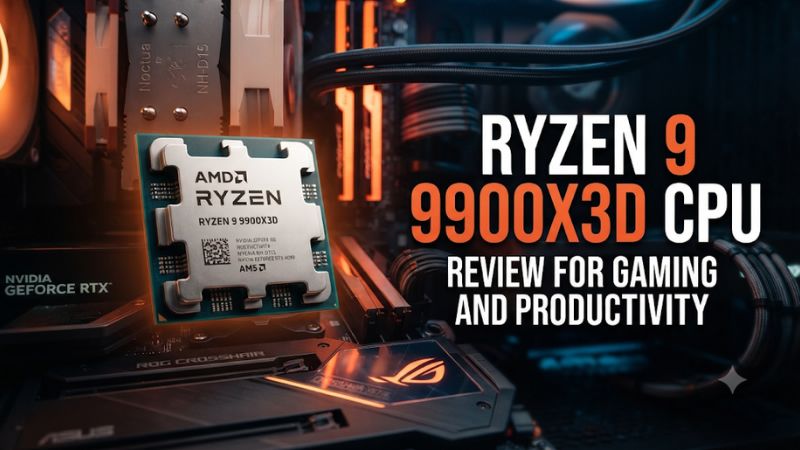
This Ryzen 9 9900X3D CPU review for gaming and productivity finds the 12-core chip most useful for one PC that handles serious CPU work and cache-sensitive games. Buy it at a clear discount to the 9950X3D. For a gaming-first build, compare the 9800X3D. For work alone, price the standard 9900X first.
Who should buy the Ryzen 9 9900X3D?
The 9900X3D fits someone who regularly switches between demanding games and work that can use more than eight CPU cores. Think of a developer who compiles projects during the day and plays CPU-sensitive games at night, or a creator who runs occasional CPU renders on the same desktop used for gaming. A meaningful discount to the 9950X3D makes that combination easier to justify.
| Main workload | CPU to compare first | What decides the purchase |
|---|---|---|
| Gaming with ordinary desktop tasks | Ryzen 7 9800X3D or 9850X3D | Game performance and complete build cost |
| Gaming plus regular CPU-heavy work | Ryzen 9 9900X3D | Whether the extra cores earn their cost while gaming still meets your target |
| CPU rendering with little gaming | Ryzen 9 9900X | Similar results in some work tests at a potentially lower price |
| Frequent rendering or compilation plus high-end gaming | Ryzen 9 9950X3D | How much the additional cores save in your actual work |
| Editing that primarily uses GPU acceleration | Compare the CPU and GPU together | Codec, effects, GPU, and storage can change the result |
This review evaluates AMD’s specifications and published measurements from Tom’s Hardware and Puget Systems. Those test systems used their own graphics cards, memory configurations, and software versions. Use the reported gaps to shortlist a processor, then compare your delivery settings, projects, and purchase prices.
Check the chiplet layout before comparing core counts
The 9900X3D has two CPU chiplets, or CCDs, with six active cores each. One gets the extra 3D V-Cache. The other contributes six cores to the full 12-core package and can service other workloads. A game that primarily uses the cache-equipped CCD therefore has six physical cores close to that larger cache.
The Ryzen 7 9800X3D has eight cores on its single cache-equipped CCD. The Ryzen 9 9950X3D gives games an eight-core cache CCD and has another eight-core CCD for wider work. That layout matters when comparing games that favor one CCD. An engine that already runs well on six cores can behave differently from one that makes useful work available to more cores.
The 128 MB L3 figure describes the sum across the processor. The cache does not behave as a single pool equally close to every core. A thread that moves between CCDs can encounter different cache locality. When a game’s results look unusual, consider workload placement and driver setup alongside clocks and total cache capacity.
Read the specifications that matter to this build
| Specification | Ryzen 9 9900X3D |
|---|---|
| Architecture | Zen 5 |
| Cores and threads | 12 cores, 24 threads |
| CPU chiplet layout | Two six-core CCDs, one with 3D V-Cache |
| Base clock | 4.4 GHz |
| Maximum boost | Up to 5.5 GHz |
| L3 cache | 128 MB total across both CCDs |
| L2 plus L3 cache | 140 MB |
| Default TDP | 120 W |
| Platform | AM5, DDR5, PCIe 5.0 capability |
| Integrated graphics | Basic AMD Radeon graphics for display use |
| Boxed cooler | Sold separately |
Pay particular attention to the cooler line when pricing the finished system. A bare CPU price leaves out the cooler you need to fit in your case. The 120 W TDP specifies a design class. For a quiet workstation, compare temperatures, fan behavior, and actual power during a sustained task.
The integrated graphics can help you set up or diagnose a PC if the board exposes a compatible display output. For a gaming and production build, size the discrete graphics card for the games, codecs, or GPU compute work you actually run.
Gaming performance when the CPU is the limit
Compare it with the eight-core gaming chip
Tom’s Hardware’s 9900X3D review found the Ryzen 7 9800X3D roughly 8% faster in its gaming aggregate. The Ryzen 9 9950X3D was about 7.3% faster than the 9900X3D in the same review. These are comparisons within that test suite. Individual games can be closer, and settings that move the bottleneck to the GPU can shrink the gap.
For a PC whose main job is gaming, that result makes the 9800X3D a strong comparison before paying for twelve cores. A game’s heaviest thread, cache access, and distribution of work can matter more than how many cores the complete processor contains. A gaming benchmark also cannot tell you how much time the 9900X3D might save completing a build or render after you close the game.
Read the average and slower-frame measurements together. You could see a small change in average FPS and still appreciate a better result during a busy match. Use the same benchmark method for both CPUs. Two separate reviews with different RAM, game patches, and graphics settings cannot isolate the processor difference with the same confidence.
Account for your GPU and frame target
At a demanding 1440p or 4K preset, the graphics card can consume most of the time needed for each frame. If that happens, a faster gaming CPU may do little to change the frame rate. Competitive settings, a very fast GPU, or a simulation-heavy scene can make the CPU differences easier to see.
If you already have a gaming PC, run a repeatable scene at normal settings and then with a lower render resolution. Keep CPU-heavy options such as simulation and crowd detail the same. A large frame-rate gain suggests the original graphics load is important. A small change calls for checks for a CPU limit, an engine limit, or an active frame cap.
Give the final build a frame-time target. A title you cap at 120 fps asks a different question from an uncapped benchmark designed to magnify CPU differences. If both CPUs reach the cap with consistent slower frames at your normal settings, compare productivity and total cost next. That is where the 9900X3D can justify itself even when game charts favor an eight-core model.
Verify scheduling under your actual game and background load
Use a supported motherboard BIOS and AMD chipset driver package for the installed processor. On Windows, check Game Mode and the AMD guidance applicable to your dual-CCD X3D configuration. Begin with ordinary scheduler behavior before using third-party affinity utilities or forcing a chiplet preference.
Watch game performance and per-core activity during a repeatable scene. A game can spend much of its time on the cache-equipped CCD, while the rest of the operating system or a second workload uses other cores as needed. A spike on a different CCD can be normal. The useful question is whether the game gets the desired frame pacing with all the applications you intend to leave open.
For a creator who streams or records, test the actual encoder and overlays. A GPU hardware encode can require different CPU resources from a CPU software encode. Run a local recording during a representative session and compare the game and capture output. Use the result to judge the processor for your workflow. Four additional cores on the package are valuable only when they do useful work without disrupting the session.
Productivity results by application
CPU rendering is a reason to buy twelve cores with a price ceiling
In Puget Systems’ CPU Blender and V-Ray tests, the 9900X3D was broadly comparable with the ordinary Ryzen 9 9900X. That is encouraging if you want X3D gaming capability without giving up much performance in those tests. It also limits what you should pay for the cache when your only concern is render time.
Look at whether your renderer actually runs on the CPU. Many creators use GPU rendering when the supported engine, scene, and memory capacity allow it. In that case, a faster CPU can still help prepare a scene or handle other work, but it may not control the render’s finish time.
Use a project that matters to you to compare. Record wall time, how frequently the job runs, and whether the machine needs to stay usable while it completes. Even a moderate time saving can be worth money for a daily paid job. A long render you run once a month may have a smaller effect on total ownership value. If CPU renders dominate working hours, put a 16-core processor in the comparison.
Unreal Engine shader compilation is a clearer reason to consider the cache
Puget measured 742 seconds for the 9900X3D and 832 seconds for the 9900X in its Unreal Engine shader compilation test. That was 90 seconds less elapsed time, or about an 11% reduction in duration for that specific test. The same review found a smaller difference in code compilation and little change in its light-baking result.
Treat shader compilation, code builds, and baking as distinct jobs. A change that clears a large set of shaders sooner can be useful when you rebuild often or switch projects regularly. A developer primarily waiting on a long code build, a GPU bake, or source assets on a slow drive needs a benchmark that reflects that task.
Before buying, time a clean build and an ordinary incremental build separately. A clean build can keep many threads occupied, while an incremental change may wait on fewer tasks. Include the version of the engine, the project’s size, and whether assets already live on a local SSD. Those details determine which published result is most representative.
Editing and streaming change with the codec and encoder
Video work combines decoding, effects, compositing, and encoding. Different steps can run on the CPU, GPU, or another media engine. A 12-core X3D processor can be a capable part of an editing machine, but two editors using different codecs may see very different results.
Check the exact export path you use. An H.264 or HEVC export with hardware acceleration asks a different question from a software encode. Noise reduction, high-resolution media, and certain effects can shift the bottleneck again. Use an application benchmark divided by task if your work resembles one of the tested scenarios.
Also compare how the project feels before export. Playback, scrubbing, proxy preparation, and responsiveness while other applications are open can matter more than the last few percent of a one-time render. If timeline playback is constrained by the GPU or storage, a larger CPU purchase may give you little relief.
Streaming deserves the same treatment. If your graphics card handles encoding cleanly while you play, a gaming-focused Ryzen can make sense. If you regularly run a CPU encoder, a long recording job, or a heavy browser and production workflow alongside the game, the 9900X3D’s extra cores have a clearer purpose. Confirm it with a complete practice session.
Translate benchmark time into a real purchase threshold
Make a short list of jobs you would pay to finish sooner. If a job saves 90 seconds and you run it twice a day on four days each week, that represents about 12 minutes of waiting per week, assuming those runs behave like the tested example. If the job runs overnight, the same elapsed reduction may be worth less.
Use numbers from your own work where available. Choose a repeatable project, hold its configuration steady, and compare normal run variation. A small difference inside that range is weak evidence for a CPU premium. A larger improvement repeated on multiple important jobs makes a more persuasive case.
The test works in the other direction too. If your favorite game already meets its frame target on both processors, price the work results more heavily. If your work runs well on the 9900X and the gaming gain appears mainly in titles you seldom play, the cheaper standard model can be a better use of the same budget.
Build the platform around sustained performance
Check the board, memory, and cooler together
Choose an AM5 board that explicitly lists support for the 9900X3D on a BIOS you can install. If you have an older AM5 motherboard, check the version before you remove the working CPU. Verify the storage slots, USB connectivity, networking, and other expansion features your workstation needs.
Buy memory for the complete workload. A machine used for large game projects or demanding editing can benefit from capacity beyond what a clean gaming benchmark uses. Start with a tested module configuration. Check the board’s suggested slots and validate any EXPO profile with the work you plan to run.
Size the cooler for a sustained CPU task in the actual case. Verify clearances and airflow. Once assembled, record performance and noise during a longer run after the cooler has warmed up. A short boost result is useful for diagnosis, while a stable finish time matters more to someone running daily workloads.
Measure gaming and work in separate passes before combining them
A useful acceptance test has three passes:
- Run a repeatable game scene with your publishable or playable graphics settings.
- Run your usual build, render, or export with the game closed.
- Run the combination you actually use, such as a game with an active recording, and observe both outputs.
Record average performance, slow frames, finish time, and whether the machine stays responsive. If the problem appears only in the third pass, inspect resource contention. Memory capacity, GPU encoder load, disk writes, or a process using more CPU time than expected can all affect that condition.
Avoid changing the memory profile, boost settings, and work priority together during diagnosis. Confirm the baseline first and change one factor at a time. This lets you tell whether scheduling, cooling, or another part of the system pushed the machine away from its expected performance.
Compare the 9900X3D with the alternatives at delivered prices
Choose the 9800X3D when gaming drives the purchase
A gaming-first buyer should price the 9800X3D or 9850X3D before buying the 9900X3D. The eight-core cache-equipped layout makes sense for frame-rate targets in many games. If the main background work consists of voice chat, ordinary browsing, and a working GPU encoder, verify whether the extra four cores would change anything you can measure.
The 9900X3D remains viable if you build frequently, render on the CPU, or run several resource-intensive jobs. The goal is a balance across those tasks. Compare the full cost of the boards and cooling you would actually use with each option, then inspect where the difference translates into useful performance.
Choose the 9900X or 9950X3D when the workload pulls farther in one direction
The 9900X is the first value comparison if you mostly work and want twelve Zen 5 cores. Puget’s renderer results make it a serious choice when the 9900X3D costs appreciably more. Compare a shader compilation or game test if those are important enough to justify the cache.
The 9950X3D has the stronger case for someone who does demanding games and runs heavily threaded work often. If a tested project can use sixteen cores effectively, calculate how much time the wider processor saves. Include higher cooling requirements where your measurements justify them.
A meaningful price gap can put the 9900X3D back in the middle. Look for a deal that offers enough savings to fund a component you need, such as more memory or a better graphics card. That calculation makes more sense than comparing launch prices from an old review. Your decision should reflect the costs, software, and parts available for the machine you will build.
Conclusion
The Ryzen 9 9900X3D earns its place when you want one AM5 workstation for regular CPU-heavy work and serious gaming, and the delivered price sits well below the 9950X3D. Choose a Ryzen 7 X3D when gaming comes first, or price the 9900X when your production software performs similarly without the cache. Give the 9900X3D credit for specific work it speeds up, including relevant shader compilation, and verify the result on the complete PC.