🛒 Best Price Today on Amazon
Prime members get fast, free shipping on everything above, plus member-only deals. New members get a 30-day free trial — cancel anytime.
This Ryzen 7 8700G review for gaming without a GPU finds the Radeon 780M well suited to compact PCs for esports, older games, and selected 1080p Low titles. Its limits show up in demanding games and with slow memory. Buy it when a graphics-card-free build matters and the full parts list fits your budget.
The Ryzen 7 8700G verdict for an iGPU-only build
The 8700G makes the most sense when the machine needs to stay small or simple and you want to run games locally without a discrete card. Its Radeon 780M is capable enough for a range of lighter games at 1080p, with demanding releases often needing reduced settings, a lower internal resolution, or modest frame-rate targets.
| Build goal | How the 8700G fits |
|---|---|
| Compact PC with no physical room for a graphics card | A strong reason to choose the 8700G |
| Esports, older games, and independent titles | A good fit when direct benchmarks meet your quality and frame-rate goals |
| Occasional demanding game at reduced settings | Possible in selected titles, with slower scenes worth testing |
| Consistent 1080p60 in demanding releases at high settings | Compare a discrete-GPU build against this requirement |
| GPU upgrade planned soon | Price an ordinary AM5 CPU and the intended graphics card as a complete system |
| Lower-cost iGPU machine | Compare the 8600G and the full price difference |
This assessment uses AMD specifications and published independent benchmarks. Benchmark systems, firmware, and memory configurations are identified where they affect the result. Treat the numbers as tested examples rather than a promise for every retail build or current version of a game.
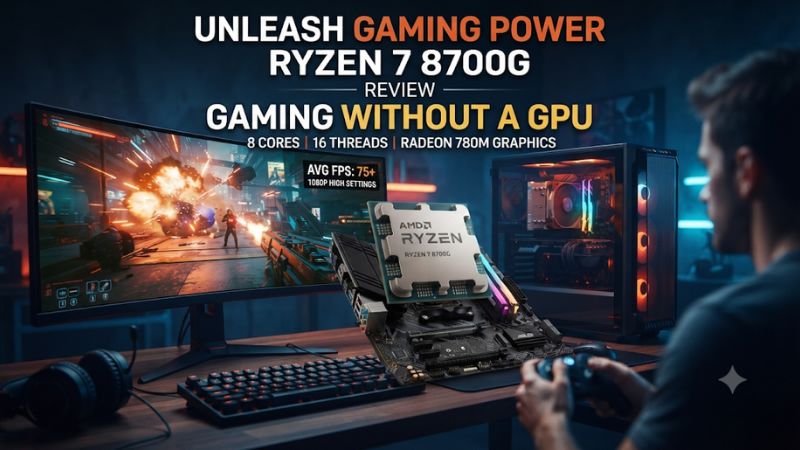
Check what you get in the package
| Specification | Ryzen 7 8700G |
|---|---|
| CPU design | Zen 4, Phoenix |
| Cores and threads | 8 cores, 16 threads |
| Published base and maximum boost clocks | 4.2 GHz base, up to 5.1 GHz boost |
| L3 cache | 16 MB |
| Integrated graphics | AMD Radeon 780M, RDNA 3 |
| Graphics compute units and clock | 12 compute units, up to 2.9 GHz |
| Socket and memory | AM5, dual-channel DDR5 |
| Published memory speed | Up to DDR5-5200 in supported configurations |
| Default TDP | 65 W |
| CPU PCIe capability | PCIe 4.0, with the typical discrete graphics link limited to x8 |
The graphics engine is the reason to pay attention. The 8700G’s eight CPU cores can also support typical multitasking and CPU work, but its value changes when you make the iGPU optional. If a discrete card is already part of your build, compare other AM5 processors using that same card and the workload you plan to run.
Check the cooler and motherboard listing independently. Confirm whether the processor listing includes the boxed cooler and whether you will use it in the case you selected. The motherboard provides the actual display connections. A compatible AM5 socket alone gives you little information about which HDMI or DisplayPort timings the finished PC will support.
What Radeon 780M delivers in real game tests
Read 1080p results with their settings attached
TechSpot tested the 8700G’s integrated graphics at 1080p with Low settings in its launch coverage. Its test system used 32 GB of DDR5-6400 CL32 and a manually set fabric clock in that setup. That context matters when comparing the published frame rates with a stock-memory or single-module build.
| Game in TechSpot’s test | Average FPS | Additional measured context |
|---|---|---|
| Counter-Strike 2 | 119 | A lighter competitive example in this suite |
| Fortnite | 132 | The review also found notable memory scaling in this title |
| Baldur’s Gate 3 | 49 | A demanding example averaging below 60 fps |
| Cyberpunk 2077: Phantom Liberty | 41 | The review reported a 30 fps 1% low |
| Spider-Man Remastered | 68 | Performance in the specific scene and configuration tested |
These are measured results for those test cases. A newer game build, different map, revised graphics driver, or slower memory can change them. Use the table to distinguish likely use cases. It shows why a compact 8700G machine can be enjoyable in lighter games and still require compromise in a more demanding title.
A player looking at 119 fps in a Counter-Strike 2 chart should also consider the intended monitor, settings, and multiplayer conditions. The average can be suitable for casual play, while a serious competitive player may want stronger lows and more spare performance. Compare that requirement against a suitable dedicated graphics card before committing to a graphics-card-free build.
Decide what you can accept in a demanding game
Start with the image quality and input response you want. A steady 30 or 40 fps can work for slower-paced play if the visual result is good enough. A fast action game often feels better with a higher rendered frame rate and more consistent delivery. Compare the slow parts of the scene rather than applying a single definition of playable to every game.
If 1080p Low does not meet the target, reduce the most expensive effects or try a lower internal render resolution. Check user interface clarity, distant details, and motion. If your TV or monitor is large, judge the result from your actual viewing distance. Settings that look acceptable from a couch can look softer at a close desk.
A stable cap can help when the machine can sustain it across the scenes you play. Establish the achievable range first. For example, if the game often falls into the low 30s in busy areas, a nominal 60 fps target does not describe the experience. Try a lower cap, verify frame times over real gameplay, and decide whether the result still meets your needs.
Compare native rendering, upscaling, and generated frames separately
Read the internal resolution behind any FPS number. Native 1080p and an image upscaled to 1080p from 720p are different workloads. Tom’s Hardware reported separate native and upscaled figures in its testing. Use each to judge the corresponding image quality and performance.
Start with the game’s native baseline, then try a supported in-game upscaling mode if it offers a worthwhile balance. Some games gain useful performance when internal resolution drops. In others the overhead or another bottleneck can make the difference small. Test a busy area and verify that text and motion still look acceptable.
Frame generation adds another distinction. A higher displayed frame count can improve perceived motion in supported conditions. It does not give the input and simulation the same underlying cadence as an equivalent native-rendered frame rate. Test the actual feel and responsiveness. A buyer comparing two products should check whether one result includes generated frames and the other does not.
Build the memory and board around the integrated graphics
Use a matched two-module DDR5 kit
The Radeon 780M shares system memory with the CPU. Bandwidth is part of its practical graphics performance. Start with two compatible modules and the paired slots listed in the motherboard manual. Check the reported capacity, channel configuration, and active transfer rate after the first boot.
TechSpot observed that moving from its DDR5-6400 configuration to DDR5-5200 reduced average performance by about 15% in its Fortnite comparison and about 8% in F1 2023. That difference between two games is the point. Memory speed can affect iGPU performance without producing one universal percentage.
AMD lists DDR5-5200 for supported configurations. Faster memory profiles such as DDR5-6000 are additional tuning and depend on the processor, board, kit, and firmware. A stable compatible setup is the first priority. If you enable a faster profile, test cold boots, games, and several long sessions before considering it a reliable part of the build.
For gaming alongside a browser and other applications, 32 GB in two modules is a useful starting point if the budget allows. A lean machine for lighter games can use less if the workloads fit. Price both against the game requirements and the amount of memory you will share with the graphics engine.
Set the graphics memory allocation for the application
Firmware may offer a fixed UMA frame buffer reservation. More reservation changes how much system memory is set aside. It does not add physical memory or increase the rate at which the graphics engine can access it. Start with the board’s normal setting and check actual game behavior.
If a game or tool requires a particular reported memory amount, try a supported fixed reservation and compare it. Check available RAM in Windows afterward. In a system with limited total capacity, a larger reservation can leave less room for the game, operating system, and other applications.
Run the same scene after any change. Check rendering quality, stutters, and loading behavior rather than just reading the memory amount displayed by the graphics menu. If the application already runs normally, a bigger fixed number can carry little practical benefit.
Verify motherboard video output and BIOS support
Look up the exact AM5 board’s CPU support list and installed BIOS version. Some boards that support Ryzen 7000 chips need an update for the 8700G. Check how you can perform it, particularly if you have no other compatible CPU. An available and documented Flashback path can be useful on a board that supports it.
Check the rear outputs against your display. If you want 1080p at high refresh, 4K60 for desktop or video, or optional VRR and HDR, verify the exact port, cable, and timing. A monitor can accept a fast signal even when the game renders more slowly. Check the active display mode and then measure the game on its own.
For a TV connection, identify whether a receiver or soundbar sits between the PC and display. Start with a direct supported connection troubleshooting any signal issue. Add the extra component after the basic video mode works. This isolates a display-chain problem from CPU or graphics performance.
Consider thermals, firmware, and upgrade limits
Check sustained game performance after the case warms
A short benchmark can leave the case much cooler than an extended gaming session. In a small build, test the machine as it will sit on your desk or shelf. Observe clocks, fan RPM, and frame times early and later in the same title. Verify both CPU and graphics behavior rather than assuming the temperature of one component explains all changes.
Early 8700G reviews encountered a firmware-related STAPM behavior that could affect sustained power. AnandTech later retested with firmware that removed the limitation it had identified. When using old launch data or investigating a slowdown on an early board BIOS, check the reviewer’s methodology and your board’s release notes. Install firmware through the board maker’s supported procedure if an applicable fix is needed.
A current supported BIOS and Radeon driver give you a clean starting point. Establish an untuned baseline before enabling optional memory or power settings. If a follow-up change coincides with worse stability, revert and reproduce the same game before changing more variables. That makes it easier to tell a normal workload limit from an unstable configuration.
Decide how long the machine will stay graphics-card-free
The 8700G gives you a complete gaming display path from the start. The trade-off matters if you later install a powerful discrete GPU. The processor typically provides PCIe 4.0 x8 to a graphics card rather than the full-width link other desktop Ryzen configurations can offer. Verify lane allocation and slot use in the motherboard’s documentation.
It also has 16 MB of L3 cache. A standard AM5 gaming CPU paired with a discrete card can have different cache and platform characteristics. The sensible comparison is with the card you plan to buy in the settings you use. The x8 link, cache, GPU, and game each matter to different degrees.
If you will use the iGPU for a long period, the integrated capability can be the feature that makes the build useful today. If the dedicated card is arriving almost immediately, price the ordinary CPU and real card together. In a case that can hold and cool the card, that complete setup may meet a higher performance target with less need to change parts later.
Compare the 8700G with the builds you can actually buy
Choose the 8600G when the savings improve the rest of the PC
The Ryzen 5 8600G combines six CPU cores and Radeon 760M graphics. It is the first alternative for someone who wants a similar compact layout at lower cost. In the 1080p iGPU suite from Tom’s Hardware, the stock 8700G averaged about 10% ahead of the 8600G under the cited settings. Check individual games and current prices before applying that margin to your build.
If you already have enough performance for the lighter titles you play, the 8600G can free budget for a better memory configuration or a case that is quieter. If a game lands just below your desired performance and same-title measurements show the 780M provides useful headroom, the 8700G premium can make sense.
The eight CPU cores can also justify part of the price if you regularly do CPU work alongside gaming. Measure that work separately. A media or casual gaming PC may spend most of its life using only a fraction of the available CPU resources. In that case, allocate money to the graphics experience and parts that change the system’s normal use.
Price a separate graphics card against the whole APU system
An APU saves you the cost and space of a discrete card. A separate card can deliver much more graphics headroom at certain total-system prices. Compare the complete builds rather than just the two processors. Include the board, memory, PSU, cooler, case, used-card condition where relevant, and any cost to accommodate or ventilate the graphics card.
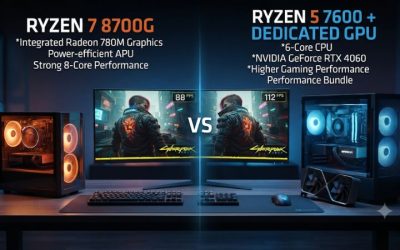
TechSpot’s paired tests illustrate why the alternative matters: in Baldur’s Gate 3, its Core i3-12100F and Radeon RX 6600 configuration delivered much higher performance than the 8700G’s integrated graphics. The relevant takeaway is the difference in what a capable separate GPU can do. Old test-system purchase prices should be replaced with offers available to you.
A graphics-card-free build still has clear value when you have a strict case size, want a simple machine for selected titles, or need a working PC before you can buy a card. List your constraints first. If a GPU fits easily and demanding games are the priority, compare the card-based configuration seriously before choosing an APU.
Use a game-based acceptance check after assembly
Start with one lighter game and one game close to the performance limit you researched. Verify the right graphics adapter, stable dual-channel memory, driver, and display mode. Test native 1080p Low first, then one lighter setting or upscaling mode. Keep an ordinary play segment long enough to see heat buildup and slower scenes.
Record what you can actually sustain. A frame-rate average that masks repeated slowdowns is a weak basis for deciding whether the machine suits you. Include game quality, low-frame behavior, noise, and any settings you need to lower. If the system cannot meet a requirement, identify whether memory setup, a driver or display configuration, or the graphics workload is responsible.
The purchase is successful when the complete PC fits its space, plays your real games at settings you will use, and handles the other work you expect. That is a better standard for this processor than trying to match the highest number in a launch chart.
Conclusion
The Ryzen 7 8700G is a good choice for a compact AM5 gaming PC that will use Radeon 780M for the foreseeable future. Equip it with stable dual-channel DDR5 and judge it by the results in your games at realistic settings. Compare the cheaper 8600G if your needs are lighter. If demanding games and a near-term graphics upgrade drive the purchase, compare a conventional CPU and discrete GPU as a complete system.