
- Top Pick: SURAIELEC Outlet Watt Meter, 90-250V Wide Range Power Meter Cost Calculator
- Best Value: Upgraded Watt Power Meter Plug Home Electrical Usage Monitor Consumption, Energy Voltage Amps Kill Tester with Backlight, Overload Protection, 7 Modes Display
- Premium Choice: Upgraded Watt Meter Power Meter Plug Home Energy Monitor Electricity Usage Monitor, Electrical Usage Monitor, Energy Voltage Amps Meter Tester with Backlight, Overload Protection, 8 Display Modes
If you have ever wondered whether your gaming rig is quietly inflating your electricity bill, a PC watt usage monitor answers the question directly. These plug-in meters sit between the wall outlet and your power supply, measuring exactly how many watts your system pulls at idle, under load, and everywhere in between. For anyone sizing a PSU, chasing efficiency, or just curious what a maxed-out GPU actually costs to run, it is a small device that delivers genuinely useful data.
This review looks at what a good watt meter should offer and how the leading options compare, from the category-defining Kill A Watt to feature-packed budget challengers. The goal is to help you pick a meter that reads accurately and shows you the numbers that matter.
As an Amazon Associate we earn from qualifying purchases at no extra cost to you.




🎮 Get More From Your Setup — Free
Prime Gaming gives you free PC games every month, in-game loot, and a free Twitch channel sub — plus fast free shipping on all the gear above. New members get a 30-day free trial.
Watch: PC Watt Usage Monitor — Video Review
Design & Build
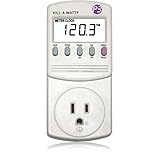
Most watt meters share a familiar form: a chunky adapter that plugs into the wall with a passthrough socket and an LCD readout on the front. The P3 Kill A Watt is the established benchmark, with a no-nonsense build and a trusted reputation for accuracy. The P3 Kill A Watt Flex improves on it with a cord that makes reading the display far easier when the outlet is behind a desk, plus onboard data memory. Budget options like the SURAIELEC and the various upgraded backlit meters add a lit screen and multiple display modes, which help when your PC lives in a dim corner.
Performance
What separates a good meter from a frustrating one is readability and the depth of data. The Kill A Watt Flex stands out here, tracking cumulative usage over time, calculating cost, and even estimating CO2, so you can see what a week of gaming truly costs rather than just an instantaneous number. The upgraded 7- and 8-mode backlit meters show voltage, amps, watts, and running kWh at a glance, which is plenty for most builders. The SURAIELEC covers a wide 90 to 250V range with a built-in cost calculator. For pure trusted accuracy in spot measurements, the original P3 P4400 remains hard to beat.
Pros & Cons
- Exact power readings for idle, gaming, and full-load draw help you right-size a PSU.
- Cost tracking turns watts into real dollars so you can budget your rig’s running cost.
- Backlit multi-mode displays on newer meters make readings easy in dark rooms.
- Overload protection on upgraded models adds a layer of safety.
- Bulky wall adapters can be awkward to read behind furniture unless corded.
- Budget accuracy varies slightly between units at very low loads.
Alternatives to Consider
If you only need occasional spot checks and trust matters most, the classic P3 P4400 Kill A Watt does the core job reliably. For frequent monitoring where the outlet is hard to reach, the corded Kill A Watt Flex with its data memory is the more practical tool. Budget-minded users who still want a backlit, multi-mode readout will be well served by one of the upgraded generic meters with overload protection.
Related Guides
- Computer Monitor Clip On Light (2026)
- Omen OLED Monitor (2026)
- Best Response Time For Gaming Monitor (2026)
- Best ASUS Monitor Best Gaming Settings (2026)
Frequently Asked Questions
How do I measure my PC’s power draw?
Plug the watt meter into the wall, connect your PC’s power supply to the meter’s passthrough socket, and read the watts. Check it at idle and during a demanding game to see your full range.
Can a watt meter help me choose a PSU?
Yes. By showing your system’s real peak draw, a meter tells you how much headroom your current supply has and helps you avoid over- or under-buying wattage on your next build.
Is the Kill A Watt accurate enough for a PC?
For consumer purposes, yes. The P3 Kill A Watt line is widely trusted for reliable readings, and the Flex model adds cost and cumulative tracking for a fuller picture over time.
Does a watt meter itself use much power?
Negligibly. The meter’s own consumption is tiny and does not meaningfully affect your readings or your electricity bill, so you can leave it in place for long-term monitoring.
Verdict
A PC watt usage monitor is a cheap, genuinely informative tool for any enthusiast. For most people, the P3 Kill A Watt Flex is the best pick thanks to its cord, data memory, and cost tracking. If you want a simpler trusted spot-checker, the classic P3 P4400 still delivers, and a good backlit multi-mode budget meter covers the basics for less.









