
- Top Pick: Pixio PX246 Wave White 24 inch 120Hz Refresh Rate FHD 1080p Resolution IPS Panel 4ms GTG Response Time Gaming Monitor with Adaptive Sync
- Best Value: Pixio PX248 Wave 24 inch 200Hz Refresh Rate FHD 1080p Resolution Fast IPS Panel 1ms GTG Response Time Built-in Speakers Gaming Monitor with Adaptive Sync
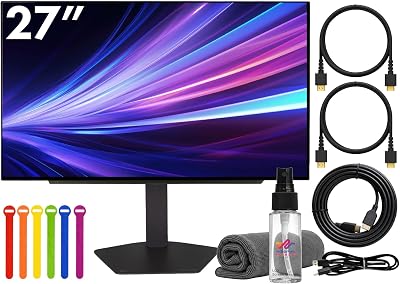
- Premium Choice: ASUS TUF Gaming 27”1080P Monitor (VG279QM5A) – Full HD (1920 x 1080), 240Hz, 0.3ms, Fast IPS, G-SYNC Compatible, Extreme Low Motion Blur Sync, 99% sRGB, DisplayWidget, Gaming AI, 3 yr Warranty
Response time is one of the most misunderstood monitor specs. It measures how fast a pixel shifts between shades, and a lower number means less motion blur and cleaner fast movement. For competitive gaming, a quick, accurately-rated response time keeps ghosting off your screen when the action heats up.
- Watch: Best Response Time For Gaming Monitor — Video Review
- How to Choose a Fast-Response Gaming Monitor
- The Best Fast-Response Gaming Monitors Reviewed
- Understanding the Response Time Number
- Panel Types and Their Behaviour
- Setting Overdrive Correctly
- Which One Should You Buy?
- Common Mistakes When Buying for Response Time
- Resolution, Refresh Rate and Response Time Together
- Related Guides
- Frequently Asked Questions
- Final Thoughts
- Related Articles
We focused on monitors with genuinely fast panels, since a great response time paired with a high refresh rate is what makes motion look razor-sharp. Below are displays that deliver crisp, blur-free gaming without cutting corners on color or value.



As an Amazon Associate we earn from qualifying purchases at no extra cost to you.




🎮 Get More From Your Setup — Free
Prime Gaming gives you free PC games every month, in-game loot, and a free Twitch channel sub — plus fast free shipping on all the gear above. New members get a 30-day free trial.
Watch: Best Response Time For Gaming Monitor — Video Review
How to Choose a Fast-Response Gaming Monitor
- Look at GtG response time: A 1ms GtG rating on a fast IPS panel delivers clean motion. Be skeptical of exaggerated MPRT-only claims.
- Pair with refresh rate: Response time matters most alongside a high refresh rate. A 144Hz–240Hz panel with fast pixels maximizes clarity.
- Panel type: Modern fast IPS panels combine quick response with great color and viewing angles, making them ideal for most competitive gamers.
- Adaptive sync: FreeSync or G-SYNC compatibility eliminates tearing, keeping fast motion smooth alongside a quick response time.
- Resolution and size: 24–27″ at 1080p keeps GPU demands low so you can sustain the high frame rates fast panels are built for.
The Best Fast-Response Gaming Monitors Reviewed
ASUS TUF Gaming 27″ (240Hz, 0.3ms)
This ASUS TUF leads the group with a 240Hz fast IPS panel rated at a blazing 0.3ms, plus G-SYNC compatibility and 99% sRGB. It’s the top pick for competitive players who demand the cleanest motion.
Pixio PX248 Wave (200Hz, 1ms)
The Pixio PX248 Wave pairs a 200Hz fast IPS panel with a 1ms GtG response and built-in speakers. It’s a superb value monitor for smooth, blur-free 1080p competitive gaming.
Pixio PX248 PRO V2 (200Hz, 1ms)
This PX248 PRO V2 offers the same fast 200Hz, 1ms formula in a clean design. It’s an excellent responsive display for players who want speed without paying flagship prices.
Pixio PX246 Wave (120Hz, 4ms)
The PX246 Wave delivers a 120Hz IPS panel with a 4ms response and adaptive sync in a stylish white finish. It’s a smooth, affordable entry point for fast-paced gaming.
Acer KB272 27″ (120Hz, 1ms VRB)
Acer’s KB272 offers a 27″ FHD IPS panel at up to 120Hz with a 1ms VRB response and 99% sRGB. It’s a well-rounded, budget-friendly choice for responsive everyday gaming.
Understanding the Response Time Number
GtG, MPRT and Why the Label Misleads
Response time is usually quoted as grey-to-grey (GtG), the time a pixel takes to shift between two shades. Some makers quote the best-case transition, and a few use moving picture response time (MPRT), which includes backlight strobing and is not directly comparable. A “1 ms” label on an IPS panel generally describes the fastest transition with overdrive at its most aggressive setting, so real-world averages are slower.
Match Response Time to Refresh Rate
A pixel should finish changing before the next frame arrives. The table shows how long each frame lasts at common refresh rates, which gives you a practical target.
| Refresh rate | Time per frame |
|---|---|
| 60 Hz | 16.7 ms |
| 120 Hz | 8.3 ms |
| 144 Hz | 6.9 ms |
| 180 Hz | 5.6 ms |
| 200 Hz | 5.0 ms |
| 240 Hz | 4.2 ms |
At 240 Hz, a pixel that needs 4 ms or more to settle is still moving when the next frame draws, which produces smearing. This is why the Pixio PX246 Wave at 120 Hz and a 4 ms rating is a sensible pairing, while a 4 ms panel on a 240 Hz display would be mismatched.
Panel Types and Their Behaviour
Fast IPS
Fast IPS panels such as the one on the Samsung Odyssey G50F balance colour, viewing angle and speed. They rely on overdrive to reach rated speeds, so the best mode is rarely the maximum one.
VA
Curved VA monitors, which includes many ultrawides, offer strong contrast. Dark transitions on VA are commonly reported as slower, producing visible smear in dim scenes even when the headline number looks fast.
OLED
OLED pixels switch very quickly, so the figures on the LG UltraGear OLED 27GX704A and the ASUS ROG Strix OLED XG27AQDMGR are far below LCD values. Motion looks sharp, though static elements raise burn-in considerations over long periods.
Setting Overdrive Correctly
- Set the monitor to its native refresh rate in the operating system and in game.
- Start overdrive at the middle setting, not the highest.
- Look at a moving pursuit pattern or a scrolling dark-on-light test image.
- Raise one step at a time until trailing blur decreases.
- Stop when bright halos appear behind moving objects, which is overshoot.
- If variable refresh rate is on, recheck, because overdrive can behave differently at lower frame rates.
Which One Should You Buy?
| If you… | Choose… |
|---|---|
| Want sharp QHD at 180 Hz on Fast IPS | Samsung Odyssey G50F 27-inch |
| Play at 1080p and 120 Hz on a small desk | Pixio PX246 Wave |
| Want an ultrawide at 240 Hz | LG 34G630A-B UltraGear 34-inch |
| Want the fastest pixel response in QHD | LG UltraGear OLED 27GX704A or ASUS ROG Strix OLED XG27AQDMGR |
| Want a 240 Hz LCD with a 0.3 ms rating | ASUS TUF Gaming 27-inch |
| Want 200 Hz and 1 ms at a modest size | Pixio PX248 Wave or PX248 PRO V2 |
Common Mistakes When Buying for Response Time
- Comparing MPRT against GtG. They measure different things.
- Buying a fast panel and leaving the cable on the wrong port. Use the connection that supports the full refresh rate.
- Maxing overdrive. Overshoot creates artefacts worse than the blur it removes.
- Ignoring your graphics card. A 240 Hz screen only helps if the system can supply high frame rates.
- Choosing by one number. Resolution, panel type and refresh rate matter just as much.
Resolution, Refresh Rate and Response Time Together
A monitor that pairs all three well is more useful than one with a single extreme number. A 1080p, 120 Hz panel like the Pixio PX246 Wave is easy for most graphics cards to drive, while a 1440p panel at 180 or 240 Hz asks far more of the system. An ultrawide such as the LG 34G630A-B pushes even more pixels per frame, so frame rates drop faster if hardware is modest.
| Goal | What matters most |
|---|---|
| Competitive shooters | High refresh rate, low input lag, clean motion |
| Single-player visuals | Contrast, resolution, colour |
| Console play | 120 Hz support and VRR compatibility |
| Mixed use | Balanced panel with good overdrive |
Other Specs That Affect Motion Clarity
Input lag, which is the delay between a signal arriving and the image changing, matters as much as pixel response for reaction-heavy games. Variable refresh rate, which matches the screen to the frame rate, reduces tearing and stutter. Backlight strobing, found on some models, can cut blur further but often disables VRR and reduces brightness.
Verifying Claims
Independent measurement sites publish GtG charts for many monitors, and those numbers tend to be higher than the box label. Use the manufacturer’s figure only as a rough guide and look for third-party data when a purchase is expensive.
Related Guides
- Monitor Black Friday Deals (2026)
- Best Monitor For 3 Screen Setup (2026)
- Portable 3 Monitor Setup (2026)
- Stereoscopic Monitor (2026)
Frequently Asked Questions
What response time is best for gaming?
A 1ms GtG rating on a fast IPS panel is excellent for competitive play. Anything at or below 1ms GtG delivers clean motion with minimal ghosting.
Is response time or refresh rate more important?
They work together. A high refresh rate shows more frames, while a fast response time keeps each frame sharp. Both matter for the best motion clarity.
Are 1ms MPRT and 1ms GtG the same?
No. GtG measures pixel transitions and is the more meaningful spec; MPRT relates to motion blur reduction, sometimes via backlight strobing. Check which one is quoted.
Do I need a fast response time for casual gaming?
Not necessarily. Casual and single-player gamers do fine with standard response times. Fast panels matter most in twitchy competitive titles.
Final Thoughts
The ASUS TUF Gaming 27″ is the clear leader with its 240Hz, 0.3ms panel, while the Pixio PX248 Wave delivers outstanding value at 200Hz and 1ms. For a budget responsive display, the Acer KB272 is a dependable everyday pick.
Top picks from this guide
 LGLG 34G630A-B 34-Inch Ultragear WQHD (3440 x 1440) Curved Gaming…$450 \xc2\xb7 99/100
 SamsungSamsung 27” Odyssey G5 (G50F) Series QHD Gaming Monitor |…$200 \xc2\xb7 99/100
 SamsungSamsung 27" Odyssey G5 (G51F) Series QHD (1440P) Gaming Monitor…$225 \xc2\xb7 98/100
 ASUSASUS ROG XG27AQDMGR 27 Inch 1440p 240Hz Glossy OLED HDR…$399 \xc2\xb7 98/100








