🛒 Best Price Today on Amazon
Prime members get fast, free shipping on everything above, plus member-only deals. New members get a 30-day free trial — cancel anytime.
- Quick Comparison
- What Is a Modem Router Combo?
- What Does a Separate Modem and Router Setup Mean?
- Modem Router Combo vs Separate: Performance
- WiFi Coverage
- Gaming Performance
- Upgradeability
- Ease of Setup
- Troubleshooting
- Cost
- Who Should Choose a Modem Router Combo?
- Who Should Choose Separate Devices?
- FAQ
- Conclusion
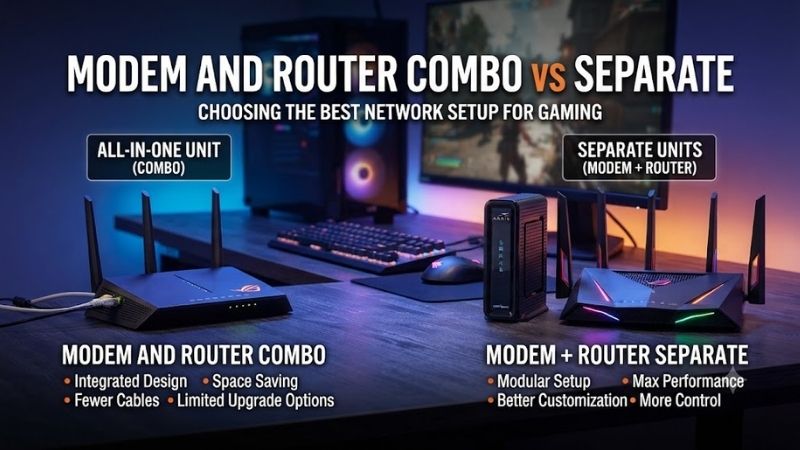
Modem router combo vs separate devices is a choice between simplicity and flexibility. A combo unit puts the modem and WiFi router in one box, while separate hardware lets each device handle one job. The better option depends on your ISP, home size, upgrade plans, troubleshooting needs, and how much control you want over your network.
Quick Comparison
| Category | Modem Router Combo | Separate Modem and Router |
|---|---|---|
| Setup | Easier, fewer cables | More steps and cables |
| Upgrades | Usually replace whole unit | Upgrade modem or router independently |
| WiFi Control | Often more limited | Usually more flexible |
| Troubleshooting | Simpler hardware layout | Easier to isolate modem vs router issues |
| Space | One box | Two devices |
| Gaming | Fine with good hardware | Better for advanced QoS and upgrades |
| Mesh Expansion | Depends on model | Easier with dedicated router systems |
| Long-Term Value | Convenient but less flexible | Often better for enthusiasts |
What Is a Modem Router Combo?
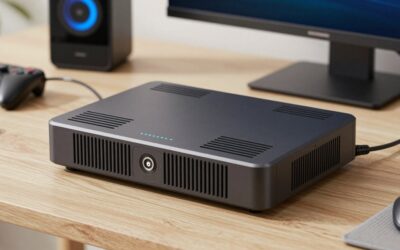
A modem router combo combines two networking roles inside one enclosure. The modem communicates with your internet provider, while the router creates the local network and shares that connection through Ethernet and WiFi. One power adapter, one management device, and fewer cables make this approach attractive for simple home networks.
Many internet providers supply gateway devices that work this way. They may include modem functions, routing, WiFi, firewall controls, and sometimes telephone service in one box. This can reduce setup time because the provider can provision and support one device instead of asking the customer to troubleshoot several independent pieces of hardware.
The limitation is that every major function is tied to the same product. If the WiFi becomes outdated but the modem still works perfectly, upgrading wireless performance may mean replacing or bypassing the combo unit. That matters as WiFi standards, multi-gig Ethernet, mesh systems, and household device counts continue to evolve over time.
What Does a Separate Modem and Router Setup Mean?
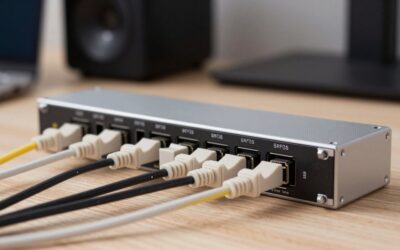
A separate setup uses one device for the internet connection and another for routing and WiFi. The modem connects to the ISP line, then an Ethernet cable links its output to the router’s WAN port. The router handles local IP addresses, wireless coverage, security rules, wired clients, and most everyday network management.
Separating the devices lets you select each component around a specific requirement. A compatible cable modem can remain in service for years while the router is replaced with a faster WiFi model. Likewise, a router can stay in place if an ISP upgrade requires a newer modem that supports a different speed tier or network standard.
This modular design introduces more cables, another power adapter, and additional setup steps. However, it also makes the network easier to customize. Users can choose gaming routers, mesh WiFi systems, security appliances, multi-gig switches, or advanced access points without depending on the wireless hardware integrated into an ISP gateway.
Modem Router Combo vs Separate: Performance
A combo unit is not automatically slower than separate hardware. Performance depends on the modem chipset, WiFi radios, antennas, Ethernet ports, firmware, placement, and internet plan. A high-quality gateway can outperform an old modem and weak router, so the physical number of boxes should not be treated as a speed specification.
Separate devices become more useful when you want to optimize individual parts of the network. A stronger router can add better traffic management, faster WiFi, more antennas, or multi-gig ports while the existing modem stays in service. That flexibility helps when local network demands grow faster than the ISP connection itself.
For wired gaming and desktop use, the router often has more influence over the home network experience than the modem once the modem supports the subscribed internet speed. Features such as 2.5GbE ports, QoS, VLANs, traffic monitoring, and better firmware are easier to prioritize when the router can be selected independently.
WiFi Coverage
A combo device must usually sit near the incoming ISP connection, which may be an inconvenient location for WiFi. If the cable or fiber termination enters the home in a corner, closet, or basement, placing the wireless router there can weaken coverage. One-box simplicity can therefore create a poor access-point location in larger homes.
With separate hardware, the modem can remain close to the ISP line while the router can sometimes be positioned more strategically using Ethernet. You can also disable routing or WiFi on the provider gateway and use a dedicated mesh system. This gives more freedom to place wireless nodes where devices actually need strong coverage.
Gaming Performance
Online games normally use modest bandwidth, so buying separate devices does not automatically lower ping. Latency is influenced by the ISP, route to the game server, local congestion, and whether the gaming device uses WiFi or Ethernet. A stable wired connection can matter more than whether the modem and router share one enclosure.
Separate routers become attractive when gaming traffic competes with large uploads, cloud backups, video calls, or streaming. Advanced QoS or smart queue management can reduce local congestion when implemented well. Enthusiast routers may also provide better monitoring and multi-gig LAN ports for gaming PCs, NAS systems, or fast internet plans.
A capable modem router combo can still handle gaming perfectly well if its firmware is stable and the network is not congested. Players should avoid replacing working equipment solely because the hardware is combined. Upgrade when you have a specific limitation, such as poor WiFi, weak traffic control, insufficient ports, or outdated standards.
Upgradeability
Upgradeability is one of the strongest arguments for separate hardware. WiFi technology tends to change more frequently than modem requirements for many users. With separate devices, you can replace a WiFi 6 router with a newer WiFi 7 model while leaving the modem untouched if it already supports the required ISP service level.
Combo hardware ties both functions together. Replacing the unit may require reactivation with the ISP even when only the wireless side needed improvement. Some gateways support bridge mode, allowing the integrated router to be bypassed while the modem remains active, but the exact capability depends on the provider and device firmware.
Ease of Setup
A combo is the easier choice for users who want minimal configuration. Connect the provider line, activate the device, set the WiFi name and password, and most basic networks are ready. Fewer physical connections also reduce the chance that someone accidentally unplugs the Ethernet link between a standalone modem and router.
Provider-supplied gateways can be even simpler because technical support already knows the hardware and may be able to manage or diagnose it remotely. This convenience matters for households that do not want to compare modem compatibility lists, configure bridge mode, or maintain several networking products from different manufacturers.
Separate hardware requires more initial knowledge, but modern routers make setup easier through mobile apps and guided interfaces. Once installed correctly, maintenance is usually straightforward. The added complexity makes sense when you gain features, placement options, or upgrade flexibility unavailable from one gateway.
Troubleshooting
Separate hardware can make diagnosis easier because each device has a clear responsibility. If the modem shows a healthy ISP connection but the router loses WiFi, the problem is probably inside the local network. If the modem itself cannot establish service, changing wireless settings on the router is unlikely to solve the issue.
A combo has fewer inter-device cables and power supplies that can fail, which simplifies the physical setup. However, when the unit develops a fault, modem and routing functions may disappear together. A replacement can temporarily take the entire network offline, and users have fewer opportunities to isolate a single failed component.
For advanced users, modular hardware usually wins because logs, firmware, and testing can be handled independently. For less technical households, a supported ISP gateway can be easier because there is only one device to identify when contacting support. Troubleshooting convenience therefore depends partly on who maintains the network.
Cost
A combo can cost less initially because one enclosure and power supply handle several tasks. ISP rental gateways also avoid a large upfront purchase, although recurring equipment fees can add up over several years. Compare the total rental cost with buying compatible hardware instead of judging the decision only by the first month.
Separate hardware normally has a higher upfront cost because you are purchasing two devices. The trade-off is that each component can be replaced independently. If the router becomes outdated after three years but the modem remains compatible, you only pay for the part that needs upgrading instead of buying another all-in-one gateway.
Who Should Choose a Modem Router Combo?
Choose a combo if you live in a smaller home, want minimal equipment, and do not expect frequent networking upgrades. It is also practical when the ISP provides reliable hardware and support. For basic browsing, streaming, remote work, and ordinary gaming, a modern gateway can provide everything the household needs without additional devices.
A combo also suits users who dislike network troubleshooting. One provider handles the core hardware, and there are fewer cables, interfaces, and compatibility decisions. If WiFi already covers the home and wired devices have enough ports, replacing the gateway with separate hardware may add complexity without fixing a real problem.
Who Should Choose Separate Devices?
Choose separate devices if you care about router features, WiFi upgrades, advanced gaming controls, mesh expansion, or network customization. This setup is especially useful when the modem can remain near the ISP connection while a dedicated router or access point is placed where wireless coverage will actually be strongest.
Separate hardware also fits enthusiasts who use NAS storage, home servers, multi-gig Ethernet, VLANs, VPNs, advanced security, or several access points. The router becomes a deliberate part of the network instead of an ISP accessory. That control is often worth the extra cables and initial setup for technically demanding households.
FAQ
Is a Separate Modem and Router Faster?
Not automatically. Speed depends on the modem’s supported internet standard, the router’s wired and wireless capabilities, device placement, congestion, and your ISP plan. Separate hardware simply gives you more freedom to choose a stronger router without replacing a modem that already supports the connection you pay for.
Is a Modem Router Combo Good for Gaming?
Yes, a good combo can provide excellent gaming performance, particularly when the PC or console connects through Ethernet. Separate hardware becomes more attractive when you need advanced QoS, stronger WiFi coverage, multi-gig ports, or better traffic monitoring. The number of devices alone does not determine gaming latency.
Can I Use a Separate Router With a Combo Modem?
Often yes. Many modem router gateways provide bridge or passthrough modes that disable their routing function and allow a dedicated router to handle the local network. Exact instructions vary by ISP and gateway. Avoid running two routers in normal routing mode unless you intentionally understand and need a double-NAT setup.
Is It Cheaper to Buy a Modem and Router Separately?
The upfront price is often higher, but long-term cost can be better because each device can be upgraded independently and purchased instead of rented. Savings depend on ISP equipment fees, modem compatibility, and how often you replace routers. Calculate several years of ownership rather than comparing only purchase prices.
Do I Need Separate Devices for Mesh WiFi?
No. Some gateways support mesh extensions directly, while others can connect to a third-party mesh system through bridge or access-point modes. Separate routing hardware usually provides more flexibility, however, because you can choose the mesh platform without being tied to the wireless capabilities built into the modem.
Conclusion
Modem router combo vs separate hardware is ultimately a simplicity versus flexibility decision. A combo reduces cables, setup, and support complexity, while separate devices offer better upgradeability, placement, troubleshooting, and router choice. Most basic homes can use either, but advanced networks benefit more from modular hardware.