🛒 Best Price Today on Amazon
Prime members get fast, free shipping on everything above, plus member-only deals. New members get a 30-day free trial — cancel anytime.
A router TP Link SIM card model can provide internet access without a fixed broadband line, making it useful for rural homes, temporary offices, rentals, travel locations, and backup connectivity. The best option depends on whether you need 4G or 5G, Wi-Fi 6, mesh support, Ethernet ports, external antennas, or simple plug-and-play operation.
Best TP-Link SIM Card Routers at a Glance
| Router | Best For | Mobile Network | Wi-Fi Type |
|---|---|---|---|
| TP-Link Archer NX200 | Overall 5G router | 5G/4G | Wi-Fi 6 AX1800 |
| TP-Link Deco X50-5G | Whole-home 5G mesh | 5G/4G/3G | Wi-Fi 6 AX3000 |
| TP-Link Archer MR600 | Fast 4G home internet | 4G+ | Dual-band Wi-Fi |
| TP-Link TL-MR6400 | Reliable budget 4G | 4G LTE | Wireless N |
| TP-Link TL-MR105 | Basic SIM internet | 4G LTE | Wireless N |
TP-Link Archer NX200
Best For: Overall 5G SIM card internet
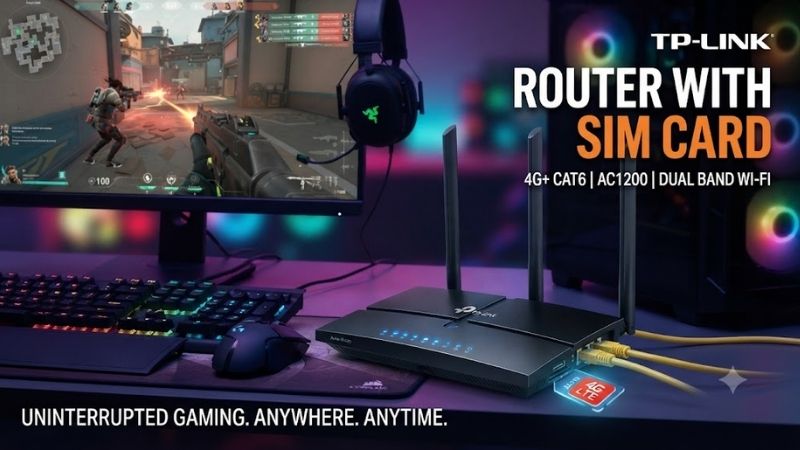
The TP-Link Archer NX200 is the strongest option for users who want to replace or supplement fixed broadband with a modern 5G connection. It combines an integrated cellular modem with dual-band Wi-Fi 6, allowing a SIM card to provide internet access to phones, computers, televisions, consoles, and other connected devices.
Its Wi-Fi 6 AX1800 platform provides substantially more wireless capacity than older Wireless N SIM routers. This matters in homes where several devices are active at the same time. Laptops can download files while televisions stream video and phones remain connected without forcing every device onto an aging 2.4 GHz-only network.
The router also supports 4G when a 5G signal is unavailable, making it more flexible in areas where mobile coverage varies. This backward compatibility is useful when the router is moved between locations or when 5G coverage is strong outdoors but inconsistent inside the building.
Gigabit Ethernet ports make the NX200 more suitable for permanent home use than portable hotspots. A gaming PC, desktop computer, television, or network switch can use a wired connection, while the router can also work with a conventional broadband connection when required.
Key Features
- Integrated 5G modem
- 4G compatibility
- Nano SIM slot
- Dual-band Wi-Fi 6
- AX1800 wireless class
- Gigabit Ethernet
- WAN/LAN capability
- EasyMesh compatibility
- App-based management
- Plug-and-play SIM operation
What Makes It Different
The NX200 combines mobile broadband with a proper modern home-router platform. Instead of treating cellular internet as a temporary hotspot, it provides Wi-Fi 6, wired networking, and mesh expansion features that make 5G practical as a primary home internet connection.
Pros
- Supports 5G
- Wi-Fi 6
- Gigabit Ethernet
- EasyMesh support
- Can use conventional WAN
- Strong option for home broadband replacement
Cons
- More expensive than 4G routers
- Performance depends heavily on mobile coverage
- 5G availability varies by location
Use Case: Primary 5G home internet, rural broadband, temporary offices, backup internet, gaming, and high-bandwidth streaming.
Who It’s For: Users with strong 5G coverage who want SIM-based internet to function like a normal home broadband network.
TP-Link Deco X50-5G
Best For: Large homes needing SIM-based mesh Wi-Fi
The Deco X50-5G is designed for a different problem: obtaining mobile internet while also covering a larger home with mesh Wi-Fi. It combines a cellular modem with the Deco platform, so the SIM connection can become the internet source for a wider whole-home mesh system rather than serving only one room.
Its Wi-Fi 6 AX3000 capability provides more wireless headroom than basic LTE routers. The system operates on both 2.4 GHz and 5 GHz, making it suitable for a mixture of smart-home devices, laptops, phones, televisions, tablets, and faster modern wireless clients.
A 2.5 Gigabit Ethernet port adds useful wired networking flexibility, while additional Gigabit ports can connect local devices or support Ethernet backhaul. This is particularly helpful when the Deco X50-5G acts as the central internet gateway for several rooms rather than simply providing Wi-Fi near the SIM router itself.
The real advantage appears when additional compatible Deco units are introduced. Instead of adding unrelated Wi-Fi extenders, users can build one coordinated network with a shared name and roaming between coverage areas. This can be valuable in multi-story homes where the 5G router must remain near the strongest cellular signal.
Key Features
- Integrated 5G/4G/3G modem
- Nano SIM connectivity
- Wi-Fi 6 AX3000
- Dual-band wireless
- 2.5GbE connection
- Additional Gigabit ports
- Deco mesh support
- Ethernet backhaul capability
- WPA3 support
- External cellular antenna interfaces
What Makes It Different
The X50-5G solves both cellular internet and whole-home Wi-Fi coverage with one platform. Users can position the 5G unit where mobile reception is strongest while extending Wi-Fi throughout the property using additional Deco nodes.
Pros
- 5G mobile broadband
- Wi-Fi 6 AX3000
- Mesh networking
- 2.5GbE port
- Whole-home expansion
- Suitable for larger properties
Cons
- Costs more than conventional 4G routers
- Additional Deco nodes increase total cost
- Placement must consider both cellular and Wi-Fi signals
Use Case: Large houses, multi-floor homes, rural properties, SIM-based whole-home internet, and locations without fixed broadband.
Who It’s For: Users who need both mobile broadband and stronger Wi-Fi coverage across multiple rooms.
TP-Link Archer MR600
Best For: Fast 4G home internet
The Archer MR600 is a useful middle ground for users who do not need 5G but want a more capable home router than basic LTE models. It is designed around 4G+ mobile broadband and dual-band Wi-Fi, making it suitable for fixed home use where 4G coverage is strong but 5G service is unavailable or unnecessary.
Compared with entry-level SIM routers operating only on 2.4 GHz, the MR600 can provide a 5 GHz wireless network for compatible devices. The less congested 5 GHz band can improve local wireless performance for laptops, televisions, and other devices located reasonably close to the router.
Its Ethernet connectivity also makes it suitable for desktop PCs, smart TVs, network switches, and consoles that benefit from wired networking. As with other fixed SIM routers, cellular performance depends on the local tower, network congestion, signal strength, frequency bands, and mobile plan.
The MR600 is especially attractive when a household already receives good 4G+ service but does not want to pay the premium for a 5G router. It provides a more balanced home-network experience than inexpensive Wireless N models while keeping the system relatively simple.
Key Features
- 4G+ mobile broadband
- SIM card support
- Dual-band Wi-Fi
- 2.4 GHz and 5 GHz operation
- Ethernet connectivity
- WAN support
- External cellular antennas
- Home-router design
- App and web management
What Makes It Different
The MR600 sits between inexpensive 4G routers and costly 5G hardware. Dual-band Wi-Fi and stronger cellular capability make it more appropriate for a permanent home network without requiring users to invest in 5G equipment.
Pros
- Stronger than entry-level LTE routers
- Dual-band wireless
- Good home-network flexibility
- External cellular antennas
- Wired Ethernet available
- Useful when 5G is unnecessary
Cons
- No 5G
- Older wireless technology than Wi-Fi 6 models
- Cellular speed depends on carrier coverage
Use Case: Home 4G internet, rural connections, small offices, rental properties, and backup broadband.
Who It’s For: Users with reliable 4G+ reception who want better Wi-Fi capabilities than basic SIM routers provide.
TP-Link TL-MR6400
Best For: Reliable budget 4G internet
The TL-MR6400 is one of TP-Link’s straightforward 4G LTE routers. It contains an integrated LTE modem and Nano SIM slot, allowing users to install a compatible SIM, power on the router, and share the mobile connection over Wi-Fi without purchasing a separate USB modem.
Its mobile connection supports LTE download speeds appropriate for everyday browsing, video calls, cloud applications, and HD streaming when the cellular network provides enough bandwidth. Wireless connectivity uses the older 2.4 GHz Wireless N standard rather than modern dual-band Wi-Fi 6.
That limitation means the TL-MR6400 is better for basic home internet than heavy multi-device networks. If several users regularly transfer large files or stream high-resolution video simultaneously, a faster dual-band or 5G model offers more wireless capacity.
Two removable LTE antennas are useful for cellular reception and can also make the router more flexible in locations with weaker mobile signals. The router additionally supports a wired WAN mode, allowing it to work with conventional internet connections instead of becoming useless if fixed broadband is installed later.
Key Features
- 4G LTE modem
- Nano SIM slot
- Up to 4G LTE-class mobile connectivity
- 2.4 GHz Wireless N
- Up to 300 Mbps Wi-Fi class
- Removable LTE antennas
- Ethernet ports
- WAN/LAN mode
- TP-Link Tether management
- Plug-and-play design
What Makes It Different
The TL-MR6400 has a simple purpose: turn a mobile SIM connection into a basic home Wi-Fi network with minimal configuration. Its external LTE antennas and WAN flexibility make it more practical than relying on a phone hotspot for long-term use.
Pros
- Simple setup
- Affordable
- Removable LTE antennas
- Works without fixed broadband
- Wired WAN option
- Suitable for basic home internet
Cons
- 2.4 GHz Wi-Fi only
- Fast Ethernet rather than Gigabit on common versions
- No 5G
- Limited for demanding multi-device households
Use Case: Rural homes, temporary internet, small shops, remote work locations, backup networking, and basic household use.
Who It’s For: Users who prioritize low cost and simple 4G internet over maximum wireless speed.
TP-Link TL-MR105
Best For: Entry-level SIM internet
The TL-MR105 is a compact 4G LTE router designed for users who need straightforward SIM-based internet without advanced mesh, Wi-Fi 6, or multi-gig networking. It can share one mobile connection with multiple wireless devices and also provides Ethernet connectivity for wired hardware.
TP-Link positions the router as a plug-and-play device. Insert a compatible Nano SIM card, power it on, and the integrated LTE modem handles the mobile connection. This is significantly easier than tethering a smartphone every day and allows the internet connection to remain available even when the phone leaves the building.
The TL-MR105 uses 2.4 GHz Wireless N technology with a 300 Mbps Wi-Fi class. That is adequate for browsing, work documents, messaging, basic streaming, smart-home equipment, and small numbers of users. It is less appropriate for busy homes with many high-bandwidth devices.
Two Ethernet connections provide additional flexibility, including a LAN/WAN configuration. The device can therefore operate with fixed broadband in addition to mobile internet, making it useful as a temporary router before fiber installation or as an inexpensive connection for locations that change networking arrangements.
Key Features
- Integrated 4G LTE modem
- Nano SIM slot
- 2.4 GHz Wi-Fi
- 300 Mbps Wireless N class
- Support for multiple wireless clients
- Ethernet LAN
- LAN/WAN functionality
- Guest network
- IPv4 and IPv6 support
- Plug-and-play setup
What Makes It Different
The TL-MR105 prioritizes simplicity and affordability. It provides the essential functions required to turn a Nano SIM into a small home or office Wi-Fi network without paying for performance features that basic users may never need.
Pros
- Affordable SIM router
- Very simple setup
- Compact design
- Ethernet support
- Useful for temporary locations
- Works well for basic internet access
Cons
- No 5 GHz Wi-Fi
- No Wi-Fi 6
- No 5G
- Ethernet performance is limited
- Not ideal for heavy network traffic
Use Case: Small apartments, temporary offices, shops, basic remote work, vacation homes, and backup internet.
Who It’s For: Users who need inexpensive 4G Wi-Fi and do not require high local network performance.
How to Choose a TP-Link SIM Card Router
Choose 4G or 5G First
A 5G router makes sense only when strong 5G service is available in the location where the router will operate. In areas with weak 5G but excellent 4G coverage, a quality 4G+ router can offer better value. Check actual carrier coverage rather than choosing based solely on the newest network generation.
Check Supported Mobile Bands
A SIM can physically fit while the router still lacks optimal support for the frequencies used by a particular network. Hardware versions can also differ between regions. Check the exact router variant and your mobile carrier’s bands before importing a model from another country.
Consider Wi-Fi 6
Wi-Fi 6 matters when several modern devices share the router or local wireless traffic is heavy. Archer NX200 and Deco X50-5G are better suited to busy households than basic Wireless N routers because they provide modern dual-band Wi-Fi and greater local wireless capacity.
Think About Ethernet Speed
If a desktop PC, NAS, television, or gaming system needs wired networking, examine the Ethernet ports carefully. Entry-level 4G routers may use 100 Mbps ports, which can become a bottleneck even when the mobile network or local Wi-Fi is capable of higher speeds.
Check External Antenna Options
Cellular reception often matters more than Wi-Fi specifications on a SIM router. External antenna connections or removable cellular antennas can be useful in rural areas, particularly when the router must be positioned indoors where walls reduce mobile signal strength.
Consider Mesh for Large Homes
A SIM router can receive excellent mobile service and still provide poor Wi-Fi in distant rooms. For larger homes, a mesh-capable solution such as Deco X50-5G can distribute internet more effectively than simply buying a powerful single router.
Evaluate Your Data Plan
A fast 5G router cannot overcome a slow, heavily throttled, or limited mobile plan. Streaming, game downloads, cloud backups, and Windows updates can consume large amounts of data. Check data allowances, fair-use policies, speed limits, and hotspot/router restrictions before replacing fixed broadband.
SIM Router vs Phone Hotspot
A smartphone hotspot is useful for occasional internet access because it requires no additional router. However, keeping a phone tethering continuously can consume battery, create heat, reduce convenience, and limit where the phone can be taken.
A dedicated SIM router remains powered in one location, offers stronger networking features, and can provide Ethernet connections. It is therefore more appropriate when mobile broadband serves as the primary internet connection for several people or devices.
4G Router vs 5G Router
A 4G router is cheaper and may provide all the speed required for browsing, video meetings, streaming, and normal household use. Strong 4G+ coverage can still deliver an excellent practical internet experience.
A 5G router provides much greater potential bandwidth and may offer lower latency when network conditions are favorable. It costs more, and the improvement can disappear in locations with poor 5G reception. Coverage quality should therefore determine the upgrade rather than the 5G label alone.
FAQ
Can I Put a SIM Card in a TP-Link Router?
Yes, TP-Link offers dedicated 4G and 5G routers with integrated SIM slots. Models such as Archer NX200, Deco X50-5G, TL-MR6400, and TL-MR105 can use compatible mobile SIM cards without requiring a separate USB cellular modem.
Is a TP-Link SIM Router Good for Home Internet?
Yes, particularly where fiber, cable, or DSL is unavailable. A good 4G or 5G connection can support browsing, streaming, remote work, smart-home devices, and gaming. Actual performance depends heavily on the mobile network and signal quality.
Is 5G Better Than 4G for a SIM Router?
Potentially. Strong 5G service can provide substantially more bandwidth than 4G, but weak 5G can perform worse than a strong LTE connection. Test or research local carrier coverage before spending significantly more on a 5G router.
Can a SIM Router Be Used for Gaming?
Yes. Online gaming itself does not require enormous bandwidth, but latency and connection consistency matter. Mobile network latency can vary more than fiber, particularly during congestion. Ethernet from the gaming PC to the SIM router can remove local Wi-Fi variability.
Can I Use a TP-Link SIM Router With Fiber Later?
Several models also provide WAN functionality, allowing them to operate with a conventional Ethernet internet connection. This can make a SIM router useful as the primary router now and a mobile backup connection after fixed broadband becomes available.
Which TP-Link SIM Router Is Best?
Archer NX200 is the strongest general 5G choice, while Deco X50-5G is better for large homes needing mesh coverage. Archer MR600 suits faster 4G setups, while TL-MR6400 and TL-MR105 provide simpler and more affordable LTE connectivity.
Conclusion
The best router TP Link SIM card option depends on mobile coverage, home size, and network demands. Archer NX200 is the strongest general 5G choice, Deco X50-5G adds whole-home mesh, Archer MR600 suits faster 4G use, while TL-MR6400 and TL-MR105 provide affordable plug-and-play LTE internet for simpler homes and temporary locations.