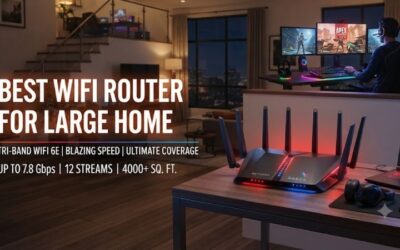
🛒 Best Price Today on Amazon
Prime members get fast, free shipping on everything above, plus member-only deals. New members get a 30-day free trial — cancel anytime.
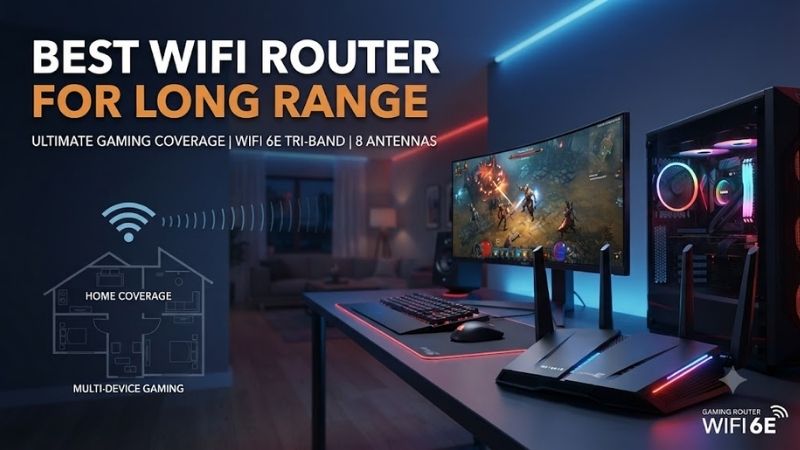
The best WiFi router for long range needs more than a high advertised speed. Antenna design, transmit power, router placement, 2.4GHz performance, mesh expansion, backhaul options, and building materials all affect real coverage. These five WiFi 7 routers are strong choices for large homes, demanding networks, gaming, streaming, and multi-gig internet.
Quick answer: For most people in 2026, the best wifi router for long range is the Router — our #1 rated choice. See the full ranked comparison, alternatives and buying advice below.
Quick Comparison
| Router | Best For | WiFi Class | Antennas | Multi-Gig Ports | Mesh |
|---|---|---|---|---|---|
| ASUS RT-BE96U | Best Overall | BE19000 | 8 external | 2 x 10Gbps | AiMesh |
| NETGEAR Nighthawk RS700S | Best Single-Router Coverage | BE19000 | 8 internal | 2 x 10Gbps | Limited ecosystem options |
| TP-Link Archer BE800 | Best Flexible Home Network | BE19000 | 8 internal | 2 x 10G + 4 x 2.5G | EasyMesh |
| eero Max 7 | Best Mesh Expansion | WiFi 7 Tri-Band | 2x4x4 array | 2 x 10G + 2 x 2.5G | TrueMesh |
| TP-Link Archer GE800 | Best for Long-Range Gaming | BE19000 | Optimized internal array | 2 x 10G + 4 x 2.5G | EasyMesh |
ASUS RT-BE96U
Best For: High-performance large-home networking
Key Features:
- Tri-band WiFi 7
- BE19000 wireless class
- Eight external antennas
- 4×4 operation on all three bands
- 320MHz channels on 6GHz
- 10Gbps WAN/LAN
- Dedicated 10Gbps LAN
- AiMesh support
- 2.6GHz quad-core processor
The ASUS RT-BE96U is one of the strongest choices when long range and high local bandwidth are equally important. ASUS uses eight external antennas and 4×4 transmission on the 2.4GHz, 5GHz, and 6GHz bands. That gives the router substantial radio resources for handling many clients while maintaining stronger connections around a larger home.
Its theoretical wireless capacity reaches 19Gbps, divided between 1,376Mbps on 2.4GHz, 5,764Mbps on 5GHz, and 11,529Mbps on 6GHz. Those numbers are combined maximum link rates rather than real internet speeds, but they show how much capacity the router can allocate when several compatible devices are active simultaneously.
For long-range use, the 2.4GHz band remains especially important because lower frequencies generally travel farther through walls than 5GHz or 6GHz. The RT-BE96U’s 4×4 architecture across every band provides more flexibility than routers that reserve their strongest radio hardware only for the fastest short-range frequency.
The biggest advantage for large properties is AiMesh compatibility. If one RT-BE96U cannot reach a distant room reliably, compatible ASUS routers can be added as mesh nodes rather than replacing the original hardware. This makes the router more practical for multi-floor homes than buying an expensive standalone router with no expansion path.
What Makes It Different: Eight visible external antennas provide more positioning flexibility than enclosed designs, while AiMesh lets the network grow later. The combination of strong radios, 10Gbps wired connectivity, and several operating modes also makes the RT-BE96U useful for advanced home networks.
Pros:
- Eight external antennas
- Tri-band WiFi 7
- Strong 4×4 radio configuration
- Two 10Gbps-class connections
- AiMesh expansion
- 320MHz support
- Powerful quad-core CPU
- Flexible router and access-point modes
Cons:
- Large physical design
- Premium price category
- 6GHz still has shorter practical range
- Most older clients cannot use WiFi 7 features
Use Case: A large home with high-speed fiber, gaming PCs, NAS storage, several streaming devices, and the option to add mesh nodes if distant rooms remain weak.
Who It’s For: Enthusiasts who want one powerful router now but also want a clear expansion path if the property eventually requires multiple access points.
NETGEAR Nighthawk RS700S
Best For: Strong coverage from one router
Key Features:
- Tri-band WiFi 7
- Up to 19Gbps combined wireless speed
- Eight high-performance internal antennas
- High-powered amplifiers
- Up to 3,500 sq. ft. claimed coverage
- Support for 200+ connected devices
- 10Gbps WAN
- 10Gbps LAN
- Quad-core 2.6GHz processor
NETGEAR specifically markets the Nighthawk RS700S around wide coverage, listing up to 3,500 square feet on the current U.S. product page. The vertical enclosure contains eight high-performance internal antennas with high-powered amplifiers, giving the router a clean design without sacrificing the antenna count expected from a premium long-range model.
The RS700S operates as a tri-band BE19000 router with 4×4 radios on 2.4GHz, 5GHz, and 6GHz. NETGEAR also rates it for more than 200 concurrent devices. That capacity matters in smart homes where cameras, TVs, speakers, phones, laptops, consoles, sensors, and appliances can all remain connected at the same time.
Its tall tower design is intended to distribute coverage in all directions while taking up less horizontal desk space than traditional routers covered in external antennas. NETGEAR describes the system as providing 360-degree coverage, making central placement particularly important if you want to benefit from its antenna layout.
Wired connectivity includes one 10Gbps internet port, one 10Gbps LAN port, and four Gigabit LAN connections. That lets users connect a multi-gig NAS or workstation while keeping other wired devices on standard Ethernet. The USB 3.0 port can also support network storage without requiring a separate file-sharing device.
What Makes It Different: NETGEAR provides one of the clearest official coverage claims in this group. Buyers who want to try a single powerful router before committing to a full mesh system may find the RS700S particularly attractive.
Pros:
- Up to 3,500 sq. ft. stated coverage
- Eight internal antennas
- High-powered amplifiers
- Supports 200+ devices
- Tri-band WiFi 7
- 10Gbps WAN and LAN
- Compact vertical footprint
- Strong single-router approach
Cons:
- Premium pricing
- Four secondary LAN ports are only Gigabit
- Actual coverage depends on construction
- 6GHz cannot match 2.4GHz for long-distance penetration
Use Case: A large single-level or moderately sized multi-story home where the router can be placed centrally and users want maximum coverage without immediately deploying several nodes.
Who It’s For: Buyers who prefer a clean single-router installation and want an officially rated large coverage area.
TP-Link Archer BE800
Best For: Large homes needing flexible mesh expansion
Key Features:
- BE19000 tri-band WiFi 7
- Eight internally optimized antennas
- Beamforming
- High-power FEMs
- EasyMesh compatibility
- 10Gbps Ethernet WAN/LAN
- 10Gbps SFP+/RJ45 combination port
- Four 2.5Gbps LAN ports
- USB 3.0
The TP-Link Archer BE800 combines long-range radio hardware with one of the strongest wired layouts in this roundup. TP-Link uses eight internally positioned antennas, Beamforming, and high-power front-end modules to improve connection strength and stability while reducing interference across a large home network.
Like other premium WiFi 7 routers here, it provides up to 19Gbps of combined theoretical wireless bandwidth across three bands. TP-Link lists 11,520Mbps on 6GHz, 5,760Mbps on 5GHz, and 1,376Mbps on 2.4GHz, giving the router substantial capacity for clients at different distances and performance levels.
EasyMesh compatibility is one of the biggest advantages for long-range networking. If walls, concrete, floors, or sheer distance prevent one router from providing reliable coverage, an EasyMesh-compatible router or extender can be added to create a unified network rather than forcing users to maintain unrelated WiFi names.
The wired side is unusually complete. TP-Link includes one 10Gbps WAN/LAN port, another 10Gbps SFP+/RJ45 combination connection, and four 2.5Gbps LAN ports. This makes it suitable for wired mesh backhaul, multi-gig switches, NAS systems, gaming PCs, and internet plans far beyond conventional Gigabit Ethernet.
What Makes It Different: Archer BE800 combines strong wireless coverage hardware with EasyMesh and enough multi-gig ports to build a serious wired backbone. That is valuable because the most reliable way to extend WiFi over a very large house is often several access points connected by Ethernet.
Pros:
- Eight optimized antennas
- High-power FEMs
- Beamforming
- EasyMesh
- Two 10Gbps-class ports
- Four 2.5Gbps LAN ports
- WiFi 7 MLO
- Excellent wired-backhaul potential
Cons:
- Large premium router
- Advanced port layout may be unnecessary for basic homes
- 6GHz range is naturally limited
- Best results require careful placement
Use Case: Large homes where a powerful central router may later be expanded with wired or wireless EasyMesh nodes.
Who It’s For: Users who want strong standalone coverage but do not want to be trapped if one router cannot overcome difficult walls or multiple floors.
eero Max 7
Best For: Long-range coverage through mesh
Key Features:
- Tri-band WiFi 7
- TrueMesh networking
- Up to 2,500 sq. ft. per unit
- 2x4x4 antenna array
- 200+ supported devices
- Two 10GbE ports
- Two 2.5GbE ports
- Wireless speeds up to 4.3Gbps
- Wired speeds up to 9.4Gbps
The eero Max 7 takes a different approach to long range. Instead of trying to solve every property with one extremely powerful access point, it is designed to expand through TrueMesh. eero rates one unit for up to 2,500 square feet and more than 200 devices, with additional Max 7 units extending that coverage considerably.
A three-unit Max 7 deployment can cover up to approximately 7,500 square feet according to eero’s published figures. That makes it particularly attractive for long houses, multiple floors, detached offices, or layouts where a single centrally placed router cannot provide a strong signal through every wall.
The tri-band radio uses a 2x4x4 antenna arrangement across 2.4GHz, 5GHz, and 6GHz. eero supports up to 320MHz channel width on 6GHz, while TrueMesh dynamically chooses paths for traffic between nodes. WiFi 7 backhaul is supported when WiFi 7 eero units communicate with one another.
Ethernet connectivity is excellent for a mesh product. Each Max 7 provides two auto-sensing 10GbE and two 2.5GbE ports, allowing high-speed wired backhaul as well as connections to PCs, switches, or NAS devices. Wired backhaul is particularly useful when thick walls make wireless communication between mesh nodes unreliable.
What Makes It Different: eero Max 7 is the best option here when “long range” really means whole-property coverage rather than pushing one router as far as possible. Adding nodes lets the network move the access point closer to the user instead of trying to force a distant signal through several obstacles.
Pros:
- Up to 2,500 sq. ft. per unit
- Excellent multi-node scaling
- TrueMesh
- WiFi 7 backhaul
- Two 10GbE ports
- Two 2.5GbE ports
- Supports 200+ devices per unit
- Simple expansion
Cons:
- One unit covers less than RS700S on official claims
- Multi-unit systems become expensive
- Some advanced features require eero Plus
- Smartphone-based setup ecosystem
Use Case: Large multi-story homes, long floor plans, detached workspaces, or buildings where multiple access points are clearly better than one router.
Who It’s For: Users who value consistent whole-home WiFi more than having the strongest possible single router.
TP-Link Archer GE800
Best For: Long-range gaming and multi-gig networks
Key Features:
- BE19000 tri-band WiFi 7
- 19Gbps combined wireless capacity
- Optimized antenna layout
- 320MHz 6GHz channels
- MLO
- Two 10Gbps WAN/LAN ports
- Four 2.5Gbps LAN ports
- EasyMesh compatibility
- Dedicated gaming optimization
The Archer GE800 shares many networking strengths with TP-Link’s BE800 but adds a stronger gaming focus. It delivers up to 11,520Mbps on 6GHz, 5,760Mbps on 5GHz, and 1,376Mbps on 2.4GHz while using an optimized antenna layout intended to provide strong connections around a gaming-focused home network.
Long-range gaming is less about maximum WiFi speed and more about maintaining stable latency when the gaming device is several rooms away. The GE800 supports EasyMesh, so users can add compatible nodes closer to distant gaming rooms rather than expecting the 6GHz radio to penetrate an entire large property by itself.
Two 10Gbps WAN/LAN ports and four 2.5Gbps LAN ports provide excellent options for wired gaming systems and Ethernet backhaul. A gaming PC or console that remains in one location should still use Ethernet whenever possible, because wired connections avoid the signal variation and interference associated with long-distance WiFi.
TP-Link also includes gaming-specific traffic optimization designed to prioritize gaming devices and applications. These features cannot reduce the physical distance to an internet server, but they can help manage local congestion when downloads, streaming, cloud backups, and gaming all compete for bandwidth at the same time.
What Makes It Different: GE800 combines premium WiFi 7 hardware, EasyMesh, extensive multi-gig Ethernet, and gaming-oriented software. It is particularly compelling for large gaming households where both wired systems and distant wireless devices need to share one network.
Pros:
- Tri-band WiFi 7
- EasyMesh support
- Two 10Gbps ports
- Four 2.5Gbps LAN ports
- 320MHz support
- MLO
- Gaming traffic optimization
- Strong wired-backhaul options
Cons:
- Expensive for non-gamers
- Physically large
- Gaming software cannot fix poor ISP routing
- Mesh may still be necessary for difficult homes
Use Case: Large gaming homes with several PCs, consoles, streaming systems, and high-speed wired devices spread across multiple rooms.
Who It’s For: Gamers who need premium routing hardware and want the option to expand coverage without abandoning the original router.
How to Choose the Best WiFi Router for Long Range
Do Not Judge Range by WiFi Speed Alone
A BE19000 router is not automatically longer-range than a slower router. Advertised speed measures theoretical capacity, while coverage depends on antennas, transmit power, receiver sensitivity, interference, frequency, and building construction. A well-positioned router can outperform a more expensive model hidden inside a cabinet.
Use 2.4GHz for the Farthest Devices
The 2.4GHz band usually provides the longest practical reach because lower frequencies penetrate obstacles more effectively. Use it for smart-home devices and clients at the edge of coverage. The 5GHz band offers a better balance of speed and range, while 6GHz is strongest at shorter distances with compatible WiFi 6E or WiFi 7 devices.
Place the Router Centrally
Positioning can matter more than changing router brands. Place the router near the center of the home, elevated from the floor and away from large metal objects, thick concrete, televisions, and enclosed cabinets. A router placed at one extreme end of a property must transmit through more obstacles before reaching the opposite side.
Use Mesh for Very Large Homes
A single router cannot overcome every building layout. Several brick or concrete walls, multiple floors, or a detached room can weaken even premium hardware. Mesh solves the problem by placing another access point closer to the user, making it a more reliable strategy than trying to increase transmitter power indefinitely.
Prefer Wired Backhaul When Possible
Ethernet backhaul connects mesh nodes with cable so wireless radios can focus on client devices. This usually provides more predictable performance than wireless backhaul, particularly through thick walls. Routers such as Archer BE800, GE800, and eero Max 7 provide multi-gig ports that are well suited to high-speed wired backhaul.
Understand the 6GHz Limitation
WiFi 7 uses 6GHz to provide huge bandwidth and wide 320MHz channels, but the higher frequency does not provide the longest range. A premium WiFi 7 router therefore still relies heavily on 5GHz and 2.4GHz for distant rooms. Buy WiFi 7 for capacity and modern features, not because 6GHz magically travels farther.
Consider Home Construction
Drywall homes are relatively friendly to WiFi, while concrete, brick, stone, metal, and radiant barriers can dramatically reduce range. A router advertised for thousands of square feet under favorable conditions may cover far less in a difficult building. In those homes, several access points are usually the better investment.
FAQ
Which WiFi Router Has the Longest Range?
NETGEAR currently rates the Nighthawk RS700S for up to 3,500 square feet in the U.S., making it one of the strongest single-router options in this roundup. Actual coverage can be lower depending on walls and placement, so very large properties are still better served by mesh or multiple access points.
Is WiFi 7 Better for Long Range?
WiFi 7 improves capacity, latency, channel width, and multi-band operation, but it does not automatically extend radio range. The new 6GHz band is generally shorter-range than 2.4GHz. Long-range performance still depends on antennas, radio design, placement, mesh expansion, and the construction of the home.
Can One Router Cover a Large Two-Story House?
Sometimes, particularly when the router is centrally located and the house uses WiFi-friendly construction. However, floors and walls can create dead zones. For consistent high speeds on both levels, a mesh node or wired access point often produces better results than simply purchasing a more expensive single router.
Is Mesh Better Than a Long-Range Router?
Mesh is usually better when the property has several floors, long distances, or heavy structural obstacles. A strong standalone router can be simpler and cheaper in an open layout. The ideal approach is often buying a capable router with mesh support so you can begin with one unit and expand only if necessary.
Where Should I Put a Router for Maximum Range?
Place it near the center of the coverage area, several feet above the floor, in an open location. Avoid closets, metal cabinets, large appliances, and corners at the edge of the property. External antennas should normally remain arranged according to the manufacturer’s guidance rather than all being pointed directly at the room you want to reach.
Conclusion
The best WiFi router for long range depends on whether you want maximum single-router reach or expandable whole-home coverage. ASUS RT-BE96U offers powerful external antennas, RS700S targets up to 3,500 square feet, Archer BE800 balances range with EasyMesh, eero Max 7 excels at mesh expansion, and GE800 suits demanding gaming networks.
Ready to decide? Our #1 pick for 2026 is the Router.
Live price & availability on Amazon.