🛒 Best Price Today on Amazon
Prime members get fast, free shipping on everything above, plus member-only deals. New members get a 30-day free trial — cancel anytime.
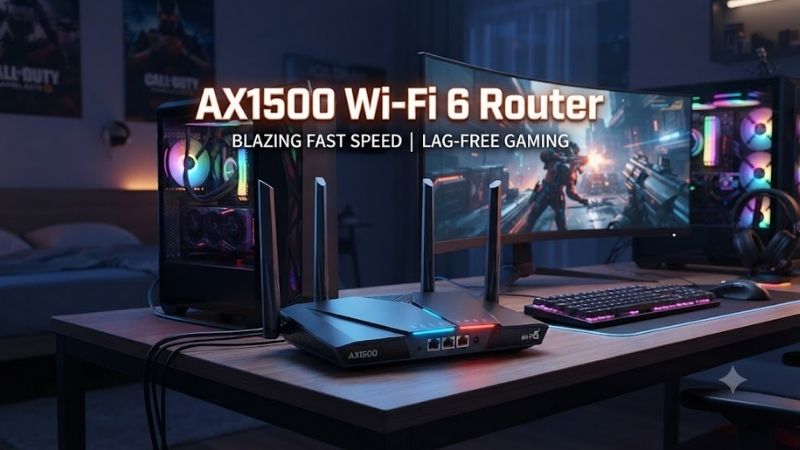
An AX1500 WiFi 6 router is a practical upgrade for homes that need better wireless efficiency without paying for premium AX3000 or WiFi 7 hardware. Most AX1500 models combine up to 1201 Mbps on 5 GHz with 300 Mbps on 2.4 GHz, making them suitable for streaming, gaming, remote work, and everyday multi-device internet use.
Quick answer: For most people in 2026, the best ax1500 wifi 6 router is the Router — our #1 rated choice. See the full ranked comparison, alternatives and buying advice below.
Best AX1500 WiFi 6 Routers Compared
AX1500 describes the combined theoretical wireless class rather than the internet speed every device will receive. Most models use a two-stream 5 GHz connection and a 2.4 GHz band for longer-range devices. Differences in processor design, Ethernet ports, mesh compatibility, security, antennas, and software determine which router fits a particular home.
| Router | Best For | 5 GHz | 2.4 GHz | Ethernet | Standout Feature |
|---|---|---|---|---|---|
| TP-Link Archer AX10 | Best overall | 1201 Mbps | 300 Mbps | Gigabit | Triple-core CPU |
| D-Link R15 EAGLE PRO AI | Smart optimization | 1201 Mbps | 300 Mbps | Gigabit | AI network features |
| MERCUSYS MR60X | Best value | 1201 Mbps | 300 Mbps | Gigabit | Simple WiFi 6 upgrade |
| TP-Link Archer AX12 | EasyMesh homes | 1201 Mbps | 300 Mbps | Gigabit | EasyMesh support |
| Cudy WR1500 | VPN and advanced value | 1201 Mbps | 300 Mbps | Gigabit | Flexible software features |
TP-Link Archer AX10
Best For: Overall AX1500 WiFi 6 value
The TP-Link Archer AX10 is one of the most recognizable AX1500 WiFi 6 routers. It combines theoretical wireless speeds of up to 1201 Mbps on the 5 GHz band and 300 Mbps on 2.4 GHz, providing enough capacity for typical home broadband plans, streaming, video conferencing, and online gaming.
A 1.5 GHz triple-core processor helps the router manage simultaneous network activity. Processor power does not automatically improve internet speed, but it can help the router handle routing, wireless traffic, multiple clients, and background network tasks without becoming overloaded as easily as extremely basic hardware.
The router provides one Gigabit WAN connection and four Gigabit LAN ports. That is particularly useful for desktop gaming PCs, consoles, smart televisions, network switches, and other equipment that benefits from a wired connection. Four LAN ports also reduce the need to purchase a separate Ethernet switch for a normal home setup.
Four external antennas and Beamforming help direct wireless coverage toward connected devices. WiFi 6 technologies such as OFDMA allow the router to communicate more efficiently with multiple compatible clients, which becomes increasingly useful as phones, tablets, smart-home devices, and laptops share the network.
The Archer AX10 does not provide 2.5GbE, so its wired internet connection is effectively designed around Gigabit-or-slower broadband. That limitation is reasonable in this price category because most buyers considering AX1500 hardware are unlikely to need multi-gig networking.
What makes the Archer AX10 different is its balanced hardware. It provides four LAN ports, a capable processor, WiFi 6 features, and straightforward TP-Link management without pushing the buyer toward a more expensive wireless class than necessary.
Key Features:
- AX1500 dual-band WiFi 6
- Up to 1201 Mbps on 5 GHz
- Up to 300 Mbps on 2.4 GHz
- 1.5 GHz triple-core processor
- Four external antennas
- One Gigabit WAN port
- Four Gigabit LAN ports
- OFDMA
- Beamforming
Pros:
- Excellent mainstream value
- Four wired LAN connections
- Capable processor
- Strong fit for Gigabit-or-slower internet
- Easy home setup
Cons:
- No multi-gig Ethernet
- Lower total capacity than AX3000 routers
- No 160 MHz-class performance advantage
Use Case: Apartments, small and medium homes, gaming PCs, streaming, remote work, and general family internet.
Who It’s For: Buyers who want a dependable AX1500 router with enough wired ports for a complete home setup.
D-Link R15 EAGLE PRO AI
Best For: Automatic network optimization
The D-Link R15 EAGLE PRO AI is an AX1500 WiFi 6 router that combines up to 1201 Mbps on 5 GHz with up to 300 Mbps on 2.4 GHz. It targets users who want modern WiFi features while keeping configuration relatively simple through D-Link’s EAGLE PRO AI ecosystem.
The router uses four external antennas and supports WiFi 6 technologies designed to improve efficiency when many compatible devices are active. OFDMA can divide channel resources between clients more efficiently than older WiFi standards, while MU-MIMO helps manage simultaneous wireless communication.
D-Link emphasizes AI-assisted network features on the R15. The software can help analyze wireless conditions and select operating parameters intended to maintain a more consistent connection. These features do not eliminate physical interference, but they can simplify management for users who do not want to tune channels manually.
The router also supports expansion through compatible EAGLE PRO AI mesh products. That makes it useful when a small home later develops coverage problems after adding another floor, office, or distant room. Instead of immediately replacing the router, compatible nodes can extend the network.
Gigabit Ethernet handles the wired side of the network. This is appropriate for normal fiber and cable connections up to around the Gigabit class, although users planning 2.5Gbps internet should move to a router with faster WAN connectivity.
What makes the R15 different is its software-oriented approach. While competing AX1500 routers often focus on raw hardware specifications, D-Link emphasizes automated network management and mesh expansion for users who prefer a less technical experience.
Key Features:
- AX1500 WiFi 6
- 1201 Mbps 5 GHz
- 300 Mbps 2.4 GHz
- Four external antennas
- Gigabit Ethernet
- OFDMA
- MU-MIMO
- Mesh expansion support
- EAGLE PRO AI management
Pros:
- Easy network management
- Mesh expansion potential
- Good multi-device efficiency
- Suitable for everyday Gigabit broadband
- Clean consumer-focused setup
Cons:
- No 2.5GbE
- AI features cannot compensate for poor physical placement
- Lower maximum capacity than AX3000 hardware
Use Case: Family homes, apartments, smart-home networks, streaming, remote work, and users who prefer automatic optimization.
Who It’s For: Buyers who want a straightforward AX1500 router that can later become part of a larger mesh network.
MERCUSYS MR60X
Best For: Budget WiFi 6 upgrades
The MERCUSYS MR60X is designed as an affordable entry into WiFi 6. It provides AX1500-class performance with up to 1201 Mbps on 5 GHz and approximately 300 Mbps on 2.4 GHz, making it suitable for users replacing an older WiFi 4 or WiFi 5 router.
Four high-gain external antennas help distribute wireless coverage around smaller and medium-size homes. The router also supports Beamforming, which can concentrate signal energy toward connected devices instead of transmitting every direction equally.
WiFi 6 support brings OFDMA and MU-MIMO capability for compatible clients. These technologies matter when several devices are active at once because the router can use available wireless resources more efficiently. A home with phones, laptops, televisions, cameras, and smart devices can benefit even when the internet plan itself is not extremely fast.
The MR60X includes Gigabit Ethernet connectivity for wired equipment. Exact port arrangements should be checked against the specific regional hardware version, but the platform is intended for standard Gigabit home networking rather than multi-gigabit LAN environments.
WPA3 support is another useful feature for buyers upgrading from an older router. Compatible devices can use the newer wireless security standard, while conventional WPA2 compatibility remains important for older phones and smart-home equipment.
What makes the MR60X attractive is price-to-performance. It does not attempt to compete with expensive gaming routers or high-end mesh systems. Instead, it provides the core benefits of WiFi 6 in an inexpensive platform suited to normal broadband connections.
Key Features:
- AX1500 dual-band WiFi 6
- Up to 1201 Mbps on 5 GHz
- Around 300 Mbps on 2.4 GHz
- Four high-gain antennas
- Beamforming
- OFDMA
- MU-MIMO
- Gigabit Ethernet
- WPA3 support
Pros:
- Affordable WiFi 6 entry point
- Good for smaller homes
- Modern wireless security
- Multi-device efficiency
- Simple configuration
Cons:
- Limited advanced networking features
- No multi-gig Ethernet
- Less total wireless capacity than faster routers
Use Case: Apartments, student housing, basic gaming, streaming, online classes, and replacing an older AC router.
Who It’s For: Budget-conscious users who want WiFi 6 without paying for features they are unlikely to use.
TP-Link Archer AX12
Best For: Affordable EasyMesh expansion
The TP-Link Archer AX12 is another AX1500-class router aimed at mainstream home users. Like other routers in this category, it provides theoretical speeds of approximately 1201 Mbps on the 5 GHz band and 300 Mbps on 2.4 GHz for a combined wireless class near 1500 Mbps.
The router supports WiFi 6 technologies such as OFDMA and Beamforming, helping improve wireless efficiency compared with older WiFi 5 entry-level routers. Four external antennas provide the physical radio layout needed for typical apartment and small-home coverage.
One of the most useful reasons to choose the AX12 is EasyMesh compatibility on supported firmware and regional versions. EasyMesh allows compatible networking hardware to operate under a coordinated WiFi network, potentially making it easier to add coverage later without creating several unrelated SSIDs.
This makes the AX12 attractive for users who currently need only one router but expect their coverage requirements to change. A move to a larger property or the addition of an upstairs office may require another compatible node, and mesh support provides a clearer upgrade path.
Gigabit WAN and LAN connectivity supports ordinary fiber and cable broadband. Like other AX1500 products, it is not aimed at 2.5Gbps or faster internet service. Users already purchasing multi-gig broadband should skip this category rather than replacing the router again later.
What makes the AX12 different from the AX10 is its positioning around a newer mainstream feature set and mesh expansion. Exact CPU and port specifications vary by version, so buyers should compare the specific AX12 hardware available in their market before purchasing.
Key Features:
- AX1500 WiFi 6
- Up to 1201 Mbps 5 GHz
- Around 300 Mbps 2.4 GHz
- Four external antennas
- OFDMA
- Beamforming
- Gigabit Ethernet
- EasyMesh support on compatible versions
- TP-Link management tools
Pros:
- Good mainstream wireless speed
- Mesh upgrade path
- Simple software ecosystem
- Suitable for Gigabit-or-slower plans
- Affordable
Cons:
- No 2.5GbE
- Lower capacity than AX3000 alternatives
- Features can differ by hardware revision
Use Case: Apartments, small houses, streaming, gaming, work-from-home setups, and networks that may need mesh expansion later.
Who It’s For: TP-Link users who want an inexpensive WiFi 6 router with a straightforward future coverage path.
Cudy WR1500
Best For: Advanced software and VPN users
The Cudy WR1500 is an AX1500 WiFi 6 router aimed at buyers who want inexpensive hardware combined with a relatively flexible networking feature set. Its wireless specification follows the familiar AX1500 layout, with approximately 1201 Mbps available on 5 GHz and 300 Mbps on 2.4 GHz.
The router supports WiFi 6 technologies such as OFDMA and MU-MIMO for handling multiple compatible wireless devices. Four external antennas provide coverage for conventional home environments, while Gigabit Ethernet supports desktops, consoles, televisions, and wired network equipment.
Cudy routers are particularly interesting to technically inclined users because supported models provide extensive VPN functionality. Depending on firmware and configuration, the platform can support common VPN protocols for client or server use, making it easier to route selected home-network traffic through a VPN connection.
This can be useful for remote work, privacy-focused setups, or users who want certain devices connected through a VPN without installing software individually on every client. VPN throughput still depends on processor performance, protocol, encryption, and internet speed, so buyers should not expect full Gigabit VPN performance from inexpensive hardware.
The WR1500 is also suitable as a straightforward home router when those advanced features are not needed. A buyer can use standard DHCP, WiFi, Ethernet, and security functions while leaving more complicated routing options untouched until required.
What makes the Cudy WR1500 different is software flexibility. TP-Link and D-Link may offer more familiar consumer ecosystems, while Cudy appeals to users who enjoy experimenting with VPNs, network modes, and more configurable home networking.
Key Features:
- AX1500 dual-band WiFi 6
- Around 1201 Mbps 5 GHz
- Around 300 Mbps 2.4 GHz
- Four external antennas
- Gigabit Ethernet
- OFDMA
- MU-MIMO
- VPN functionality
- Multiple networking modes
Pros:
- Flexible software
- Useful VPN features
- Affordable WiFi 6
- Gigabit wired connections
- Good for technical users
Cons:
- Smaller ecosystem than TP-Link
- Advanced settings may overwhelm beginners
- No multi-gig connectivity
Use Case: Home offices, VPN-connected networks, apartments, budget gaming setups, and users who enjoy configuring their network manually.
Who It’s For: Buyers who want inexpensive AX1500 hardware with more advanced networking flexibility than a basic router usually offers.
Which AX1500 WiFi 6 Router Fits Different Users?
The TP-Link Archer AX10 is the strongest all-around choice when four Gigabit LAN ports and a capable processor matter. It works especially well in gaming or office setups where several wired devices remain connected alongside phones and laptops using WiFi.
D-Link R15 is better for users who prioritize easier management and mesh expansion. Its EAGLE PRO AI software is designed to make network optimization less intimidating, while compatible mesh devices provide a path to broader coverage.
MERCUSYS MR60X makes the most sense when price is the primary consideration. Archer AX12 is attractive for TP-Link users who value EasyMesh, while Cudy WR1500 stands out when VPN and advanced routing features are more important than a large consumer ecosystem.
How to Choose an AX1500 WiFi 6 Router
Understand What AX1500 Means
AX1500 is a wireless class based on the combined theoretical speeds of both radio bands. It does not mean one laptop will download at 1500 Mbps. A typical AX1500 router offers around 1201 Mbps on 5 GHz and 300 Mbps on 2.4 GHz under ideal link conditions.
Match It to Your Internet Plan
AX1500 is a sensible category for broadband plans from a few hundred megabits up to roughly Gigabit-class service. If you already subscribe to internet faster than one gigabit, a router with 2.5GbE WAN and a faster wireless class is generally a better investment.
Count Ethernet Ports
A gaming PC, console, NAS, smart TV, and work computer can quickly consume wired ports. Archer AX10 is particularly useful when several Gigabit LAN connections are required. Routers with fewer LAN ports can still use an external Gigabit switch.
Consider Home Size
AX1500 routers are most suitable for apartments and small-to-medium homes. Very large properties, thick concrete construction, or several floors may need mesh WiFi or multiple access points instead of one more powerful-looking router.
Check Mesh Support
Mesh compatibility is useful when coverage may need to expand later. TP-Link EasyMesh and D-Link EAGLE PRO AI mesh capabilities can provide a more coordinated network than adding an unrelated traditional extender.
Use Ethernet for Competitive Gaming
WiFi 6 can provide low-latency gaming when signal conditions are good, but Ethernet remains more consistent because it avoids wireless interference and signal fluctuations. Connect stationary gaming hardware by cable whenever practical.
Check Security Features
WPA3 support provides newer wireless authentication for compatible devices. Parental controls, guest networks, firmware updates, VPN functions, and device-management tools are also worth considering when several family members share one connection.
Is AX1500 Fast Enough for Gaming?
Yes. Online games themselves generally use relatively little bandwidth. A stable AX1500 connection can easily handle gaming alongside normal household internet traffic when the router has good signal quality and the broadband connection is not congested.
Latency matters more than headline WiFi speed. Distance, interference, ISP routing, server location, and competing downloads can all affect ping. For a stationary PC or console, Gigabit Ethernet remains preferable when available.
Is AX1500 Better Than AC1200?
AX1500 WiFi 6 generally provides better wireless efficiency than an older AC1200 WiFi 5 router, particularly with multiple compatible devices. OFDMA, newer client scheduling, and WPA3 support can improve the overall network experience even when internet speed remains unchanged.
The upgrade is most worthwhile when several modern WiFi 6 devices are already in the home. A single older laptop may not show a dramatic difference because it cannot use features its wireless adapter does not support.
AX1500 vs AX3000
AX3000 routers generally provide more 5 GHz bandwidth and often support 160 MHz channels for faster compatible clients. They may also include stronger processors, additional features, or multi-gig Ethernet depending on model.
AX1500 remains more economical when the internet plan is below one gigabit and typical devices are used for streaming, browsing, work, and gaming. Paying for AX3000 is worthwhile when faster local wireless transfers or newer high-performance clients are important.
FAQ
Is AX1500 Good for Home WiFi?
Yes. AX1500 is well suited to apartments and small or medium homes with normal internet usage. It can support streaming, gaming, remote work, video calls, and multiple mobile devices.
Can AX1500 Handle Gigabit Internet?
It can work with Gigabit internet, although real wireless speeds will usually remain below a full gigabit due to protocol overhead, signal conditions, and client limitations. Wired Gigabit Ethernet provides the best chance of approaching the plan’s maximum speed.
Is AX1500 WiFi 6 Faster Than WiFi 5?
It can be, particularly with compatible WiFi 6 devices and busy multi-device networks. Actual speed depends on the older router being replaced, client hardware, channel conditions, distance, and internet service.
Do AX1500 Routers Support 5 GHz?
Yes. AX1500 routers are normally dual-band models combining 2.4 GHz and 5 GHz. The 5 GHz band provides the majority of their advertised wireless speed.
Is AX1500 Enough for 4K Streaming?
Yes. One 4K stream requires far less bandwidth than the theoretical capacity of an AX1500 router. Signal quality and internet speed are more important than the AX1500 label alone.
Conclusion
The best AX1500 WiFi 6 router depends on budget, wired devices, mesh plans, and software needs. TP-Link Archer AX10 delivers the strongest overall balance, D-Link R15 emphasizes automatic optimization, MERCUSYS MR60X offers excellent value, Archer AX12 provides an EasyMesh path, and Cudy WR1500 suits users wanting flexible VPN features.
Ready to decide? Our #1 pick for 2026 is the Router.
Live price & availability on Amazon.