🛒 Best Price Today on Amazon
Prime members get fast, free shipping on everything above, plus member-only deals. New members get a 30-day free trial — cancel anytime.

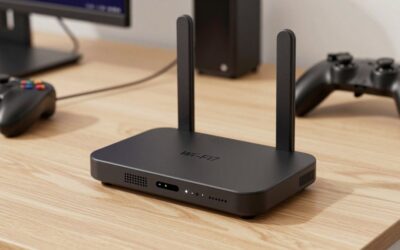
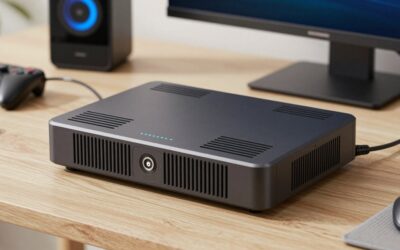
Hitron D60 5G Cellular Router with Sim Card Slot | AX3000 WiFi 6 Router with Mesh WiFi | Certified with T-Mobile, AT&T, US Cellular | Nano SIM, eSIM for Dual Failover Capability |Model # D60 5G
Included for 'Best 5G Router With SIM Card Slot: 5 Reliable Picks 2026' because the listing specifies AX3000 WiFi 6 Router with Mesh WiFi and Certified with T-Mobile, details this guide uses to compare options.
View on AmazonThe best 5G router with SIM card slot can turn a mobile data plan into home, office, or travel internet without relying on cable or fiber. The strongest options combine broad cellular support with fast WiFi, Ethernet connectivity, stable antennas, and useful management features. These five picks cover home broadband, portable hotspots, mesh networks, and advanced dual-SIM deployments.
Quick Comparison
| 5G Router | Best For | WiFi | SIM | Ethernet | Key Advantage |
|---|---|---|---|---|---|
| TP-Link Deco X50-5G | Best Overall | WiFi 6 AX3000 | Nano SIM | 2.5GbE + 2 x Gigabit | Mesh expansion |
| NETGEAR Nighthawk M6 Pro | Best Premium Portable | WiFi 6E AXE3600 | Nano SIM | 2.5GbE | Portable high-end networking |
| Zyxel NR5103EV3 | Best Home 5G CPE | WiFi 6 AX1800 | SIM-based | Ethernet | Strong fixed-wireless design |
| Teltonika RUTX50 | Best Dual-SIM | WiFi 5 | Dual SIM | 5 x Gigabit | Failover and advanced control |
| D-Link DWR-2101 | Best Travel Value | WiFi 6 AX1800 | Nano SIM | Gigabit | Battery-powered portability |
TP-Link Deco X50-5G
Best For: Home 5G broadband and mesh WiFi
Key Features:
- 5G/4G/3G modem
- Nano SIM card slot
- WiFi 6 AX3000
- Up to 2,402 Mbps on 5GHz
- Up to 574 Mbps on 2.4GHz
- 1 x 2.5GbE port
- 2 x Gigabit Ethernet ports
- Two external cellular antenna ports
- Deco Mesh support
- Ethernet WAN fallback
The TP-Link Deco X50-5G is one of the strongest choices for users who want a 5G router to behave like a complete home networking system rather than a temporary hotspot. Insert a compatible Nano SIM, select 4G/5G router mode, and it can distribute the cellular connection through both WiFi and Ethernet without requiring a separate modem.
Wireless performance is based on dual-band WiFi 6, with theoretical rates of up to 574 Mbps on 2.4GHz and 2,402 Mbps on 5GHz. TP-Link combines that with one 2.5GbE WAN/LAN port and two Gigabit ports, making the router more flexible for gaming PCs, switches, NAS devices, smart TVs, or wired access points.
The biggest advantage is Deco Mesh compatibility. Users can add other compatible Deco units to expand coverage throughout a larger property while keeping one network name. That makes the X50-5G more practical than a basic cellular gateway when the mobile connection enters the house in a location that is not ideal for whole-home WiFi.
Two external 5G/4G antenna interfaces are also available. This matters in rural or weak-signal locations where positioning can dramatically affect cellular performance. TP-Link notes that both external antennas should be installed when using the external antenna option so the 5G connection operates properly.
What Makes It Different: The X50-5G combines cellular internet, a conventional Ethernet router, and Deco Mesh in one device. It can also operate as a normal router or access point, allowing it to remain useful even if you later replace 5G broadband with fiber or cable internet.
Pros:
- Integrated Nano SIM slot
- WiFi 6 AX3000
- 2.5GbE connectivity
- Two extra Gigabit ports
- Deco Mesh support
- External cellular antenna support
- Multiple operating modes
- Good fit for permanent home use
Cons:
- Not battery powered
- Cellular band support varies by regional version
- Maximum speeds depend heavily on carrier coverage
Use Case: Replacing fixed broadband with 5G, adding internet to a rural property, or creating a mesh network where cellular service is the primary WAN connection.
Who It’s For: Home users who want a true router rather than a pocket hotspot and need Ethernet, mesh expansion, and stronger networking features.
NETGEAR Nighthawk M6 Pro
Best For: Premium portable 5G networking
Key Features:
- Qualcomm Snapdragon X65 modem platform
- 5G Sub-6 support
- mmWave on supported U.S. model
- WiFi 6E AXE3600
- 2.5GbE Ethernet
- 2.8-inch display
- 5,040mAh battery
- Unlocked model available
- Multiple regional versions
The NETGEAR Nighthawk M6 Pro is a high-end mobile router for users who want portable 5G without giving up advanced local networking. NETGEAR lists WiFi 6E AXE3600 support, a 2.5GBASE-T Ethernet port, a 2.8-inch display, and a removable 5,040mAh battery on current M6 Pro models.
The unlocked North American MR6550 uses Qualcomm’s Snapdragon X65 5G modem-RF platform and supports both Sub-6GHz and mmWave 5G. NETGEAR also offers regional variants with different supported cellular bands, which makes model selection important before buying for international travel or a particular carrier.
WiFi 6E gives the M6 Pro an advantage over many portable hotspots because supported devices can use the 6GHz band under the required conditions. NETGEAR notes that 6GHz operation on the U.S. model requires the hotspot to be connected to its power adapter because of indoor-use restrictions.
The 2.5GbE port makes it useful as more than a personal travel hotspot. It can feed a desktop PC, separate router, switch, or temporary office network through Ethernet. This is valuable when cellular performance exceeds what a basic Gigabit connection can handle or when WiFi is undesirable for a latency-sensitive device.
What Makes It Different: The M6 Pro combines true portability with networking features normally associated with fixed routers. It can travel in a bag, operate from battery power, and still provide 2.5GbE plus modern WiFi when used as a temporary home or office gateway.
Pros:
- Portable battery-powered design
- WiFi 6E
- 2.5GbE port
- High-end 5G modem platform
- Useful touchscreen display
- Multiple regional versions
- Can serve wired equipment
Cons:
- Premium price
- Band compatibility must be checked carefully
- Battery-powered design is unnecessary for fixed home installations
Use Case: Travel, temporary offices, RVs, remote work, events, mobile gaming setups, and backup internet where portability matters.
Who It’s For: Users who want one premium 5G device that can move between home, work, and travel rather than remaining permanently installed.
Zyxel NR5103EV3
Best For: Fixed 5G home internet
Key Features:
- 5G NR indoor router
- 5G SA and NSA support
- Theoretical 5G download up to 4.67 Gbps
- WiFi 6 AX1800
- 2×2 MU-MIMO
- 4×4 cellular MIMO
- 4G fallback
- Designed for fixed wireless access
The Zyxel NR5103EV3 is designed specifically as an indoor 5G fixed-wireless-access gateway. Zyxel rates its 5G NR platform for theoretical downloads up to 4.67 Gbps and supports both standalone and non-standalone 5G modes. It also retains 4G compatibility when a 5G connection is unavailable.
WiFi is dual-band AX1800-class WiFi 6, with Zyxel listing maximum combined wireless speeds around 1,774 Mbps. This is lower than the AX3000 rating of TP-Link’s Deco X50-5G, but it remains adequate for many households where cellular performance rather than local WiFi bandwidth is the limiting factor.
The router uses 4×4 MIMO for the cellular side, an important feature for extracting more performance from compatible mobile networks. Cellular routers often depend more heavily on antenna design, network bands, tower congestion, and placement than their headline WiFi rating, so a dedicated FWA design can be valuable.
Unlike a travel hotspot, the NR5103EV3 is meant to stay installed in a home or workplace. That makes it a better choice when the SIM connection is replacing DSL, cable, or another fixed service. Users can position it where the 5G signal is strongest without worrying about battery management.
What Makes It Different: Zyxel treats the device as fixed broadband equipment rather than a personal hotspot. That makes its design more suitable for continuous 5G home internet, where stability and cellular reception matter more than portability or a built-in battery.
Pros:
- Dedicated indoor 5G router
- 5G SA and NSA support
- WiFi 6
- 4×4 cellular MIMO
- 4G fallback
- Strong fit for fixed wireless access
Cons:
- Less portable than hotspot models
- WiFi AX1800 is not class-leading
- Regional carrier compatibility needs verification
Use Case: Apartments, rural homes, temporary properties, small offices, or other locations where 5G is used as the primary internet connection.
Who It’s For: Users who want a permanent indoor cellular gateway and do not need battery-powered portability.
Teltonika RUTX50
Best For: Dual-SIM failover and advanced networking
Key Features:
- Dual physical SIM slots
- 5G Sub-6GHz SA/NSA
- Up to 3.3 Gbps theoretical 5G download
- LTE Cat 20 fallback
- Five Gigabit Ethernet ports
- Dual-band WiFi 5
- Four mobile antenna connectors
- Dual-SIM auto switching
- Extensive management features
- Industrial aluminum enclosure
The Teltonika RUTX50 is much more business-oriented than a typical home 5G router. It includes two SIM slots and can automatically switch between them based on conditions such as signal strength, data limits, roaming, lost connectivity, or network denial. That makes it especially useful when uptime is more important than simplicity.
Teltonika rates 5G Sub-6GHz performance up to 3.3 Gbps download depending on configuration, with LTE Cat 20 support providing backward compatibility. Four SMA cellular antenna connections allow users to install and position dedicated antennas, while separate WiFi antenna connectors improve installation flexibility.
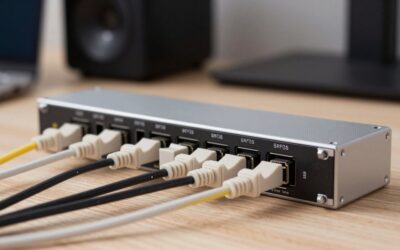
Wired connectivity is unusually strong for a cellular router. The RUTX50 provides five Gigabit Ethernet ports, including one configurable WAN connection and four LAN ports. That makes it easy to connect switches, cameras, PCs, industrial hardware, or another wireless access point without immediately adding an external Ethernet switch.
Its main weakness for ordinary home buyers is WiFi. The integrated radio is dual-band WiFi 5 with rates up to 867 Mbps rather than WiFi 6 or WiFi 6E. For advanced installations, however, that may not matter because the router can handle the cellular WAN while separate access points provide the local wireless network.
What Makes It Different: Dual-SIM redundancy and extensive network management make the RUTX50 more suitable for business, remote-site, or enthusiast use than mainstream home routers. It is designed around reliable connectivity rather than simply offering the newest consumer WiFi specification.
Pros:
- Two SIM slots
- Automatic SIM failover
- Five Gigabit Ethernet ports
- External cellular antennas
- 5G SA and NSA
- Advanced routing controls
- Rugged aluminum housing
- Strong backup-WAN capabilities
Cons:
- WiFi 5 instead of WiFi 6
- More complex than consumer routers
- Industrial features may be excessive for ordinary homes
Use Case: Small businesses, remote offices, security systems, mobile installations, network backup, or locations that need two carriers for redundancy.
Who It’s For: Advanced users who prioritize uptime, dual-SIM switching, Ethernet connectivity, and configuration control over simple setup.
D-Link DWR-2101
Best For: Portable 5G on a smaller scale
Key Features:
- Nano SIM card slot
- 5G and 4G LTE support
- WiFi 6 AX1800
- Up to 1.6 Gbps rated 5G connection
- Gigabit Ethernet
- 2.4-inch color touchscreen
- 5,260mAh removable battery
- Up to 32 connected devices
- USB-C
- WPA3 security
The D-Link DWR-2101 is a portable 5G hotspot with enough networking functionality to double as a temporary router. D-Link specifies an unlocked Nano SIM slot, 5G and 4G LTE compatibility, AX1800-class WiFi 6, a Gigabit Ethernet LAN port, USB-C, and a removable 5,260mAh battery.
Its WiFi 6 radio provides theoretical rates of 574 Mbps on 2.4GHz and 1,200 Mbps on 5GHz. D-Link also rates cellular connectivity up to 1.6 Gbps under suitable network conditions and allows up to 32 wireless devices to connect, making it capable of supporting a small temporary home or office network.
A 2.4-inch color touchscreen displays network information and makes basic management easier without opening a browser. That is especially useful while traveling because users can quickly check signal status and connection information. The Gigabit Ethernet port also provides a stable wired connection for a PC or another network device.
The removable battery is another practical benefit. D-Link lists the unit as an all-day mobile hotspot, although actual runtime varies with signal strength, traffic, and wireless usage. Because the battery can be removed, the DWR-2101 is more serviceable than portable hotspots with sealed internal power packs.
What Makes It Different: The DWR-2101 provides WiFi 6 and wired Ethernet in a relatively compact hotspot. It is less powerful than the Nighthawk M6 Pro, but its simpler specification can be enough for travel, backup internet, and small temporary networks.
Pros:
- Unlocked Nano SIM slot
- Portable design
- WiFi 6 AX1800
- Gigabit Ethernet
- Removable battery
- Color touchscreen
- WPA3 support
- Supports up to 32 devices
Cons:
- Only Gigabit Ethernet
- Less advanced than premium hotspots
- Battery life varies significantly with usage
- Carrier bands must be checked before purchase
Use Case: Travel, remote work, temporary accommodation, emergency home internet, or portable connectivity for a small group of devices.
Who It’s For: Users who need a battery-powered 5G router but do not require the premium WiFi 6E and 2.5GbE features of the Nighthawk M6 Pro.
How to Choose a 5G Router With SIM Card Slot
Check Carrier Bands First
The most important specification is not WiFi speed but cellular compatibility. A 5G router must support the frequencies used by your mobile provider in your country. The same product can have different regional versions, so check the exact model number and supported 5G and LTE bands before ordering an imported router.
Choose Between Home and Portable Routers
A fixed indoor router such as the Deco X50-5G or Zyxel NR5103EV3 is better for permanent home internet. Portable hotspots such as the Nighthawk M6 Pro and DWR-2101 include batteries and displays, making them better for travel. Battery hardware adds cost that provides little benefit when the router never leaves the house.
Look for Ethernet Ports
Ethernet is important for gaming PCs, desktop workstations, NAS devices, smart TVs, and network switches. A 2.5GbE port provides more headroom than Gigabit Ethernet when the mobile connection is exceptionally fast. Multiple ports also reduce the need to add a separate switch for basic wired devices.
Consider External Antenna Support
5G performance changes dramatically with signal quality. A router near a window can outperform the same router placed deep inside the house. External antenna connectors provide more options when reception is weak, but antennas must match the router’s supported frequencies and MIMO configuration.
Understand Dual-SIM Features
Two SIM slots do not normally combine two carriers into one faster connection automatically. Products such as the Teltonika RUTX50 primarily use multiple SIMs for redundancy and failover. This is useful for business networks where losing internet service is more expensive than paying for a second mobile data plan.
Compare WiFi 6 and WiFi 6E
WiFi 6 is enough for most 5G home connections, especially when cellular bandwidth is the limiting factor. WiFi 6E adds the 6GHz band for compatible devices and can reduce local congestion. However, the faster WiFi specification does not improve the speed of the cellular network itself.
Check Data Plan Restrictions
A router-compatible SIM plan may have different hotspot, tethering, or fair-use rules from a smartphone plan. Before buying expensive hardware, confirm that your carrier permits the SIM to operate in a router and understand any data caps, speed reductions, or device restrictions attached to the service.
FAQ
Can I Put a Phone SIM Card in a 5G Router?
Technically, many 5G routers accept standard carrier Nano SIM cards, but the data plan must allow router or hotspot use. Some carriers apply device restrictions or different data limits. Check the provider’s terms before assuming a smartphone plan will work identically inside a dedicated 5G router.
Is a 5G SIM Router Good for Gaming?
It can be, but gaming performance depends heavily on cellular latency, signal quality, congestion, and carrier routing. A wired Ethernet connection from the gaming PC to the 5G router can reduce local WiFi variability, but it cannot eliminate latency introduced by the mobile network itself.
Can a 5G Router Replace Home Broadband?
Yes, when local 5G coverage is strong and the mobile plan provides enough data. Fixed routers such as the TP-Link Deco X50-5G and Zyxel NR5103EV3 are designed for this role. Performance can vary more than fiber because cellular networks are affected by signal strength, tower load, and radio conditions.
Do I Need an External Antenna?
Not always. Start by testing the router near windows and in several locations around the property. If signal quality remains weak, an external antenna can help on compatible models. The antenna must support the appropriate 5G bands and connector type, and correct placement is just as important as antenna gain.
Is Dual SIM Better Than Single SIM?
Dual SIM is better when redundancy matters. A router can switch to another SIM if the primary network fails or becomes too weak. For a normal home where one carrier has reliable coverage, a single SIM is usually enough. Dual-SIM hardware becomes more valuable for offices and remote sites.
Conclusion
The best 5G router with SIM card slot depends on whether you need permanent broadband, portability, mesh coverage, or failover. TP-Link Deco X50-5G is the strongest all-around home option, Nighthawk M6 Pro leads for premium travel, Zyxel suits fixed 5G, Teltonika excels at dual-SIM reliability, and D-Link offers portable WiFi 6 connectivity.