🛒 Best Price Today on Amazon
Prime members get fast, free shipping on everything above, plus member-only deals. New members get a 30-day free trial — cancel anytime.
Choosing the best TP-Link WiFi 6 router depends on internet speed, home size, connected devices, wired networking, and gaming requirements. TP-Link offers affordable AX3000 models, faster AX5400 routers, and powerful AX6000 hardware with multi-gig Ethernet. The right model should provide enough wireless capacity without paying for bandwidth your devices cannot use.
Quick answer: For most people in 2026, the best tp is the TP-Link Router — our #1 rated choice. See the full ranked comparison, alternatives and buying advice below.
Best TP-Link WiFi 6 Routers Compared
WiFi 6 improves network efficiency through technologies such as OFDMA, MU-MIMO, 1024-QAM, and wider channels on supported routers. These features become especially useful when several phones, computers, consoles, televisions, and smart-home devices share one network. Router class, Ethernet ports, antennas, and channel width still differ substantially between models.
| TP-Link Router | Best For | WiFi Class | 5 GHz Speed | Multi-Gig Ethernet | USB |
|---|---|---|---|---|---|
| Archer AX55 Pro | Best overall value | AX3000 | 2402 Mbps | Dual 2.5GbE on current version | Yes |
| Archer AX72 Pro | Faster multi-gig homes | AX5400 | 4804 Mbps | 2.5GbE WAN/LAN | USB 3.0 |
| Archer AX73 | Gigabit households | AX5400 | 4804 Mbps | Gigabit only | USB 3.0 |
| Archer AX80 | Best high-end WiFi 6 | AX6000 | 4804 Mbps | 2.5GbE WAN/LAN | USB 3.0 |
| Archer AX55 | Budget mainstream choice | AX3000 | 2402 Mbps | Gigabit | USB depending on version |
TP-Link Archer AX55 Pro
Best For: Overall WiFi 6 value
The Archer AX55 Pro is one of the most balanced TP-Link WiFi 6 routers because it combines AX3000 wireless performance with multi-gig wired connectivity. TP-Link rates it for up to 2402 Mbps on 5 GHz and 574 Mbps on 2.4 GHz, giving the router a combined AX3000 classification.
The 5 GHz radio supports 160 MHz channels, allowing compatible WiFi 6 clients to use wider bandwidth than conventional 80 MHz connections. This is particularly useful for newer laptops and desktop adapters capable of high wireless link rates, although real-world internet performance still depends on distance, interference, and ISP speed.
Current AX55 Pro versions can include two 2.5Gbps Ethernet connections, with one serving the WAN side and another available for high-speed local networking. Three additional Gigabit LAN ports provide connections for gaming PCs, televisions, consoles, switches, or other wired devices.
This dual multi-gig design is a major advantage for users moving beyond Gigabit internet. A 2.5Gbps WAN connection can accept faster service from the modem or ONT, while the second multi-gig connection can feed a desktop PC, NAS, or multi-gig switch without forcing traffic through a one-gigabit bottleneck.
Four external antennas and Beamforming help direct wireless signals toward connected devices. OFDMA improves efficiency when many compatible devices share the network, while HomeShield adds network security and parental-control functions. EasyMesh support also allows the router to participate in a compatible whole-home mesh system.
What makes the AX55 Pro particularly appealing is how much networking headroom it provides without moving into the largest AX6000 hardware. Users with one- or two-gigabit internet, modern WiFi 6 clients, and a few wired devices can obtain most of the features that matter without buying an unnecessarily powerful flagship.
Key Features:
- Dual-band AX3000 WiFi 6
- 2402 Mbps 5 GHz rating
- 574 Mbps 2.4 GHz rating
- 160 MHz channel support
- Multi-gig Ethernet
- OFDMA and Beamforming
- EasyMesh compatibility
- TP-Link HomeShield
- VPN client and server support
Pros:
- Strong price-to-feature balance
- Multi-gig wired networking
- 160 MHz support
- EasyMesh expansion
- Good for gaming and streaming
Cons:
- Lower wireless capacity than AX5400 and AX6000 models
- Exact port configuration can vary by hardware revision
Use Case: Gaming PCs, home offices, 1Gbps to 2.5Gbps internet, streaming, and households with many connected devices.
Who It’s For: Most users who want a modern TP-Link WiFi 6 router without paying for flagship hardware.
TP-Link Archer AX72 Pro
Best For: Faster multi-gig home networks
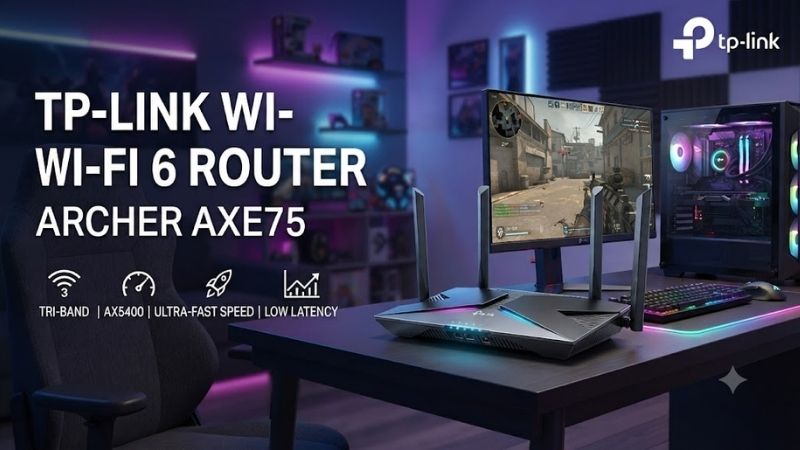
The Archer AX72 Pro moves from AX3000 into the AX5400 class. TP-Link rates the router for up to 4804 Mbps on 5 GHz and 574 Mbps on 2.4 GHz. The much faster 5 GHz radio uses 4T4R architecture and 160 MHz channel support, providing substantially more wireless capacity than entry AX3000 models.
Six external antennas and Beamforming are intended to improve coverage across larger homes. TP-Link also uses OFDMA and MU-MIMO to serve several connected devices more efficiently, which becomes useful when phones, laptops, TVs, consoles, cameras, and smart-home equipment all generate network traffic simultaneously.
A 2.5Gbps WAN/LAN port allows the AX72 Pro to work with multi-gig internet or a high-speed wired client. Additional Gigabit Ethernet ports provide conventional wired connectivity, while the USB 3.0 port can be used for supported storage-sharing functions across the local network.
The router also supports TP-Link HomeShield and VPN client and server functionality. These features make it useful beyond basic web access because users can prioritize devices, manage family access, monitor network activity, and route supported network traffic through VPN services directly from the router.
The main reason to choose the AX72 Pro over the AX55 Pro is additional 5 GHz capacity. Households with several fast WiFi 6 devices transferring data simultaneously can benefit from the extra streams, particularly when local networking and multiple high-bandwidth activities happen at the same time.
What makes the AX72 Pro different is the combination of AX5400 WiFi and multi-gig Ethernet without stepping up to the larger AX80. It provides a strong middle tier for enthusiasts who want faster wireless networking but do not need an eight-stream AX6000 platform.
Key Features:
- AX5400 WiFi 6
- Up to 4804 Mbps on 5 GHz
- 160 MHz channel support
- 2.5Gbps WAN/LAN
- Six antennas
- OFDMA and MU-MIMO
- USB 3.0
- HomeShield
- VPN client and server
Pros:
- High 5 GHz capacity
- Multi-gig Ethernet
- Strong coverage features
- USB storage support
- Suitable for busy households
Cons:
- More expensive than AX3000 routers
- Only one multi-gig port limits certain network layouts
Use Case: Multi-gig broadband, large households, 4K streaming, gaming, WiFi 6 laptops, and high-bandwidth home networking.
Who It’s For: Users who need more wireless capacity than AX3000 but do not require TP-Link’s highest WiFi 6 tier.
TP-Link Archer AX73
Best For: Fast WiFi 6 on Gigabit internet
The Archer AX73 is another AX5400 router with up to 4804 Mbps on the 5 GHz band and 574 Mbps on 2.4 GHz. It supports HE160, 1024-QAM, 4T4R, OFDMA, and MU-MIMO, making its wireless capabilities closely aligned with higher-performance WiFi 6 households.
Six fixed antennas, high-power front-end modules, and Beamforming are used to improve wireless coverage. TP-Link positions the router for approximately three-bedroom-home scenarios, although actual coverage varies considerably with wall materials, router placement, interference, and floor layout.
The main difference between the AX73 and newer Pro models is wired networking. Archer AX73 uses a Gigabit WAN port and four Gigabit LAN ports rather than a 2.5Gbps interface. That makes it a better fit for homes with internet service at or below one gigabit.
A USB 3.0 port can provide supported storage sharing, allowing an external drive to become accessible to devices on the local network. This will not replace a high-performance NAS for demanding workloads, but it can be convenient for documents, media files, backups, and light network storage.
The router also supports HomeShield features and device management through TP-Link’s software ecosystem. The combination of AX5400 wireless capacity and Gigabit Ethernet makes the AX73 particularly appealing when multiple wireless devices need fast connections but the household has no immediate reason to pay for multi-gig networking.
What makes the AX73 different is its value within the AX5400 class. Users can obtain six-stream WiFi 6 performance and broad coverage without necessarily paying for 2.5Gbps Ethernet that their internet plan or wired equipment cannot use.
Key Features:
- AX5400 dual-band WiFi 6
- 4804 Mbps 5 GHz
- 574 Mbps 2.4 GHz
- 160 MHz channels
- Six antennas
- Gigabit WAN
- Four Gigabit LAN ports
- USB 3.0
- HomeShield
Pros:
- Fast 5 GHz networking
- Good for many WiFi devices
- USB storage sharing
- Strong coverage design
- Useful for Gigabit internet
Cons:
- No 2.5GbE
- Less future-proof for multi-gig service
Use Case: Gigabit fiber or cable internet, streaming households, gaming consoles, smart homes, and multi-device WiFi environments.
Who It’s For: Users who want AX5400 wireless performance but do not currently need multi-gig Ethernet.
TP-Link Archer AX80
Best For: High-end WiFi 6 performance
The Archer AX80 is an AX6000 WiFi 6 router designed for users who want higher total network capacity. TP-Link rates it for 4804 Mbps on 5 GHz and 1148 Mbps on 2.4 GHz, creating a combined wireless rating approaching 6.0Gbps across both bands.
Unlike AX5400 models that pair fast 5 GHz with a 574 Mbps 2.4 GHz radio, the AX80 increases 2.4 GHz capacity as well. This can be useful in smart homes where many IoT devices, cameras, older laptops, and household electronics remain connected to the longer-range 2.4 GHz band.
The router includes a 2.5Gbps WAN/LAN port, a separate Gigabit WAN/LAN connection, three additional Gigabit LAN ports, and USB 3.0. This provides more flexibility for high-speed broadband, wired PCs, local storage, and network switches than standard Gigabit-only routers.
TP-Link uses a 2.0GHz quad-core processor to handle routing and simultaneous device activity. OFDMA and MU-MIMO improve multi-client efficiency, while eight-stream wireless architecture provides substantially more capacity than simpler entry-level routers.
The AX80 also includes HomeShield, VPN client functionality, Beamforming, and mesh expansion support through TP-Link’s compatible ecosystem. It is designed for households where several people may be gaming, downloading, streaming, video calling, or transferring local data simultaneously.
What makes the AX80 different is its overall capacity. It is unnecessary for a small apartment with a few devices and a 300Mbps internet plan, but it makes much more sense in a busy household where both 5 GHz and 2.4 GHz networks carry substantial traffic.
Key Features:
- AX6000 WiFi 6
- 4804 Mbps 5 GHz
- 1148 Mbps 2.4 GHz
- Eight wireless streams
- 2.5Gbps Ethernet
- 2.0GHz quad-core CPU
- USB 3.0
- HomeShield
- VPN support
Pros:
- Excellent total wireless capacity
- Strong 2.4 GHz performance
- Multi-gig connectivity
- Powerful processor
- Good for many simultaneous users
Cons:
- More router than most small homes need
- Higher cost than AX3000 options
Use Case: Large households, heavy smart-home deployments, gaming, high-bandwidth streaming, multi-gig broadband, and local network transfers.
Who It’s For: Power users who want one of TP-Link’s strongest conventional dual-band WiFi 6 routers.
TP-Link Archer AX55
Best For: Budget mainstream WiFi 6 upgrades
The original Archer AX55 remains a straightforward AX3000 dual-band WiFi 6 router. TP-Link identifies it as an AX3000 Gigabit-class model, making it a practical upgrade for households still using older WiFi 5 routers but not yet requiring multi-gig Ethernet.
Its AX3000 class typically combines a 2402 Mbps 5 GHz connection with 574 Mbps on 2.4 GHz. Support for WiFi 6 features allows compatible clients to benefit from improved network efficiency, particularly when several devices are active at once.
The AX55 uses Gigabit Ethernet rather than the faster multi-gig ports found on the AX55 Pro. For internet plans below one gigabit, this is not necessarily a meaningful limitation because the WAN connection can already carry the full subscribed speed.
OFDMA, Beamforming, security functions, and TP-Link’s management ecosystem provide the essential WiFi 6 experience without pushing the router into enthusiast pricing. This makes the AX55 particularly sensible for apartments, smaller homes, or households upgrading from an older AC-class router.
The biggest purchasing question is price relative to the AX55 Pro. If the Pro version costs only slightly more, the multi-gig ports may justify the upgrade for future internet plans. When the original AX55 is significantly cheaper, however, it remains a strong choice for ordinary Gigabit-or-slower broadband.
What makes the AX55 different is simplicity. It provides the wireless features most mainstream users need without forcing them to pay for 2.5GbE hardware or the higher radio capacity of AX5400 and AX6000 models.
Key Features:
- AX3000 WiFi 6
- Dual-band operation
- 160 MHz support
- Gigabit Ethernet
- OFDMA
- Beamforming
- TP-Link management features
- Suitable for Gigabit-or-slower internet
Pros:
- Affordable WiFi 6 upgrade
- Strong mainstream performance
- Easy to configure
- Good for smaller homes
- Practical for Gigabit service
Cons:
- No multi-gig Ethernet
- Lower wireless capacity than AX5400 routers
Use Case: Apartments, small homes, streaming, casual gaming, remote work, and general family internet use.
Who It’s For: Buyers replacing an older WiFi 5 router who want modern WiFi 6 without paying for advanced networking hardware.
Which TP-Link WiFi 6 Router Should You Buy?
For most buyers, Archer AX55 Pro offers the best balance. AX3000 WiFi is fast enough for mainstream WiFi 6 clients, while multi-gig Ethernet gives the router more future headroom than the original AX55. EasyMesh and HomeShield also make it flexible as the network grows.
Archer AX72 Pro is the better choice when several high-performance wireless devices regularly operate at the same time. Its AX5400 radio provides more 5 GHz capacity, and the 2.5GbE port prevents Gigabit Ethernet from becoming an immediate WAN or wired-device bottleneck.
Archer AX73 is ideal when wireless capacity matters but the home is staying on Gigabit internet. AX80 should be reserved for heavier networks with many clients, while AX55 remains the economical choice for smaller homes and less demanding internet connections.
How to Choose a TP-Link WiFi 6 Router
Match the Router to Internet Speed
A 300Mbps or 500Mbps plan does not require an AX6000 router purely for internet throughput. Faster routers can still help with coverage and simultaneous devices, but multi-gig ports become most useful when broadband or local network speeds exceed one gigabit.
Check for 160 MHz Support
160 MHz channels allow compatible WiFi 6 clients to reach substantially higher link rates on 5 GHz. AX55 Pro, AX72 Pro, AX73, and AX80 support wide-channel operation, making them attractive for newer laptops and desktop adapters.
Consider Multi-Gig Ethernet
A 2.5Gbps port is useful for multi-gig fiber, fast NAS storage, or a high-performance wired PC. If every wired device and the internet plan are limited to Gigabit, paying extra for 2.5GbE may provide little immediate benefit.
Think About Device Count
OFDMA and MU-MIMO improve network efficiency when many devices communicate simultaneously. Busy smart homes benefit more from higher-capacity routers than a household with two phones and one laptop.
Plan for Mesh Expansion
EasyMesh-compatible models can be expanded with compatible routers or extenders when one device cannot cover the property. This is useful for larger or multi-story homes where replacing the main router alone may not eliminate every dead zone.
Use Ethernet for Gaming When Possible
WiFi 6 can provide excellent gaming performance, but Ethernet removes most wireless interference variables. Connect a gaming PC or console directly when practical, then reserve wireless capacity for phones, laptops, tablets, and mobile devices.
FAQ
Which TP-Link WiFi 6 Router Is Best?
Archer AX55 Pro is the strongest overall option for many households because it combines AX3000 wireless performance with multi-gig Ethernet, EasyMesh, HomeShield, and 160 MHz support.
Is AX3000 Enough for Gaming?
Yes. AX3000 can easily support gaming when the connection is configured properly. Game traffic itself usually requires modest bandwidth; latency, interference, ISP quality, and server distance matter more than maximum WiFi speed.
Is AX5400 Better Than AX3000?
AX5400 provides greater total wireless capacity, especially on 5 GHz. The difference matters most when several high-speed devices use the router simultaneously or when compatible clients perform large local transfers.
Do I Need a 2.5Gbps Router?
You need 2.5GbE when your internet exceeds one gigabit or when local devices such as a NAS and PC require faster wired transfers. Otherwise, Gigabit Ethernet remains adequate for many homes.
Is TP-Link EasyMesh Worth Using?
EasyMesh can be useful when one router does not cover the entire house. Compatible devices work together under a coordinated WiFi network, reducing the need to manually switch between separate network names.
Conclusion
The best TP-Link WiFi 6 router depends on internet speed, home size, and connected devices. Archer AX55 Pro delivers the strongest overall value, AX72 Pro adds AX5400 multi-gig performance, AX73 suits Gigabit homes, AX80 handles busy high-capacity networks, and AX55 remains a practical budget upgrade from older WiFi standards.
Ready to decide? Our #1 pick for 2026 is the TP-Link Router.
Live price & availability on Amazon.