🛒 Best Price Today on Amazon
Prime members get fast, free shipping on everything above, plus member-only deals. New members get a 30-day free trial — cancel anytime.
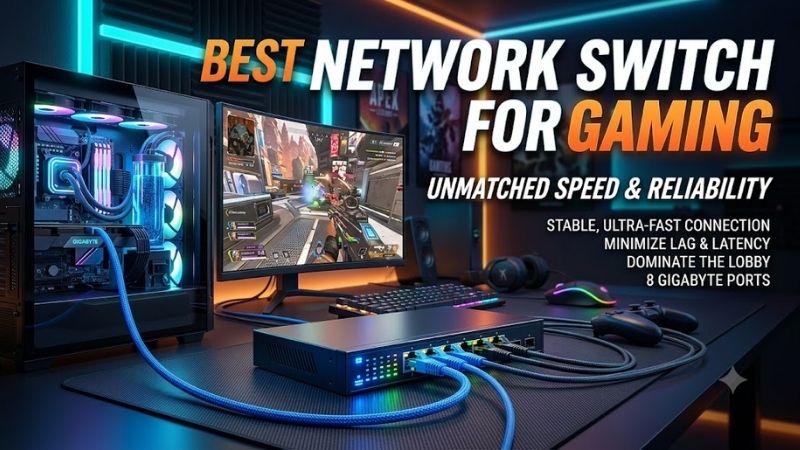
The best network switch for gaming should provide stable wired connections without becoming a bottleneck between your gaming PC, router, NAS, and other devices. This roundup focuses on reliable 2.5GbE switches with enough capacity for modern home networks, quiet operation, and practical gaming setups.
Quick Comparison
| Network Switch | Best For | Ports | Maximum Port Speed | Switching Capacity | Fan |
|---|---|---|---|---|---|
| TP-Link TL-SG108-M2 | Best overall | 8 | 2.5GbE | 40 Gbps | Fanless |
| NETGEAR MS308 | Multi-device gaming setups | 8 | 2.5GbE | 40 Gbps | Fanless |
| QNAP QSW-1105-5T | Gaming plus NAS | 5 | 2.5GbE | 25 Gbps | Fanless |
| TRENDnet TEG-S350 V2 | Compact setups | 5 | 2.5GbE | 25 Gbps | Fanless |
| TP-Link TL-SG105-M2 | Smaller gaming desks | 5 | 2.5GbE | 25 Gbps | Fanless |
TP-Link TL-SG108-M2
Best For: Overall multi-gig gaming networks
Key Features:
- Eight 2.5GbE RJ45 ports
- 40 Gbps switching capacity
- 802.1p/DSCP QoS
- Fanless operation
- Auto-negotiation
- Auto-MDI/MDIX
- Metal enclosure
- Desktop or wall mounting
The TP-Link TL-SG108-M2 is a straightforward choice when several gaming and high-bandwidth devices need wired connectivity. All eight RJ45 ports automatically negotiate at 100 Mbps, 1 Gbps, or 2.5 Gbps, so older consoles and modern 2.5GbE gaming PCs can share the same switch without manual port configuration.
Its 40 Gbps switching capacity gives all eight multi-gig ports enough internal bandwidth for simultaneous traffic without relying on a single faster uplink port. That matters when a gaming PC communicates with a NAS while other devices stream, transfer files, or access the router through the same switch.
TP-Link also includes 802.1p and DSCP QoS support. QoS does not magically lower the latency to a distant game server, but traffic classification can help prevent less important local traffic from interfering with higher-priority packets when several devices are actively using the wired network.
The TL-SG108-M2 uses a fanless metal chassis, which is particularly useful when the switch sits on a gaming desk, shelf, or entertainment center. With no cooling fan running beside the player, it adds no mechanical fan noise to a quiet gaming room while still supporting desktop or wall installation.
What Makes It Different: Eight 2.5GbE ports provide enough capacity to connect a gaming PC, router, access point, NAS, console, streaming system, and additional workstation without immediately adding another switch. It is therefore easier to grow into than a five-port design while remaining plug-and-play.
Pros:
- Eight 2.5GbE ports
- 40 Gbps switching capacity
- 802.1p/DSCP QoS
- Fanless design
- Metal chassis
- Plug-and-play setup
- Wall-mountable
Cons:
- No advanced web management
- No 5GbE or 10GbE uplink
- QoS controls are limited compared with managed switches
Use Case: A gaming room containing a 2.5GbE PC, console, WiFi access point, NAS, smart TV, and several other wired devices.
Who It’s For: Gamers who want a simple eight-port 2.5GbE upgrade without configuring VLANs or enterprise networking features.
For most gaming homes, the TL-SG108-M2 offers more useful bandwidth than a traditional Gigabit switch without adding unnecessary management complexity. It will not reduce internet ping by itself, but it prevents a 1GbE switch from becoming the slowest component when transferring files or using multi-gig devices locally.
NETGEAR MS308
Best For: Eight-port gaming setups with 2.5GbE devices
Key Features:
- Eight 2.5GbE ports
- 40 Gbps bandwidth
- IEEE 802.1p QoS
- Fanless operation
- 9,720-byte jumbo frames
- Metal enclosure
- Desktop and wall mounting
- Energy Efficient Ethernet
The NETGEAR MS308 offers eight RJ45 ports capable of 100 Mbps, 1 Gbps, or 2.5 Gbps operation. Like the TP-Link, it is an unmanaged switch, so installation consists primarily of connecting the power adapter, router, and wired clients rather than configuring a browser dashboard or network controller.
NETGEAR specifies 40 Gbps of switching bandwidth, giving the switch enough internal capacity for its eight 2.5GbE full-duplex links. This is useful beyond online gaming because game downloads, NAS transfers, backups, and media traffic can occur simultaneously without every local device competing through a single Gigabit connection.
The MS308 supports IEEE 802.1p QoS and uses multiple weighted queues for traffic handling. An unmanaged switch cannot provide the same policy control as a configurable managed model, but basic prioritization support is still useful when the network contains voice, gaming, streaming, and general data traffic at the same time.
Its fanless metal enclosure makes the MS308 appropriate for a desk or bedroom environment where constant fan noise would be distracting. NETGEAR lists desktop and wall-mount installation, giving users flexibility to hide the unit behind furniture or mount it underneath a gaming desk with suitable hardware.
What Makes It Different: NETGEAR publishes detailed performance specifications for the MS308, including its 40 Gbps bandwidth, 1 MB packet buffer, jumbo-frame support, and QoS capabilities. That makes it easier for technical users to understand what they are adding to an existing multi-gig home network.
Pros:
- Eight multi-gig ports
- 40 Gbps switch bandwidth
- IEEE 802.1p QoS
- Fanless cooling
- Metal construction
- Jumbo-frame support
- Compact footprint
Cons:
- Unmanaged configuration
- No dedicated high-speed uplink
- No VLAN configuration interface
Use Case: A multi-device wired gaming room where PCs, consoles, access points, and storage systems all need reliable 2.5GbE connectivity.
Who It’s For: Users who want a quiet eight-port multi-gig switch from an established networking brand without needing advanced administration.
The MS308 competes closely with the TL-SG108-M2 because both solve the same core problem: expanding one multi-gig Ethernet connection into eight 2.5GbE links. The better fit may depend on availability and ecosystem preference, because neither is designed to replace a router or provide sophisticated traffic shaping.
QNAP QSW-1105-5T
Best For: Gaming PCs connected to a 2.5GbE NAS
Key Features:
- Five 2.5GbE ports
- 25 Gbps switching capacity
- 12.5 Gbps non-blocking throughput
- 9K jumbo frames
- Fanless cooling
- Network loop detection
- Plug-and-play operation
- Metal chassis
The QNAP QSW-1105-5T is a five-port unmanaged switch built around 2.5GbE networking. Every RJ45 interface supports 2.5GbE while remaining compatible with slower Ethernet devices, making the switch useful when a gaming PC, NAS, and router support multi-gig networking but several older clients still use Gigabit.
QNAP specifies 25 Gbps of switching capacity and 12.5 Gbps of non-blocking throughput. Those figures make sense for a five-port 2.5GbE design and provide enough capacity for simultaneous local transfers. A gamer can download or move large game libraries from network storage without forcing all devices through Gigabit Ethernet.
A useful feature is automatic network loop detection and blocking. Network loops are uncommon in simple gaming setups, but accidental duplicate connections between switches can disrupt an entire LAN. The QSW-1105-5T can detect and block a loop automatically, adding protection without requiring a managed configuration interface.
The chassis is fanless, so there is no active cooling noise beside a gaming system or home server. QNAP also supports 9K jumbo frames, which can improve efficiency for compatible large-file network workloads. Jumbo frames are more relevant to NAS transfers than game latency and require compatible end-to-end configuration.
What Makes It Different: QNAP’s five-port switch fits naturally into a gaming network that already includes high-speed storage. It provides enough 2.5GbE connections for a router, gaming PC, NAS, and two additional clients without paying for a larger eight-port device when those extra connections are unlikely to be used.
Pros:
- Five full 2.5GbE ports
- 25 Gbps switching capacity
- Fanless operation
- Loop detection
- 9K jumbo frames
- Plug-and-play installation
- Compact desktop design
Cons:
- Only five ports
- No managed QoS controls
- Listed by QNAP as a legacy model in some regions
Use Case: A gaming PC connected to a 2.5GbE router and NAS, with a few additional Ethernet devices sharing the same local network.
Who It’s For: Gamers who regularly transfer large game files or media to network storage and need more bandwidth than Gigabit Ethernet provides.
The QSW-1105-5T is especially useful when local network performance matters alongside internet gaming. Moving a 100GB game archive to or from a compatible NAS can benefit from 2.5GbE, while online multiplayer itself uses relatively little bandwidth. That distinction helps avoid confusing faster LAN transfers with lower server ping.
TRENDnet TEG-S350 V2
Best For: Compact five-port 2.5GbE gaming networks
Key Features:
- Five 2.5GbE RJ45 ports
- 25 Gbps switching capacity
- 18.6 Mpps forwarding rate
- 12KB jumbo frames
- Fanless design
- Metal housing
- Wall mounting
- Auto-negotiation
TRENDnet’s TEG-S350 V2 provides five 2.5GbE RJ45 connections in a compact metal enclosure. It is backward compatible with Gigabit devices, so a modern gaming PC can negotiate at 2.5Gbps while consoles, TVs, or older computers continue operating at their supported Ethernet speed on other ports.
The switch provides 25 Gbps of switching capacity with an 18.6 Mpps forwarding rate. That is sufficient for its five 2.5GbE interfaces and means internal switch bandwidth is not limited to a single Gigabit-class uplink. High-speed local transfers can therefore coexist with gaming and streaming traffic.
TRENDnet also supports jumbo frames up to 12KB. This can be useful for certain NAS and workstation transfers when every device in the path is configured appropriately, but gamers should not enable jumbo frames expecting lower multiplayer latency. Normal game packets are small, and online performance depends on other network factors.
A fanless cooling design removes another potential noise source from a gaming room. The compact enclosure can sit on a shelf or desk and is also wall-mountable. That makes the TEG-S350 convenient for entertainment centers or small gaming setups where a full eight-port switch would occupy more space than necessary.
What Makes It Different: The TEG-S350 focuses on doing one job with minimal complexity: providing five multi-gig Ethernet ports in a compact, silent enclosure. It lacks gaming branding and advanced management, but that simplicity can be preferable when the router already handles QoS and network prioritization.
Pros:
- Five 2.5GbE ports
- 25 Gbps switching capacity
- Fanless design
- 12KB jumbo frames
- Metal enclosure
- Wall-mount support
- Simple installation
Cons:
- No management interface
- Only five ports
- No faster uplink for 5GbE or 10GbE networks
Use Case: A gaming PC, router, console, access point, and NAS sharing a small multi-gig Ethernet switch.
Who It’s For: Gamers who need only a handful of wired connections and prefer a silent switch that can remain out of the way.
The TEG-S350 makes sense when expansion requirements are predictable. Five ports disappear quickly if you have several PCs, consoles, access points, and storage devices, but buying eight ports is unnecessary when only four clients need Ethernet. Its 2.5GbE interfaces provide useful headroom over traditional Gigabit switches.
TP-Link TL-SG105-M2
Best For: Small gaming desks and entertainment centers
Key Features:
- Five 2.5GbE ports
- 25 Gbps switching capacity
- 802.1p/DSCP QoS
- Fanless design
- Auto-negotiation
- Metal housing
- Desktop mounting
- Wall mounting
The TL-SG105-M2 is effectively the smaller five-port alternative to the eight-port TL-SG108-M2. Its five interfaces support 100 Mbps, 1 Gbps, and 2.5 Gbps Ethernet, making it practical for a gaming PC, router, console, NAS, and access point when there is no need for additional wired expansion.
With 25 Gbps of switching capacity, the switch can service its five multi-gig connections without reducing every device to a shared Gigabit-class internal link. That is most noticeable when moving large files between local systems because ordinary online gaming consumes only a fraction of the bandwidth offered by 2.5GbE.
The TL-SG105-M2 also supports 802.1p/DSCP QoS and uses a fanless enclosure. That combination makes it attractive beside a gaming PC because it adds no fan noise while retaining basic traffic-priority functionality. Setup remains plug-and-play, with no management interface required before devices can connect.
Its smaller port count can actually simplify installation when the switch is intended to live beneath a desk or behind an entertainment center. There are fewer unused cables and a smaller physical footprint. The drawback is reduced upgrade room if you later add another PC, server, console, or wired WiFi access point.
What Makes It Different: It delivers most of the practical benefits of TP-Link’s eight-port version in a smaller five-port format. For users who know they will never need eight wired connections, that makes it a cleaner fit without sacrificing 2.5GbE connectivity or the silent fanless design.
Pros:
- Five multi-gig ports
- 25 Gbps switching capacity
- Basic QoS support
- Fanless operation
- Metal enclosure
- Plug-and-play setup
- Compact size
Cons:
- Limited expansion capacity
- No managed networking features
- No 5GbE or 10GbE uplink
Use Case: A compact gaming desk with a gaming PC, console, router connection, and one or two additional wired devices.
Who It’s For: Gamers who want a straightforward 2.5GbE upgrade but do not need the port count of a larger network switch.
How to Choose the Best Network Switch for Gaming
Gigabit vs 2.5GbE
Gigabit Ethernet is already fast enough for online gaming because game traffic normally uses very little bandwidth. A 2.5GbE switch becomes useful when your PC, NAS, internet plan, or WiFi access point can exceed 1Gbps. It improves local capacity and download headroom rather than automatically lowering game-server latency.
Does a Network Switch Reduce Ping?
A switch will not normally reduce the latency created by your ISP, internet route, or game server. A quality Ethernet switch adds very little local delay, however, and can replace an unstable WiFi connection with a predictable wired path. The largest gaming improvement usually comes from moving from congested wireless to Ethernet.
Choose Enough Ports for Future Devices
Count every device that may require Ethernet, including the router uplink, gaming PCs, consoles, smart TVs, NAS systems, WiFi access points, and streaming hardware. A five-port switch leaves only four connections after the router is attached, so an eight-port model often makes more sense when a gaming room continues expanding.
Understand QoS
QoS prioritizes certain traffic when network links become congested. It is most useful when large uploads, downloads, calls, and streaming traffic compete for limited bandwidth. Router-level QoS usually has a larger impact on internet congestion, while switch QoS primarily manages traffic moving through the local Ethernet network.
Fanless Operation Matters Near the Desk
Gaming PCs already produce enough cooling noise, so adding a small high-RPM switch fan beside the monitor is rarely desirable. Fanless 2.5GbE switches use passive cooling and operate silently. They still need ventilation, so avoid hiding them beneath blankets, inside sealed drawers, or against surfaces that block chassis vents.
Consider 2.5GbE Network Adapters
A 2.5GbE switch cannot make a Gigabit Ethernet adapter communicate at 2.5Gbps. Both ends of the connection must support the faster standard. Many newer gaming motherboards include 2.5GbE networking, while older systems may require a compatible PCIe or USB network adapter to benefit from multi-gig speeds.
Check Your Router Ports
The connection between the switch and router determines how much bandwidth wired devices can share with the internet. Connecting a 2.5GbE switch to a Gigabit router port limits internet traffic through that uplink to Gigabit speeds. Local device-to-device transfers on the switch can still operate at 2.5GbE when supported.
Managed vs Unmanaged Switches
Unmanaged switches are ideal when you simply need more Ethernet ports. Managed switches add VLANs, detailed QoS, monitoring, link aggregation, and other controls, but they also require configuration. Most home gamers do not need advanced management unless the network doubles as a homelab, office, or segmented smart-home environment.
10GbE Is Not Necessary for Most Gaming
A 10GbE switch can be useful for high-performance storage, editing workstations, servers, and extremely fast local networks, but online games do not require 10Gbps bandwidth. For many current gaming PCs, 2.5GbE offers a practical balance because the interface is increasingly common on motherboards and consumer routers.
FAQ
Is Ethernet Better Than WiFi for Gaming?
Ethernet is generally preferred for stationary gaming PCs and consoles because it avoids wireless interference, signal changes, and channel congestion. WiFi can still perform well, especially with modern hardware, but a direct wired connection usually delivers more predictable latency and packet delivery during competitive online play.
Will a 2.5GbE Switch Make Games Faster?
It will not increase frame rate or automatically lower internet ping. The main benefits are higher local bandwidth, faster large downloads when your internet connection exceeds 1Gbps, and quicker transfers to compatible NAS devices. Gaming itself usually needs stability and low congestion more than extreme Ethernet throughput.
Is an Unmanaged Switch Good for Gaming?
Yes. An unmanaged switch is often ideal for a home gaming setup because it requires almost no configuration and adds wired ports with minimal complexity. Advanced management becomes useful when you need VLANs, traffic monitoring, custom QoS rules, link aggregation, or network segmentation rather than straightforward connectivity.
Do Gaming PCs Need 2.5GbE?
A gaming PC does not require 2.5GbE for multiplayer games, but the interface can be valuable for multi-gig internet, NAS transfers, large game downloads, and future network upgrades. If your motherboard already includes 2.5GbE and your router supports it, a 2.5GbE switch avoids creating an unnecessary Gigabit bottleneck.
Should I Connect My Gaming PC Directly to the Router?
A direct router connection is simple, but connecting through a quality Ethernet switch is also perfectly suitable. The additional local switching delay is extremely small. A switch becomes useful when several devices share one Ethernet run from the router or when the router does not provide enough wired LAN ports.
How Many Ethernet Ports Should a Gaming Switch Have?
Five ports are enough for a small setup with a router, PC, console, and a few devices. Eight ports offer more room for access points, NAS systems, additional PCs, streaming hardware, or future consoles. Remember that the router connection consumes one switch port, so plan the usable client count accordingly.
Conclusion
The best network switch for gaming should provide reliable Ethernet connectivity without adding noise or unnecessary complexity. TP-Link TL-SG108-M2 and NETGEAR MS308 suit larger setups, while QNAP QSW-1105-5T, TRENDnet TEG-S350, and TL-SG105-M2 make sense when five 2.5GbE ports are enough.