🛒 Best Price Today on Amazon
Prime members get fast, free shipping on everything above, plus member-only deals. New members get a 30-day free trial — cancel anytime.
Escape from Tarkov punishes a mouse that only works for fast flicks. A raid asks for slow, deliberate aim down a hallway, a quick lean around a corner, a scoped check, and then an inventory shuffle while someone pushes your position. The real decision is not which mouse has the highest DPI number. It is which mouse keeps tracking steady at low sensitivity, gives you two or three extra buttons for binds without forcing a claw grip, and stays comfortable through a raid that can stretch past forty minutes.
This guide is for Tarkov players who run low sensitivity and arm aim, for loot-heavy players who bind inventory, lean and night vision to the mouse, for players who switch between Tarkov and other shooters on the same desk, and for players who want a mouse that survives long sessions. Every product below was chosen from its Amazon product title and listed specifications, so the sensor, weight, battery life and button counts come from the listing itself rather than marketing claims.
Quick Picks
As an Amazon Associate we earn from qualifying purchases.
| Product | Best for | Key spec from title |
|---|---|---|
| Razer Viper V3 Pro | Low-sensitivity flicks and fast repositioning | 55g lightweight, 35K DPI optical sensor, 8K polling |
| Logitech G PRO X Superlight 2 | All-round Tarkov play with a safe shape | 60g, 44k DPI sensor, 8kHz report rate |
| Razer Basilisk V3 Pro 35K | Players who want many binds within thumb reach | 35K DPI optical sensor Gen 2, 13 customizable controls |
| Logitech G502 X Plus | Loot-heavy players who want a full button layout | HERO 25K sensor, 13 buttons, infinite scroll toggle |
How to Choose
Pick a Sensor That Tracks Cleanly at Low Sensitivity
Tarkov rewards low sensitivity because most fights happen at distance and a small crosshair movement matters. A modern optical sensor should track without acceleration, smoothing or jitter when you drag slowly across a pad, and it should keep up when you snap to a target that appears in a doorway. Look for a sensor with a high maximum DPI and a high tracking speed in the listing, then set your actual DPI to 400 or 800 and adjust in-game sensitivity instead. A mouse that only feels good at high DPI will fight you on long sightlines, so test slow diagonal drags before you commit to a shape.
Count the Buttons You Actually Bind
Lean left, lean right, toggle night vision, check fire mode, open inventory and discard items all compete for keys. A mouse with two side buttons covers the essentials, while a mouse with a DPI-shift button or a multi-function trigger lets you keep your left hand on movement keys during a fight. Count the binds you use in a typical raid and match them to the listing, not to a review screenshot. Extra buttons help only when they sit where your thumb rests naturally, because a button you have to hunt for mid-fight is worse than a keyboard key you already know.
Match Weight and Shape to Long Raids
A raid can last far longer than a round of a fast arena shooter, and a heavy mouse turns into a tired wrist by the third raid of the night. Lightweight mice in the 55 to 65 gram range make repeated lifts and resets easier, while a slightly heavier ergonomic mouse can feel steadier when you hold an angle for a minute. Palm grip players should look for a taller shell with a right-handed slope, while claw and fingertip players do better with a lower symmetrical shell. If your hand measures large, check the listed length and width before ordering, because a short mouse forces a cramped grip.
Check Wireless Stability and Battery Life
Wireless is the standard for Tarkov because a cable dragging across a desk mat breaks concentration during a slow peek. A 2.4 GHz wireless link with a high polling rate keeps the cursor responsive when you track a moving target through trees, and a mouse that holds a charge for most of a week means you are not hunting for a cable between raids. Confirm whether the listing includes a high polling dongle or sells it separately, and check the rated battery life at the polling rate you plan to use, since higher polling drains the battery much faster than the headline number suggests.
The 4 Best Options
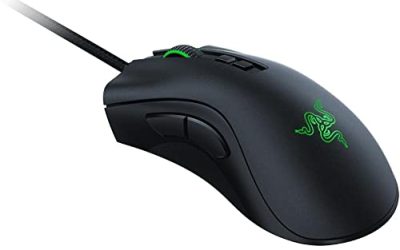
Razer Viper V3 Pro

The Viper V3 Pro suits Tarkov players who run low sensitivity and want the lightest possible mouse for fast repositioning between angles. Its symmetrical shell works for claw and fingertip grips, and the low weight makes repeated lifts across a large pad feel effortless during long raids. The sensor tracks cleanly at low DPI, the switches feel crisp on semi-automatic fire, and the wireless link holds up through extended sessions. Players who lean and peek constantly will appreciate how little effort it takes to reset the mouse after every wide swipe.
Specs
- Focus Pro 35K Optical Sensor Gen-2
- Up to 35,000 DPI
- Up to 8,000 Hz polling with included HyperPolling Wireless Dongle
- 54 g black, 55 g white
- Up to 95 hours of battery life at 1,000 Hz
- Gen-3 optical switches rated for 90 million clicks
- 8 programmable controls
- HyperSpeed wireless and wired connection
Best for: Low-sensitivity arm aimers who flick between angles and reset the mouse often.
Watch out for: The symmetrical shell offers little palm support, so players with large hands who rest their whole palm may find it tiring on long raids.
Logitech G PRO X Superlight 2

The Superlight 2 is the safe pick for Tarkov players who want one mouse for raids, deathmatch warm-ups and everyday desktop work. Its plain symmetrical shape suits palm, claw and relaxed fingertip grips, so it rarely forces a grip change mid-session. The sensor is precise at low DPI, the wireless connection stays stable, and the battery lasts through a full week of evening raids for most players. It is also the easiest mouse on this list to recommend to a friend, because the shape has no sharp edges or unusual humps to argue about.
Specs
- HERO 2 sensor with up to 44,000 DPI
- Up to 8 kHz report rate
- LIGHTSPEED wireless connection
- LIGHTFORCE hybrid switches
- 60 g weight
- 5 programmable buttons
- Up to 95 hours of battery life
- USB-C charging
Best for: Players who want a proven all-rounder that works for Tarkov and every other shooter they play.
Watch out for: It has only five programmable buttons, so players who bind many Tarkov actions to the mouse may run out of comfortable thumb buttons.
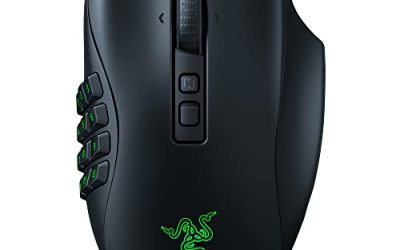
Razer Basilisk V3 Pro 35K

The Basilisk V3 Pro 35K is built for Tarkov players who treat the mouse as a second keyboard. Its thumb cluster and multi-function trigger put lean, fire-mode and inventory actions within reach without moving the left hand, and the HyperScroll tilt wheel can cycle items or switch weapons quickly. The ergonomic right-handed shell supports the palm during long hold-an-angle stretches, and the sensor holds steady when you track a target moving through foliage. It is heavier than the ultralight picks here, but the extra controls repay that weight in raids.
Specs
- Focus Pro 35K Optical Sensor Gen-2
- Up to 35,000 DPI
- HyperScroll Tilt Wheel
- 13 customizable controls
- Chroma RGB lighting
- Optical Switches Gen-3
- Up to 140 hours of battery life
- HyperSpeed wireless connection
Best for: Loot-heavy players who bind lean, night vision and inventory actions to thumb buttons.
Watch out for: The fuller ergonomic shell and higher weight suit palm grip players best, so fingertip players with small hands should check the listed dimensions first.
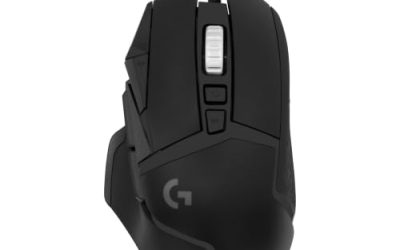
Logitech G502 X Plus

The G502 X Plus fits Tarkov players who came from the original G502 and want the same dense button layout without a cable. Its DPI-shift button sits under the thumb for quick sensitivity changes when you switch from scanning a field to aiming down a scope, and the dual-mode scroll wheel moves between free spin and click steps for inventory work. The sensor is accurate at low sensitivity, the wireless link is dependable, and the shape supports a full palm grip through raids that run long. It is the most feature-heavy mouse in this guide.
Specs
- HERO 25K sensor, 100 to 25,600 DPI
- LIGHTFORCE hybrid optical-mechanical switches
- LIGHTSYNC RGB with 8 LED lighting
- 13 programmable controls
- 106 g weight
- Up to 120 hours of battery life, 37 hours with RGB on
- POWERPLAY wireless charging compatible
- Removable and reversible DPI-Shift button
Best for: Players who want maximum buttons, a DPI-shift trigger and a familiar palm-filling shape.
Watch out for: At 106 g it is the heaviest mouse here, so low-sensitivity players who lift the mouse constantly may feel the weight by the end of a long session.
Which One Fits Your Situation
You Run Low Sensitivity and Arm Aim
Choose the Razer Viper V3 Pro. Its low weight makes wide swipes and repeated lifts across a large pad far less tiring, and the sensor stays accurate at 400 or 800 DPI when you track a distant target. The symmetrical shell suits claw and fingertip grips that pair naturally with arm aiming, so your wrist stays free for micro-corrections.
You Bind Everything to the Mouse
Choose the Razer Basilisk V3 Pro 35K or the Logitech G502 X Plus. Both give you a thumb cluster, a scroll wheel with extra functions and a DPI control within reach, so lean, night vision and inventory binds stay off the keyboard. Pick the Basilisk for a more modern sensor and longer battery life, or the G502 X Plus if you already know the G502 layout.
You Play Tarkov and Other Shooters on One Mouse
Choose the Logitech G PRO X Superlight 2. Its neutral shape and dependable sensor translate cleanly to fast arena shooters, tactical games and desktop work, and the long battery life means it is always ready for the next raid. It asks for the fewest compromises when one mouse has to cover every game you play.
Your Raids Run Long and Your Hand Gets Tired
Choose an ergonomic shell such as the Razer Basilisk V3 Pro 35K or the Logitech G502 X Plus. A right-handed shape with a thumb rest supports the palm during long holds, and the extra buttons reduce the keyboard work your left hand does. Keep the weight in mind, and set your sensitivity so you are not lifting the mouse every few seconds.
Common Mistakes
- Choosing a mouse by maximum DPI alone, when Tarkov play happens at 400 or 800 DPI and sensor consistency matters far more than the headline number.
- Buying an ultralight symmetrical mouse for a full palm grip, then discovering the shell offers no support during raids that last forty minutes.
- Ignoring the polling dongle, and ending up with a mouse that only reaches its highest polling rate with an accessory sold separately.
- Binding every action to the mouse at once, which creates accidental leans and toggles during fights instead of faster reactions.
- Skipping the battery check, so the mouse dies mid-raid because the headline battery figure assumed a lower polling rate than the one in use.
Frequently Asked Questions
What DPI should I use for Tarkov?
Most Tarkov players use 400 or 800 DPI with a low in-game sensitivity, because slow and deliberate aim matters more than fast turns. Start at 800 DPI, set your sensitivity so a full pad swipe turns you roughly 180 degrees, and adjust in small steps. The sensor on any mouse in this guide tracks cleanly at those settings, so the shape and weight matter more than the DPI ceiling.
Is a wireless mouse reliable enough for Tarkov?
Yes, a modern 2.4 GHz wireless mouse with a stable link is reliable for Tarkov, and the mice in this guide use wireless connections designed for competitive play. Keep the receiver close to the mouse, avoid placing it behind a metal case, and charge the mouse before a long session. A wired connection remains an option on every pick here if you prefer a cable.
How many buttons do I need for Tarkov?
Two side buttons cover lean left and lean right, which is enough for most players. A third or fourth button helps for night vision, fire mode or inventory shortcuts, but only when the buttons sit where your thumb rests naturally. More buttons than you can reach without shifting your grip tend to cause mistakes rather than faster play.
Does mouse weight matter in Tarkov?
Weight matters because Tarkov involves long sessions, slow tracking and frequent lifts at low sensitivity. A lighter mouse reduces wrist fatigue across several raids, while a heavier mouse can feel steadier when you hold an angle. Most players settle between 55 and 110 grams, and the right choice depends on your grip, hand size and how often you lift the mouse.