Our Short List of 3
All 4 Picks at a Glance
| Product | Specs | Action |
|---|---|---|
 Logitech G PRO X Superlight 2 | Check price on Amazon | |
 Logitech G502 HERO | Check price on Amazon | |
 Razer DeathAdder V3 Pro | Check price on Amazon | |
 Logitech G PRO Wireless | Check price on Amazon |
🛒 Best Price Today on Amazon
Prime members get fast, free shipping on everything above, plus member-only deals. New members get a 30-day free trial — cancel anytime.
Disclosure: As an Amazon Associate, we earn from qualifying purchases.
Our top pick: Logitech G PRO X Superlight 2. Runner-up: Razer Viper V3 Pro.
A gaming mouse on Linux needs to do more than move a pointer. Basic pointing is rarely the problem, because a standard USB mouse is handled by Linux as a standard HID device, and all five mice in this guide work for pointing and clicking without extra software. The harder part is configuration. DPI steps, button assignments and saved profiles are often set in a Windows or macOS app supplied by the mouse maker, and that app may not have a Linux version.
This guide uses three configuration paths that do not depend on that app. The first is onboard memory: settings saved on the mouse travel with the hardware. The second is a documented community project for a specific model — libratbag with Piper for the Logitech models here, and OpenRazer for the Razer models here. The third is hardware control, such as a DPI button that cycles through preset sensitivity levels without any software. These paths give a practical way to set DPI, remap buttons or recall a saved profile on Linux. They do not promise that every feature in the maker Windows or macOS app is available on Linux, and this guide does not claim full feature parity with those apps.
Quick Picks
- Logitech G PRO X Superlight 2 — Best overall for Linux: light wireless shell with a documented libratbag and Piper path.
- Razer Viper V3 Pro — Best lightweight Razer option: symmetrical wireless shell with OpenRazer support for the exact model.
- Logitech G502 HERO — Best wired option with onboard memory: hardware DPI control and profiles stored on the mouse.
- Razer DeathAdder V3 Pro — Best ergonomic wireless option: right-handed shell with OpenRazer support for the exact model.
- Logitech G PRO Wireless — Best ambidextrous option: swappable side buttons and a documented libratbag and Piper path.
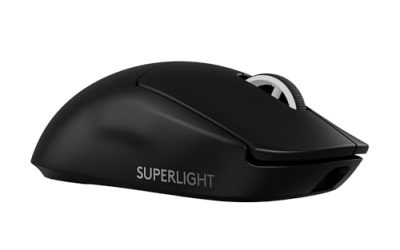
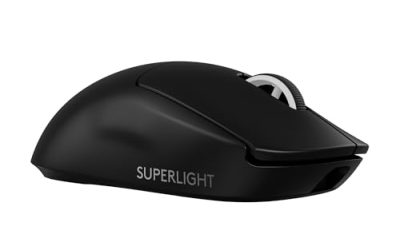
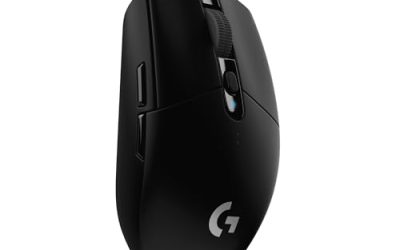
Logitech G PRO X Superlight 2
OUR TOP PICK
The Logitech G PRO X Superlight 2 is the top pick because it combines a very light wireless design with a clear Linux configuration path. As stated on the Amazon listing, it weighs 60 g and uses the HERO 2 sensor, with sensitivity up to 44,000 DPI and tracking stated at 888 IPS. It connects over LIGHTSPEED wireless and charges over USB-C, with battery life stated at up to 95 hours and a report rate stated at up to 8 kHz.
For Linux use, the important detail is that this exact model is listed in the libratbag device directory. Configuration can therefore be handled through ratbagd and libratbag, with Piper as the graphical front end, rather than through the maker Windows or macOS app. Piper is community maintained, so the experience is not identical to the maker app, and it is worth checking the current libratbag support page for this model before buying. The mouse still works as a standard HID pointer without Piper, so basic use does not depend on it.
Specs
– Model: Logitech G PRO X Superlight 2
– Sensor: HERO 2, up to 44,000 DPI; 888 IPS, as stated on the listing
– Weight: 60 g, as stated on the listing
– Battery: up to 95 hours, as stated on the listing
– Connectivity: LIGHTSPEED wireless; USB-C charging
– Polling: up to 8 kHz report rate, as stated on the listing
– Buttons: 5 programmable buttons
– Linux path: exact model listed in the libratbag device directory; configuration via ratbagd and libratbag with Piper
Pros
– Very light at 60 g, with a high ceiling HERO 2 sensor
– Documented libratbag and Piper configuration path for the exact model
– Long wireless battery life and USB-C charging
Cons
– Only five programmable buttons, so it suits a simpler binding layout
– Community configuration is not the same as the maker app
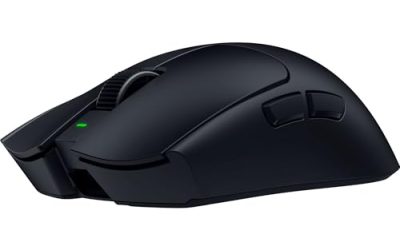
Razer Viper V3 Pro
The Razer Viper V3 Pro is the runner-up and the lightest mouse in this guide. As stated on the Amazon listing, it weighs 54 g and uses the Focus Pro 35K optical sensor, with a polling rate stated at up to 8,000 Hz. It connects over HyperSpeed Wireless and charges over USB-C, with battery life stated at up to 95 hours. It has eight programmable controls and Gen-3 optical switches.
Its Linux path is OpenRazer, which supports this exact model. OpenRazer is a community maintained driver and userspace project for Razer devices, and it is the practical route for configuration on Linux for this mouse. Support is specific to the model named, so the Viper V3 Pro should not be confused with other Viper models when checking support. Standard pointer input works without OpenRazer, and OpenRazer is the layer that makes deeper configuration possible on Linux.
Specs
– Model: Razer Viper V3 Pro
– Sensor: Focus Pro 35K optical sensor, as stated on the listing
– Weight: 54 g, as stated on the listing
– Battery: up to 95 hours, as stated on the listing
– Connectivity: HyperSpeed Wireless; USB-C charging
– Polling: up to 8,000 Hz, as stated on the listing
– Buttons: 8 programmable controls; Gen-3 optical switches
– Linux path: supported by OpenRazer for the exact model
Pros
– Lightest mouse in this guide at 54 g, with a high polling rate
– OpenRazer support for the exact model gives a Linux configuration path
– Symmetrical shell suits more grip styles and hand sizes
Cons
– Symmetrical shell gives less palm support than a sculpted ergonomic shell
– OpenRazer is community maintained, so it does not promise full maker-app parity
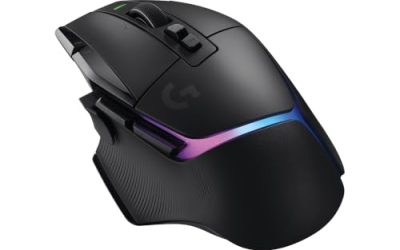
Logitech G502 HERO
The Logitech G502 HERO is the wired pick in this guide, and the best option here if you want configuration that does not depend on software running on Linux at all. As stated on the Amazon listing, it is a wired USB mouse with the HERO 25K sensor, sensitivity up to 25,600 DPI, 11 programmable buttons, on-board memory and an adjustable weight system. The cable removes battery management from the setup entirely, which is a practical advantage on a desktop that is always plugged in.
On-board memory is the key Linux feature. Profiles and DPI settings stored on the mouse travel with the hardware, so a setting saved to the mouse can be used on a Linux computer without opening configuration software on that computer. A hardware DPI button lets sensitivity be changed directly on the mouse. That combination is useful when you want a mouse that works the same way on a Linux desktop, a laptop and a second machine, without installing a configuration tool on each one.
Specs
– Model: Logitech G502 HERO
– Sensor: HERO 25K, up to 25,600 DPI, as stated on the listing
– Weight: adjustable weight system included, as stated on the listing
– Connectivity: wired USB
– Buttons: 11 programmable buttons
– Memory: on-board memory for profiles and DPI settings, as stated on the listing
– Linux path: on-board memory plus hardware DPI button; no software needed on Linux for saved settings
Pros
– On-board memory and hardware DPI control work without Linux software
– Eleven programmable buttons and an adjustable weight system
– Wired connection means no battery to charge and no receiver to manage
Cons
– Cable can drag unless the desk layout gives it a clear path
– Heavier in feel than the lightest wireless mice in this guide
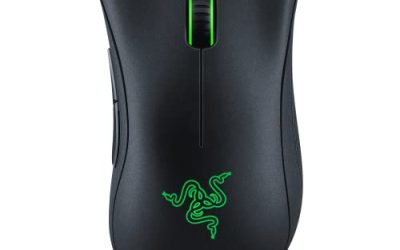
Razer DeathAdder V3 Pro
The Razer DeathAdder V3 Pro is the ergonomic wireless pick in this guide. As stated on the Amazon listing, it weighs 63 g and uses the Focus Pro 30K optical sensor, with Fast Optical Switches Gen-3, HyperSpeed Wireless, USB-C charging and battery life stated at up to 90 hours. It has five programmable buttons and a right-handed ergonomic shell, with dimensions stated on the listing as 127.3 by 67.3 by 42.9 mm.
That shell is the reason to choose it over the symmetrical Viper V3 Pro. The DeathAdder shape has been developed for palm grip, with a raised back and a thumb area that supports the hand during long sessions. If you rest your palm on the mouse and play for hours at a time, the extra support can matter more than a few grams of weight. At 63 g it is still light for an ergonomic wireless mouse.
Specs
– Model: Razer DeathAdder V3 Pro
– Sensor: Focus Pro 30K optical sensor, as stated on the listing
– Weight: 63 g, as stated on the listing
– Battery: up to 90 hours, as stated on the listing
– Connectivity: HyperSpeed Wireless; USB-C charging
– Buttons: 5 programmable buttons; Gen-3 optical switches
– Shape: right-handed ergonomic shell; 127.3 x 67.3 x 42.9 mm, as stated on the listing
– Linux path: supported by OpenRazer for the exact model
Pros
– Ergonomic right-handed shell developed for palm grip, at a light 63 g
– OpenRazer support for the exact model gives a Linux configuration path
– Long wireless battery life with USB-C charging
Cons
– Only five programmable buttons, so binding space is limited
– Right-handed shape does not suit left-handed players
Logitech G PRO Wireless
The Logitech G PRO Wireless is the ambidextrous pick in this guide, and the most flexible option for shared use. As stated on the Amazon listing, it uses the HERO 25K sensor, with sensitivity up to 25,600 DPI, and weighs 80 g. It connects over LIGHTSPEED wireless with a 1 ms report rate, is POWERPLAY compatible, and has battery life stated at up to 60 hours with RGB lighting disabled and 48 hours with RGB on, per Logitech. Its side buttons are removable and swappable, giving four to eight programmable buttons depending on the configuration.
That swappable side-button design is the practical reason to choose it. The mouse can be set up with side buttons on the left, on the right, on both sides, or with none fitted, so the same mouse can suit a right-handed player, a left-handed player, or two people who share a desk. Few gaming mice in this list give that flexibility, and it matters on Linux too, because the physical layout is decided on the hardware itself rather than in software.
Specs
– Model: Logitech G PRO Wireless
– Sensor: HERO 25K, up to 25,600 DPI, as stated on the listing
– Weight: 80 g, as stated on the listing
– Battery: up to 60 hours with RGB lighting disabled, 48 hours with RGB on, per Logitech
– Connectivity: LIGHTSPEED wireless, 1 ms report rate; POWERPLAY compatible
– Buttons: 4 to 8 programmable buttons, with removable and swappable side buttons
– Linux path: exact model listed in the libratbag device directory; configuration via ratbagd and libratbag with Piper
Pros
– Ambidextrous shell with swappable side buttons suits left- and right-handed players
– Documented libratbag and Piper configuration path for the exact model
– HERO 25K sensor with POWERPLAY compatibility
Cons
– Shorter battery life than the other wireless models in this guide, especially with lighting on
– Heavier than the Superlight 2 and the two Razer wireless models
How to Choose
Start with the Linux configuration path, because that is the decision that separates a mouse that is merely usable on Linux from one that can be set up the way you want. If you want settings that travel with the mouse and need no software on the Linux machine, the G502 HERO and its on-board memory is the simplest answer. If you are comfortable using a community tool on Linux, the two Logitech wireless models work through libratbag and Piper, and the two Razer models work through OpenRazer. Check the current support page for the exact model before buying, because community support is model specific and can change.
Next, decide between wired and wireless. Wired removes battery charging and receiver management, and the G502 HERO is the only wired mouse in this guide. Wireless gives a cleaner desk and no cable drag, and all four wireless models here use a dedicated low-latency wireless link rather than Bluetooth alone. If you play on a laptop that moves often, wireless with USB-C charging is easier to live with.
Then match the shell to your hand and grip. The DeathAdder V3 Pro is the clearest palm-grip ergonomic shell here, with a raised back and a right-handed shape. The G502 HERO is also a full ergonomic shell, with a thumb rest and a larger button layout. The Viper V3 Pro and the two Logitech PRO models use more symmetrical shapes, which suit a wider range of grips and both hands. If you have large hands and rest your palm on the mouse, the ergonomic models are the safer starting point.
Button count is the next factor. The G502 HERO, with 11 programmable buttons, is the choice if you need many in-game actions or desktop shortcuts on the mouse. The Viper V3 Pro, with eight, is a middle ground. The Superlight 2, DeathAdder V3 Pro and G PRO Wireless, with five to eight depending on configuration, suit a cleaner layout where the main actions are on the mouse and the rest stay on the keyboard.
FAQs
Do I need software to use a gaming mouse on Linux?
No, not for basic use. A standard USB gaming mouse works on Linux as a standard HID pointer, so movement and clicking work without extra software. Software is needed only for configuration, such as changing DPI steps, remapping buttons or saving a profile. For the mice in this guide, that configuration can be done through on-board memory and hardware controls, through libratbag with Piper, or through OpenRazer, depending on the model. The maker app for Windows or macOS is not required for basic use, and this guide does not claim that every maker-app feature is available on Linux.
What is the difference between libratbag with Piper and OpenRazer?
They are two different community maintained projects for two different brands. Libratbag, used with ratbagd and the Piper graphical front end, supports the Logitech models in this guide, namely the G PRO X Superlight 2 and the G PRO Wireless, for the exact models listed. OpenRazer supports the Razer models in this guide, namely the Viper V3 Pro and the DeathAdder V3 Pro, for the exact models listed. Neither project is the maker app, and neither promises full parity with it. The practical point is to match the project to the brand and exact model you buy, and to check the current support list for that model before buying.
Can I set DPI and buttons once and use the mouse on another computer?
It depends on the mouse. The G502 HERO stores profiles and DPI settings in on-board memory, so settings saved to the mouse travel with it to another computer, including a Linux computer with no configuration software installed. The wireless models in this guide can also keep settings that are saved to the mouse, but the exact behaviour depends on the model and on how the setting was saved, so it is worth checking the listing and the relevant community project page for the model you choose. A hardware DPI button is the simplest way to change sensitivity on the fly without software.
Conclusion
For most Linux players, the Logitech G PRO X Superlight 2 is the top pick, because it pairs a light 60 g wireless shell with a documented libratbag and Piper configuration path for the exact model. The Razer Viper V3 Pro is the runner-up, with the lightest shell in this guide at 54 g and OpenRazer support for the exact model. If you want a wired mouse with settings stored on the hardware itself, the Logitech G502 HERO is the practical choice, while the Razer DeathAdder V3 Pro suits palm-grip players who want an ergonomic wireless shell, and the Logitech G PRO Wireless suits shared or left-handed use with its ambidextrous shell and swappable side buttons. Before buying, check the current libratbag or OpenRazer support page for the exact model you choose, and confirm that its shell, button count and connection suit the way you play.