🛒 Best Price Today on Amazon
Prime members get fast, free shipping on everything above, plus member-only deals. New members get a 30-day free trial — cancel anytime.
- Best Mouse for Left-Handed Gamers Compared
- What Makes a Gaming Mouse Truly Left-Handed?
- Logitech G PRO 2 LIGHTSPEED — Best Overall
- Pulsar X2A — Best Lightweight Option
- Razer Naga Left-Handed Edition — Best for MMO Gaming
- SteelSeries Sensei Ten — Best Versatile Wired Mouse
- Corsair M55 RGB PRO — Best Simple Wired Choice
- How to Choose the Best Mouse for Left-Handed Gamers
- FAQ
- Conclusion

Logitech G Pro Wireless Gaming Mouse with Esports Grade Performance, Ergonomic Ambidextrous, 4-8 Programmable Buttons, and HERO 25K Sensor (Renewed)
Included for 'Best Mouse for Left-Handed Gamers: Best Models Compared' because the listing specifies Ergonomic Ambidextrous and 4-8 Programmable Buttons, details this guide uses to compare options.
View on Amazon
Logitech G Pro Wireless Gaming Mouse - Shroud Edition
Included for 'Best Mouse for Left-Handed Gamers: Best Models Compared' because the listing specifies Shroud Edition, details this guide uses to compare options.
View on Amazon
Logitech G Pro Wireless Gaming Mouse - Lightspeed, Hero 25K Sensor, 25,600 dpi, RGB, 4-8 Customizable Buttons, Ambidextrous, Official League of Legends Edition - Blue (910-006451)
Included for 'Best Mouse for Left-Handed Gamers: Best Models Compared' because the listing specifies Lightspeed and Hero 25K Sensor, details this guide uses to compare options.
View on AmazonThe best mouse for left handed gamers should do more than use a symmetrical shell. It needs thumb buttons that remain easy to reach with the left hand, reliable tracking, sensible weight, and software that supports remapping. These picks focus on true left-hand usability for FPS, MMO, MOBA, and everyday gaming.
Best Mouse for Left-Handed Gamers Compared
| Mouse | Best For | Design | Connectivity | Programmable Controls |
|---|---|---|---|---|
| Logitech G PRO 2 LIGHTSPEED | Overall competitive gaming | Fully ambidextrous | LIGHTSPEED wireless | 4–8 buttons |
| Pulsar X2A | Lightweight FPS gaming | Symmetrical, configurable sides | 2.4 GHz wireless | Customizable keys |
| Razer Naga Left-Handed Edition | MMO and RPG gaming | Dedicated left-handed ergonomic | Wired | 19+1 buttons |
| SteelSeries Sensei Ten | Versatile wired gaming | Ambidextrous | Wired | 8 buttons |
| Corsair M55 RGB PRO | Simple wired setup | Ambidextrous | Wired | 8 buttons |
Specifications and design details are based on current manufacturer information.
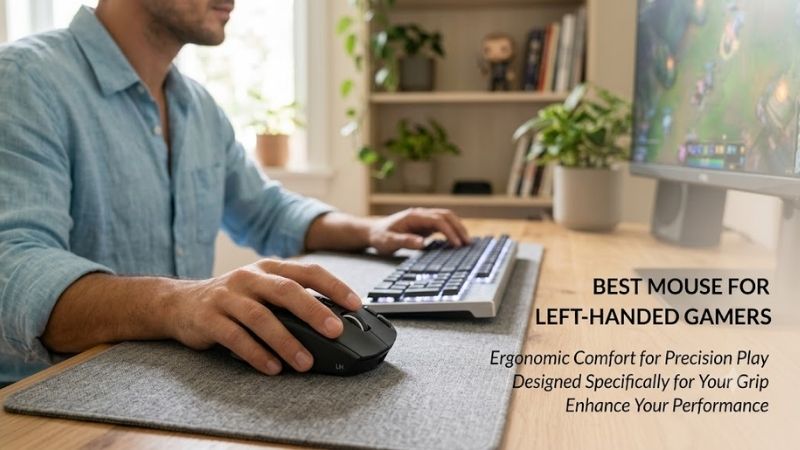
What Makes a Gaming Mouse Truly Left-Handed?
Left-handed gamers should first separate true ambidextrous mice from models that only look symmetrical. A shell can feel balanced in either hand while its thumb buttons stay fixed for right-handed use. The strongest options place buttons on both sides, let you swap them, or use a dedicated left-hand ergonomic layout.
Game type matters just as much as handedness. Competitive FPS players usually benefit from lower weight and a clean button layout, while MMO players need many reachable commands. MOBA and general gaming sit between those extremes, so button access, grip comfort, and easy profile switching become more important than headline DPI.
Logitech G PRO 2 LIGHTSPEED — Best Overall
Logitech G PRO 2 LIGHTSPEED is the strongest all-round option because its shape is fully ambidextrous and its magnetic side buttons can be configured for left-hand use. The HERO 2 sensor reaches up to 44,000 DPI, while LIGHTSPEED wireless keeps the desk free of cable drag during fast competitive movement.
What makes PRO 2 LIGHTSPEED different is its adaptable control layout rather than shape alone. It supports four to eight programmable buttons, and the side controls can be switched to match the hand you actually use. That makes it especially practical for FPS, battle royale, and mixed-genre players who also want wireless freedom.
Best For: Competitive FPS, battle royale, MOBA, and mixed gaming
Key Features:
- Fully ambidextrous symmetrical design
- Customizable magnetic side buttons
- HERO 2 sensor
- Up to 44,000 DPI
- 4–8 programmable buttons
- LIGHTFORCE switches
- LIGHTSPEED wireless
- Optional PRO LIGHTSPEED receiver supports up to 8 kHz reporting
What Makes It Different: Its removable magnetic side controls allow a genuinely left-handed configuration instead of merely offering a symmetrical shell.
Pros:
- Side controls work for either hand
- Wireless design removes cable drag
- Flexible button configuration
- Strong fit for competitive games
Cons:
- Higher report-rate receiver is sold separately
- More controls than minimalist FPS users may require
Use Case: Competitive gaming where low-friction movement and accessible thumb buttons matter.
Who It’s For: Left-handed gamers wanting one wireless mouse for several game genres.
Pulsar X2A — Best Lightweight Option
Pulsar X2A is aimed at left-handed players who want a much lighter competitive mouse without losing usable side controls. The 57 g wireless body is symmetrical, includes side-button covers, and uses a PAW3395 sensor rated to 26,000 DPI. Its wide waist and low hump favor quick repositioning and claw-oriented control.
The X2A stands out because it combines true ambidextrous button flexibility with a lightweight esports shape. It supports 2.4 GHz wireless, configurable keys and macros, and up to 100 hours of battery life at 1,000 Hz under Pulsar’s stated conditions. A separate 4K dongle is required for higher report-rate support.
Best For: FPS and esports players who prioritize low weight
Key Features:
- 57 g stated weight
- Symmetrical X2 shape
- Side-button covers included
- PAW3395 sensor
- Up to 26,000 DPI
- 1,000 Hz standard polling
- 2.4 GHz wireless
- Optical switches
- Configurable buttons and macros
What Makes It Different: It pairs very low weight with controls designed to accommodate both left- and right-handed players.
Pros:
- Lightweight body
- Genuine ambidextrous configuration
- Wireless connection
- Flexible side-button setup
Cons:
- Higher polling requires an additional dongle
- Shape is especially focused on claw and fingertip-oriented play
Use Case: Fast aiming, low-sensitivity swipes, competitive shooters, and esports.
Who It’s For: Left-handed FPS players who want less mass than traditional ambidextrous wireless mice.
Razer Naga Left-Handed Edition — Best for MMO Gaming
Razer Naga Left-Handed Edition is the specialist choice for MMO and ability-heavy games because it is built as a true left-hand ergonomic mouse rather than a mirrored compromise. Its 12-button thumb grid sits where a left-handed player’s thumb can reach it, giving direct access to skills, items, macros, and hotkeys.
The Naga’s 19+1 programmable buttons create far more command capacity than the other mice here, while Razer Synapse supports remapping and Hypershift layers. Its Focus+ optical sensor is rated to 20,000 DPI. The trade-off is purpose: this layout suits MMO, RPG, and productivity shortcuts more than minimalist FPS play.
Best For: MMO, RPG, strategy, and ability-heavy games
Key Features:
- Dedicated left-handed ergonomic shell
- 12-button thumb grid
- 19+1 programmable buttons
- Razer Hypershift support
- Focus+ optical sensor
- Up to 20,000 DPI
- Razer Synapse customization
What Makes It Different: Unlike symmetrical mice, the entire control layout is specifically arranged around a left-handed user’s thumb and fingers.
Pros:
- True left-handed ergonomic design
- Extensive thumb-button access
- Strong macro potential
- Excellent command density for MMO gameplay
Cons:
- Dense button layout is unnecessary for many FPS players
- More specialized than ambidextrous alternatives
Use Case: Mapping spells, abilities, inventory actions, macros, and multi-key commands.
Who It’s For: Dedicated left-handed MMO or RPG players who need many commands directly under the thumb.
SteelSeries Sensei Ten — Best Versatile Wired Mouse
SteelSeries Sensei Ten keeps a classic symmetrical shape and places programmable controls in an ambidextrous layout, making it useful for left-handed gamers who prefer a wired mouse. Its TrueMove Pro sensor is rated to 18,000 CPI, 450 IPS, and 50G acceleration, with onboard memory for polling rate, keybinds, and CPI steps.
Sensei Ten is especially flexible for players who change grip styles because SteelSeries supports palm, claw, and fingertip use on the same shell. Eight programmable buttons provide more inputs than a minimalist esports mouse, while the wired connection removes charging concerns. The main compromise is cable drag compared with wireless models.
Best For: Wired gaming across multiple genres
Key Features:
- Ambidextrous Sensei shape
- TrueMove Pro sensor
- Up to 18,000 CPI
- 450 IPS tracking
- 50G acceleration
- 8 programmable buttons
- Onboard profile settings
- Palm, claw, and fingertip grip support
What Makes It Different: Its traditional symmetrical shape works across several grip styles while retaining controls that remain useful to left-handed players.
Pros:
- Genuine ambidextrous design
- Multiple grip styles supported
- Eight programmable controls
- No battery management
Cons:
- Wired connection introduces cable drag
- Heavier-featured design than ultra-light esports mice
Use Case: General PC gaming, MOBA, FPS, and users who prefer wired peripherals.
Who It’s For: Left-handed players wanting a familiar symmetrical shape rather than a genre-specific mouse.
Corsair M55 RGB PRO — Best Simple Wired Choice
Corsair M55 RGB PRO is a straightforward wired option for gamers who want an ambidextrous shell without paying for wireless hardware. Corsair lists a 12,400 DPI optical sensor, selectable polling up to 1,000 Hz, and eight programmable buttons, giving left-handed users a practical mix of tracking control and remappable inputs.
The M55 RGB PRO is useful when simplicity matters more than ultra-low weight or advanced wireless features. Its design supports palm, claw, and fingertip grips, and iCUE handles button programming and lighting. Because it is wired and older than several esports-focused rivals, its main appeal is functional left-hand control rather than novelty.
Best For: General gaming with a straightforward wired setup
Key Features:
- Ambidextrous shell
- 12,400 DPI optical sensor
- Selectable polling up to 1,000 Hz
- 8 programmable buttons
- iCUE configuration
- Palm, claw, and fingertip grip support
What Makes It Different: It provides practical ambidextrous controls without requiring a wireless receiver, charging routine, or specialized MMO layout.
Pros:
- Ambidextrous design
- Eight programmable buttons
- Multiple grip styles
- Simple wired connection
Cons:
- Cable limits movement compared with wireless mice
- Lacks newer lightweight esports-focused features
Use Case: Everyday gaming, MOBA, casual FPS, and mixed PC use.
Who It’s For: Left-handed gamers who want a conventional wired ambidextrous mouse.
How to Choose the Best Mouse for Left-Handed Gamers
Check Side-Button Placement First
For left-handed use, button placement should be checked before sensor specifications. A symmetrical body with right-side thumb buttons is useful; a symmetrical body with only left-side thumb buttons is not. Swappable or dual-side buttons also help shared PCs, because the same mouse can be reconfigured when another person uses the opposite hand.
Consider Mouse Weight
Weight changes how quickly the mouse starts, stops, and recovers after a lift. Lighter mice such as the X2A can feel easier to flick in FPS games, while heavier models may feel steadier for slower control. The better choice depends on sensitivity, grip, and hand size, so weight should support your motion style rather than chase a trend.
Decide Between Wired and Wireless
Wireless is now a practical choice for competitive gaming when the mouse uses a dedicated low-latency connection, but cable-free movement is only one factor. Battery life, receiver placement, and charging habits matter too. Wired mice avoid battery management and can still make sense when consistent desk use matters more than maximum freedom.
Check Remapping and Onboard Memory
Software matters more for left-handed gamers because remapping often turns an ambidextrous shell into a genuinely usable one. Check whether side buttons can be reassigned, profiles can be saved, and unwanted controls can be disabled. Onboard memory is useful for tournaments or shared systems where you may not want software running constantly.
FAQ
Are all ambidextrous gaming mice good for left-handed users?
A symmetrical gaming mouse is not automatically left-handed friendly. The body may fit either hand, yet the thumb buttons can still be positioned only for right-handed use. Look for right-side thumb buttons, controls on both sides, swappable magnetic buttons, or a dedicated left-hand shell before treating an ambidextrous shape as a real solution.
What mouse style is best for left-handed FPS gamers?
For FPS games, a left-handed player usually benefits from a lighter mouse with a simple layout and easy access to two thumb buttons. Excess controls can add weight or create accidental presses during fast movement. A model such as the Pulsar X2A or Logitech G PRO 2 LIGHTSPEED fits that style better than an MMO-focused button grid.
What is the best left-handed mouse for MMO games?
The Razer Naga Left-Handed Edition is built specifically for left-handed MMO players, with a 12-button thumb grid positioned for the left hand. That makes it much easier to map abilities, consumables, targeting commands, and macros without reaching across the keyboard. Its dense layout is less suited to players who want a minimal FPS mouse.
Does higher DPI make a gaming mouse better?
High DPI does not automatically make a gaming mouse more accurate. Most players use much lower practical sensitivity and rely on consistent tracking plus a controllable shape. For left-handed gaming, button placement, grip comfort, weight, and dependable sensor behavior usually matter more than picking the largest DPI number.
Is wireless good for left-handed competitive gaming?
A wireless mouse can work very well for left-handed competitive gaming if it has a responsive dedicated receiver and a shape that truly supports the left hand. The bigger decision is usability: side-button access, weight, battery management, and grip fit. Wireless freedom helps, but it cannot fix controls built around the wrong hand.
Conclusion
The best mouse for left handed gamers depends on how you play. Logitech G PRO 2 LIGHTSPEED offers the most adaptable wireless layout, Pulsar X2A favors lightweight esports control, and Razer Naga Left-Handed Edition targets MMO users. Sensei Ten and Corsair M55 RGB PRO remain practical wired alternatives with ambidextrous controls.