🛒 Best Price Today on Amazon
Prime members get fast, free shipping on everything above, plus member-only deals. New members get a 30-day free trial — cancel anytime.
- Best Mouse for Valorant at a Glance
- Razer Viper V3 Pro — Best for Lightweight Competitive Aim
- Logitech G PRO X SUPERLIGHT 2 DEX — Best Ergonomic Pick
- Razer DeathAdder V3 HyperSpeed — Best Compact Ergonomic Option
- ZOWIE U2-DW — Best for Driverless Competitive Setups
- Pulsar X2 v3 Medium — Best for Claw and Fingertip Grip
- How to Choose the Best Mouse for Valorant
- FAQ
- Conclusion
Finding the best mouse for Valorant is less about chasing the highest DPI and more about matching shape, weight, sensor consistency, clicks, and polling rate to your aim style. This roundup focuses on lightweight competitive mice that suit low-sensitivity flicks, micro-corrections, and long ranked sessions.
Best Mouse for Valorant at a Glance
| Mouse | Best For | Weight | Maximum Polling Rate | Shape |
|---|---|---|---|---|
| Razer Viper V3 Pro | Lightweight competitive play | 54 g black | 8,000 Hz | Right-handed symmetrical |
| Logitech G PRO X SUPERLIGHT 2 DEX | Ergonomic stability | 60 g | 8,000 Hz | Right-handed asymmetrical |
| Razer DeathAdder V3 HyperSpeed | Compact ergonomic control | — | 8,000 Hz wireless with optional dongle | Right-handed ergonomic |
| ZOWIE U2-DW | Driverless tournament setups | 60 g | 4,000 Hz | Right-handed symmetrical |
| Pulsar X2 v3 Medium | Claw and fingertip grip | 52 g | 8,000 Hz with optional dongle | Symmetrical |
Razer Viper V3 Pro — Best for Lightweight Competitive Aim
Best For: Claw or fingertip players seeking a lightweight wireless esports mouse
Key Features
- 54 g weight in black
- Focus Pro 35K Optical Sensor Gen-2
- Up to 35,000 DPI
- Up to 8,000 Hz wireless polling
- Razer Optical Mouse Switches Gen-3
- 2.4 GHz wireless and wired connectivity
- 100% PTFE feet
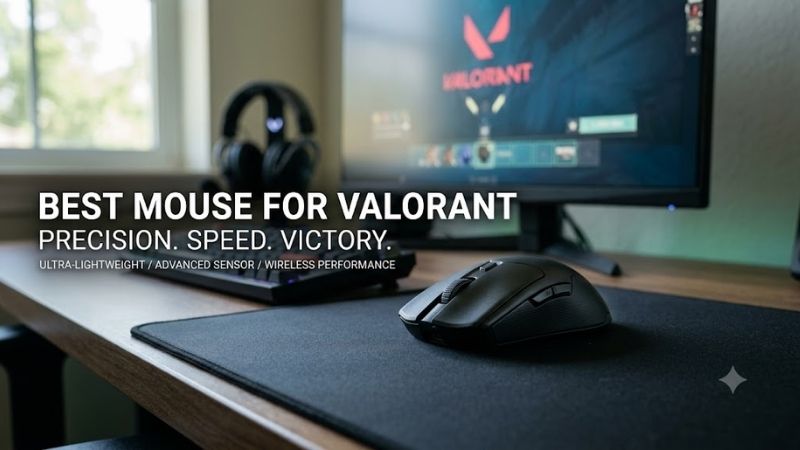
The Razer Viper V3 Pro is built around a right-handed symmetrical shell, 54 g black weight, Focus Pro 35K Optical Sensor Gen-2, and up to 8,000 Hz wireless polling. That combination favors fast resets after wide swipes while keeping the shape neutral enough for claw and relaxed fingertip users in tactical FPS play.
What Makes It Different
What makes it different is the balance between a very low mass and a fairly conventional esports shape. Valorant players who use large mousepads and lower sensitivity can make rapid crosshair corrections without fighting extra inertia. The trade-off is that its narrow waist may not satisfy players who prefer fuller palm support.
Pros
- Very low weight for repeated flicks and resets
- 8K wireless polling is included
- Neutral competitive shape
- Fine DPI adjustment
- Optical switches
- Strong fit for claw and fingertip grip styles
Cons
- Shape provides less palm support than ergonomic alternatives
- High polling rates consume battery faster than 1,000 Hz
- Right-handed design despite the visually symmetrical shell
Use Case: Low-sensitivity Valorant players who make large arm swipes, fast counter-flicks, and frequent recentering movements.
Who It’s For: Competitive players who prioritize low weight and a neutral esports shape over pronounced ergonomic support.
Logitech G PRO X SUPERLIGHT 2 DEX — Best Ergonomic Pick
Best For: Right-handed Valorant players who want more palm and thumb support
Key Features
- 60 g weight
- Ergonomic asymmetrical shell
- HERO 2 sensor
- Up to 44,000 DPI
- More than 888 IPS tracking specification
- LIGHTSPEED wireless
- Up to 8 kHz polling
- LIGHTFORCE hybrid optical-mechanical switches
The Logitech G PRO X SUPERLIGHT 2 DEX uses an asymmetrical right-handed shell, weighs 60 g, and pairs Logitech’s HERO 2 sensor with LIGHTSPEED wireless at up to 8 kHz. Its stronger right-side support gives palm and relaxed-claw users a more guided grip than flat symmetrical esports shapes during long matches.
What Makes It Different
For Valorant, DEX stands out when stability matters more than the lightest possible shell. The asymmetric body gives the thumb and outer palm clearer reference points, which can help repeat grip placement between rounds. Players with small hands or aggressive fingertip grips may find the body larger than necessary.
Pros
- Ergonomic right-handed shape
- Lightweight 60 g construction
- High polling-rate support
- HERO 2 sensor
- Strong side support for stable aiming
- LIGHTFORCE switches
Cons
- Less neutral than a symmetrical shell
- Not ideal for left-handed users
- Finger-driven aiming styles may prefer a smaller, flatter body
Use Case: Holding angles, controlled bursts, and deliberate low-sensitivity aim where consistent hand placement matters.
Who It’s For: Palm and relaxed-claw players who want a lightweight competitive mouse without giving up ergonomic support.
Razer DeathAdder V3 HyperSpeed — Best Compact Ergonomic Option
Best For: Valorant players who like ergonomic mice but want something more compact
Key Features
- Focus X 26K Optical Sensor
- Razer Optical Mouse Switches Gen-3
- Razer HyperSpeed wireless
- Up to 8,000 Hz wireless polling with HyperPolling Wireless Dongle
- Right-handed ergonomic design
- HyperPolling dongle sold separately
The Razer DeathAdder V3 HyperSpeed combines a compact ergonomic right-handed shape with a Focus X 26K optical sensor and support for up to 8,000 Hz wireless polling when paired with Razer’s HyperPolling Wireless Dongle. It suits players who want ergonomic support without moving to a bulky, heavy mouse.
What Makes It Different
Its main advantage is shape efficiency: the shell gives the hand more support than a pure symmetrical design while staying geared toward fast competitive movement. That can reduce grip tension during long Valorant sessions. The limitation is that the ergonomic contour is less friendly to left-handed users or very flat fingertip grips.
Pros
- Ergonomic DeathAdder-style shape
- Competitive wireless connection
- Optical switches
- Optional 8K wireless polling
- Good middle ground between support and agility
Cons
- 8K wireless requires a separate HyperPolling dongle
- Ergonomic shell limits left-handed suitability
- Less neutral than symmetrical competitive shapes
Use Case: Ranked sessions where comfort, grip stability, and repeated controlled movements matter as much as rapid flicks.
Who It’s For: Right-handed players moving from a traditional ergonomic gaming mouse into a lighter competitive setup.
ZOWIE U2-DW — Best for Driverless Competitive Setups
Best For: Tournament players who want direct hardware controls without configuration software
Key Features
- 60 g weight
- Symmetrical right-handed design
- 125, 500, 1,000, 2,000, and 4,000 Hz polling
- Adjustable DPI
- Adjustable lift-off distance
- Adjustable click response
- Motion Sync control
- Enhanced receiver with charging-dock function
- Plug-and-play operation
The ZOWIE U2-DW uses a symmetrical right-handed design, weighs 60 g, and supports 125, 500, 1,000, 2,000, and 4,000 Hz polling. It is plug-and-play, with onboard controls for DPI, lift-off distance, click response, and Motion Sync, so competitive players can tune core settings without relying on desktop software.
What Makes It Different
That driverless approach is useful for LAN setups, shared PCs, or players who want fewer background utilities. The U2-DW also includes an enhanced wireless receiver that doubles as a charging dock. Its 4,000 Hz ceiling is lower than some rivals, but that difference matters less than shape and consistent control for many Valorant setups.
Pros
- Driverless configuration
- 4K wireless polling
- Charging-dock receiver
- Multiple predefined DPI levels
- Hardware controls for competitive settings
- 60 g construction
Cons
- Maximum polling rate is below 8K rivals
- Fixed DPI steps provide less granular adjustment
- Right-handed design despite a symmetrical profile
Use Case: Competitive setups where the mouse may regularly move between PCs and software installation is inconvenient.
Who It’s For: Players who value simple hardware configuration and predictable tournament-oriented controls over extensive desktop software.
Pulsar X2 v3 Medium — Best for Claw and Fingertip Grip
Best For: Players who prefer a low hump, wide waist, and very light symmetrical shell
Key Features
- 52 g weight
- XS-1 sensor
- Up to 32,000 DPI
- 750 IPS
- 50 G acceleration
- Up to 8,000 Hz polling with optional 8K dongle
- Symmetrical low-hump design
- Optical switches
- DPI adjustable in 10-unit increments
The Pulsar X2 v3 Medium weighs 52 g, uses the XS-1 sensor, and supports up to 8,000 Hz polling with the optional 8K dongle. Its symmetrical body has a low hump and wide waist, and Pulsar specifically recommends it for claw and fingertip grip. That profile suits fast wrist corrections and controlled low-sensitivity swipes.
What Makes It Different
The X2 v3 is especially appealing to players who dislike tall rear humps or strongly ergonomic shells. Its low profile makes it easy to lift and reposition during repeated tactical flicks. The main trade-off is that 8K capability requires a separate dongle, so the standard setup may not deliver the headline polling rate out of the box.
Pros
- Very light 52 g body
- Low-hump symmetrical profile
- Strong fit for claw and fingertip grip
- Fine DPI adjustment
- Optical switches
- Optional 8K polling support
Cons
- 8K dongle is an additional purchase
- Low hump gives palm users less rear-hand support
- Shape is more specialized toward claw and fingertip styles
Use Case: Fast micro-corrections, wrist-driven aim, lifting, and repeated recentering on medium or large mousepads.
Who It’s For: Claw and fingertip players who want a lighter alternative to conventional 60 g esports mice.
How to Choose the Best Mouse for Valorant
Shape and Grip Style
Shape should be the first buying factor because Valorant rewards repeatable crosshair placement more than raw specification numbers. Symmetrical shells often favor claw and fingertip grip, while ergonomic right-handed bodies can add palm stability. Choose the shape that lets you stop, click, and reset without squeezing the mouse.
Mouse Weight
Weight affects how quickly you can start and stop a swipe, but lighter is not automatically better. Mice around the low-50 to 60 g range reduce effort during repeated turns and micro-corrections, yet shape balance still matters. A slightly heavier mouse that fits your hand can feel more controlled than a lighter shell that forces tension.
Polling Rate
Polling rate determines how often the mouse reports movement to the PC. Higher rates can reduce input intervals, but they also increase CPU activity and may shorten battery life on wireless models. For Valorant, prioritize stable tracking and a comfortable shape first, then use the highest polling rate your system handles smoothly.
DPI and Valorant Sensitivity
DPI sets cursor sensitivity at the hardware level, but extreme DPI values are not necessary for competitive Valorant. Many players build consistency around a moderate DPI and adjust in-game sensitivity to reach their preferred eDPI. The important part is repeatable tracking, easy fine-tuning, and a sensor that behaves predictably.
Symmetrical vs Ergonomic Mice
A symmetrical mouse leaves more freedom for claw and fingertip positioning, while an ergonomic shell creates stronger contact with the palm and thumb. Neither design is inherently superior for Valorant. The right choice depends on whether you rely more on finger movement and rapid lifting or hand support and repeatable grip placement.
Wireless vs Wired
Modern competitive wireless mice remove cable drag while keeping the desk cleaner, which is useful when making large low-sensitivity swipes. Wired operation still avoids charging concerns and may be useful while a battery is low. For Valorant, connection type matters less than reliable tracking, shape, weight distribution, and comfortable movement.
FAQ
Is a lighter mouse better for Valorant?
A lighter mouse can make wide swipes, recentering, and rapid micro-corrections feel easier, especially for low-sensitivity players. It does not automatically improve aim, though. Grip comfort, shape, mousepad friction, and sensitivity consistency matter just as much, so choose a weight you can stop precisely without squeezing.
Do I need an 8,000 Hz mouse for Valorant?
You do not need 8,000 Hz polling to play Valorant well. Higher polling can reduce the interval between reports, but 1,000 Hz already provides a fast and widely supported baseline. Moving above that makes most sense when your PC maintains smooth frame delivery and you want to minimize latency without hurting battery life.
Which mouse shape is best for Valorant?
Claw and fingertip players often prefer symmetrical mice with lower humps because they leave more room for finger-driven corrections. Palm and relaxed-claw users may prefer ergonomic shells with stronger right-side support. Hand size still matters, so shape dimensions and contact points should guide the final choice.
Does high DPI improve aim in Valorant?
A high maximum DPI does not mean a mouse will aim better in Valorant. Maximum DPI is only the upper sensitivity range the sensor supports. Competitive accuracy depends more on consistent tracking, stable click timing, predictable motion, and a sensitivity setting that lets you control both long swipes and tiny adjustments.
Should I prioritize sensor specifications or mouse shape?
Shape deserves higher priority once you are comparing modern competitive mice with capable optical sensors. A technically advanced sensor cannot compensate for a shell that creates tension or inconsistent grip placement. Sensor features, polling rates, and DPI adjustment should help narrow your shortlist after identifying suitable shapes.
Conclusion
The best mouse for Valorant is the one that matches your grip, hand size, sensitivity, and preferred level of support. The Viper V3 Pro favors ultra-light symmetrical control, the DEX and DeathAdder add ergonomic guidance, while the U2-DW and X2 v3 suit players who value driverless tuning or low-profile claw and fingertip shapes.