🛒 Best Price Today on Amazon
Prime members get fast, free shipping on everything above, plus member-only deals. New members get a 30-day free trial — cancel anytime.
- Best Mouse for City Building Games Compared
- Logitech G502 X Plus – Best Overall for City Builders
- Razer Basilisk V3 Pro – Best Premium Versatile Pick
- Logitech MX Master 3S – Best for Comfort and Productivity
- Razer Naga V2 Pro – Best for Maximum Shortcuts
- Corsair Scimitar RGB Elite – Best Wired Macro Mouse
- SteelSeries Aerox 9 Wireless – Best Lightweight Multi-Button Pick
- How to Choose the Best Mouse for City Building Games
- FAQ
- Conclusion
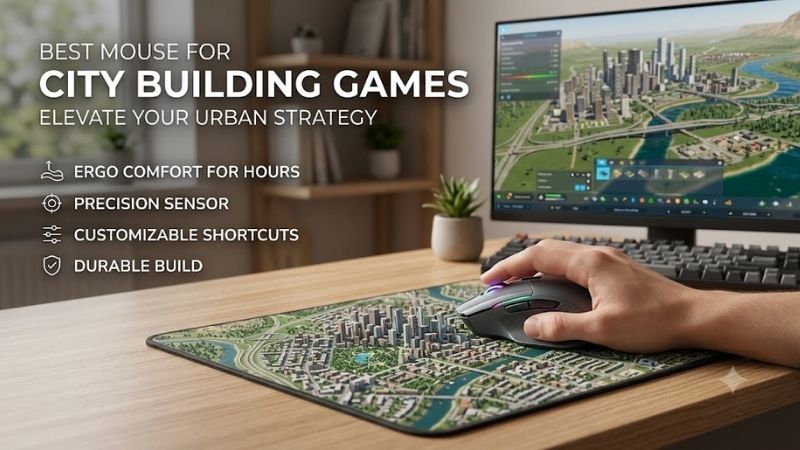
The best mouse for city building games should make long planning sessions smoother, faster, and less tiring. Look for accurate tracking, comfortable ergonomics, useful side buttons, and a responsive scroll wheel so you can pan maps, manage menus, switch tools, and control complex cities with fewer repetitive movements.
Best Mouse for City Building Games Compared
| Mouse | Best For | Main Advantage | Main Trade-Off |
|---|---|---|---|
| Logitech G502 X Plus | Balanced city building controls | Extra programmable inputs and dual-mode scrolling | More controls than minimalists need |
| Razer Basilisk V3 Pro | Premium all-purpose setup | Ergonomic design and versatile scrolling | Feature set may be excessive for casual use |
| Logitech MX Master 3S | Work and city building | Comfort-focused shape and fast scrolling | Less gaming-focused |
| Razer Naga V2 Pro | Maximum shortcut control | Interchangeable multi-button side panels | Requires time to learn |
| Corsair Scimitar RGB Elite | Wired macro-heavy setups | Adjustable side-button panel | Large thumb grid feels busy |
| SteelSeries Aerox 9 Wireless | Many controls in a lighter mouse | Large side-button array with lightweight design | Side cluster has a learning curve |
Logitech G502 X Plus – Best Overall for City Builders
The Logitech G502 X Plus fits city building games well because it mixes a familiar right-handed shape with many programmable controls and a dual-mode scroll wheel. Its extra buttons can handle camera shortcuts, pause, speed controls, or common build commands, while the wheel supports both precise steps and rapid scrolling through long menus.
Its main advantage is flexibility. You can keep essential commands under one hand instead of reaching across the keyboard for every action, which is useful in games with layered interfaces and frequent camera movement. The trade-off is that players who prefer simple, lightweight mice may find its button-heavy design more than they need.
Best For
- Players wanting a balanced mix of comfort, shortcuts, and scrolling.
Key Features
- Multiple programmable controls
- Dual-mode scroll wheel
- Right-handed gaming shape
- Wireless operation
What Makes It Different
- Combines strategy-friendly shortcut access with a scroll wheel designed for both controlled and rapid movement.
Pros
- Plenty of accessible controls
- Useful scrolling options
- Works well across strategy and action games
Cons
- More complex than a basic mouse
- Not aimed at ultra-minimal setups
Use Case
- Cities: Skylines, Anno, Frostpunk, Transport Fever, and similar management games.
Who It’s For
- Players who want several shortcuts without moving to a full MMO-style thumb grid.
Razer Basilisk V3 Pro – Best Premium Versatile Pick
The Razer Basilisk V3 Pro is another strong fit for city builders because its ergonomic body, programmable inputs, and versatile scroll wheel favor productivity-style control. It is especially useful for players who alternate between map navigation, menu-heavy management, and general desktop work without wanting a separate mouse for each task.
What makes it different is the balance between gaming features and everyday usability. The extra controls can hold camera, speed, or interface shortcuts, while the scroll system helps with long lists and zoom-heavy navigation. Its premium feature set may be unnecessary if you only want a basic mouse for occasional strategy sessions.
Best For
- Players wanting a premium mouse for gaming and everyday desktop use.
Key Features
- Ergonomic right-handed design
- Programmable buttons
- Flexible scroll-wheel controls
- Wireless connectivity
What Makes It Different
- Blends gaming controls with productivity-oriented scrolling and ergonomics.
Pros
- Useful for long management sessions
- Flexible shortcut configuration
- Strong fit for mixed gaming and work use
Cons
- More features than casual players may need
- Complex configuration can be unnecessary for simple layouts
Use Case
- Large cities, production chains, economic simulations, and interface-heavy strategy games.
Who It’s For
- Players who want one feature-rich mouse for gaming, browsing, and productivity.
Logitech MX Master 3S – Best for Comfort and Productivity
The Logitech MX Master 3S is built more like a productivity mouse than a traditional gaming model, but that can suit slow-paced city builders. Its sculpted shape, thumb controls, and fast scroll wheel favor long planning sessions where menus, map movement, and repeated management actions matter more than rapid aiming.
Its biggest strength is comfort-driven control rather than competitive responsiveness. The thumb wheel and extra buttons can support interface navigation or app switching outside games, making it useful for players who use one mouse for work and city builders. It is less gaming-focused than dedicated models, so shortcut depth may be lower.
Best For
- Long city-building sessions mixed with office or creative work.
Key Features
- Sculpted ergonomic shape
- Fast main scroll wheel
- Thumb wheel
- Additional programmable controls
What Makes It Different
- Prioritizes productivity and long-session comfort rather than esports-oriented design.
Pros
- Comfortable for extended desktop use
- Excellent for scrolling through large interfaces
- Useful outside gaming
Cons
- Fewer gaming-oriented features
- Not designed around competitive gaming input
Use Case
- Slower management games where planning, menus, and map navigation dominate.
Who It’s For
- Players who spend as much time working at their PC as they do managing virtual cities.
Razer Naga V2 Pro – Best for Maximum Shortcuts
The Razer Naga V2 Pro suits players who want a large bank of thumb buttons for complex management games. Its interchangeable side panels let you choose different button layouts, which can be useful if one city builder needs only a few shortcuts while another benefits from many commands for camera movement, time control, zoning, or production tasks.
The main benefit is command density. You can map more in-game functions to the mouse and keep your keyboard hand focused on movement or modifier keys. That can speed up repeated workflows in deep simulations. The downside is that the multi-button layout takes time to learn, and simpler players may not use enough shortcuts to justify it.
Best For
- Complex city builders and management games with many keyboard commands.
Key Features
- Interchangeable side panels
- Multiple programmable thumb controls
- Wireless connectivity
- Gaming-focused configuration software
What Makes It Different
- Lets you change the side-button layout instead of committing to one permanent control arrangement.
Pros
- Extensive shortcut potential
- Flexible button layouts
- Useful for several strategy genres
Cons
- Steeper learning curve
- Excessive for players who use only a few shortcuts
Use Case
- Deep simulations with overlays, zoning tools, camera commands, production screens, and speed controls.
Who It’s For
- Power users who want to move a large portion of their keyboard commands onto the mouse.
Corsair Scimitar RGB Elite – Best Wired Macro Mouse
The Corsair Scimitar RGB Elite suits city builder fans who want many side buttons in a traditional wired setup. Its adjustable side-button panel can help position the thumb keys more comfortably, and the large button grid is useful when you repeatedly switch tools, menus, overlays, camera views, or simulation speed.
Its strength is straightforward macro access without relying on a compact button layout. Players who enjoy assigning many commands can create a consistent control scheme across different simulations. The wired design removes battery concerns, but the large side grid can feel busy if you prefer only two or three thumb buttons and a cleaner grip.
Best For
- Desktop players wanting many shortcuts without managing wireless charging.
Key Features
- Large programmable thumb-button grid
- Adjustable side-button positioning
- Wired connection
- Gaming-focused software configuration
What Makes It Different
- The adjustable thumb-button section helps users position a large control grid around their grip.
Pros
- Plenty of command mappings
- No battery management
- Useful for macro-heavy strategy layouts
Cons
- Large side grid takes practice
- Wired cable may not suit minimalist desks
Use Case
- Players who regularly switch between zoning, overlays, camera controls, tools, and simulation speeds.
Who It’s For
- Shortcut-heavy city builder fans who prefer a permanent wired desktop setup.
SteelSeries Aerox 9 Wireless – Best Lightweight Multi-Button Pick
The SteelSeries Aerox 9 Wireless fits city builders who want many thumb commands without the bulky feel of a traditional MMO mouse. Its large side-button array supports dense shortcut layouts, while the lightweight perforated body can make repeated camera movement and menu work feel less cumbersome during long simulation sessions.
Its main difference is combining a high button count with a lighter chassis. That suits players who want shortcuts for zoning, overlays, speed, camera, or production tools but dislike heavier command mice. The trade-off is that the side cluster needs practice, and the perforated shell will not appeal to everyone.
Best For
- Players wanting many programmable controls in a lighter wireless design.
Key Features
- Large side-button array
- Wireless connectivity
- Lightweight perforated chassis
- Programmable gaming controls
What Makes It Different
- Offers MMO-style shortcut density without using the heavier body associated with many multi-button mice.
Pros
- Many shortcut options
- Easier to move than heavier command mice
- Wireless desk setup
Cons
- Thumb-button layout requires practice
- Perforated design is a matter of preference
Use Case
- City builders requiring frequent camera, zoning, overlay, construction, and simulation-speed commands.
Who It’s For
- Players who want lots of controls but prefer a lighter-feeling mouse.
How to Choose the Best Mouse for City Building Games
Choose the Right Number of Buttons
For city building games, button count should match your control style rather than a fixed target. Two side buttons are enough for simple shortcuts, while six or more help if you want camera, pause, speed, overlays, and build tools on the mouse. More buttons can save time, but they also increase learning effort and can make the grip feel busier.
Pay Attention to the Scroll Wheel
A good scroll wheel is unusually important in city builders because you often move through long menus, zoom the map, or browse dense lists. A free-spin or rapid-scroll mode can make large jumps faster, while a tactile stepped mode gives better control for precise selection. The best setup is one that lets you switch between both styles easily.
Prioritize Comfort Over Extremely Low Weight
Comfort matters more than low weight for many city building players. A supportive right-handed shape can reduce strain during long planning sessions, while a smaller or lighter body may suit fingertip users who move the mouse more with their fingers. Choose based on grip and hand size first, because extra features cannot fix a tiring shape.
Decide Between Wireless and Wired
Wireless versus wired is mostly a desk preference for this genre. Modern gaming wireless keeps the setup cleaner and movement easier, while wired models avoid charging and can cost less. Since city builders rarely depend on split-second aim, connection choice should focus on convenience, battery habits, and whether the mouse stays at your desk.
Consider Button-Mapping Software
Software matters when you want custom button profiles. A good configuration app lets you assign shortcuts, macros, and game-specific layouts so the same mouse can behave differently across Cities: Skylines, Anno, or Frostpunk. The benefit is faster access to repeated commands, but complex software adds setup time for plug-and-play users.
FAQ
How Many Mouse Buttons Are Useful for City Building Games?
For most players, four to eight useful programmable buttons are enough for a city builder. That gives space for pause, speed controls, camera functions, overlays, or common build shortcuts without turning the mouse into a full MMO keypad. Heavy macro users may prefer more, but extra buttons matter only if you can reach them comfortably.
Is an MMO Mouse Good for City Building Games?
An MMO mouse can be useful for city building games if you regularly use many keyboard shortcuts. A large thumb grid lets you move camera, change simulation speed, open overlays, or trigger build tools without shifting your keyboard hand. It is less useful for players who mostly click menus and only need a few side buttons.
Is a Free-Spin Scroll Wheel Worth Having?
A free-spin scroll wheel is helpful, but it is not mandatory. It makes long menus, browser pages, and large interface lists easier to move through, and it can feel faster when navigating dense management screens. A standard stepped wheel is still fine if you prefer more control and do not spend much time scrolling through long lists.
Does Mouse Weight Matter for City Builders?
Low weight is not a major priority for city building games because these titles do not demand constant fast flicks like competitive shooters. A heavier mouse can still feel comfortable if its shape supports your hand well. Focus more on grip comfort, button access, scroll behavior, and control layout than chasing the lightest possible body.
Are Wireless Mice Good for City Building Games?
Wireless mice work very well for city builders. The genre is not highly sensitive to tiny latency differences, so convenience usually matters more than competitive performance. A good wireless mouse keeps the desk cleaner and gives you more freedom of movement, while a wired model remains a sensible choice if you never want to think about charging.
Conclusion
The best mouse for city building games is the one that reduces repetitive input without making your grip uncomfortable. Logitech G502 X Plus and Razer Basilisk V3 Pro suit balanced shortcut use, while MX Master 3S favors comfort and Naga V2 Pro or Scimitar RGB Elite fit command-heavy players who want many controls under one hand.