🛒 Best Price Today on Amazon
Prime members get fast, free shipping on everything above, plus member-only deals. New members get a 30-day free trial — cancel anytime.
- Best Mouse for Marvel Rivals: Quick Comparison
- Razer Viper V4 Pro — Best for Fast Duelist Play
- Logitech G PRO X2 SUPERSTRIKE — Best for Click Tuning
- Razer DeathAdder V4 Pro — Best Ergonomic Option
- Logitech G PRO X SUPERLIGHT 2 DEX — Best for Relaxed Claw
- Razer Viper V3 Pro — Best Proven Alternative
- How to Choose the Best Mouse for Marvel Rivals
- FAQ
- Conclusion
The best mouse for Marvel Rivals should feel fast during close-range tracking, stable for precise hitscan shots, and comfortable across long ranked sessions. This guide compares competitive mice that balance low weight, reliable sensors, responsive wireless performance, and shapes suited to fast hero-shooter movement.
Best Mouse for Marvel Rivals: Quick Comparison
| Mouse | Best For | Shape | Main Advantage |
|---|---|---|---|
| Razer Viper V4 Pro | Fast Duelist play | Symmetrical | Very low weight and responsive movement |
| Logitech G PRO X2 SUPERSTRIKE | Competitive flexibility | Symmetrical | Adjustable click actuation |
| Razer DeathAdder V4 Pro | Palm grip and larger hands | Ergonomic right-handed | Strong hand support |
| Logitech G PRO X SUPERLIGHT 2 DEX | Relaxed claw and palm | Right-handed | Supportive rear shape |
| Razer Viper V3 Pro | Proven esports performance | Symmetrical | Balanced lightweight design |
Razer Viper V4 Pro — Best for Fast Duelist Play
Best For: Claw grip, fingertip grip, fast camera movement, Duelist players
Key Features:
- Lightweight competitive design
- Symmetrical low-profile shape
- Native high-polling support
- Esports-focused wireless connection
- Modern optical sensor platform
The Razer Viper V4 Pro uses a low-profile symmetrical shape that suits claw and fingertip users who want fast repositioning. Its very low weight reduces inertia during sharp turns, while native high polling supports responsive updates. The trade-off is simple: players wanting fuller palm support may prefer a larger ergonomic shell.
What Makes It Different: Its combination of a very light shell, flatter esports geometry, and high polling favors rapid direction changes rather than maximum palm support.
Pros
- Easy to accelerate and stop
- Shape works well for fast micro-adjustments
- High polling available without focusing on extreme DPI
- Strong fit for aim-heavy Duelists
Cons
- Low-profile body may not fill the palm
- Premium features can exceed what casual players need
Use Case: Fast tracking, flick-heavy heroes, repeated 180-degree turns, and players who frequently switch targets during chaotic team fights.
Who It’s For: Competitive players who use claw or fingertip grip and want minimal resistance during fast horizontal and diagonal movement.
Logitech G PRO X2 SUPERSTRIKE — Best for Click Tuning
Best For: Competitive players who want adjustable click behavior
Key Features:
- Lightweight wireless esports design
- Adjustable actuation behavior
- Rapid-reset functionality
- Broadly accommodating shape
- High-performance competitive positioning
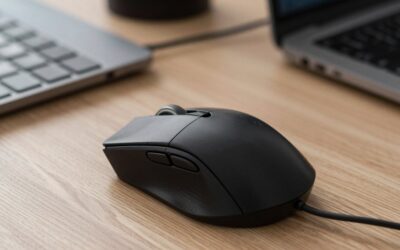
The Logitech G PRO X2 SUPERSTRIKE suits competitive players who want a broadly accommodating shape plus advanced click control. Its HITS-based switch system supports adjustable actuation and rapid reset, while the lightweight wireless body stays agile. Those extras are less useful if you prefer fixed click behavior and simple software settings.
What Makes It Different: The switch system lets players tune how clicks actuate and reset rather than relying only on a traditional fixed mouse-switch response.
Pros
- Adjustable click actuation
- Competitive lightweight construction
- Shape accommodates multiple grip styles
- Useful for players who optimize input behavior
Cons
- Advanced click settings add complexity
- Benefits may be subtle for casual players
Use Case: Ranked players who constantly fire, cancel abilities, or make repeated click inputs and enjoy tuning peripherals around individual preferences.
Who It’s For: Players who enjoy experimenting with actuation settings while retaining a relatively versatile competitive mouse shape.
Razer DeathAdder V4 Pro — Best Ergonomic Option
Best For: Palm grip, larger hands, long Marvel Rivals sessions
Key Features:
- Right-handed ergonomic design
- Competitive wireless performance
- High-polling capability
- Optical switch system
- Ergonomic palm support
The Razer DeathAdder V4 Pro is the clearest fit for players who prefer a larger right-handed ergonomic shell. Its shape gives more palm support than low-profile symmetrical mice, which can improve comfort in long sessions. It still targets competitive play, but smaller hands and fingertip users may find the body less easy to control.
What Makes It Different: Instead of minimizing shell height, the DeathAdder platform gives the hand more surface contact while retaining hardware aimed at competitive gaming.
Pros
- Supportive ergonomic profile
- Comfortable for many palm-grip users
- Competitive sensor and wireless platform
- Strong choice for longer sessions
Cons
- Less adaptable for small hands
- Fingertip users may find it bulky
Use Case: Vanguard, Strategist, or mixed-role players who value comfort while still needing quick tracking and responsive ability targeting.
Who It’s For: Right-handed users with medium-to-large hands who want more palm support than a low-profile symmetrical esports mouse provides.
Logitech G PRO X SUPERLIGHT 2 DEX — Best for Relaxed Claw
Best For: Right-handed palm and relaxed-claw users
Key Features:
- Right-handed shape
- Lightweight wireless construction
- High-polling support
- Pronounced rear support
- Low front-button position
The Logitech G PRO X SUPERLIGHT 2 DEX uses a right-handed shape with a supportive rear hump and low front buttons, giving palm and relaxed-claw users more contact than a flatter esports mouse. It also supports high polling and a lightweight wireless build. Its asymmetric body is less flexible for left-handed use or very small hands.
What Makes It Different: Its rear support creates a more anchored hand position than flatter symmetrical mice while keeping the front low enough for controlled clicks.
Pros
- Supportive rear profile
- Lightweight for an ergonomic-leaning design
- High polling available
- Good balance between stability and mobility
Cons
- Right-handed shape limits versatility
- Less natural for aggressive fingertip grip
Use Case: Players who mix tracking heroes with precision characters and prefer the mouse to remain securely positioned under the rear of the hand.
Who It’s For: Right-handed players who find traditional symmetrical esports mice too flat but do not want a very large ergonomic shell.
Razer Viper V3 Pro — Best Proven Alternative
Best For: Players wanting a mature competitive design
Key Features:
- Lightweight wireless construction
- Symmetrical esports shape
- High-polling support
- Competitive optical sensor
- Low-profile body
The Razer Viper V3 Pro remains a strong Marvel Rivals option for players who want a proven symmetrical esports shape without buying the newest flagship. It is lightweight, supports high polling, and suits fast lateral tracking. Newer models refine battery life and hardware, but its core performance is still fully competitive.
What Makes It Different: It delivers the familiar Viper competitive shape and high-end responsiveness without requiring players to move to the latest generation.
Pros
- Lightweight symmetrical design
- Strong claw-grip suitability
- Responsive wireless operation
- High-polling capability
Cons
- Newer Viper models improve some hardware
- Flatter profile may not suit palm users
Use Case: Duelist players, hitscan users, and anyone who prefers fast lateral movement with a familiar competitive mouse shape.
Who It’s For: Players who prioritize proven esports ergonomics and responsive tracking rather than always buying the newest flagship.
How to Choose the Best Mouse for Marvel Rivals
Choose Shape Before Chasing Specifications
For Marvel Rivals, shape should come before sensor headline numbers. Fingertip and aggressive claw users often benefit from a lower symmetrical shell because it leaves room for micro-adjustments, while palm users may prefer a taller ergonomic design that fills the hand. The wrong shape can hurt consistency more than small spec differences.
Consider Weight for Tracking and Target Switching
Lower weight can help during fast 180-degree turns, target swaps, and repeated tracking corrections, but lighter is not automatically better. Some players aim more steadily with a slightly more planted feel. Marvel Rivals rewards speed and control, so choose a weight that lets you stop accurately instead of chasing the lowest number.
Do You Need 4000 Hz or 8000 Hz Polling?
High polling can reduce the interval between mouse updates, but the practical benefit depends on the rest of the system. A high-refresh monitor, strong frame rate, stable USB connection, and enough CPU headroom all matter. Reliable 1000 Hz is already responsive, while 4000 Hz or 8000 Hz is best treated as an optional performance mode.
Match DPI With Marvel Rivals Sensitivity
DPI should be chosen together with in-game sensitivity because the combination determines effective sensitivity. Marvel Rivals pros use many different settings, so copying one player is only a starting point. Prioritize a setup that lets you track smoothly, turn comfortably, and make small corrections without lifting the mouse too often.
FAQ
What Is the Best Mouse Shape for Marvel Rivals?
There is no single ideal mouse for every Marvel Rivals player because hand size, grip style, role preference, and sensitivity all change what feels controlled. A low-profile symmetrical mouse usually favors fast claw or fingertip movement, while a right-handed ergonomic model can provide more support for palm grip and longer sessions.
Is 8000 Hz Polling Worth It for Marvel Rivals?
An 8000 Hz mouse can work well for Marvel Rivals, but it is not required to play competitively. Higher polling sends updates more frequently, which can slightly improve input granularity on a fast system. It also increases CPU and power demand, so 1000 Hz or 2000 Hz may be the better everyday setting if frame consistency drops.
Is Wireless Good Enough for Competitive Marvel Rivals?
Wireless gaming mice are fully viable for Marvel Rivals when they use a modern low-latency gaming connection. Current esports-focused models can deliver excellent responsiveness without cable drag. More important factors are connection stability, receiver placement, battery management, and a shape that stays comfortable through long sessions.
Does Mouse Weight Matter in Marvel Rivals?
Mouse weight matters because Marvel Rivals requires frequent turns, tracking adjustments, and target switching, but it should not be judged alone. A lighter mouse can feel quicker, while a slightly heavier one may feel steadier. Shape, grip security, skates, pad friction, and sensitivity all affect how easily you can start and stop the mouse.
Conclusion
The best mouse for Marvel Rivals is the one that matches your grip, hand size, and aiming style while delivering stable low-latency input. The Viper V4 Pro favors speed, the SUPERSTRIKE adds advanced click tuning, and the DeathAdder V4 Pro offers more ergonomic support. Choose shape first, then refine weight, polling, and sensitivity.