🛒 Best Price Today on Amazon
Prime members get fast, free shipping on everything above, plus member-only deals. New members get a 30-day free trial — cancel anytime.
- Best Mouse for Strategy Games: Quick Comparison
- 1. Razer Naga V2 Pro — Best for Maximum Strategy Commands
- 2. Corsair Scimitar Elite Wireless SE — Best Adjustable Side Panel
- 3. Logitech G502 X Plus — Best Balanced Strategy Mouse
- 4. Razer Basilisk V3 Pro 35K — Best for Scrolling and Menus
- 5. SteelSeries Aerox 9 Wireless — Best Lightweight Multi-Button Mouse
- Buying Guide: Choosing a Mouse for Strategy Games
- FAQ
- Conclusion
The best mouse for strategy games should make repeated commands faster without turning the side panel into a maze. For RTS, 4X, city builders, and grand strategy, programmable buttons, a precise sensor, useful scroll controls, and a comfortable shape matter more than extreme DPI. These five mice fit different styles of strategic play.
Best Mouse for Strategy Games: Quick Comparison
| Mouse | Programmable Controls | Main Advantage | Best Fit |
|---|---|---|---|
| Razer Naga V2 Pro | 19+1 | Swappable 2, 6, and 12-button side plates | Command-heavy RTS, 4X, grand strategy |
| Corsair Scimitar Elite Wireless SE | 16 | Adjustable 12-button Key Slider | Macro-heavy strategy players |
| Logitech G502 X Plus | 13 | Distributed controls without a dense side grid | Strategy plus mixed gaming |
| Razer Basilisk V3 Pro 35K | 11 buttons | Configurable HyperScroll tilt wheel | Menu and scroll-heavy strategy |
| SteelSeries Aerox 9 Wireless | 18 | 12-button panel in an 89 g chassis | Many bindings with lower mouse weight |
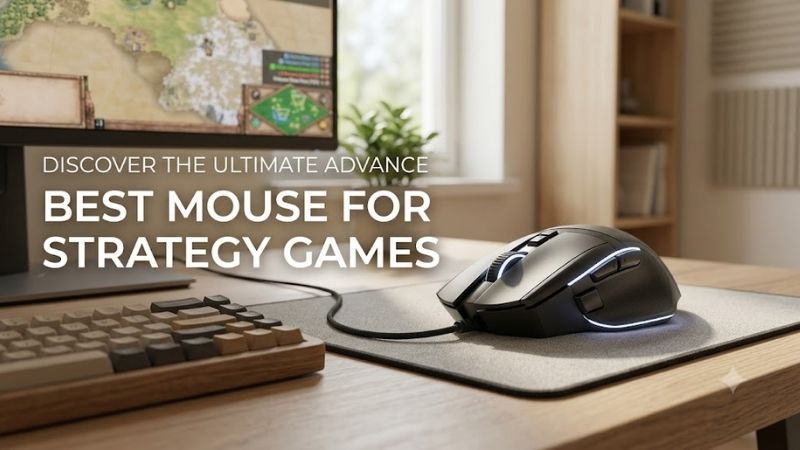
1. Razer Naga V2 Pro — Best for Maximum Strategy Commands
Razer’s Naga V2 Pro is built for players who want many commands under the thumb without committing to one layout. Its three swappable side plates provide 2, 6, or 12 buttons, while the mouse offers 19+1 programmable inputs overall. That flexibility suits games where hotkeys, camera actions, control groups, and menus change by genre.
For strategy players, the six-button plate is often the most balanced setup: enough inputs for map, build, stance, or ability commands without the dense feel of a 12-button grid. The 12-button plate makes more sense for macro-heavy games, while the two-button plate keeps the mouse simple for shooters or everyday use.
- Best For: Players using many hotkeys and control groups
- Key Features: 19+1 programmable inputs, interchangeable 2/6/12-button side plates, HyperScroll Pro wheel
- What Makes It Different: The side-button layout can physically change for different games
- Pros: Huge command capacity; flexible layouts; dedicated gaming wireless
- Cons: More buttons create a steeper learning curve
- Use Case: Bind control groups, camera positions, build commands, tactical menus, and modifiers
- Who It’s For: RTS, 4X, grand strategy, MMO, and multi-genre players
2. Corsair Scimitar Elite Wireless SE — Best Adjustable Side Panel
The Corsair Scimitar Elite Wireless SE is a strong fit for players who want a full command pad and a side cluster that can be repositioned. It provides 16 programmable buttons, including a 12-button Key Slider panel that moves to better match thumb reach. That adjustability matters during long sessions where stretching causes missed inputs.
Its layout favors players who bind production, camera locations, control groups, diplomacy, or repeated menu actions to the mouse. The trade-off is density: a 12-button side grid takes more learning than a conventional two-button design. Once memorized, however, it can reduce keyboard travel in command-heavy strategy titles.
- Best For: Players who want a large thumb command grid
- Key Features: 16 programmable buttons, adjustable 12-button Key Slider, MARKSMAN S 33K optical sensor
- What Makes It Different: The entire thumb keypad can slide to match hand position
- Pros: Adjustable button reach; numerous bindings; onboard profile storage
- Cons: Dense side panel requires practice
- Use Case: Production queues, unit groups, diplomacy screens, camera commands, and build shortcuts
- Who It’s For: Strategy players comfortable managing many mouse bindings
3. Logitech G502 X Plus — Best Balanced Strategy Mouse
The Logitech G502 X Plus is a better middle ground for strategy players who want extra controls without an MMO-style side grid. It has 13 programmable controls, a reversible or removable DPI-shift button, LIGHTFORCE switches, and LIGHTSPEED wireless. The layout keeps common commands close while preserving a familiar right-handed shape.
This design works especially well for players who alternate between strategy, shooters, and general PC use. You can map camera drag, pause, tactical view, ping, or modifier functions without learning a twelve-key thumb pad. Its extra controls are distributed around the mouse, so access feels less concentrated than on a Naga or Scimitar.
- Best For: Strategy players who also play other PC genres
- Key Features: 13 programmable controls, LIGHTSPEED wireless, LIGHTFORCE switches
- What Makes It Different: Extra commands are distributed across a conventional gaming-mouse layout
- Pros: Versatile button placement; familiar shape; customizable controls
- Cons: Fewer dedicated thumb commands than 12-button designs
- Use Case: Pause, map, camera drag, tactical view, ping, modifiers, and secondary commands
- Who It’s For: Players wanting one mouse for strategy, shooters, and everyday use
4. Razer Basilisk V3 Pro 35K — Best for Scrolling and Menus
The Razer Basilisk V3 Pro 35K combines 11 programmable buttons with a HyperScroll tilt wheel that supports tactile, free-spin, and Smart-Reel modes. That wheel is useful in strategy games with long technology trees, unit lists, or menus, while tilt inputs can be assigned to extra commands. It is designed for right-handed ergonomic use.
Compared with button-grid mice, the Basilisk offers fewer direct thumb commands but easier separation between inputs. That can reduce accidental presses for players who value comfort and scrolling over maximum macro count. It also fits mixed gaming setups where the same mouse must handle strategy titles, shooters, browsing, and productivity.
- Best For: Strategy games with large menus, lists, and interfaces
- Key Features: 11 programmable buttons, 4-way HyperScroll tilt wheel, Focus Pro 35K sensor
- What Makes It Different: Multiple scroll modes provide more control over long interfaces
- Pros: Flexible wheel; separated controls; multiple connectivity options
- Cons: Less command density than Naga or Scimitar
- Use Case: Technology trees, unit panels, camera controls, map navigation, and mixed PC use
- Who It’s For: Players prioritizing ergonomics and scrolling over maximum button count
5. SteelSeries Aerox 9 Wireless — Best Lightweight Multi-Button Mouse
The SteelSeries Aerox 9 Wireless stands out by combining 18 programmable buttons with an 89 g chassis. Its 12-button side panel targets MMO and MOBA play, yet the same layout can serve strategy players who bind build menus, squads, camera groups, or repeated actions. The lower weight helps if you prefer faster cursor movement across a large map.
Its biggest advantage is the rare pairing of many inputs and comparatively low mass. The compromise is the honeycomb shell and dense side panel, which will not suit every grip or thumb position. Players who want numerous bindings but dislike the heavier feel common to multi-button mice should give the Aerox 9 particular attention.
- Best For: Players wanting many buttons without a particularly heavy mouse
- Key Features: 18 programmable buttons, 12-button side panel, 89 g weight, 2.4 GHz and Bluetooth wireless
- What Makes It Different: High button count combined with a lightweight chassis
- Pros: Numerous commands; lower weight; dual wireless connectivity
- Cons: Honeycomb shell and compact side grid may divide preferences
- Use Case: Rapid map movement combined with control groups, builds, abilities, and camera shortcuts
- Who It’s For: Strategy players who want MMO-level binding capacity with lower mass
Buying Guide: Choosing a Mouse for Strategy Games
Programmable Buttons
Programmable buttons matter because strategy games repeat the same commands across long sessions. Two or three extra inputs may cover pause, map, and camera functions, while a 12-button grid can hold control groups, build shortcuts, or modifiers. More buttons improve access only when you can identify them quickly without looking down.
Shape and Ergonomics
Ergonomics should come before raw button count. A mouse that supports your preferred palm, claw, or fingertip posture reduces the need to squeeze or overreach during long campaigns. Side-button placement matters just as much: a perfectly specified mouse is frustrating if your thumb cannot reach the rear keys without shifting your grip.
Scroll Wheel Design
A flexible scroll wheel can be unusually valuable in strategy games because players constantly move through long menus, unit lists, technology trees, and large maps. Tilt inputs add two more bindable directions, while free-spin modes speed through long interfaces. The trade-off is complexity if you prefer a simple, firmly notched wheel.
Wireless vs Wired
Wireless is now practical for strategy gaming when the mouse uses a modern low-latency 2.4 GHz connection. Bluetooth is useful for laptops and secondary devices, but dedicated gaming wireless is the better mode for play. Battery life matters more for long sessions than peak polling rate, especially if you dislike charging mid-campaign.
Software and Profiles
Good configuration software lets you remap buttons, create game-specific profiles, and store useful commands without changing your keyboard layout. For strategy games, profile switching is valuable when one title needs camera controls and another needs squad or build bindings. Avoid assigning complex macros where a game’s rules prohibit automation.
Mouse Weight
Weight affects how quickly you can cross a large map, but strategy players do not need the lightest possible mouse. A lighter model can feel quicker during edge scrolling and rapid camera movement, while a heavier ergonomic body may feel steadier during long sessions. Choose the balance that matches your sensitivity and grip.
FAQ
How Many Mouse Buttons Do I Need for Strategy Games?
For most strategy games, five to eight easy-to-reach extra inputs are enough for useful shortcuts such as pause, map, camera, control groups, or modifiers. Players who use many hotkeys in RTS, 4X, or grand strategy titles may benefit from a 12-button side grid, but only if they can operate it accurately without looking.
Is an MMO Mouse Good for Strategy Games?
An MMO mouse can work very well for strategy games because its side panel gives direct access to many commands. It is most useful for players who already rely on control groups, build shortcuts, camera locations, or repeated menu actions. The downside is a steeper learning curve and a greater chance of pressing the wrong side button.
Is a Wireless Mouse Good for RTS and Strategy Games?
Wireless mice are suitable for strategy gaming when they use a dedicated low-latency 2.4 GHz connection. Strategy titles usually place less emphasis on split-second click timing than competitive shooters, but responsive wireless still keeps cursor movement predictable. Bluetooth is better treated as a convenience mode than the primary gaming link.
Do Strategy Games Need a High-DPI Mouse?
Very high DPI is not necessary for strategy games. What matters more is consistent tracking at the sensitivity you actually use, because precise cursor placement helps with selecting units, clicking small interface elements, and moving across the map. A huge maximum DPI number does not automatically make a mouse better for strategic play.
What Should I Bind to Extra Mouse Buttons?
Extra mouse buttons are most useful when they replace awkward or frequently repeated keyboard reaches. Good candidates include map view, pause, camera locations, control-group modifiers, ping, tactical overlays, or menu actions. Keep critical commands on distinct buttons and avoid overloading the mouse until every input feels automatic.
Conclusion
The best mouse for strategy games depends on how many commands you want under one hand. Choose the Naga V2 Pro or Scimitar for dense bindings, the G502 X Plus or Basilisk for balanced control, and the Aerox 9 for many inputs at lower weight. Prioritize reachable buttons, comfort, and reliable software over headline DPI.