🛒 Best Price Today on Amazon
Prime members get fast, free shipping on everything above, plus member-only deals. New members get a 30-day free trial — cancel anytime.
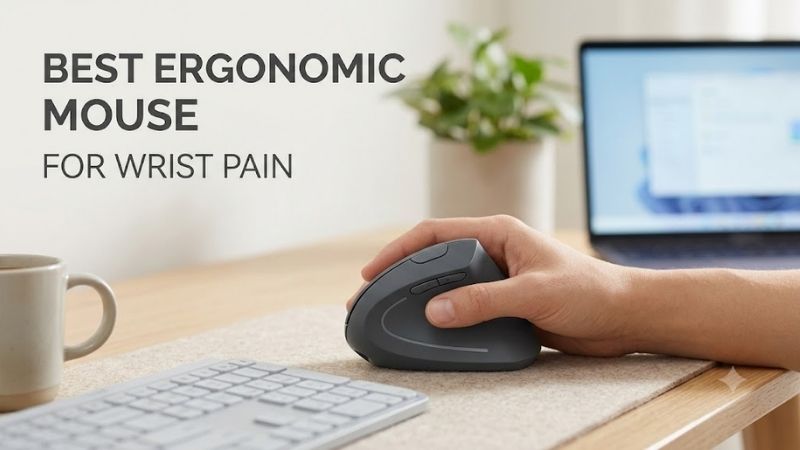
Wrist pain can turn ordinary computer work into a daily distraction, so the best ergonomic mouse for wrist pain should reduce twisting, support a relaxed grip, and fit your hand without forcing extra reach. This roundup compares vertical and supportive designs for office work, creative tasks, browsing, and light gaming.
Logitech Lift Vertical Ergonomic Mouse
Best For: Small to medium hands and multi-device productivity
Key Features
- Vertical ergonomic design
- 400–4,000 DPI adjustment
- SmartWheel
- Bluetooth Low Energy
- Logi Bolt USB receiver
- Three-device switching
- One AA battery
- Quiet main buttons
The Logitech Lift is a compact vertical mouse designed around a more upright hand position. Its 400–4,000 DPI range, SmartWheel, Bluetooth Low Energy, and Logi Bolt support make it practical for multi-device desks. The smaller shape is especially useful when a large vertical mouse feels bulky or hard to control.
What Makes It Different
Lift stands out because its compact body combines vertical ergonomics with quiet main clicks and broad platform support. It runs on one AA battery and can switch among three connected devices. The trade-off is that users with large hands may prefer a taller, fuller shape that fills the palm more naturally during long sessions.
Pros
- Compact vertical shape
- Quiet primary buttons
- Wide DPI adjustment
- Bluetooth and Logi Bolt connectivity
- Multi-device switching
- Windows and macOS customization
Cons
- Compact shape may feel undersized for large hands
- Not designed around esports-level polling performance
- Uses a replaceable AA battery rather than USB charging
Use Case and Who It’s For
For writers, analysts, students, and office users with small to medium hands, Lift is one of the easiest vertical designs to adapt to. The familiar wheel and side-button layout reduces the learning curve, while the angled grip can limit the forearm rotation associated with a flat mouse. It is not built as a high-polling competitive gaming mouse.
Logitech MX Vertical
Best For: Larger hands and full-time desktop productivity
Key Features
- Full-size vertical body
- 400–4,000 DPI tracking
- Bluetooth Low Energy
- 2.4 GHz wireless receiver
- USB-C charging
- Wired use while charging
- Customizable controls with Logi Options+
The Logitech MX Vertical uses a larger, taller shell than Lift and targets users who want more palm support. It offers 400–4,000 DPI tracking, Bluetooth and 2.4 GHz wireless connectivity, USB-C charging, and customizable controls through Logi Options+. Its size makes it a better match for users who find compact vertical mice cramped.
What Makes It Different
What makes MX Vertical different is its pronounced upright grip paired with productivity controls. The rechargeable design avoids disposable batteries, and users can connect through Bluetooth, the receiver, or the charging cable. Its larger footprint is useful on a fixed desk but less convenient for travel or very small hands.
Pros
- Larger body supports a fuller palm grip
- USB-C rechargeable battery
- Multiple connection methods
- Broad DPI adjustment
- Customizable productivity controls
Cons
- Large shell may overwhelm smaller hands
- Less portable than compact vertical mice
- Shape prioritizes productivity rather than rapid gaming movement
Use Case and Who It’s For
MX Vertical suits professionals who spend long hours in spreadsheets, design software, browsers, and documents and want a substantial mouse under the palm. It can handle casual games, but its ergonomics matter more than low weight or esports-style speed. Users switching from a flat mouse may need an adjustment period.
Anker 2.4G Wireless Vertical Ergonomic Optical Mouse
Best For: Simple, affordable vertical-mouse setups
Key Features
- Vertical handshake-style shape
- 800 / 1200 / 1600 DPI
- 2.4 GHz USB receiver
- Forward and back buttons
- Automatic power-saving mode
- Two AAA batteries required
The Anker 2.4G Wireless Vertical Ergonomic Optical Mouse is a simpler option for users who want to try a handshake-style grip without paying for advanced software features. It provides 800, 1200, and 1600 DPI settings, forward and back buttons, a 2.4 GHz USB receiver, and a lightweight body powered by two AAA batteries.
What Makes It Different
Its main difference is simplicity: there is no multi-device Bluetooth system or deep button customization to manage. That helps on a single-PC workstation where the goal is reducing forearm rotation and keeping the wrist more neutral. The fixed three-step DPI range is less flexible than Logitech’s broader adjustment.
Pros
- Straightforward vertical design
- Three DPI settings
- Dedicated browser navigation buttons
- Wireless USB connection
- No complex software required
Cons
- No Bluetooth
- No multi-device switching
- DPI adjustment is relatively limited
- Batteries are not included
Use Case and Who It’s For
The Anker model makes sense for a home office, shared workstation, or secondary computer where advanced workflow features are unnecessary. Its basic receiver-based connection keeps setup simple, while the vertical body introduces a more neutral hand orientation without requiring users to learn extra software, profiles, or device-switching controls.
J-Tech Digital V628
Best For: Large hands and maximum palm-side support
Key Features
- Large vertical body
- Removable palm rest
- 600 / 1000 / 1600 DPI
- 125 Hz report rate
- Wired USB connection
- 1.6-meter cable
The J-Tech Digital V628 is a large wired vertical mouse with a removable palm rest, making it unusual among mainstream ergonomic designs. It offers 600, 1000, and 1600 DPI settings and a 125 Hz response rate. The broad base can support the side of the hand, which may appeal to users who dislike letting the palm edge drag on the desk.
What Makes It Different
The V628 is best treated as a stationary desk mouse. Its large shell and palm support favor users who want physical support over portability, while the wired connection removes battery concerns. At 125 Hz, however, it is aimed at office and general use rather than fast competitive games that benefit from higher report rates.
Pros
- Removable palm rest
- Large supportive body
- No battery or charging requirement
- Three selectable DPI levels
Cons
- Bulky for travel
- Large shape may not suit small hands
- Wired connection limits desk freedom
- 125 Hz polling is not aimed at competitive gaming
Use Case and Who It’s For
The V628 fits permanent workstations where wrist positioning and palm support matter more than portability. Designers, office workers, programmers, or users who dislike lifting and repositioning compact mice may appreciate its substantial base. The removable rest also provides more flexibility than vertical mice with a completely fixed footprint.
J-Tech Digital V628M
Best For: Smaller hands that find full-size vertical mice cumbersome
Key Features
- Compact vertical design
- 800 / 1200 / 1600 DPI
- Six buttons
- 125 Hz refresh rate
- 2.4 GHz wireless connection
- Powered by one AA battery
The J-Tech Digital V628M is the compact alternative in the same family. It uses a 2.4 GHz USB receiver, offers 800, 1200, and 1600 DPI settings, and is specifically described by the manufacturer as better suited to smaller hands. That makes it worth considering when full-size vertical mice force the fingers to stretch or weaken control.
What Makes It Different
Unlike the much larger V628, the V628M focuses on compact wireless ergonomics instead of maximum palm support. Its smaller dimensions can make button access and pointer control easier for shorter fingers, while the USB receiver avoids cables. Users wanting a broad palm platform should consider the larger V628 instead.
Pros
- Designed with smaller hands in mind
- Wireless operation
- Three DPI settings
- Compact for smaller desks
Cons
- Limited DPI range compared with premium models
- 125 Hz refresh rate favors productivity over competitive gaming
- USB receiver occupies a port
- Larger hands may feel cramped
Use Case and Who It’s For
The V628M is most relevant when hand size is the reason other ergonomic mice feel uncomfortable. It can work well for laptop desks, home offices, or smaller workstations where a large vertical body consumes too much space. Its straightforward controls also suit users who want physical ergonomic changes without extensive configuration.
How to Choose the Best Ergonomic Mouse for Wrist Pain
Match the Mouse to Your Hand Size
Hand size matters more than many buyers expect. A mouse can have an ergonomic shape yet still aggravate the wrist if the body is too tall, too wide, or too short for your grip. Small hands often benefit from compact vertical models, while larger hands may feel more supported by a fuller shell that lets the palm rest instead of hover.
Look for a Relaxed, Neutral Grip
A vertical grip changes forearm position, but angle alone does not guarantee comfort. Look for a shape that lets the thumb rest without squeezing, keeps the fingers relaxed over the buttons, and allows movement from the arm instead of repeated wrist flicks. A removable palm rest can help if the side of your hand normally drags across the desk.
Choose Useful DPI, Not Maximum DPI
DPI should be adjustable enough to let the pointer travel comfortably without large wrist movements. Higher sensitivity can reduce physical travel, but setting it too high may make fine control difficult. For office work, prioritize smooth tracking and an easy DPI adjustment over extreme sensor specifications designed mainly for competitive gaming.
Consider Connectivity and Desk Layout
Connectivity affects convenience more than ergonomics, but it still matters in daily use. Bluetooth and multi-device switching suit laptops and shared workstations, while a USB receiver offers simple plug-and-play use. Wired models remove charging and battery concerns, though the cable can add drag if desk space is tight or poorly managed.
Fix the Workstation, Not Just the Mouse
An ergonomic mouse can reduce an awkward hand position, but it is not a diagnosis or guaranteed treatment for wrist pain. Persistent pain, numbness, tingling, weakness, or symptoms that worsen with computer use deserve medical assessment. Pair the mouse with sensible desk height, regular breaks, and less repetitive wrist motion.
FAQ
Can a vertical mouse help with wrist pain?
A vertical mouse can help some users because it reduces the forearm rotation required by a traditional flat mouse and encourages a handshake-style grip. Comfort still depends on hand size, desk height, grip tension, and how you move the mouse. It may reduce strain, but it should not be treated as a cure for an underlying condition.
Is a vertical mouse better than a trackball for wrist pain?
Neither style is automatically better for everyone. A vertical mouse changes forearm rotation more dramatically, while a trackball reduces how much the arm and wrist need to travel across the desk. Users with pain from twisting may prefer vertical designs, while those bothered by repeated movement may find a trackball worth trying.
How should an ergonomic mouse fit my hand?
A mouse should fill enough of the palm to avoid pinching with the thumb and little finger, yet remain small enough that the main buttons are easy to reach. If you have to stretch your fingers or squeeze the sides to lift and control it, the shape is probably too large. Hand dimensions matter more than the word ergonomic on the box.
Can I use an ergonomic mouse for gaming?
Gaming is possible with an ergonomic mouse, especially for slower strategy, simulation, MMO, or casual titles. Competitive FPS players may notice limits from heavier bodies, lower polling rates, or shapes that are less suited to rapid lifting and flicking. If pain is the priority, comfort may matter more than esports-oriented sensor features.
How long does it take to get used to a vertical mouse?
Give yourself several days to adapt before judging a vertical mouse, because the grip and pointer movement can feel unfamiliar at first. Start with short sessions, keep sensitivity high enough to avoid large wrist motions, and resist gripping harder for control. If discomfort increases rather than settles, stop using the mouse and reassess the fit.
Conclusion
For most people, the best ergonomic mouse for wrist pain is the one that fits both hand size and work style. Logitech Lift suits smaller hands and flexible multi-device desks, MX Vertical favors larger hands and productivity, Anker offers a simple entry point, and J-Tech models provide stronger palm support in compact or full-size forms.