🛒 Best Price Today on Amazon
Prime members get fast, free shipping on everything above, plus member-only deals. New members get a 30-day free trial — cancel anytime.
Choosing a mouse for GTA 5 is really a decision about switching. One minute you are steering through Los Santos traffic, the next you are on foot in a shootout, and a moment later you are pulling a plane out of a dive. The hardware question is not raw speed; it is whether the buttons, sensitivity changes and grip you need for each mode sit under your fingers without a trip to a settings menu.
This guide is for story-mode players working through long sessions, GTA Online players who rotate between driving jobs and on-foot missions, and anyone who flies often enough that quick sensitivity changes matter. Every pick below was chosen from its Amazon listing name and stated specifications, focusing on programmable buttons, sensor range, weight and connection type as the listings describe them.
Quick Picks
As an Amazon Associate we earn from qualifying purchases
| Product | Best for | Key spec from title |
|---|---|---|
| Logitech G502 HERO | Players who want one wired mouse with a button for every mode | HERO 25K Sensor, 25,600 DPI |
| Razer Basilisk V3 | Thumb-heavy layouts and a tilt wheel for vehicle control | 26K DPI Optical Sensor |
| Razer DeathAdder V3 | Fast, light aim during on-foot gunfights | 59g Ultra Lightweight |
| Logitech G502 Lightspeed | The G502 button layout without a cable on the desk | Hero 25K Sensor |
How to Choose
Count the Buttons You Will Actually Bind
GTA 5 spreads its controls widely, so spare programmable buttons earn their place quickly. A thumb button can handle entering vehicles, another can cover interaction prompts, and a DPI-shift button near the thumb lets you drop sensitivity for careful aim and restore it for driving. Mice in this guide list anywhere from six to eleven programmable buttons, and the honest question is how many distinct actions you genuinely repeat every session. If your answer is two or three, a simpler layout is easier to learn; if you run varied Online jobs, the larger button counts stop you reaching across the keyboard mid-mission.
Match the Sensor and DPI Range to Mixed Play
Driving and flying reward smooth, predictable tracking at moderate sensitivity, while on-foot aiming often feels better with a different setting again. What matters on a listing is the stated DPI range and whether the mouse lets you step between saved sensitivity levels on the fly. Every mouse here lists a ceiling far beyond what GTA 5 play typically calls for, so the headline number is the least useful part; the practical detail is a reachable DPI control plus onboard profiles, so a driving setting and a shooting setting can both live on the mouse itself rather than in software you must reopen.
Weigh the Mouse Against Your Session Length
Weight changes how a mouse feels across a three-hour session, and listings state it plainly, so use the number. The DeathAdder V3 in this guide lists 59 grams, which suits quick flicks and frequent lifting during on-foot combat. The two G502 models take the opposite approach, with adjustable weight systems that let you add mass for steadier tracking while driving or sniping. Neither direction is automatically better. Players who steer with small, constant corrections often prefer some heft; players who aim with their whole arm usually tire more slowly with a lighter shell. Match the stated weight to how you actually move.
Decide Between Wired, Wireless and Stored Profiles
A wired mouse never needs charging and keeps its connection simple, which suits a fixed desk where GTA 5 is the main game. Wireless models clear the cable drag that can tug during wide driving sweeps, but their listings put a ceiling on battery life, and the G502 Lightspeed here states up to 60 hours per charge. Profiles are the third consideration: onboard memory, stated on both Logitech picks, stores your button layouts on the mouse, so separate driving, flying and on-foot arrangements travel between computers and stay put when you swap machines or reinstall the game.
The 4 Best Options
Logitech G502 HERO

Eleven programmable buttons make this the natural starting point for a game that keeps changing what your hands need to do. You can park vehicle entry, interaction and a DPI shift on the thumb cluster, then leave the primary clicks for shooting. Onboard memory stores up to five profiles, so a driving layout and an on-foot layout can sit side by side. The adjustable weight system, built around five included 3.6g weights, lets you steady the mouse for long highway stretches or strip mass back out when a session turns into mostly gunfights.
Specs
- Sensor: HERO 25K optical sensor
- Sensitivity: up to 25,600 DPI
- Buttons: 11 programmable buttons
- Profiles: onboard memory for up to five profiles
- Weight tuning: up to five 3.6g adjustable weights
- Switches: mechanical switch button tensioning with metal spring system
- Connection: wired USB
Best for: Players who want a single wired mouse whose thumb cluster covers driving, flying and shooting without touching the keyboard.
Watch out for: The button density takes practice; new owners often hit the DPI buttons accidentally until the layout becomes familiar.
ASIN: B07GBZ4Q68
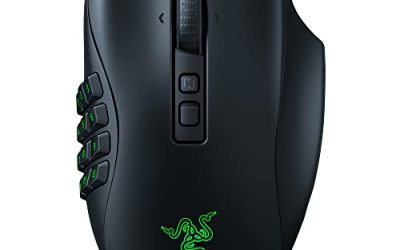
Razer Basilisk V3

Razer’s ergonomic shell puts a pronounced thumb rest under your hand, and the listing’s eleven programmable buttons include a multi-function trigger that sits exactly where your thumb settles. That layout suits GTA 5’s habit of asking for one more input than a basic mouse offers, whether that is a weapon swap mid-fight or a quick interaction while rolling through a checkpoint. The HyperScroll tilt wheel adds sideways inputs on top of the usual scroll, and the Focus+ sensor tracks at up to 26,000 DPI according to the listing, with sensitivity adjustable in fine steps.
Specs
- Sensor: Razer Focus+ 26K optical sensor
- Sensitivity: up to 26,000 DPI
- Buttons: 11 programmable buttons
- Wheel: HyperScroll tilt wheel
- Lighting: 11 Razer Chroma RGB lighting zones
- Connection: wired USB
Best for: Right-handed players who steer and aim with a thumb-led grip and want a tilt wheel for extra in-game inputs.
Watch out for: The sculpted shape is right-handed only, and the full button layout depends on Razer’s software for assignments.
ASIN: B09C13PZX7
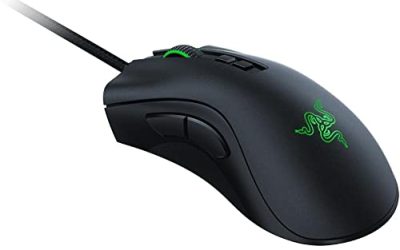
Razer DeathAdder V3

Where the button-heavy picks above serve variety, this one serves speed on foot. The listing states a 59-gram weight, which is the lightest figure in this guide by a wide margin, and that shows up in how easily the mouse changes direction during close-quarters fights or quick camera swings while sprinting through alleys. Six programmable buttons cover the essentials without crowding your grip, the Gen-3 optical switches are stated in the listing, and the Focus Pro 30K optical sensor pairs with an 8K Hz HyperPolling rate for players whose PCs and monitors can make use of the higher polling.
Specs
- Weight: 59g
- Sensor: Focus Pro 30K optical sensor
- Switches: Razer Optical Switches Gen-3
- Polling: 8K Hz HyperPolling
- Buttons: 6 programmable buttons
- Cable: Speedflex cable
- Connection: wired
Best for: Players whose GTA 5 time is mostly on-foot combat and who aim with fast, low-sensitivity arm movements.
Watch out for: Six buttons is the fewest here, so drivers and pilots who bind many actions should look at the eleven-button picks instead.
ASIN: B0B6XTDJS1
Logitech G502 Lightspeed
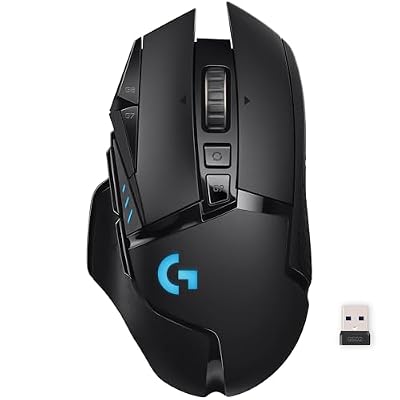
This is the wireless route to the same eleven-button layout as the wired HERO, which makes it the pick for players who like the G502 arrangement but dislike a cable dragging across the desk during wide steering corrections. The listing states LIGHTSPEED wireless with a 1 ms connection, a HERO 25K sensor, and up to 60 hours of battery life, so a week of evening sessions sits comfortably inside one charge. Six adjustable weights are included for tuning balance, and the mouse is also listed as PowerPlay compatible for players who already own that charging pad system.
Specs
- Sensor: HERO 25K sensor
- Sensitivity: 100 to 25,600 DPI
- Buttons: 11 programmable buttons
- Connection: LIGHTSPEED wireless
- Battery: up to 60 hours of gameplay per charge
- Weight tuning: six adjustable weights included
- Charging: PowerPlay compatible
Best for: Players who want the full G502 button layout for mixed GTA 5 play but prefer a cable-free desk.
Watch out for: Wireless convenience ends at the battery; the stated 60-hour figure drops with lighting on, so keep the charging cable within reach.
ASIN: B07L4BM851
Which One Fits Your Situation
You Mostly Drive and Fly
Pick the Logitech G502 HERO or the Razer Basilisk V3. Both list eleven programmable buttons, which leaves room for vehicle entry, interaction and a sensitivity shift without moving your hand to the keyboard. The Basilisk’s tilt wheel adds sideways inputs that map neatly onto leaning or camera nudges, while the HERO’s adjustable weights help steady long, small steering corrections on the highway.
Your Sessions Are Mostly On-Foot Missions
The Razer DeathAdder V3 fits here. Its stated 59-gram weight is built for repeated direction changes, and on-foot GTA Online work is full of them: clearing rooms, snapping between targets, swinging the camera while sprinting. You give up the extra thumb buttons of the other picks, so choose it only if your on-foot bindings stay short and simple.
You Play Long Story Sessions at One Desk
Consider the wired Logitech G502 HERO. A cable means the mouse is simply always ready, and the five onboard profiles let a relaxed story-mode layout live alongside anything else you play. The tunable weight system also helps here, because a slightly heavier mouse tends to feel calmer across hours of mixed driving and walking.
You Want a Clean Desk but Refuse to Lose Buttons
The Logitech G502 Lightspeed keeps the eleven-button layout and drops the cable, with up to 60 hours of stated battery life covering long stretches between charges. It suits players who alternate GTA 5 with desk work and resent unplugging and replugging a wired mouse every time the setup changes roles.
Common Mistakes
- Binding every programmable button on day one, then forgetting half the layout mid-mission; start with three or four assignments and add more as habits form.
- Chasing the highest DPI figure on a listing, when GTA 5 play mostly rewards a sensitivity you can repeat consistently across driving and aiming.
- Ignoring stated weight entirely, even though a 59-gram mouse and a weight-tunable one feel completely different across a long session.
- Buying a right-handed ergonomic shape for a left-handed grip, or assuming a sculpted shell suits every hand size without checking.
- Letting a wireless mouse run flat before a long Online session instead of checking its charge against the battery life stated on the listing.
Frequently Asked Questions
How many programmable buttons does a GTA 5 mouse really need?
Most players settle on three to five extra bindings: vehicle entry, interaction, a weapon swap and perhaps a sensitivity shift. Mice with eleven programmable buttons, like the two G502 models and the Basilisk V3 here, give room to grow into that, while a six-button mouse covers the basics if your layout stays lean and consistent.
Is a wireless mouse a sensible choice for GTA 5?
Yes, provided the listing’s stated battery life fits your routine. The G502 Lightspeed in this guide states up to 60 hours per charge over its LIGHTSPEED connection, which comfortably covers a week of evening play for most people. The trade-off is remembering to charge it; a wired mouse removes that chore entirely and never interrupts a session.
Should I set one DPI for driving and another for shooting?
Many players do, because steering feels steadier at a lower sensitivity while on-foot aim often suits a different setting. Look for a mouse whose listing includes a reachable DPI control or onboard profiles, like the G502 HERO’s five stored profiles, so switching happens on the mouse itself instead of through a pause menu or separate software each time.
Does a lighter mouse make a noticeable difference in GTA 5?
It can during on-foot sections, where quick camera swings and target changes happen constantly. The DeathAdder V3 lists 59 grams, far below the weight-tunable models here, and that lightness reduces the effort of repeated flicks. For driving-heavy play the difference fades, since steering uses smaller, slower movements where added weight can actually feel steadier.