Our Short List of 3
All 4 Picks at a Glance
| Product | Specs | Action |
|---|---|---|
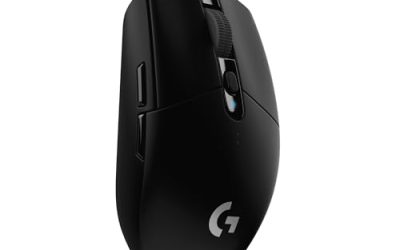
 Logitech G Pro X Superlight 2 | Check price on Amazon | |
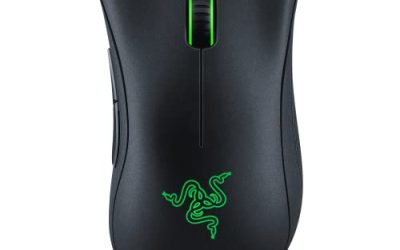
 Razer DeathAdder V3 Pro | Check price on Amazon | |
 Logitech G502 X Wired | Check price on Amazon | |
 Logitech G502 X Lightspeed | Check price on Amazon |
🛒 Best Price Today on Amazon
Prime members get fast, free shipping on everything above, plus member-only deals. New members get a 30-day free trial — cancel anytime.
Fast clicking is a skill, but the mouse in your hand sets the ceiling for that skill. A mouse with a stiff button, a slow switch, or a heavy shell will hold back every technique you try, from a simple rapid single click to advanced drag clicking. A mouse built for speed turns a small finger movement into a clean, repeatable input, again and again without missing a beat. That difference matters in competitive shooters, in block games where placing blocks quickly wins fights, and in any game where click speed decides the outcome.
This guide compares gaming mice for fast clicking in general. It covers the main techniques, the switch and sensor features that support them, and five mice that combine light actuation with fast, consistent switches. A separate article on this site looks closely at drag clicking alone, so this guide does not repeat that narrow angle. Instead, it helps you choose a mouse that works across drag clicking, butterfly clicking, and jitter clicking.
As an Amazon Associate, we earn from qualifying purchases.
Quick Answer
The Razer Viper V3 Pro is the best gaming mouse for clicking fast, thanks to its light 54 gram shell, Gen-3 optical switches, and 8000 Hz polling. The Logitech G Pro X Superlight 2 is the closest rival, while the Razer DeathAdder V3 Pro suits palm grips, the Logitech G502 X Wired suits wired players, and the Logitech G502 X Lightspeed suits players who want extra buttons.
How to Choose
Start with the switch, because the switch decides how a click feels and how fast it registers. Optical switches use a beam of light to register a press, so there is no metal contact to bounce or wear in the same way as a traditional mechanical switch. That design usually means a crisp actuation, a short travel distance, and a lower chance of double-click faults over time. Mechanical switches can still click fast, especially the light hybrid designs used by Logitech, but they need a clean, consistent feel under your finger.
Actuation force matters just as much as switch type. A button that needs a firm press will tire your finger during long sessions and will slow down techniques that rely on vibration, such as jitter clicking. A button that is too light can cause accidental clicks in menus or while aiming. Look for light, crisp clicks with a short pre-travel distance, which is the small movement before the switch fires. That short pre-travel is what lets a drag click register a long chain of inputs from one sliding motion.
Polling rate is the next feature to check. It measures how often the mouse reports its position to the computer, and a higher rate means smoother, more current tracking. A 1000 Hz rate is fine for most players, while an 8000 Hz rate gives the most responsive feel in fast games. The trade-off is battery life on wireless models, since a higher rate draws more power. If you play long wireless sessions, a mouse that lets you switch polling rates is the flexible choice.
Weight and shell shape decide whether a technique is comfortable. Drag clicking works best on a shell with a slightly textured or matte top that your finger can grip and slide across. Butterfly clicking, where two fingers alternate on one button, needs a wide, stable main button with room for both fingers. Jitter clicking, where you tense your arm to vibrate your finger, needs a light shell that does not fight your hand. A mouse under 70 grams is a good target, while a heavier mouse can still work if its buttons are light and its shape fits your grip.
Grip style ties all of this together. Claw grip players, who arch their fingers over the buttons, often prefer a low, symmetrical shell with firm sides. Palm grip players need a longer, taller shell that supports the whole hand. Fingertip grip players need a short, light shell they can lift and reposition quickly. Match the shell to your grip first, then check the switch and polling rate.
Sensor quality matters too, because a high-resolution optical sensor tracks fast flicks without spinning out while you click rapidly. Pair it with a clean, low-friction mousepad, and choose a light, flexible cable or a low-latency wireless link.
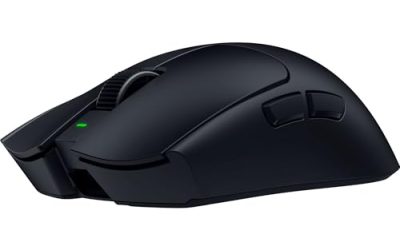
Razer Viper V3 Pro
The Razer Viper V3 Pro is the strongest all-round pick for fast clicking. Its symmetrical shell weighs 54 grams, which keeps the mouse easy to lift and reposition during rapid clicking sessions. The Gen-3 optical switches give a light, crisp click with very little pre-travel, so a short press registers cleanly and a drag click can chain inputs without extra force. The included HyperPolling wireless dongle supports an 8000 Hz polling rate, which keeps tracking current during fast flicks.
This mouse suits claw and fingertip grips best. The low profile and narrow waist let your fingers sit high on the main buttons, which is the position that works best for butterfly clicking. The matte finish gives enough grip for drag clicking without feeling sticky, and the side buttons sit flush enough that they do not get in the way of a sliding finger. Battery life is rated at up to 95 hours at the standard polling rate, though the higher polling rate will shorten that time.
The Focus Pro 35K optical sensor tracks accurately at high speeds, which matters when you combine rapid clicking with fast aim. Eight programmable buttons give room for extra binds, and the lack of RGB lighting keeps the weight down. If you want the lightest, fastest-feeling mouse in this guide, this is the one to start with.
Specs
| Feature | Detail |
|---|---|
| Sensor | Razer Focus Pro 35K optical sensor |
| Switches | Razer Gen-3 optical switches |
| Polling rate | Up to 8000 Hz with HyperPolling dongle |
| Weight | 54 grams |
| Buttons | 8 programmable buttons |
| Battery life | Up to 95 hours |
| Connectivity | HyperSpeed wireless and USB-C wired |
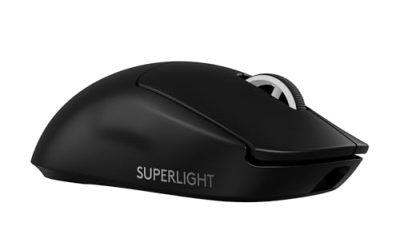
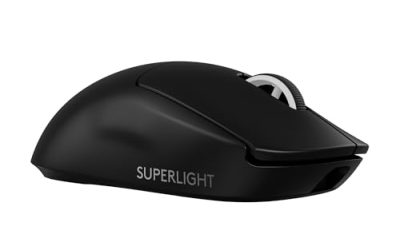
Logitech G Pro X Superlight 2
The Logitech G Pro X Superlight 2 is the closest rival to the Viper V3 Pro, and many players will prefer its slightly different shape. It weighs 60 grams and uses LIGHTFORCE hybrid switches, which combine an optical actuation mechanism with a mechanical feel. The result is a click that feels crisp and familiar, with a short travel distance and a clean reset that suits rapid repeated presses. The HERO 2 sensor supports up to 44,000 DPI, so tracking stays accurate during fast, wide flicks.
This mouse is a strong choice for butterfly clicking. The main buttons are wide and stable, with enough surface for two fingers to alternate without crowding each other. The shell is symmetrical and low, which suits claw and fingertip grips, and the matte coating gives a secure hold during drag clicking. Five programmable buttons keep the layout simple.
Wireless performance is a highlight, with an 8 kHz report rate available and a USB-C charging port for wired play. The mouse feels balanced in the hand, with no heavy tail or front end to fight during jitter clicking. It trades extra buttons and lighting for speed and consistency, and that trade is exactly what fast-clicking players need.
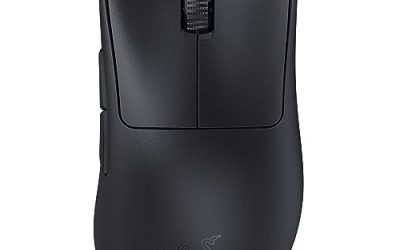
Razer DeathAdder V3 Pro
The Razer DeathAdder V3 Pro is the best pick in this guide for palm grip players who want fast clicking without giving up comfort. Its ergonomic right-handed shell is taller and longer than the symmetrical mice above, so it supports the whole hand during long sessions. At 63 grams it is still light for an ergonomic mouse, and the Gen-3 optical switches give the same crisp, light click as the Viper V3 Pro.
Drag clicking works well on this shell because the main buttons are broad and slightly curved, giving your finger a stable surface to slide across. Butterfly clicking is possible, though the curved button shape suits a single-finger rapid click or a jitter click more naturally than a two-finger alternate. The Focus Pro 30K optical sensor tracks smoothly, and HyperSpeed wireless keeps the connection responsive.
Battery life is rated at up to 90 hours, which covers long gaming sessions without frequent charging. Five programmable buttons keep the layout clean, and textured side grips help the mouse stay steady when your clicking finger is moving fast. If symmetrical mice feel too flat or too small, this ergonomic option is the natural fit.
Logitech G502 X Wired
The Logitech G502 X Wired is the wired sibling of the Lightspeed model below, and it is the pick for players who want the G502 shape with a direct cable connection and LIGHTFORCE hybrid switches. The switches pair an optical actuation path with mechanical feedback, so each click feels crisp and registers without the debounce delay of a purely mechanical design. At 89 grams it is lighter than the original G502 line, and the thin-wall exoskeleton keeps the shell rigid during hard, rapid clicks.
This mouse suits palm and claw grips, with a right-handed ergonomic shape that supports the hand during long clicking sessions. The main buttons are wide and stable, which suits butterfly clicking, and the reversible DPI-shift button can be moved to match your grip. The HERO 25K sensor tracks accurately at high speeds with no smoothing, and the dual-mode scroll wheel switches between hyper-fast free spin and precise ratcheting.
The wired connection removes battery management entirely, which some fast-clicking players prefer for long practice sessions. Five onboard memory profiles store your settings on the mouse, so your setup travels with it between systems. If you want the G502 shape and LIGHTFORCE clicks without a wireless battery, this is the straightforward choice.
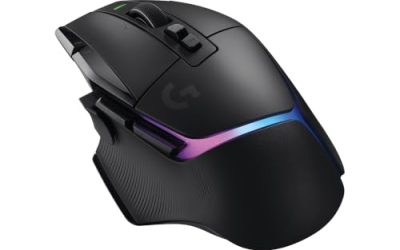
Logitech G502 X Lightspeed
The Logitech G502 X Lightspeed is the pick for players who want fast clicking plus extra buttons for binds and macros. It uses LIGHTFORCE hybrid optical-mechanical switches on the main buttons, giving a crisp, light click with a fast reset. The HERO 25K sensor tracks accurately, and LIGHTSPEED wireless keeps the connection responsive. Thirteen buttons give room for weapon swaps, ability binds, and utility actions.
This mouse is heavier and larger than the others in this guide, with an ergonomic right-handed shape that suits palm and claw grips. That size makes it less ideal for pure fingertip clicking, but it works well for players who combine rapid clicking with a lot of button use. The main buttons are wide and stable, which suits butterfly clicking, and the scroll wheel can switch between smooth and notched modes.
Battery life is rated at up to 140 hours, the longest in this guide, and the mouse supports PowerPlay wireless charging with a compatible charging pad. USB-C charging is included for wired play. If you want one mouse that handles fast clicking, extra binds, and long sessions, this is the most versatile option here.
Who Should Skip It
A dedicated fast-clicking mouse is not the right choice for every player. If you mainly play slow strategy games, turn-based games, or casual titles where click speed never decides a fight, a standard office or general gaming mouse will serve you just as well. Players with wrist pain, finger strain, or a history of repetitive strain injuries should also be careful, because drag clicking and jitter clicking put extra stress on tendons, and a lighter mouse does not remove that risk.
Left-handed players should check the shape before buying, because three of the mice in this guide use right-handed ergonomic shells that will feel awkward in the left hand. Players who need a quiet mouse for shared rooms or late-night sessions should also look elsewhere, since light, crisp switches tend to be audible. Finally, if you use a mouse mainly for browsing and work, the speed features in this guide will go unused, and a comfortable general-purpose mouse is the better buy.
FAQ
What is the fastest clicking technique for gaming?
Drag clicking usually produces the highest clicks per second, because one sliding motion can register many inputs as the switch bounces. Butterfly clicking is next, since two fingers alternate on one button, while jitter clicking relies on arm tension to vibrate one finger. The best technique depends on your hand, your mouse, and the rules of the game or server you play on.
Do optical switches click faster than mechanical switches?
Optical switches often feel faster because they register a press with light instead of metal contact, which can mean shorter travel and a cleaner reset. That said, a well-designed mechanical or hybrid switch with light actuation can click just as fast in practice. Actuation force, pre-travel distance, and button shape matter just as much for real clicking speed.
Is a higher polling rate better for fast clicking?
A higher polling rate improves tracking responsiveness, which helps when you click rapidly while moving the mouse, but it does not directly increase how fast a switch registers a click. A 1000 Hz rate is smooth for most players, while an 8000 Hz rate gives the most current tracking in fast games, at the cost of shorter battery life on wireless models.
Can any gaming mouse be used for drag clicking?
Most gaming mice can register a drag click, but the results vary a lot by shell and switch. A mouse with a matte, slightly textured top, light optical switches, and a short pre-travel distance will drag click far better than a mouse with stiff buttons or a glossy shell. If drag clicking is your main goal, pick a mouse known for light clicks and a grippy top surface.
Final Verdict
The best gaming mouse for clicking fast is the Razer Viper V3 Pro, because it combines the lightest shell in this guide with crisp Gen-3 optical switches and an 8000 Hz polling rate. The Logitech G Pro X Superlight 2 is a close second for players who prefer its hybrid switch feel, while the Razer DeathAdder V3 Pro is the pick for palm grips. The Logitech G502 X Wired is the wired value choice in the G502 line, and the Logitech G502 X Lightspeed is the most versatile option for players who want extra buttons. Choose by grip first, then by switch feel.
Product and ASIN Reference
| Product | ASIN |
|---|---|
| Razer Viper V3 Pro | B0CW25XR5R |
| Logitech G Pro X Superlight 2 | B09NBWL8J5 |
| Razer DeathAdder V3 Pro | B0B6XZLNHQ |
| Logitech G502 X Wired | B0943HXDVM |
| Logitech G502 X Lightspeed | B092CRH1RX |