🛒 Best Price Today on Amazon
Prime members get fast, free shipping on everything above, plus member-only deals. New members get a 30-day free trial — cancel anytime.
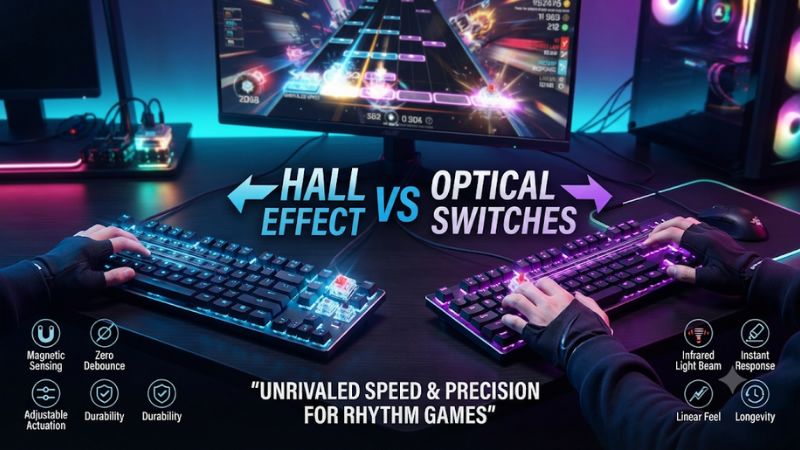
In Hall effect vs optical switches for rhythm games, choose by how the keys press and reset. Hall effect and analog optical boards can both offer Rapid Trigger, while fixed optical switches can feel predictable on holds. Test repeated notes and release timing on your own charts before changing hardware or offset.
Which switch type should rhythm players choose?
Choose a good Hall-effect or analog optical keyboard if you miss repeated notes because your fingers do not lift far enough to reset the keys. Look for per-key actuation and Rapid Trigger on the positions you play. If your fixed optical keyboard consistently registers repeated presses and you trust its release timing on hold notes, keep it. A change in sensor type by itself gives you little reason to replace a working setup.
The crucial distinction is between a fixed optical implementation and an analog optical one. A fixed optical switch senses when a beam is interrupted or restored around its designed thresholds. An analog optical system can track position through more of the travel. Hall-effect boards use a magnet and sensor to track key movement. Both analog approaches can support configurable press and release behavior if the keyboard implements it.
| Behavior | Hall effect | Fixed optical | Analog optical |
|---|---|---|---|
| How key movement is sensed | Magnet and Hall sensor | Optical change at a designed threshold | Optical measurement of key position |
| Adjustable first actuation | Common on gaming boards with compatible firmware | Usually fixed | Available on supported models |
| Rapid Trigger | Often supported | Generally absent on simple fixed designs | Available on supported models |
| Best reason to buy | Per-key tuning or a compatible keypad | Predictable fixed behavior and a switch feel you like | Adjustable reset with the optical board and switch feel you prefer |
| What to verify | Key coverage, firmware, and stable reset | Usable press and release for your charts | Actual analog and Rapid Trigger support on the exact SKU |
Diagnose the miss before buying hardware
Separate missed presses, unwanted extra taps, early hold releases, and timing bias. Those symptoms can look similar in your final score and point to different causes. A key that never resets between taps can drop a note. A key that releases when you relax your finger can end a hold. An audio delay can move your average judgment even if the keys perform consistently.
Start with one chart segment you can normally play, one dense repeat section, and one hold-heavy section. Play them with your current configuration. Record what changes first when a run goes wrong. If you repeatedly see dropped inputs on one finger, test the same key outside the game and try a neighboring position with the same hand before deciding whether the switch is responsible.
An upgrade should solve a repeatable problem. If your results vary by chart difficulty, hand position, and fatigue, changing the sensor may add another variable without making the source of the miss easier to identify.
Match your keyboard to the keys you actually use
An osu! standard setup may need only two reliable tapping positions. A four-lane or seven-lane mode needs several keys to feel consistent. An arrow-based game may require all four dedicated directions. The key technology under the exact positions matters more than the label printed on the box.
Some keyboards mix magnetic switches in the main cluster with conventional switches elsewhere. Check the manufacturer’s switch map or configurator before buying for the arrow keys or numpad. If the software only lets you adjust the main letters, moving your bindings to the arrows can erase the benefit you bought the board for.
A small keypad can be a good option when you only need two primary game keys. For several lanes, a full gaming cluster or a larger keypad can make hand position easier. Pick the layout where every frequently used lane sits under a finger you can lift and press consistently.
How press, reset, and switch feel affect play
Initial actuation governs the first note
Initial actuation is the depth where the keyboard first reports that a key is pressed. A shallow setting can register a light tap sooner in the key’s travel. It can also turn resting pressure or an incidental finger movement into an input. That tends to show up during transitions, between patterns, or after you settle your fingers back onto the keys.
Find a baseline by tapping a moderate pattern with normal force. Then play a section where you rest one finger while using another. If shallow actuation improves light taps but adds false positives, move the threshold deeper in small steps. Set only the lanes you need rather than moving every key to the same minimum.
The number in a configurator is a target. Independent measurements show that real activation can differ from the displayed setpoint, particularly at shallow positions. For a practical comparison between two boards, trust your repeatable behavior in a game and a key test more than matching the exact millimeter number in two apps.
Rapid Trigger changes the distance needed to replay a key
After a key is active, Rapid Trigger can release it after enough upward movement and let it activate again after enough downward movement. A conventional fixed switch normally has a physical reset region you must cross. The difference is useful when you make short movements in the middle or lower part of the travel and sometimes fail to reset a key fully.
Try repeated taps on a single lane first. Use a segment with repeated notes at a tempo you can already play. Then move to alternating patterns. Keep the initial actuation unchanged so any difference is easier to attribute to reset behavior. Look for fewer missing presses without creating extra ones during the return stroke.
Hall-effect and analog optical boards can both implement this behavior. Compare how a specific board exposes reset sensitivity, how stable it is at your settings, and whether you can apply the setting only to the positions you play. The sensor type alone does not capture those implementation differences.
Hold notes can favor a more deliberate release
In a hold-heavy chart, a small upward movement can happen while your finger is still trying to keep the note pressed. A very sensitive dynamic release may interpret that movement as the end of a hold. If it happens repeatedly, raise the release distance if your software allows it, or compare Rapid Trigger off for the appropriate profile.
Use a hold chart that asks you to sustain one lane while tapping another. That is a better test than holding a keyboard key in an empty input screen because the neighboring fingers add real movement. Play the segment often enough to distinguish an accidental mechanical release from a real timing error.
Players differ in how they hold. Some press to the bottom and keep enough pressure to stay stable. Others float near a threshold and relax a finger while tapping elsewhere. A fixed optical board can be a good fit when its reset behavior aligns naturally with your releases. An analog board earns its place when you can tune a stable release without losing responsiveness on repeated notes.
Spring force and bottom-out are independent of the sensing method
What you feel on each stroke comes from switch force, travel, keycap shape, and the way the key stops and returns. A lighter spring may feel comfortable for fast taps and make it easier to brush a key inadvertently. A heavier return may suit someone who wants more feedback about lifting. Neither outcome follows automatically from light or magnetic sensing.
Try a sustained session at a comfortable difficulty. Notice whether your fingers stay in control after several minutes, whether one finger fatigues quickly, and whether you bottom out much harder on one board. Compare stock caps and the height of your wrist if those differ. A board that makes you change technique can feel slower during adaptation even when a measurement favors it.
If you buy a hot-swappable magnetic model, check exact switch compatibility. Different magnetic switch designs can require different sensors or orientations. A similar housing is insufficient evidence. If you buy an optical model, check its compatible switch ecosystem before planning to change spring weight or feel later.
Stabilizers and spacing can matter for specific lanes
A standard letter key and a larger stabilized key can feel different even on the same keyboard. If your bindings use Space, Enter, Shift, or another large cap, test the actual position. Off-center presses, return feel, and keyboard angle can change how reliably you release that lane.
Some layouts place arrows close to right Shift and other keys. That can cause more accidental contacts when you play quickly, even if the switches themselves are stable. If you play arrows, try the intended hand position and hold neighboring keys without focusing on the screen. Determine whether there is enough space for your fingertips and whether reaching up or down changes your force.
If you need four or more equally consistent lanes, choose a set of similar-width keys where possible. That makes comparing switch behavior and sensitivity easier. Keep the exact layout in mind when comparing a tiny keypad with a board you will also use for other games.
What latency measurements can and cannot tell you
Polling rate describes one interval in the chain
Nominal polling intervals are 1 ms at 1,000 Hz and 0.125 ms at 8,000 Hz. That tells you how often reports can be sent in the specified mode. Switch travel, scanning, firmware processing, the operating system, and the game’s input handling also contribute to timing. A high report rate by itself does not establish when your completed key press affects a judgment.
Independent keyboard measurements are most helpful when both devices are tested with comparable settings and methods. Look for evidence on press consistency, reset behavior, multi-key inputs, and whether settings match the configuration you will use. A test made at a shallow setting is not a prediction for a profile with a deeper first threshold.
Test the stable configuration on your own PC. If a higher polling setting appears to affect the game’s frame pacing or does not improve your play, compare at the lower setting and keep the one that behaves consistently. For rhythm games, predictable feedback is usually easier to adapt to than occasional changes.
Separate keyboard input from audio and display timing
A consistent early or late bias can come from your audio setup, the game’s timing offset, a visual presentation change, or your own adjustment to a different key feel. A keyboard with a shallow actuation point may shift when it registers relative to your physical motion, yet Bluetooth audio or an output-device change can shift what you hear as well.
Use the same audio device, display settings, and game mode when comparing keyboards. If you normally use wireless headphones, try a stable wired audio path as a diagnostic baseline. If the game has a timing calibration tool, follow it after you settle on the audio route you plan to keep.
In osu!, local offset adjusts the relationship for an individual beatmap. Use the appropriate timing control for widespread bias, and leave a map-specific adjustment for an issue you can reproduce on that map. Before changing anything, compare multiple charts. An offset based solely on one run with a new keyboard can disguise why the timing shifted.
Measure spread as well as average timing
If your game shows a hit-error graph, compare the range of early and late judgments as well as the average. An average moving closer to the center may feel better, but a wider spread can indicate inconsistent timing. Repeated misses and dropped holds are also different from ordinary early or late hits. Track them separately.
Run the same chart section several times in both profiles and alternate their order. The chart will become familiar, and fatigue builds as you repeat. Changing the order helps avoid giving one profile all the benefit of practice or all the cost of tired fingers. Start with settings you can reproduce rather than choosing the result of your best single run.
Give more weight to a recurring improvement across related charts. If fast repeats improve consistently and hold accuracy stays stable, the setting has a clear purpose. If results exchange places from one run to the next, prefer the easier feel or spend more time adapting before changing hardware.
Three practical ways to choose a keyboard
Choose Hall effect if you want more layout and tuning choices
Hall-effect boards are widely available in multiple layouts and price tiers. For a small tapping-only setup, a device such as the Wooting UwU shows how a few adjustable keys can handle the rhythm game while your normal keyboard stays in place. For a full keyboard, check that the positions you use are magnetic and that the software can set them individually.
If you play more lanes or also use the numpad or arrows, consider a larger board with documented support under those positions. A Wooting 80HE is an example of a wired analog keyboard with a physical arrow cluster. The value comes from being able to create a game profile with the correct keys, usable reset distances, and room for your fingers.
When comparing models, put switch feel, reset stability, layout, and software ahead of headline minimums. A keyboard with a comfortable switch and clear per-key adjustment is more likely to help than one you bought only for its shortest advertised setting.
Choose fixed optical if consistent behavior already suits you
A fixed optical board is a reasonable fit for a player who releases keys fully and likes a stable press-and-release pattern. The Razer Huntsman V2 with linear optical switches is an example of a board with high reporting support and a conventional fixed actuation design. Its place in this comparison is to show that optical input can be responsive without dynamic reset.
Keep a working optical board if it handles your fastest repeat patterns and your holds are reliable. Before replacing it, use a controlled input test to see whether missed notes correlate with incomplete releases. If the key always releases cleanly in the scenario where you miss, look at timing, bindings, or technique first.
Choose a fixed optical board for its feel, price, and reliability in your actual chart mix. If you buy one specifically because it says “optical,” verify whether the listing means fixed or analog behavior. The single word does not guarantee position tracking or threshold controls.
Choose analog optical if you want dynamic reset with that hardware feel
The Razer Huntsman V3 Pro is an example of an analog optical board with adjustable actuation and Rapid Trigger. If you prefer its key feel, layout, or configuration tools, it can solve the same category of press-and-release problem as a Hall-effect model. Compare the standard and 8 kHz versions by their exact specifications rather than using measurements from one hardware revision to describe the other.
Test the press pressure, right-side layout, and access to settings. Try the same moderately fast pattern on the Hall-effect model and the analog optical model if both are available. Look for predictable release through several runs. A model that delivers the same functionality with a more comfortable position or easier configurator can be the better purchase.
An analog optical board is easiest to justify when you use its adjustment features. If you plan to leave it at the default fixed behavior, compare less expensive models with the switch feel and consistent latency you want.
Keep fast reset and automated actions separate
A manual press and release through a supported switch can be used to tune input feel. Advanced features such as assigning multiple actions to one depth range, automated repeats, or priority between keys can change what the game receives. Before using an advanced mode in ranked play, read the current game and tournament rules and use a simple one-to-one profile when in doubt.
The official osu! rules describe a direct relationship between physical actions and in-game input. Keep standard lane bindings and disable extra action logic that would emit multiple press-and-release cycles or another action from one movement. A well-tuned profile can focus on the press and release you actually perform.
Save a clean mode where you know exactly what each key sends. Test it in the game before competing. This also makes troubleshooting easier when you see an extra note or an early release that could come from an unexpectedly active profile.
Build one profile you can reproduce
Start with a comfortable actuation point and Rapid Trigger disabled, then test repeated notes, holds, and mixed sections. Enable Rapid Trigger on the key positions you actually use. Adjust the initial actuation and reset distance separately. Keep a record of those values and whether any key uses a different threshold.
If repeats improve but holds suffer, start by giving releases more margin or keeping a separate profile for hold-heavy play. If no change improves accuracy over several tries, keep your original setting. Try a new board only when the limits of your current one are evident in a task you actually perform.
Verify the finished setup after restarting the game or reconnecting the keyboard. Confirm the active profile and every lane’s binding. Revisit offsets after the audio and display path is stable. That way, a change in the timing graph reflects a setup you can recreate rather than something that appeared during a single session.
Conclusion
Choose a Hall-effect or analog optical keyboard if adjustable actuation and Rapid Trigger solve a repeatable missed-reset problem. Keep a fixed optical keyboard if it already registers your fastest charts and gives you predictable holds. Before buying, verify switch coverage for your actual lane keys and compare repeated taps, hold releases, and timing spread at the same audio settings. Choose the configuration that gives you the most consistent scores across your normal charts.