🛒 Best Price Today on Amazon
Prime members get fast, free shipping on everything above, plus member-only deals. New members get a 30-day free trial — cancel anytime.
The best magnetic gaming keyboards with dedicated arrow keys keep all four directions on physical keys. Start with the Wooting 80HE+ for wired play, the Keychron K2 HE for wireless, or the Q6 HE if you also need a numpad. Check which switches sit under the arrows if you play rhythm games or bind them to movement.
The best magnetic keyboards with physical arrow keys at a glance
Buy the Wooting 80HE+ if you mainly want a configurable wired board with physical arrows and a dedicated function row. Choose the Keychron K2 HE for compact wireless use, or the Q1 HE if you prefer a heavier aluminum 75% board for both gaming and typing. Buy the Q6 HE when a full numpad and conventional navigation area are part of your everyday work.
Some Hall-effect boards use ordinary mechanical switches under the arrows while giving the main gaming cluster magnetic sensing. Those are valid picks if you mainly play with WASD and want physical arrows for navigation. If you want adjustable actuation or Rapid Trigger on the arrows themselves, check the final column.
| Keyboard | Layout and connection | Best for | Arrow switches |
|---|---|---|---|
| Wooting 80HE+ | 80%, wired | Competitive play and extensive per-key tuning | Magnetic |
| Keychron K2 HE | 75%, wired, 2.4 GHz, or Bluetooth | Compact wireless gaming and everyday typing | Magnetic |
| Keychron Q1 HE | 75%, wired, 2.4 GHz, or Bluetooth | A heavier aluminum board with a gasket-mounted feel | Magnetic |
| DrunkDeer A75 Pro | 75%, wired | A simpler route to Rapid Trigger and physical arrows | Magnetic |
| SteelSeries Apex Pro TKL Gen 3 | TKL, wired version | Conventional TKL layout and adjustable WASD | Mechanical |
| Corsair K70 Pro TKL | TKL, wired | iCUE users who want magnetic main keys and separate arrows | Mechanical |
| Keychron Q6 HE | Full size, wired, 2.4 GHz, or Bluetooth | Gaming and productivity with a numpad | Magnetic |
How these keyboards were selected
Every model has four physical arrow keys available without holding a function key. The lineup includes boards with magnetic arrows and two hybrid TKL models that preserve the physical cluster using mechanical switches. The technology under those keys matters because products can describe a magnetic switch system without specifying which positions use it.
The recommendations also account for desk space, layout, connection, and software. A full-size board can be an excellent buy if you enter numbers all day. It is less attractive for someone who needs to reclaim mouse space. A compact wireless model can simplify a shared desk. A wired board may provide a simpler competitive setup with fewer settings to keep track of.
The order reflects use cases rather than one cross-model latency ranking. Independent testing of some predecessors and related models helps explain the range of options. For revised models such as the 80HE+, the maker’s current product documentation establishes what changed and which layout features remained available.
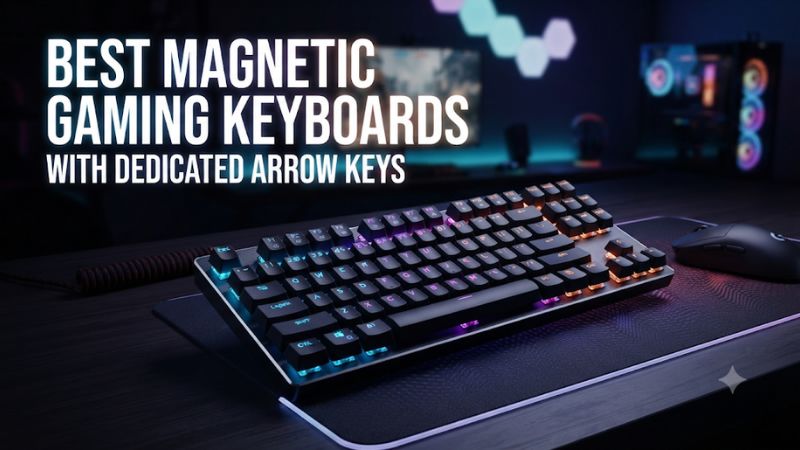
The best compact magnetic keyboards with adjustable arrows
Wooting 80HE+ for wired competitive gaming
The 80HE+ keeps four physical arrows and a dedicated function row in Wooting’s 80% layout. It is a strong option if you want per-key control around both the main gaming cluster and the arrows. Wootility gives you adjustable actuation, Rapid Trigger, remapping, and profiles, so a player who alternates between a rhythm game and a shooter can tune the two separately.
Compared with the original 80HE, the Plus introduces a revised switch and construction package. The primary layout and major gaming functions carry across. Wooting lists Lekker Tikken Medium switches for the prebuilt Plus and retains advertised 8,000 Hz polling. Pick the currently available version based on its cost and fit. A discounted original 80HE can still be a good choice if you want its physical arrows and core tuning options.
Look at the key placement before treating this board as interchangeable with a traditional TKL. The dimensions and navigation arrangement are worth comparing if you rely on an established workspace layout. Choose the 80HE+ when arrow tuning, a physical function row, and a wired competitive setup matter more than wireless or a full traditional navigation block.
Keychron K2 HE for compact wireless use
The K2 HE keeps dedicated arrows and the function row in a compact 75% layout. It supports wired USB, 2.4 GHz wireless, and Bluetooth. For a buyer who games on a desktop and types on a second device, this combination allows a low-clutter desk without relying on a function layer every time you move the cursor.
Use 2.4 GHz or wired for gaming when fast and predictable input is a priority. Bluetooth is useful for a second machine that does not need the same response. Keychron Launcher provides adjustable actuation and Rapid Trigger. Set a dedicated gaming profile before changing the typing profile. A shallow reset that feels great for a rhythm game can make text navigation overshoot when you rest your fingers on the arrows.
Check the switch revision and supported replacement parts on your exact listing. Keychron has offered versions of its double-rail magnetic switch system, so confirm compatibility before buying spare switches. Choose the K2 HE if compact wireless matters and you want to pay for useful controls ahead of the Q1 HE’s heavier case and different typing feel.
Keychron Q1 HE for gaming and longer typing sessions
The Q1 HE uses a 75% layout, an aluminum body, and a double-gasket mount. It has physical arrow keys and can run wired or wirelessly. Its main appeal is the combination of adjustable magnetic switches and a heavier, more substantial typing platform. Independent comparisons found the Q1 HE and K2 HE similar in raw performance while noting a difference in construction and feel.
The Q1 HE makes sense for a player who writes, edits, or codes on the same keyboard. Keep the arrows at a deliberate depth for editing, then use a separate map with a shorter actuation point for an arrow-based game. The two profiles serve different tasks even when the physical keys are the same.
Use the Q1 HE with supported magnetic switches. Its hot-swap design does not establish compatibility with every Hall-effect switch on the market. If you want to change spring weight or the sound of the switches later, check Keychron’s compatibility information for the exact board. Choose it over the K2 HE if you value the case, mount, and desk feel enough to pay the difference.
DrunkDeer A75 Pro for a straightforward wired setup
The A75 Pro is a wired magnetic keyboard with a compact layout, dedicated arrows, and adjustment through DrunkDeer’s software. It is worth considering if you want Rapid Trigger without prioritizing wireless or a heavy aluminum case. Its appeal is strongest when the price leaves a meaningful gap to the Wooting or a premium wireless model.
Set up the board on your main computer and verify the arrow keys in the software before introducing very sensitive settings. For a rhythm game, use a comfortable actuation depth and reduce the reset distance gradually. If unintended inputs appear as you rest your fingers, add margin and test again. A quiet test menu and a busy section of the game can reveal different problems.
Check the package variant and keycaps before purchase. Also check the software access you need on your regular system. A lightweight desk setup gains little from a more expensive case if the A75 Pro’s layout and configuration feel good to you. Choose it for wired value and make sure you can comfortably reach the nearby navigation keys.
The best magnetic TKL and full-size options
SteelSeries Apex Pro TKL Gen 3 for adjustable WASD
The wired Apex Pro TKL Gen 3 preserves a conventional TKL layout with separate arrow keys and a defined navigation area. SteelSeries uses OmniPoint magnetic switches in its adjustable main section and regular red mechanical switches on the arrow keys and several other positions. The arrows are ready for everyday navigation, and Rapid Trigger and actuation adjustments apply to the supported magnetic section.
This makes the board a good fit for a shooter player who uses WASD, wants arrows in an accessible location, and prefers a familiar TKL layout. SteelSeries GG provides the board’s gaming features, including its documented settings for the compatible keys. If you use very shallow actuation on movement, keep deeper settings on nearby keys that you press accidentally under stress.
Choose the Apex Pro TKL Gen 3 if physical separation and magnetic WASD are the priorities. For arrow movement, rhythm games, or any workflow that depends on adjustable arrows, pick a board with magnetic switches under those keys. Do the same check for the wired or wireless TKL variant you buy.
Corsair K70 Pro TKL for a familiar layout and iCUE
The K70 Pro TKL combines MGX Hall-effect switches in the main cluster with conventional mechanical switches under the arrows and several other utility positions. Its dedicated arrows are useful if you regularly edit text or navigate menus and still want a magnetic setup for movement, reload, and frequent ability keys.
For an existing Corsair setup, iCUE can make the board easier to incorporate. Configure the magnetic keys you actually use for gaming and leave the rest at a familiar rate. Some reviewers noticed a difference between how the two switch types feel. Try a game and a typing session if your fingers spend significant time in both regions.
Choose this model if you want a wired TKL with arrows you can find easily by feel, and you already know the adjustable part of the board covers your gaming controls. If the arrows themselves are your movement or rhythm keys, a Wooting or all-magnetic Keychron is a better fit. The label on the board does not tell you where the magnetic switches are placed.
Keychron Q6 HE for a numpad and conventional spacing
The Q6 HE preserves a full-size layout with a numpad, dedicated arrows, and a conventional navigation area. This works for anyone who regularly switches between gaming, entering numbers, and moving around a spreadsheet or editing timeline. The magnetic arrow keys remain tunable if you also want to use them for gameplay.
Desk width is the trade-off. If you use low mouse sensitivity and make wide sweeps, try shifting a full-size keyboard left before buying. Check that you can still use the keys you need without twisting your wrists or bringing the mouse too far to the right. A full-size layout is useful when it saves regular work. If you use the numpad only occasionally, a 75% or TKL board leaves more space.
The Q6 HE supports wired use, a 2.4 GHz connection, and Bluetooth for compatible devices. Start with wired or 2.4 GHz for gaming, then use Bluetooth if you need a convenient secondary computer connection. Choose it if you will use the numpad and navigation layout often enough to justify the footprint.
How to choose and tune the right keyboard
Decide whether the arrows must support Rapid Trigger
Many buyers want dedicated arrows because they use them for work, casual navigation, games with fixed arrow bindings, or accessibility. If you game with WASD and want reliable physical arrows for text editing, a hybrid TKL can satisfy both jobs. Regular mechanical arrows still make a practical navigation cluster.
If you play rhythm games, use arrows for movement, or repeatedly press directions in a timing-sensitive game, consider a board with magnetic arrows. You can set when they register and how far they need to move before resetting. Verify these controls for all four arrow positions in the keyboard’s software. A product photo tells you whether the keys exist. The switch map tells you how they behave.
Leave yourself space to use the arrows by feel. A compact board can put the up arrow near the right Shift key and surrounding modifiers. That saves width but can make misplaced presses more common until you adjust. On a traditional TKL, the separate cluster may be easier to find when you look at the screen.
Use 75%, TKL, and full-size labels as a starting point
A 75% board typically keeps the arrow keys and function row while compressing the navigation area. It is a strong choice if you want mouse space and regular access to the F row. Check the exact right-side keys. A game or editing program that uses Delete, Home, End, or Page Down frequently can make one 75% layout more convenient than another.
A conventional TKL removes the numpad while keeping familiar spacing for the arrows and navigation block. That can matter for work and games where your right hand moves between the mouse and the keyboard. A custom 80% layout can keep dedicated arrows without copying every traditional TKL position. Compare the two layouts visually if you already rely on muscle memory.
A full-size board has the strongest case when you use the numpad often. Place a current keyboard on your desk and measure from its left edge to the point where you want to sweep the mouse. Use that space requirement to decide whether a shorter board will make your movements more comfortable.
Set initial actuation and release independently
Actuation distance governs when a press first registers. Rapid Trigger uses movement to help determine when a key resets and can register again. A shallow actuation point can feel responsive, and a very short reset can help with repeated taps. Either can create mistakes if you rest weight on the keys or touch them while moving your hand.
Start with moderate settings on the keys you intend to use. Pick one small change and test a repeatable exercise. For a rhythm game, run the same pattern at an ordinary difficulty before trying a faster section. For shooters, alternate short strafes and return to a stationary position. If the new setting introduces extra presses, increase the distance by a step.
Use a different profile for browsing and typing. Slightly deeper arrows can make selecting text or moving across cells easier. Separate profiles are valuable because you can keep the fast behavior limited to the games that benefit from it. A number that feels fast on paper has little value when it makes your normal inputs less predictable.
Check movement automation rules independently of Rapid Trigger
Rapid Trigger and directional priority features solve different problems. Rapid Trigger changes how an individual key’s movement resets its input. Directional priority features can determine what happens when opposing directions are held together. Their names vary by manufacturer, and some games or events restrict the latter or other input automation.
Valve has published rules addressing hardware or script-assisted automation in Counter-Strike 2 on official servers. Check the current rules for the game or event you play, and build a profile that follows them. Keep any directional automation disabled when you are unsure whether it is permitted. Test your approved profile in practice before a match.
A buyer can still get value from adjustable actuation, ordinary remapping, and dedicated keys. Decide which features you will legitimately use and avoid paying more solely for a mode that the games you play do not allow.
Check software, switch compatibility, and total cost
Before buying, find out how the board is configured and what it can retain after the app closes. A web configurator can be easy to use if your browser supports it. A desktop application may be better if you already run the manufacturer’s ecosystem. If you move between work and gaming computers, check that your preferred key settings remain available on the relevant connection.
Magnetic switches are not universal. A board can use a mounting style that looks familiar while requiring specific magnet orientation or spacing. Confirm both the keyboard revision and supported switch before ordering replacements. Check the keycap layout too, especially if a compact right Shift or bottom row would require a different kit.
Finally, compare the full purchase. A cheaper hybrid board may offer exactly what you need for WASD and physical arrows. A more expensive all-magnetic model makes sense when you tune the arrow keys or regularly switch profiles. A full-size chassis earns its desk space when the numpad saves work every day.
Conclusion
Choose the Wooting 80HE+ for wired gaming with tunable arrows, the Keychron K2 HE for compact wireless use, or the Q6 HE if you need a full-size layout. The Apex Pro TKL Gen 3 and K70 Pro TKL are good fits when you want magnetic WASD and a familiar physical arrow cluster. For arrow-based gameplay, verify that all four arrows use magnetic switches before buying.