🛒 Best Price Today on Amazon
Prime members get fast, free shipping on everything above, plus member-only deals. New members get a 30-day free trial — cancel anytime.
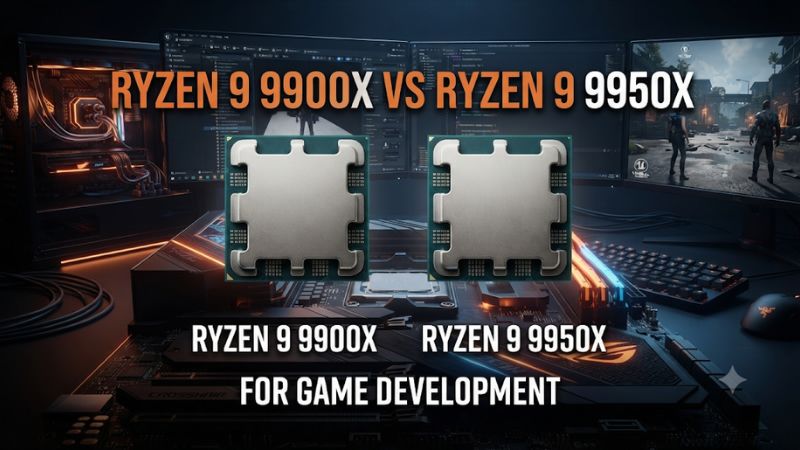
Choose the Ryzen 9 9950X when long local builds and shader compiles repeatedly interrupt your work. Choose the 9900X when those jobs are infrequent, run on build servers, or compete with RAM and GPU needs. This Ryzen 9 9900X vs Ryzen 9 9950X for game development comparison shows how to value the time each part can save.
Which Ryzen 9 should you choose for game development?
The 9950X is the stronger choice for developers who regularly run large parallel jobs on their own workstations. The 9900X is the better fit when most work is interactive, heavy builds run elsewhere, or the CPU premium would leave you short of RAM, storage, or graphics power. Start by identifying which wait actually limits your project.
| Feature | Ryzen 9 9900X | Ryzen 9 9950X |
|---|---|---|
| Architecture | Zen 5 | Zen 5 |
| Cores and threads | 12 cores and 24 threads | 16 cores and 32 threads |
| Maximum listed boost | Up to 5.6 GHz | Up to 5.7 GHz |
| L3 cache | 64 MB | 64 MB |
| Default TDP | 120 W | 170 W |
| Platform | AM5 and DDR5 | AM5 and DDR5 |
| Typical reason to choose it | Balanced workstation with occasional local batch work | Frequent local compiles and other scalable workloads |
Buy the 9950X for repeated, expensive local waits
Four additional cores increase the available execution resources for jobs that can keep many workers busy. A clean source build, a large batch of shaders, or a CPU render can expose that difference. The value increases when those waits happen regularly and prevent you from moving to the next task.
Measure time to a usable outcome. A shader batch matters if it blocks previewing a change, not merely because the CPU graph looks busy.
An unattended overnight build may finish sooner without improving your personal workflow much. A shorter morning build can have higher practical value if it removes waiting at the start of every session.
Consider larger team or deadline workflows as well. If you must build an engine branch locally, test deployment targets, and keep editor sessions open at the same time, the higher core count can be relevant. Make sure RAM and cooling support that workload so the additional CPU capacity can actually be used.
Buy the 9900X when the workstation needs balance
The 9900X still provides twelve cores and twenty-four threads. It is a reasonable choice for a developer working with prepared engine binaries, a shared build system, or smaller projects that spend most of the day in a viewport and code editor. The workstation’s responsiveness can depend more on another resource.
Reserve enough memory for the editor, IDE, asset tools, and compiler processes you run together. If the project already causes heavy paging, more cores alone may not resolve the wait. A better GPU can help a demanding scene or a GPU-based bake, while a suitable SSD can improve project loading and some storage-heavy stages.
The lower default power class also makes the 9900X an easier starting point for an acoustics-sensitive workstation. Measure actual workload power if efficiency matters. A chip that completes a job sooner can use a different amount of energy even when its instantaneous draw is higher.
What do matched game-development benchmarks show?
Published results illustrate why the 9950X can save more time in one task than another. Preserve the test, tool, and engine version when citing a number. A project-specific benchmark remains more useful than an overall processor ranking.
Compare clean compile time
GamersNexus reported about 80 minutes for the 9900X and 66 minutes for the 9950X in its code-compilation test. That is roughly 18% less elapsed time for the Ryzen 9 9950X on that bench. The test demonstrates useful scaling without implying that every compiler job speeds up by the increase in core count.
A clean compile can launch many independent compilation tasks. An incremental build may touch only a few files or spend a larger share of time linking.
Additional cores can finish the former faster and have a smaller effect on the latter. Measure the builds you actually run most frequently.
For a game project, keep the branch, toolchain, target, build type, and worker policy the same when testing. A full rebuild paired against a warm incremental run does not establish a processor difference. Count outcomes separately if both matter to your workflow.
Compare shader compilation with the cache state documented
In Puget Systems’ Unreal Engine 5.3 shader compilation test, the 9900X took 832 seconds and the 9950X took 758 seconds. That is 74 seconds saved, or about 9% less time, in that specific workload. Those are results for the non-X3D processors named here.
The useful comparison depends on the project’s shader count, settings, cache availability, and worker configuration. Unreal can reuse derived data instead of repeating equivalent shader work. A cold cache for a new branch, a shared cache hit, and a warm session can all produce different waits.
Do not delete an active shared or production cache for a benchmark. Use an isolated test configuration when you need to compare cold conditions, and use the same cache state across runs.
Track the normal warm path too. It may represent more of your workday than a one-time initial import.
Separate CPU lighting, GPU lighting, and the viewport
CPU light baking can benefit from more host resources, depending on the scene and settings. GPU Lightmass instead uses the graphics card for important parts of its work.
A viewport with demanding effects can also depend heavily on GPU power and VRAM. Those tasks need different comparisons.
Puget Systems’ Ryzen 9000 coverage treats shader compilation, building lighting, and engine compilation separately. Follow that approach for your own project. Confirm whether an improvement comes from CPU throughput, GPU capability, or a cache and storage change before assigning the value to the processor.
If your main delay is interacting with an editor scene, capture the exact behavior you want to improve. A fast batch compile does not establish faster viewport frame times. Track scene navigation, play-in-editor frame times, and the GPU’s memory or performance conditions, then target the component that limits them.
How do RAM, storage, and the GPU affect the purchase?
A game-development machine combines several workloads, often at the same time. Decide which parts of the system must support your usual workload before comparing the CPU premium.
| Main task | What to measure | Where to look before spending |
|---|---|---|
| Large local C++ build | Clean and incremental completion time | CPU worker activity, RAM pressure, and the linking stage |
| Shader compile | Wall-clock time and cache state | Worker configuration, cache reuse, storage, and CPU |
| Editor and play-in-editor | Frame times and tool responsiveness | GPU work, VRAM, CPU threads, and scene content |
| GPU light baking or GPU rendering | Time to finish and memory usage | GPU capacity, GPU memory, and project settings |
| Cooking and packaging | Timings for individual stages | CPU work, I/O, shared storage, and the target platform |
Make room for your real memory demand
Check peak committed memory and paging while the editor, tools, and a representative compile are active together. A workstation that runs out of usable RAM can lose time waiting on storage. Faster CPUs do not eliminate that underlying condition.
Choose capacity according to the project rather than treating a single specification as universal. Small projects can fit within a modest configuration.
Large editor sessions and parallel workers can need more. Keep a matched memory configuration and verify motherboard support when buying higher-capacity modules.
A machine with more CPU workers can also need more memory to make productive use of them. If you reduce worker count because RAM fills, compare a larger memory configuration before assuming four more CPU cores will help. This can make a well-equipped 9900X workstation the stronger real-world purchase.
Match storage and cache strategy to the pipeline
Keep active project files and a local cache on suitable storage when that is consistent with your team’s workflow. Test project opens, asset imports, and package creation separately from pure compute. Large amounts of copying or a slow shared source can prevent workers from staying busy.
If the team uses a shared derived data cache or build farm, include that path in your assessment. Local workstation spending should reflect the stages that actually run on the workstation. A shared system can make a cold local benchmark less representative of your typical day.
Note the project location and cache source when comparing results. A fast local test and a slower remote path tell you something about the workflow.
They do not establish that a new CPU is the solution. Time the stage where workers are idle or waiting before changing hardware.
Give the graphics card enough room for editor work
For GPU-constrained editing, a faster graphics card or more VRAM can create a larger improvement than the move from twelve to sixteen CPU cores. Test the scene with the effects and display setup you actually use. Monitor VRAM and GPU timings alongside responsiveness.
If you also benchmark the game itself, distinguish the editor from a standalone build. The editor can add tooling and capture overhead. A measurement in this environment can still be valuable for your workflow, but it answers a different question from how a finished game runs on a player’s PC.
For CPU-centric tools and simple editor scenes, the CPU investment can make more sense. A fast GPU upgrade also has little effect when the main wait is a local C++ build. Keep viewport and build measurements distinct so each expenditure has a clear reason.
How should you compare workload time and cooling before ordering?
Calculate how often the measured improvement actually occurs. Then compare the full system prices, including the cooler and memory configuration needed to sustain the work.
Use a representative local timing plan
- Incremental build Time a normal build after editing a typical file or small feature.
- Clean build Time a clean or large build using the same target and worker policy.
- Shader compilation Separate cold and warm runs and document which cache is used.
- Resource use Check peak RAM and stage timings so you know whether the CPU, memory, or storage is holding the pipeline back.
Write down where the wait affects your work. If a representative test saves two minutes and you run it fifteen times a week while waiting, the measured saving is about thirty minutes a week.
If it is your only heavy weekly task and normally runs unattended, the paid benefit may be smaller. Use your own measurements in place of that illustrative example.
A stable workstation matters more than a one-off benchmark score. Confirm the CPU can maintain acceptable temperatures and noise over a whole build.
Compare both models under the intended power profile and case conditions. A stronger cooler or different case may make sense with more sustained work, but those parts belong in the cost comparison.
Include non-CPU trade-offs in the quote
Compare both CPUs with the same motherboard, memory, storage, and GPU first. Then make a second comparison in which you spend the 9900X savings on the resource your logs indicate is short. Choose the complete machine that reduces the delay you encounter most often.
A contractor compiling several sizable projects every day can have a stronger reason to buy the 9950X than an artist using shared builds and a GPU-heavy viewport. A developer learning a small project may gain more value from a balanced computer. Compare the work you will actually perform during the next upgrade cycle.
How can you identify the expensive waits in your project?
Start from a small set of representative tasks and collect results under documented conditions. A developer running clean source builds every day and a designer starting from a prepared engine distribution can use the same CPU very differently.
Separate incremental builds from clean builds
An incremental build can spend a lot of its time determining what changed, compiling affected units, and then linking. A clean build starts more tasks from scratch. To compare the two, keep your version control branch, dependencies, target, build configuration, and worker settings consistent across systems.
Choose an edit you make frequently and time how long you wait after it. Keep a separate measurement for a clean or large rebuild. If the 9950X saves substantial time on the clean build but barely moves your daily iteration, value the larger result according to how often you actually see it.
Look for serial work at the end of a compile. A stage that relies on a few threads or waits on disk can prevent the total time from scaling with core count. Note where the difference appears rather than extrapolating the clean-build result to all stages.
Measure cache misses separately from normal cached work
Cold caches are important when changing branches, moving to a new machine, or beginning a project. Warm and shared cache behavior can dominate daily work. Record both conditions if they matter and use a test configuration that cannot disrupt the team’s normal data.
Keep track of the project, asset set, shader count, worker limits, and where the cached data came from. A machine that downloads or reads existing results faces a different task from one that compiles them. The advantage of more CPU cores can shrink if much of the work is already cached.
A good timing summary can include the time until the editor becomes usable, the number of jobs still running, and any wait that blocks a specific next step. A faster background process can be valuable, but its importance depends on whether it delays your work.
Find the step that controls cooking and packaging time
A package job may compile, convert assets, compress, copy, and perform other stages. Use the engine’s available timing or build output to identify which phase dominates. Compare CPU activity, memory pressure, and storage throughput at that point.
If the process spends long periods waiting on storage or a remote source, check that path before buying more CPU capacity. If several worker processes stay active for a long time and sustained clocks remain healthy, more cores may make a clearer difference.
Run a second pass on the same project. Reused derived data and already-built assets can change the result. Test the cold packaging scenario if it reflects an actual recurring wait, and measure the normal reused path when that is what the workstation usually does.
Decide whether the local machine or the build service deserves the budget
A developer waiting for remote continuous integration may be limited by its queue, network, or build agents. A faster workstation can help the tests done locally, while leaving the remote wait almost unchanged. Track the two times individually so you know which problem you are paying to fix.
If the team sometimes compiles locally to debug an engine change, add that task to the worksheet. A 9950X may help that subset of work without being essential for every workstation. A 9900X with more RAM or a stronger GPU can make more sense for someone whose main job is working in an editor viewport.
Consider when the workstation is unattended. A job running during lunch or overnight can matter if it delays a handoff, and it may have little personal cost if it always completes before the work resumes. Compare the actual schedule, frequency, and usefulness of the saved time.
Verify thermals and responsiveness with the tools you keep open
Run one representative compile alongside the editor and normal supporting tools. Observe whether the system stays responsive enough to continue useful work. Check peak memory demand, worker activity, and CPU temperature after the case has warmed up.
The 9950X can place a larger sustained burden on cooling at stock settings. A case and cooler that keep it stable near its intended performance can justify the workload investment.
A constrained cooling setup may narrow the real difference. Compare the total machine under the thermal and acoustic conditions you will accept.
If memory pressure increases when more workers become active, compare more capacity or a sensible worker limit before interpreting the raw CPU result. If the editor itself still feels slow while the build runs quickly, inspect whether the GPU, the scene, or shared resources are limiting the part of the job you are using.
Turn measurements into a practical purchase rule
Compare two quotes with the same non-CPU hardware first. Then calculate what the smaller CPU lets you improve elsewhere. A worker that spends time paging can benefit more from RAM, a GPU-heavy workflow can benefit more from graphics capacity, and recurring clean builds can benefit from the 9950X.
Use your project’s needs to choose the baseline configuration. If both processors leave enough budget for memory, storage, and graphics, favor the one that finishes your meaningful local jobs faster. If the larger processor makes another essential part inadequate, consider the 9900X and use the savings to remove that limit.
Record which numbers are measured and which are estimates. A published compilation time from another project shows that scaling is possible. Your own timing plan shows where that scaling changes the work you actually do.
Compare elapsed time and cooling using published tests carefully
The same GamersNexus review reported steady readings around 70°C for the 9900X and 81°C for the 9950X in its controlled thermal test. Use those figures as evidence of the difference in that setup rather than as temperature predictions for your case.
For a workstation quote, include enough cooling for the processor you intend to run and test the complete job with the panels shut. If you care about energy, compare watt-hours for the same finished job. A higher sustained power draw and a shorter completion time can produce a different result than either measurement suggests by itself.
Conclusion
Buy the Ryzen 9 9950X when frequent local compilation, shader work, or other scalable jobs save enough measured time to justify its price and cooling. Buy the Ryzen 9 9900X when work is mostly interactive, builds run elsewhere, or memory, storage, or GPU limits deserve the budget. Use timings from your project to choose the complete workstation.