🛒 Best Price Today on Amazon
Prime members get fast, free shipping on everything above, plus member-only deals. New members get a 30-day free trial — cancel anytime.
The best mouse for Overwatch 2 should feel fast during flicks, stable through sustained tracking, and comfortable across long ranked sessions. Lightweight esports mice work especially well because Overwatch 2 demands rapid target switching, precise micro-adjustments, wide turns, and consistent control across very different hero aim styles.
Quick answer: For most people in 2026, the best mouse for overwatch 2 is the Mouse — our #1 rated choice. See the full ranked comparison, alternatives and buying advice below.
Best Mouse for Overwatch 2 at a Glance
| Mouse | Best For | Shape Style | Key Advantage |
|---|---|---|---|
| Razer Viper V3 Pro | Fast tracking and flick aiming | Right-handed symmetrical | Very low weight and high polling support |
| Logitech G PRO X SUPERLIGHT 2 DEX | Ergonomic competitive play | Right-handed asymmetrical | More hand support without excessive weight |
| ZOWIE U2-DW | Claw grip and controlled aim | Sculpted competitive shape | Strong rear support and controlled lifting |
| Logitech G PRO X SUPERLIGHT 2 | Versatile competitive use | Symmetrical | Neutral shape for multiple aim styles |
Razer Viper V3 Pro
Best For: Fast tracking, rapid flicks, and competitive DPS play
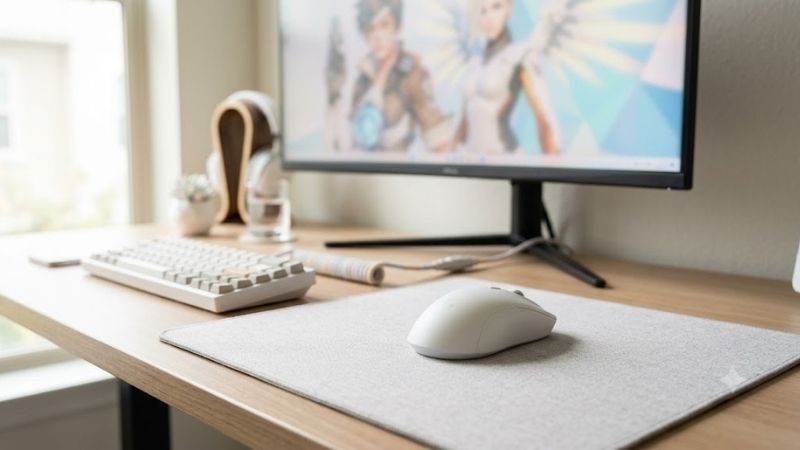
The Razer Viper V3 Pro uses a right-handed symmetrical design, weighs about 54 grams in its black version, and carries Razer’s Focus Pro 35K Optical Sensor Gen-2. It supports wired and 2.4 GHz wireless operation, plus polling rates up to 8,000 Hz through the included HyperPolling Wireless Dongle.
For Overwatch 2, the low mass helps with repeated directional changes when tracking mobile heroes or snapping between targets. The relatively neutral shell also suits players who prefer fingertip or claw-style control, while the high polling option may appeal to users with high-refresh displays and powerful systems.
Key Features
- Approximate 54 g black-model weight
- Focus Pro 35K Optical Sensor Gen-2
- Razer HyperSpeed wireless
- Wired USB-C operation
- Up to 8,000 Hz polling
- Optical Mouse Switches Gen-3
- PTFE mouse feet
What Makes It Different
What makes the Viper V3 Pro different is its combination of low weight, a competitive symmetrical profile, and an included high-polling wireless receiver. The trade-off is that the shell is designed around right-handed use, and players who prefer a fuller ergonomic palm support may find another shape more natural.
Pros
- Extremely light for rapid aim corrections
- Shape supports fast tracking and flick transitions
- High polling options for competitive setups
- No cable drag during large low-sensitivity swipes
Cons
- Right-handed design
- High polling can reduce battery runtime
- Shape may feel too flat for players wanting strong palm support
Use Case
This model makes the most sense for DPS players who frequently move between tracking and flick aiming. Heroes such as Tracer, Soldier: 76, Sojourn, Cassidy, Ashe, and Widowmaker can all benefit from a mouse that changes direction quickly without creating excessive resistance during large movements.
Who It’s For
Choose the Viper V3 Pro if you prefer a lightweight competitive shell and want maximum freedom for wrist or fingertip adjustments. It is particularly relevant for low-to-medium sensitivity players who need to recenter often and want the mouse to feel unobtrusive during fast team fights.
Logitech G PRO X SUPERLIGHT 2 DEX
Best For: Right-handed players wanting ergonomic support
The Logitech G PRO X SUPERLIGHT 2 DEX uses an asymmetrical right-handed shape rather than the flatter symmetrical approach common in esports mice. Logitech lists a 60-gram weight, HERO 2 sensor, LIGHTSPEED wireless, LIGHTFORCE switches, and support for polling rates up to 8 kHz. Its focus is competitive right-hand control.
That shape can be useful in Overwatch 2 if you want more support on the right side of the hand while still keeping overall weight low. It is especially relevant for long ranked sessions where comfort matters as much as flick speed, because a secure grip can reduce unnecessary tension during repeated fights.
Key Features
- 60 g listed weight
- Asymmetrical right-handed shell
- HERO 2 sensor
- LIGHTSPEED wireless
- LIGHTFORCE switches
- Up to 8 kHz polling support
- USB-C charging
What Makes It Different
The main difference is ergonomics. The DEX gives right-handed players a more sculpted shell while retaining the low-weight, high-performance focus expected from a competitive mouse. The compromise is simple: players who like centered symmetrical shapes may prefer a Viper-style design instead. Hand fit should decide between them.
Pros
- More ergonomic than many symmetrical esports mice
- Low enough weight for rapid repositioning
- Strong option for longer competitive sessions
- High polling capability for advanced setups
Cons
- Designed specifically around right-handed use
- Less neutral than symmetrical shells
- Players with fingertip grips may prefer a flatter profile
Use Case
The DEX works well for players who move between sustained tracking and deliberate flicks but want stronger hand support than a flat esports shell provides. It can be particularly useful when several hours of ranked play make grip comfort increasingly important to keeping aim consistent.
Who It’s For
Pick the DEX if your hand naturally prefers an ergonomic right-handed shape but you still want the responsiveness and low mass associated with competitive mice. It is a logical fit for players who have found symmetrical designs comfortable initially but tiring during extended sessions.
ZOWIE U2-DW
Best For: Claw grip, controlled flicking, and frequent mouse resets
The ZOWIE U2-DW is a wireless esports mouse aimed at players who care heavily about shape, control, and a straightforward competitive setup. Its design uses inward-curving sides and a raised rear section intended to support controlled lifting and stable contact during fast movement. The focus stays on competitive control.
In Overwatch 2, that kind of shape can help players who make large low-sensitivity swipes and frequently reset the mouse position. A controlled rear hump can improve leverage for claw-oriented grips, while the narrower front area helps the fingers stay relaxed during repeated clicks and small aim corrections.
Key Features
- Wireless esports-focused design
- Curved sides intended for controlled handling
- Raised rear profile
- Shape designed around competitive movement
- Driver-light competitive philosophy
- Suitable for repeated lifting and repositioning
What Makes It Different
What makes the U2-DW distinct is its shape-first approach. It is less about adding broad productivity features and more about giving competitive players a predictable shell for aiming. The main limitation is fit: highly specific esports shapes can feel excellent for one hand size or grip and wrong for another.
Pros
- Shape supports controlled claw-style handling
- Useful for frequent lifting and repositioning
- Minimalist esports focus
- Good fit for deliberate micro-adjustments
Cons
- Shape is more specialized than neutral competitors
- Less suitable if you prefer a broad palm-resting profile
- Hand size and grip style heavily influence comfort
Use Case
If you already know that you prefer a compact claw-oriented mouse, the U2-DW deserves close attention. It can suit hitscan players who combine quick flicks with controlled micro-adjustments, but it is equally useful for tracking-heavy heroes if the shell lets you move without squeezing the mouse too tightly.
Who It’s For
The U2-DW fits players who choose a mouse primarily by shell geometry rather than software features. It is especially relevant if you repeatedly lift the mouse during low-sensitivity aiming and want secure rear contact that helps maintain the same grip position after every reset.
Logitech G PRO X SUPERLIGHT 2
Best For: Players wanting a neutral competitive shape
The original Logitech G PRO X SUPERLIGHT 2 remains relevant for players who prefer a familiar symmetrical esports shape rather than the newer DEX profile. Its design emphasizes low weight, simple controls, wireless performance, and a shape that does not aggressively force the hand into one ergonomic position.
For Overwatch 2, that neutral approach is useful if you switch between tracking, flicking, and rapid 180-degree turns across many heroes. A less sculpted shell can make grip changes easier during play, although players who rely on strong palm support may find an ergonomic model more comfortable over long sessions.
Key Features
- 60 g listed weight
- HERO 2 sensor
- LIGHTSPEED wireless
- LIGHTFORCE switches
- Up to 8 kHz reporting support
- Symmetrical competitive shell
- Sensor calibration through Logitech G HUB
What Makes It Different
The most important difference between the SUPERLIGHT 2 and DEX is shape rather than the basic competitive goal. Choose the standard SUPERLIGHT 2 if you want a centered, less directional shell. Choose DEX if you specifically want right-hand contouring and more obvious ergonomic guidance. Both remain focused on lightweight wireless esports use.
Pros
- Neutral shell works with several grip styles
- Lightweight enough for fast Overwatch movement
- Suitable for tracking and flick-based heroes
- Less restrictive than strongly ergonomic designs
Cons
- Neutral shape may provide less palm support
- Not the lightest mouse in this comparison
- Grip fit remains more important than specifications
Use Case
The SUPERLIGHT 2 is particularly useful for players with large hero pools. Switching from Soldier: 76 to Cassidy, Tracer, Ashe, or another mechanically different hero changes how you move the mouse, so a relatively neutral shell can make those transitions easier without forcing one specific hand position.
Who It’s For
Choose it if you want one competitive mouse for multiple FPS games and several Overwatch 2 roles. Its main advantage is versatility rather than an extreme ergonomic idea, making it appealing to players who have not committed to a strongly sculpted palm shape or an especially narrow claw-oriented chassis.
How to Choose the Best Mouse for Overwatch 2
Weight and Movement
Weight matters in Overwatch 2 because the game frequently demands fast camera movement, target switching, and repeated repositioning. A lighter mouse can reduce the effort needed for large swipes, but extremely low weight is not automatically better if the shell makes you grip harder to maintain control.
Shape and Grip Style
Shape should come before maximum DPI. Your hand needs enough contact to stop the mouse cleanly after a flick, yet enough freedom to track smoothly through long horizontal movements. Claw and fingertip users often favor lower-profile competitive shells, while palm users may prefer more rear or side support.
Polling Rate
Polling rate affects how often the mouse reports movement to the computer, but higher settings also increase system and battery demands. For most players, a stable lower setting is already highly responsive. Higher polling becomes more relevant on fast displays when the rest of the PC can maintain consistent frame delivery.
Sensor Performance
Sensor performance is rarely the deciding factor among modern flagship esports mice. Instead, focus on whether the mouse tracks consistently at your preferred sensitivity, whether the feet glide predictably on your pad, and whether the shell lets you make corrections without changing grip pressure. Shape therefore matters more than headline DPI.
Wired vs Wireless
Wireless performance is now a practical choice for competitive Overwatch 2 when using established gaming implementations from major esports brands. The main benefit is unrestricted movement during large swipes. Keep the receiver positioned well and avoid unnecessary wireless interference around the desk.
Battery Life
Battery life matters most if you play long sessions or compete regularly. A mouse that supports very high polling may consume power faster at those settings, so consider how often you are willing to charge. A slightly lower polling rate can be the better everyday setting if it still feels responsive on your system.
Mouse Feet and Mousepad Control
Mouse feet and pad pairing influence stopping control as much as raw speed. Fast skates on a slick pad can make tracking feel effortless but may reduce confidence when stopping on small targets. A more controlled surface can help hitscan players who rely on precise corrections after rapid flicks.
Best Mouse Features for Different Overwatch 2 Heroes
Tracking Heroes
For Soldier: 76, Sojourn, Tracer, and other tracking-heavy heroes, prioritize a shape that stays relaxed during long horizontal movement. Low weight can help with direction changes, but the larger goal is consistent control. If your fingers tense during tracking, the shell may be too narrow or too small.
Hitscan and Flick Heroes
For Cassidy, Ashe, Widowmaker, and other precision-focused heroes, clean stopping control becomes more important. You want a mouse that lets you flick, stop, and make a small correction without fighting the shell. Stable grip contact and predictable glide often matter more than chasing the highest possible DPI.
Tank and Support Heroes
Tank and support players still benefit from a competitive mouse because fast turns, quick ability placement, and target switching remain important. However, you may value comfort and button placement more than the lightest possible chassis, especially if your role involves longer sessions and less constant flick aiming.
FAQ
What DPI is best for Overwatch 2?
Overwatch 2 does not require an ultra-high DPI setting. Most competitive players benefit more from a comfortable effective sensitivity that supports both tracking and fast turns. The important point is consistency: use a DPI and in-game sensitivity combination that lets you stop accurately without running out of mousepad space.
Is a lightweight mouse better for Overwatch 2?
A lighter mouse can make repeated swipes and direction changes easier, but weight alone does not determine aim quality. If a very light shell feels unstable or forces you to squeeze harder, control can suffer. Choose the lightest mouse that still feels secure for your grip, hand size, and preferred sensitivity.
Is wireless good enough for competitive Overwatch 2?
Wireless gaming mice are fully practical for competitive Overwatch 2 when they use modern low-latency systems from established gaming brands. The advantage is freedom during large movements without cable drag. Keep the receiver close enough for a stable connection and charge the mouse before long ranked sessions.
Do you need an 8,000 Hz mouse for Overwatch 2?
An 8,000 Hz polling rate is not required to play Overwatch 2 well. It can reduce report intervals on compatible mice, but it also increases CPU activity and battery use. Players with high-refresh displays and strong systems may appreciate it, while others may prefer 1,000 or 2,000 Hz for efficiency.
Conclusion
The best mouse for Overwatch 2 should match your grip before it matches a spec sheet. The Viper V3 Pro favors ultra-light symmetrical control, the SUPERLIGHT 2 DEX adds right-hand contouring, the U2-DW emphasizes shape, and the SUPERLIGHT 2 stays neutral. Pick the shell that keeps your aim relaxed and repeatable.
Ready to decide? Our #1 pick for 2026 is the Mouse.
Live price & availability on Amazon.