🛒 Best Price Today on Amazon
Prime members get fast, free shipping on everything above, plus member-only deals. New members get a 30-day free trial — cancel anytime.
- How We Chose the Best Mouse for Engineers
- Logitech MX Master 4 — Best Overall for Engineers
- Logitech MX Anywhere 3S — Best for Mobile Engineers
- Logitech Lift — Best Vertical Mouse for Smaller Hands
- Logitech MX Ergo S — Best Trackball for Fixed Workstations
- Razer Pro Click V2 Vertical Edition — Best for Work and Play
- Buying Guide: How to Choose a Mouse for Engineering Work
- FAQ
- Conclusion

Logitech MX Master 3S Performance Wireless Mouse - Graphite With Bolt Reciever
Included for 'Best Mouse for Engineers: 5 Productivity Picks for Work' because the listing specifies Graphite With Bolt Reciever, details this guide uses to compare options.
View on Amazon
Logitech MX Master 3S - Performance Wireless Mouse with Ultra-Fast Scrolling, Ergo, 8K DPI, Track on Glass, Quiet Clicks, Bluetooth, Windows, Linux, Chrome, Black
Included for 'Best Mouse for Engineers: 5 Productivity Picks for Work' because the listing specifies Performance Wireless Mouse with Ultra-Fast Scrolling and Ergo, details this guide uses to compare options.
View on Amazon
Logitech MX Master 4 for Mac, Ergonomic Bluetooth Mouse with Advanced Performance Haptic Feedback, Ultra-Fast Scrolling, USB-C Charging, MacOS, iPadOS, Windows - Space Black
Included for 'Best Mouse for Engineers: 5 Productivity Picks for Work' because the listing specifies Ultra-Fast Scrolling and USB-C Charging, details this guide uses to compare options.
View on AmazonThe best mouse for engineers should reduce friction across CAD, coding, spreadsheets, schematics, and long documentation sessions. Precision matters, but so do scrolling, shortcuts, hand comfort, and multi-device control. These picks cover full-size productivity, travel, vertical ergonomics, and trackball workflows.
How We Chose the Best Mouse for Engineers
Choosing the best mouse for engineers starts with the workflow, not one universal shape. CAD users may value precise tracking and a thumb wheel, software engineers may prioritize shortcuts and quiet clicks, while field engineers need portability. Hand size, desk space, operating system, and multi-computer use should decide the final fit.
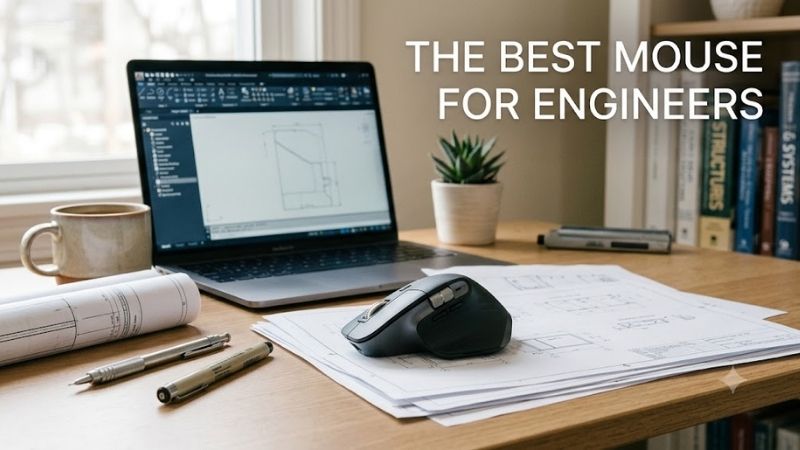
Logitech MX Master 4 — Best Overall for Engineers
The Logitech MX Master 4 is the most complete option for engineers who spend all day moving between drawings, browser tabs, spreadsheets, and technical documents. Its 8,000 DPI Darkfield sensor, MagSpeed wheel, thumb wheel, quiet clicks, and customizable controls suit dense desktop workflows where speed and precision both matter.
Its biggest engineering advantage is control density. The thumb wheel can handle horizontal movement in wide spreadsheets or timelines, while the main wheel shifts between precise ratcheting and fast scrolling. Logitech also adds the Actions Ring and haptic feedback, which can place app-specific commands closer to the cursor in supported workflows.
The MX Master 4 supports Bluetooth Low Energy and a Logi Bolt USB-C receiver, and Logitech lists switching across up to three devices. That matters for engineers who divide work between a workstation, laptop, and test machine. The trade-off is size: this is a sculpted, full-size right-handed mouse rather than a compact option for travel.
Choose it if your day mixes CAD, Excel, browser research, documentation, and multi-monitor navigation. It is especially useful when horizontal scrolling and programmable actions can replace repeated keyboard reaches. Engineers with smaller hands or very limited desk space may prefer a lighter, lower-profile design instead.
- Best For: Desktop engineering, CAD, spreadsheets, multi-monitor work
- Key Features: 200–8,000 DPI Darkfield sensor, MagSpeed wheel, thumb wheel, haptic feedback, Actions Ring, Bluetooth, Logi Bolt USB-C
- What Makes It Different: Dense productivity controls combined with customizable haptic feedback
- Pros: Excellent scrolling options; strong multi-device workflow; extensive customization
- Cons: Full-size body; right-handed shape; less convenient for travel
- Use Case: Engineering workstation with CAD, documents, spreadsheets, and multiple applications
- Who It’s For: Engineers wanting maximum desktop productivity from one mouse
Logitech MX Anywhere 3S — Best for Mobile Engineers
The Logitech MX Anywhere 3S fits engineers who work from client sites, labs, classrooms, airports, or shared desks. At 99 g, it is far easier to carry than a full-size productivity mouse, yet its Darkfield sensor still supports 200 to 8,000 DPI and can track on many surfaces, including glass under Logitech’s stated conditions.
Its MagSpeed wheel is useful for reviewing long code files, specifications, PDFs, or logs without giving up precise line-by-line control. Horizontal scrolling is available by holding a side button while turning the wheel, which gives mobile users a practical way to navigate wide sheets without adding a dedicated thumb wheel.
The compact body is the main benefit and the main compromise. It fits small bags and crowded workspaces, but it offers less palm support than a larger sculpted mouse. Engineers who perform eight-hour desktop sessions may prefer the MX Master 4 or an ergonomic model, while frequent travelers will value the lower bulk.
Pick the MX Anywhere 3S when portability is more important than maximum button access. It suits engineers who often connect to different laptops, present from temporary desks, or inspect documents away from the office. The rechargeable battery and multi-device support also reduce cable clutter in lightweight mobile setups.
- Best For: Field engineers, consultants, students, and frequent travelers
- Key Features: 99 g weight, 200–8,000 DPI tracking, MagSpeed scrolling, USB-C charging, Bluetooth pairing with up to three devices
- What Makes It Different: Full productivity-oriented tracking and scrolling in a compact body
- Pros: Portable; works across multiple computers; strong scrolling system
- Cons: Less palm support; fewer dedicated controls than MX Master 4
- Use Case: Laptop-based engineering, client visits, labs, and temporary workspaces
- Who It’s For: Engineers who regularly work away from one permanent desk
Logitech Lift — Best Vertical Mouse for Smaller Hands
Logitech Lift is a strong choice for engineers who want a more upright wrist position without moving to a trackball. Logitech describes its 57-degree vertical angle and sculpted shape as designed for a more natural posture, while the company specifically positions the mouse for small to medium-sized hands.
For long coding, report writing, or schematic review sessions, the vertical shape changes forearm rotation rather than adding more controls. Lift includes a SmartWheel, customizable buttons through Logi Options+, Bluetooth Low Energy, and Logi Bolt support. Its sensor is adjustable up to 4,000 DPI, which is ample for standard productivity use.
The limitation is specialization. A vertical mouse can require an adjustment period, and Lift lacks the dedicated thumb wheel and dense control layout of the MX Master line. It is also shaped around a specific hand-size range, so large-handed users should not assume the fit will feel as supportive as it does for smaller hands.
Choose Lift if comfort and hand position matter more than advanced scrolling. It makes sense for engineers who spend most of the day clicking through IDEs, documentation, ticketing systems, diagrams, and office software. A left-handed version is available, a meaningful advantage for users underserved by many premium productivity mice.
- Best For: Long office sessions and small-to-medium hands
- Key Features: 57-degree vertical design, SmartWheel, adjustable 400–4,000 DPI tracking, Bluetooth, Logi Bolt, AA battery
- What Makes It Different: Upright ergonomic form with left-handed availability
- Pros: Vertical posture; quiet workplace focus; customizable controls
- Cons: Fewer advanced scrolling controls; fit is less ideal for larger hands
- Use Case: Coding, documentation, schematic review, and office engineering tasks
- Who It’s For: Engineers prioritizing an upright mouse posture over maximum controls
Logitech MX Ergo S — Best Trackball for Fixed Workstations
The Logitech MX Ergo S takes a different approach: the mouse stays mostly stationary while your thumb controls the trackball. That can be useful on narrow desks, equipment benches, or workstations where repeated arm movement is inconvenient. Logitech gives it a 20-degree tilt angle, quiet clicks, USB-C charging, and six customizable buttons.
A dedicated precision-mode button lets you change cursor speed quickly, which can help when moving from broad navigation to finer selections. For engineers working with dense diagrams or detailed interfaces, the stationary base can also keep pointer control consistent when desk space is crowded with notebooks, instruments, or hardware.
Trackballs have a real learning curve. Thumb-driven pointer movement feels unfamiliar to many mouse users, and highly repetitive CAD work may take time to adapt. The MX Ergo S is also heavier than a conventional mouse because the base is designed to stay planted, so it is better for a fixed workstation than a travel kit.
Choose the MX Ergo S if you want to minimize arm travel, work in a constrained space, or already prefer trackball control. It is especially relevant for engineers who keep a dense bench setup or use multiple displays from one fixed desk. Users who frequently switch desks will usually find a conventional wireless mouse easier to carry.
- Best For: Compact desks, engineering benches, and trackball users
- Key Features: Thumb-operated trackball, 20-degree tilt, precision-mode button, six customizable buttons, quiet clicks, USB-C charging
- What Makes It Different: Cursor movement requires very little movement of the mouse body
- Pros: Excellent for tight spaces; customizable; dedicated precision control
- Cons: Learning curve; heavier fixed-base design; less travel-friendly
- Use Case: Laboratory benches, fixed engineering stations, diagrams, and technical interfaces
- Who It’s For: Engineers who want stationary pointer control or already prefer trackballs
Razer Pro Click V2 Vertical Edition — Best for Work and Play
The Razer Pro Click V2 Vertical Edition suits engineers who want a vertical productivity shape but also need flexible connectivity and a very high-resolution sensor. Razer lists a 30,000 DPI Focus Pro optical sensor, HyperSpeed 2.4 GHz wireless, Bluetooth, and USB-C wired operation in a right-handed vertical design.
Its value is versatility rather than simple office minimalism. The mouse can connect through multiple modes, offers programmable controls through Razer Synapse 4, and includes a dedicated way to switch connections. That can fit engineers who move between productivity software, simulation tools, and occasional gaming on the same workstation.
The trade-off is bulk and software preference. Razer lists an approximate weight of 150 g, so this is not a lightweight travel mouse. The vertical body is also right-handed, and some productivity features depend on Synapse customization. Engineers who want a simpler cross-platform setup may prefer Logitech’s more office-focused options.
Choose this model if you want an upright grip plus wired and wireless flexibility from one device. It is most relevant for right-handed engineers who use a powerful desktop setup and appreciate high sensor headroom. For small hands, frequent travel, or minimal software dependence, another mouse in this roundup may be easier to live with.
- Best For: Engineering workstations that also handle gaming or simulation
- Key Features: 30,000 DPI optical sensor, HyperSpeed wireless, Bluetooth, USB-C wired mode, programmable controls
- What Makes It Different: Vertical ergonomic design combined with workstation and gaming-oriented connectivity
- Pros: Multiple connection modes; vertical grip; extensive customization
- Cons: Right-handed only; heavier body; software needed for deeper customization
- Use Case: Technical productivity, simulation software, and mixed work-and-play desktops
- Who It’s For: Right-handed engineers wanting vertical ergonomics without giving up performance features
Buying Guide: How to Choose a Mouse for Engineering Work
Start with the work itself. CAD and wide spreadsheets benefit from precise tracking, fast vertical scrolling, and easy horizontal navigation. Coding and documentation place more value on quiet clicks, shortcut buttons, and comfort. Field work changes the priority, because compact dimensions and reliable wireless connections matter more.
Consider Hand Size and Mouse Shape
Hand size and grip should narrow the list before extra features do. A large sculpted mouse can support the palm during long sessions but may feel cumbersome to smaller hands. Vertical designs reduce forearm rotation for some users, while trackballs reduce arm movement. None of these shapes is automatically comfortable for every engineer.
Check Multi-Device Compatibility
Consider how many computers you use each day. Engineers often move between a primary workstation, laptop, lab machine, or presentation device. Multi-device Bluetooth or receiver support can save time, but button customization may depend on vendor software and operating-system support, so check the exact platforms in your workflow.
Prioritize Scrolling Before Maximum DPI
Scrolling deserves more attention than raw DPI. Large PDFs, source files, logs, and spreadsheets can make a fast free-spin wheel genuinely useful, while a thumb wheel simplifies horizontal movement. High DPI helps on high-resolution or multi-monitor setups, but practical control still depends on sensor consistency and your preferred pointer speed.
Think About Charging and Travel
Battery design affects maintenance more than performance. Rechargeable mice reduce disposable-battery changes, while replaceable AA models can run for long periods without charging routines. For travel, check whether the receiver stores inside the mouse and whether USB-C charging or wired operation matches the ports already on your laptop.
FAQ
What Is the Best Mouse for Engineers Overall?
For most engineers, the Logitech MX Master 4 is the broadest fit because it combines precise tracking, fast scrolling, horizontal control, programmable actions, and multi-device support. That does not make it ideal for everyone: travelers, smaller hands, vertical-mouse users, and trackball users may be better served by a more specialized shape.
Do Engineers Need a High-DPI Mouse?
A high DPI number is not the main requirement for engineering work. CAD, coding, and spreadsheets benefit more from consistent tracking and controllable sensitivity. Higher DPI can help on 4K or multi-monitor setups because the cursor covers more screen space with less hand movement, but most users will operate well below the sensor maximum.
Is a Vertical Mouse Better for Engineers?
A vertical mouse can be useful if you prefer a more upright forearm position during long work sessions, but shape and hand size matter. Logitech Lift targets small to medium hands, while Razer’s Pro Click V2 Vertical Edition is larger and right-handed. The safest choice is the design that supports your grip without forcing finger reach.
Is a Trackball Good for CAD and Engineering Software?
A trackball can work well for CAD and engineering software when desk space is tight or you want to reduce arm movement, but it takes practice. The MX Ergo S adds a precision-mode button for quicker sensitivity changes. Engineers who rely on rapid sweeping motions may adapt more slowly than users focused on controlled pointer placement.
What Is the Best Mouse for Engineers Who Travel?
For mobile engineers, the MX Anywhere 3S is the strongest fit in this list because it is compact, weighs 99 g, supports multi-device wireless use, and keeps Logitech’s high-resolution Darkfield tracking. Its main compromise is ergonomics: the lower body offers less palm support than a full-size mouse during very long desk sessions.
Conclusion
The best mouse for engineers depends on where and how you work. MX Master 4 offers the richest desktop control, MX Anywhere 3S favors mobility, Lift prioritizes an upright grip, MX Ergo S minimizes arm movement, and Razer Pro Click V2 Vertical Edition adds vertical ergonomics with flexible connectivity for larger workstation setups.