🛒 Best Price Today on Amazon
Prime members get fast, free shipping on everything above, plus member-only deals. New members get a 30-day free trial — cancel anytime.
- Best Mouse for Low Sensitivity Gamers Compared
- Razer Viper V4 Pro — Best for Fast Low-Sens Swipes
- Logitech G PRO X SUPERLIGHT 2 — Best Neutral Shape
- Logitech G PRO X SUPERLIGHT 2 DEX — Best Ergonomic Logitech
- Razer DeathAdder V3 Pro — Best for Larger Hands
- ZOWIE U2-DW — Best Driver-Free Low-Sens Mouse
- Which Mouse Should Low-Sensitivity Gamers Choose?
- Buying Guide for a Low-Sensitivity Gaming Mouse
- FAQ
- Conclusion
Low-sensitivity gaming demands long arm-driven swipes, precise stopping, and frequent recentering across a large mousepad. The best mouse for low sensitivity gamers should combine low weight, smooth PTFE feet, reliable tracking, and a secure shape that stays comfortable during wide flicks in competitive FPS games.
Best Mouse for Low Sensitivity Gamers Compared
| Mouse | Weight | Shape | Maximum Polling Rate | Best For |
|---|---|---|---|---|
| Razer Viper V4 Pro | Under 49 g, black | Right-handed symmetrical | 8000 Hz | Fast wide swipes and minimum weight |
| Logitech G PRO X SUPERLIGHT 2 | 60 g | Symmetrical | 8000 Hz | Neutral competitive FPS shape |
| Logitech G PRO X SUPERLIGHT 2 DEX | 60 g | Right-handed asymmetrical | 8000 Hz wireless | Ergonomic low-sens control |
| Razer DeathAdder V3 Pro | 63 g, black | Ergonomic right-handed | Up to 8000 Hz | Larger hands and palm support |
| ZOWIE U2-DW | 60 g | Symmetrical right-handed | 4000 Hz | Claw grip and driver-free setup |
Razer lists the Viper V4 Pro at under 49 g in black with 8000 Hz wired and wireless polling. Logitech specifies 60 g and up to 8000 Hz for the SUPERLIGHT 2, while the DEX also weighs 60 g and supports 8000 Hz LIGHTSPEED wireless.
ZOWIE rates the U2-DW at 60 g with report-rate settings through 4000 Hz. Razer lists the black DeathAdder V3 Pro at 63 g, with 8000 Hz available when paired with its HyperPolling Wireless Dongle. These differences make shape and movement style more useful comparison points than maximum DPI alone.
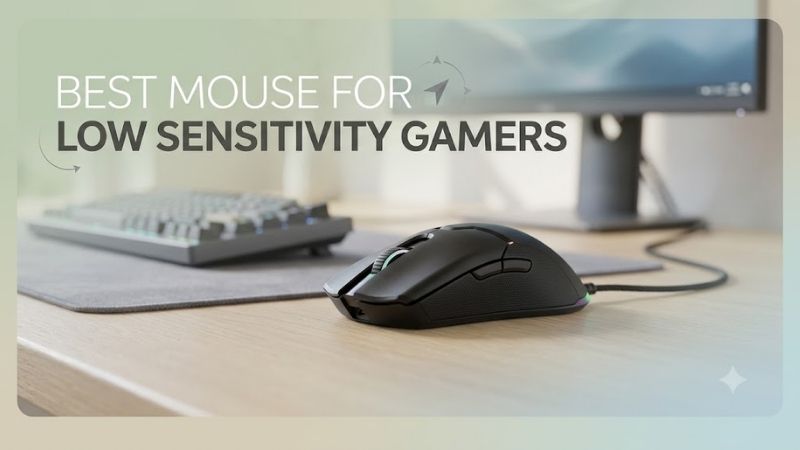
Razer Viper V4 Pro — Best for Fast Low-Sens Swipes
Best For: Competitive FPS players who want minimum weight.
Key Features
- Under 49 g in black
- Focus Pro 50K Optical Sensor Gen-3
- Up to 8000 Hz wired and wireless polling
- 100% PTFE mouse feet
- Right-handed symmetrical shape
- HyperSpeed Wireless Gen-2
The Razer Viper V4 Pro is built for players who make large, rapid corrections and want as little inertia as possible. Its black version weighs under 49 g, while the symmetrical right-handed shell keeps the grip neutral. That combination favors low-sens FPS users who rely on fast arm movement and frequent recentering.
Razer pairs the Viper V4 Pro with its Focus Pro 50K Optical Sensor Gen-3, up to 8000 Hz polling in wired or wireless mode, and 100% PTFE feet. The headline DPI ceiling matters less for low sensitivity than the low weight and high tracking ceiling, which help preserve control during aggressive swipes and quick direction changes.
What Makes It Different
The sub-50 g black model separates the Viper V4 Pro from the heavier options here. Less moving mass is especially noticeable when a player repeatedly accelerates, stops, lifts, and resets the mouse across a large pad. Its relatively neutral profile also avoids forcing the hand into a pronounced ergonomic position.
Pros
- Lowest weight in this comparison
- 8000 Hz supported wirelessly and wired
- Large PTFE glide surfaces
- Neutral competitive shape
- Long battery rating at 1000 Hz
Cons
- Symmetrical profile offers less palm support than an ergonomic mouse
- 8000 Hz can reduce battery life substantially
- Ultra-low weight may feel less planted to some players
Use Case: Counter-Strike 2, VALORANT, Apex Legends, Overwatch 2, and other games where low sensitivity requires frequent wide flicks.
Who It’s For: Players using arm aim who value low inertia more than substantial palm support.
Logitech G PRO X SUPERLIGHT 2 — Best Neutral Shape
Best For: Low-sens players who want a proven neutral-style shell.
Key Features
- 60 g weight
- HERO 2 sensor
- 100–44,000 DPI range
- Over 888 IPS tracking specification
- Up to 8000 Hz report rate
- LIGHTSPEED wireless
- 95-hour constant-motion battery rating
The Logitech G PRO X SUPERLIGHT 2 remains a strong fit for low-sensitivity gamers who prefer a familiar symmetrical shape rather than an aggressive ergonomic shell. At 60 g, it is heavier than the Viper V4 Pro but still light enough for broad mousepad movement, while its balanced body suits claw, fingertip, and relaxed hybrid grips.
Its HERO 2 sensor supports up to 44,000 DPI, tracking above 888 IPS, and LIGHTSPEED wireless polling up to 8000 Hz. For low-sens users, the practical advantage is consistent tracking during fast arm sweeps rather than the maximum DPI number. The 95-hour constant-motion battery rating also reduces charging interruptions.
What Makes It Different
The SUPERLIGHT 2 does not chase the lowest possible weight or a strongly sculpted ergonomic shape. Instead, it provides a comparatively neutral body with broad grip compatibility. That matters when low-sensitivity gamers want predictable contact points without adapting to deep thumb grooves or aggressive palm support.
Pros
- Neutral shell works with multiple grip styles
- 60 g chassis remains easy to move
- Up to 8000 Hz wireless reporting
- HERO 2 sensor with high tracking-speed specification
- Strong battery specification
Cons
- Heavier than the Viper V4 Pro
- Less right-hand support than ergonomic models
- Five-button layout is intentionally minimal
Use Case: Competitive shooters where a neutral shape and predictable handling matter more than aggressive ergonomic support.
Who It’s For: Players uncertain whether they prefer palm, claw, or fingertip contact and who want a flexible FPS shape.
Logitech G PRO X SUPERLIGHT 2 DEX — Best Ergonomic Logitech
Best For: Right-handed low-sens players wanting more hand support.
Key Features
- 60 g asymmetrical chassis
- HERO 2 sensor
- Up to 44,000 DPI
- Over 888 IPS tracking specification
- Up to 8000 Hz LIGHTSPEED wireless
- Up to 95 hours of battery life
The PRO X SUPERLIGHT 2 DEX targets right-handed players who want Logitech’s wireless platform in a more ergonomic body. Its 60 g asymmetrical shell adds palm and thumb support compared with the standard SUPERLIGHT 2, making it easier to maintain a relaxed grip while dragging the mouse across a large pad at low sensitivity.
The DEX uses the same HERO 2 sensor family, supports up to 44,000 DPI, and reaches up to 8000 Hz over LIGHTSPEED wireless. Its wider ergonomic profile is the real differentiator for low-sens aiming: players who anchor the palm or use a fuller claw grip may find the shape easier to control when stopping long flicks.
What Makes It Different
Compared with the standard SUPERLIGHT 2, the DEX prioritizes right-hand ergonomics rather than symmetry. Its 67.7 mm listed width and 43.9 mm height create a fuller body, giving low-sens players more shell contact when braking the mouse after a long sweep.
Pros
- Ergonomic right-handed shell
- Still weighs only 60 g
- HERO 2 tracking platform
- Up to 8000 Hz LIGHTSPEED wireless
- Fuller support than the standard SUPERLIGHT 2
Cons
- Less suitable for users who prefer flat symmetrical mice
- Right-handed design limits grip flexibility
- Heavier than the Viper V4 Pro
Use Case: Tactical FPS and tracking-heavy games played with lower sensitivity and relaxed claw or palm-oriented grips.
Who It’s For: Right-handed players who like Logitech hardware but want more hand contact than the standard SUPERLIGHT shell provides.
Razer DeathAdder V3 Pro — Best for Larger Hands
Best For: Low-sens players who prefer substantial ergonomic support.
Key Features
- 63 g black model
- 128 mm length
- 68 mm width
- 44 mm height
- Focus Pro 30K Optical Sensor
- Large 100% PTFE feet
- HyperSpeed Wireless
- Up to 8000 Hz with compatible HyperPolling dongle
The Razer DeathAdder V3 Pro is the option for low-sensitivity gamers who prioritize ergonomic support over minimum possible weight. Its 63 g black chassis is taller and wider than the Viper line, giving the palm more surface area. That can reduce grip tension during long sessions, especially for medium-to-large right hands.
Razer equips it with a Focus Pro 30K Optical Sensor, large 100% PTFE feet, and wireless polling up to 8000 Hz when used with the HyperPolling Wireless Dongle. Low-sens players benefit most from the broad glide area and ergonomic shell, though users who prefer tiny, flat mice may find the shape too substantial.
What Makes It Different
At 128 × 68 × 44 mm, the DeathAdder V3 Pro provides a noticeably fuller ergonomic platform than flatter symmetrical esports mice. That added contact can make large movements feel more controlled for palm-oriented aiming, although users who reposition primarily with fingertips may prefer a smaller or narrower chassis.
Pros
- Strong palm and thumb support
- Large PTFE feet
- Reasonable 63 g weight for its size
- Wireless high-polling support available
- Well suited to medium and larger right hands
Cons
- Larger shell will not suit every hand
- Heavier than the Viper V4 Pro
- 8000 Hz requires the compatible HyperPolling dongle
Use Case: Long tactical FPS sessions where broad arm movement is combined with palm or relaxed-claw control.
Who It’s For: Medium-to-large right-handed users who find flatter symmetrical mice tiring or difficult to stop precisely.
ZOWIE U2-DW — Best Driver-Free Low-Sens Mouse
Best For: Claw users who want hardware adjustment without software.
Key Features
- 60 g weight
- Medium size
- Symmetrical right-handed design
- 400–3200 DPI presets
- 125–4000 Hz report rate
- Motion Sync control
- Enhanced receiver and charging dock
- 2.4 GHz wireless
The ZOWIE U2-DW suits competitive players who want a medium symmetrical mouse with simple hardware controls instead of mandatory software. It weighs 60 g and offers a right-handed symmetrical design. The narrowed waist and controlled rear support make it appealing for claw-oriented low-sens users who want stable lift and reset movements.
Its adjustable report rate reaches 4000 Hz, while DPI can be set from 400 to 3200 in fixed steps. ZOWIE also includes an enhanced wireless receiver that doubles as a charging dock. That setup is useful for tournament desks and shared PCs because core settings remain accessible without installing a configuration application.
What Makes It Different
ZOWIE focuses on physical configuration rather than a software-heavy ecosystem. Low-sens competitors can change DPI, report rate, lift-off distance, click response, and Motion Sync settings directly through the mouse. That approach favors players who frequently move between systems or want fewer background applications.
Pros
- Driver-free adjustment
- Medium 60 g competitive shell
- Charging dock doubles as enhanced receiver
- Multiple report-rate settings through 4000 Hz
- Useful fixed DPI stages for esports setups
Cons
- Maximum polling rate is lower than 8000 Hz rivals
- Fixed DPI steps provide less granular tuning
- Shape is intended for right-handed use
Use Case: LAN environments, esports setups, shared gaming PCs, and low-sensitivity claw aiming.
Who It’s For: Players who prefer simple hardware controls and do not want software running merely to configure core mouse settings.
Which Mouse Should Low-Sensitivity Gamers Choose?
Choose primarily by shape, then weight, then secondary features. The Viper V4 Pro minimizes mass, the SUPERLIGHT 2 offers a neutral familiar shell, the DEX adds right-hand support, the DeathAdder V3 Pro provides the fullest ergonomic body, and the U2-DW emphasizes claw control with plug-and-play adjustment.
| Player Preference | Model to Consider |
|---|---|
| Lowest possible moving mass | Razer Viper V4 Pro |
| Neutral competitive shape | Logitech G PRO X SUPERLIGHT 2 |
| Logitech with ergonomic support | Logitech G PRO X SUPERLIGHT 2 DEX |
| Larger ergonomic right-hand shape | Razer DeathAdder V3 Pro |
| Driver-free competitive setup | ZOWIE U2-DW |
Buying Guide for a Low-Sensitivity Gaming Mouse
Weight Matters More When You Move Farther
Low sensitivity usually means more total mouse travel, so extra weight is felt repeatedly rather than once. A lighter mouse can reduce effort during wide flicks and fast recentering, but extremely low mass may feel less planted to players with heavy hands. Balance matters: choose the lightest shape you can still stop confidently.
Choose Shape Before Sensor Specifications
Shape determines how securely you can guide and stop a mouse across long distances. Symmetrical shells suit flexible claw and fingertip styles, while ergonomic right-handed bodies give the palm and thumb more support. Low-sens players should favor a shape that stays stable without forcing constant squeezing during arm-driven aiming.
Mouse Feet and Pad Space Affect Glide
Mouse feet influence how much force is needed to start and stop each sweep. Broad PTFE contact areas generally produce smooth movement, but glide speed also depends on the mousepad surface and skate geometry. Low-sens players should pair the mouse with a pad large enough for full arm motion without hitting the edge during turns.
Do You Need 8000 Hz Polling?
Higher polling rates can reduce the interval between mouse reports, but they are not a substitute for good shape, weight, or technique. They can also increase battery use and system load. For many low-sens players, a stable 1000–4000 Hz setup is already responsive; 8000 Hz is most relevant on high-refresh competitive systems.
DPI Is Not the Same as In-Game Sensitivity
Low sensitivity is defined by effective in-game sensitivity, not simply by using the lowest hardware DPI setting. Competitive players can combine moderate DPI with a low game multiplier to reach the same cm/360 target. Keep DPI stable, disable unwanted acceleration, and tune sensitivity around repeatable arm movement rather than one preset.
FAQ
What makes a mouse good for low-sensitivity gaming?
A low-sensitivity gaming mouse does not need a special sensor class, but it should track fast movement cleanly and feel easy to move over distance. Weight, shape, skate glide, and wireless consistency usually matter more than an extreme DPI ceiling. The right model should let you swipe, stop, lift, and recenter without strain.
Is a lighter mouse better for low sensitivity?
A lighter mouse often helps low-sens players because each turn covers more physical distance, so reduced mass lowers the effort needed for repeated swipes. It is not automatically better for everyone. Some players prefer a slightly heavier mouse for a planted stopping feel, especially on faster cloth or hybrid mousepads.
Is wireless better for low-sensitivity gaming?
Wireless mice are well suited to low sensitivity because removing cable drag makes long horizontal swipes more consistent. Modern gaming wireless systems from major esports brands are designed for low-latency use. Keep the receiver close to the mousepad and avoid unnecessary radio interference around the desk for the most stable connection.
Do low-sensitivity gamers need a large mousepad?
A large mousepad is strongly recommended for low sensitivity because it gives your arm enough room to complete turns without frequent edge collisions. The exact size depends on your cm/360 and desk space, but the goal is simple: you should be able to execute your normal in-game turn and still have room to recenter comfortably.
Should low-sens players use 400 or 800 DPI?
Either can work because DPI alone does not determine effective sensitivity. A player using 800 DPI with half the in-game sensitivity can achieve the same effective movement as a 400 DPI setup. Choose a stable DPI setting supported by your mouse, then adjust the game multiplier until your cm/360 matches your preferred aiming style.
Is an ergonomic or symmetrical mouse better for low sensitivity?
Neither shape is universally superior. Ergonomic mice give the palm and thumb more support, which may help players control long sweeps with less gripping pressure. Symmetrical mice usually allow more freedom for claw and fingertip adjustments. Your hand size, grip, and stopping technique should determine which design feels more controlled.
Conclusion
The best mouse for low sensitivity gamers is the one that stays easy to move, secure to stop, and comfortable across repeated wide swipes. Start with shape, then compare weight and wireless features. Viper V4 Pro favors minimum mass, while Logitech, DeathAdder, and ZOWIE options cover neutral, ergonomic, and claw-focused needs.