🛒 Best Price Today on Amazon
Prime members get fast, free shipping on everything above, plus member-only deals. New members get a 30-day free trial — cancel anytime.
- Best Mouse for Programmers: Quick Comparison
- Logitech MX Master 3S — Best Overall for Programmers
- Logitech MX Anywhere 3S — Best for Mobile Programmers
- Keychron M6 — Best for Programming and Gaming
- Razer Pro Click Mini — Best Compact Multi-Device Mouse
- Logitech MX Ergo S — Best Trackball for Programmers
- How to Choose the Best Mouse for Programming
- FAQ
- Conclusion
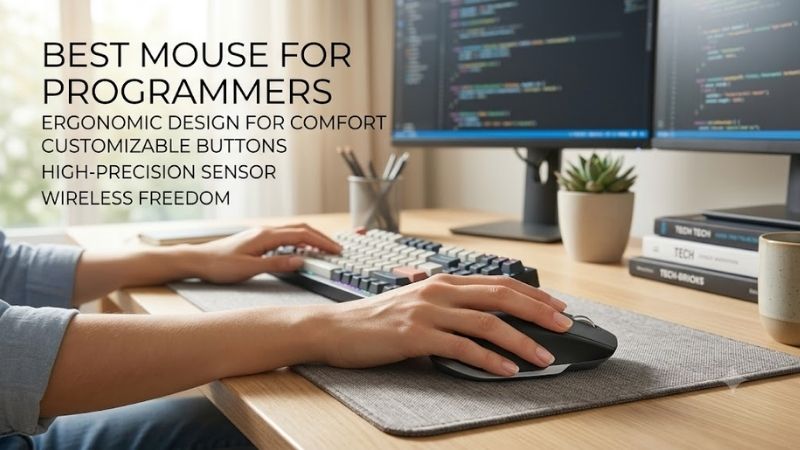
The best mouse for programmers should reduce wrist effort, speed up navigation, and make long coding sessions feel less repetitive. The strongest options combine precise tracking, efficient scrolling, useful extra buttons, and reliable multi-device support without forcing developers into bulky gaming-focused designs.
Quick answer: For most people in 2026, the best mouse for programmers is the Mouse — our #1 rated choice. See the full ranked comparison, alternatives and buying advice below.
Best Mouse for Programmers: Quick Comparison
| Mouse | Best For | Key Strength | Connectivity | Main Trade-Off |
|---|---|---|---|---|
| Logitech MX Master 3S | Desktop programming | Fast scrolling and workflow controls | Bluetooth, Logi Bolt | Large and relatively heavy |
| Logitech MX Anywhere 3S | Mobile developers | Compact design and fast scrolling | Bluetooth, Logi Bolt | Less palm support |
| Keychron M6 | Coding and gaming | Lightweight productivity design | Bluetooth, 2.4 GHz, wired | Many hardware variants |
| Razer Pro Click Mini | Compact multi-device setups | Programmable controls | Bluetooth, 2.4 GHz | Uses AA batteries |
| Logitech MX Ergo S | Trackball users | Stationary ergonomic control | Wireless | Learning curve |
Logitech MX Master 3S — Best Overall for Programmers
Logitech MX Master 3S is the strongest fit for programmers who spend hours moving through long files, browser tabs, terminals, and documentation. Its MagSpeed wheel handles rapid vertical scrolling, while the thumb wheel adds horizontal control for wide code, timelines, and spreadsheets. Quiet clicks also suit shared workspaces.
Best For
Desktop developers, software engineers, data analysts, and programmers using multiple applications.
Key Features
- MagSpeed electromagnetic scroll wheel
- Thumb wheel for horizontal scrolling
- 200–8,000 DPI tracking
- Seven buttons
- Bluetooth Low Energy and Logi Bolt
- Logi Options+ customization
- Rechargeable battery
What Makes It Different
What separates the MX Master 3S is workflow depth rather than raw gaming speed. Logi Options+ can assign buttons to app-specific actions, making back, forward, window switching, or custom shortcuts easier to reach. Its larger right-handed shape favors desk use, but the 141 g weight is less appealing for users who prefer a light mouse.
Pros
- Excellent scrolling for long source files
- Dedicated horizontal thumb wheel
- Useful application-specific customization
- Quiet primary clicks
- Works well with high-resolution displays
Cons
- Heavier than compact and gaming mice
- Right-handed shape
- Less convenient for frequent travel
Use Case
Ideal for navigating IDEs, GitHub, terminals, documentation, spreadsheets, dashboards, and browser-heavy development workflows.
Who It’s For
Programmers who primarily code at a fixed workstation and want navigation controls that can reduce repetitive scrolling and shortcut use.
Logitech MX Anywhere 3S — Best for Mobile Programmers
Logitech MX Anywhere 3S suits programmers who work across offices, cafés, classrooms, or multiple desks. Its compact body travels easily, while the MagSpeed wheel still provides fast scrolling through large codebases and documentation. The 8,000 DPI sensor also helps when using high-resolution displays with limited desk space.
Best For
Remote developers, students, consultants, and programmers who regularly carry a laptop.
Key Features
- 8,000 DPI sensor
- MagSpeed scrolling
- Quiet clicks
- Compact body
- Bluetooth connectivity
- Rechargeable design
What Makes It Different
Compared with the MX Master 3S, the MX Anywhere 3S gives up the larger palm-support shape and thumb wheel in exchange for portability. Quiet clicks reduce distraction during focused work, and Bluetooth support makes it practical for laptops and tablets. Developers with large hands may find the smaller shell less comfortable over very long sessions.
Pros
- Easy to carry with a laptop
- Fast MagSpeed scrolling
- Quiet clicking
- High-resolution tracking
- Useful for small desks
Cons
- Smaller body provides less palm support
- No dedicated thumb scroll wheel
- Less ergonomic for some large-handed users
Use Case
A practical choice for coding in coworking spaces, classrooms, cafés, client offices, or anywhere a full-size productivity mouse feels inconvenient.
Who It’s For
Developers who prioritize portability but still want premium scrolling and precise cursor control instead of using a basic travel mouse.
Keychron M6 — Best for Programming and Gaming
Keychron M6 is a compelling option for programmers who want productivity controls without giving up a lighter, faster-feeling mouse. It combines an ergonomic right-handed shell, dual scrolling modes, more than ten customizable buttons, and wired, Bluetooth, or 2.4 GHz connectivity. That mix works well for coding by day and gaming after work.
Best For
Developers who alternate between software development, productivity work, and PC gaming.
Key Features
- More than ten customizable buttons
- Dual scrolling modes
- Bluetooth connectivity
- 2.4 GHz wireless
- Wired operation
- Multiple sensor configurations
- Silent-switch variants available
What Makes It Different
The M6 stands out because Keychron offers several sensor, switch, and polling-rate variants, letting buyers choose between quieter office use and higher-performance configurations. The trade-off is complexity: specifications differ by version, so programmers should verify the exact model before buying instead of assuming every M6 is identical.
Pros
- Numerous programmable controls
- Lighter than many productivity mice
- Three connection methods
- Productivity and gaming capability
- Quiet-switch options
Cons
- Specifications vary substantially by version
- Right-handed design
- Buyers must check the exact configuration carefully
Use Case
Useful for coding sessions that transition into gaming, especially when one mouse must handle IDE navigation, browser work, productivity shortcuts, and faster pointer movement.
Who It’s For
Programmers who want productivity features but prefer a lighter mouse than traditional office-focused models.
Razer Pro Click Mini — Best Compact Multi-Device Mouse
Razer Pro Click Mini is designed for programmers who want a compact productivity mouse with more button flexibility than a basic travel model. It offers seven programmable buttons, a four-way tilt wheel, Bluetooth, and 2.4 GHz wireless. Silent mechanical switches also suit quiet offices, libraries, or late-night coding setups.
Best For
Developers who use multiple computers or want programmable controls in a compact body.
Key Features
- Seven programmable buttons
- Four-way tilt scroll wheel
- Free-spin and tactile wheel modes
- Bluetooth
- 2.4 GHz wireless
- Up to four Bluetooth hosts
- Replaceable AA battery support
What Makes It Different
Its main advantage is compact control density. The wheel handles vertical and horizontal movement, while multi-host Bluetooth makes it convenient for developers switching between a workstation and laptop. It uses replaceable AA batteries rather than USB-C charging, which some users may view as practical and others as dated.
Pros
- Compact without sacrificing extra controls
- Horizontal wheel movement
- Multi-device Bluetooth support
- Silent switches
- Programmable buttons
Cons
- AA batteries instead of USB-C charging
- Smaller shape may not suit larger hands
- Less palm support than full-size ergonomic models
Use Case
Useful for developers switching between workstations, laptops, test systems, or other machines without wanting a large desktop mouse.
Who It’s For
Programmers who want a travel-friendly mouse but need more customizable controls than minimalist portable models provide.
Logitech MX Ergo S — Best Trackball for Programmers
Logitech MX Ergo S is the most specialized pick here because it replaces normal mouse movement with a thumb-operated trackball. For programmers who dislike repeatedly sliding a mouse across the desk, that stationary design can reduce arm travel and save space. Logitech also adds quiet clicks, USB-C charging, and six customizable buttons.
Best For
Trackball users, compact desks, and programmers who prefer stationary cursor control.
Key Features
- Thumb-operated trackball
- 20-degree tilt angle
- Six customizable buttons
- Quiet clicks
- USB-C charging
- Stationary design
What Makes It Different
The MX Ergo S has a 20-degree tilt angle intended to reduce forearm strain, but a trackball requires an adjustment period if you have only used conventional mice. It suits deliberate cursor control, editing, and desktop productivity more than rapid gaming-style movement. Programmers with limited desk room may also appreciate its fixed footprint.
Pros
- Requires almost no desk movement
- Adjustable ergonomic orientation
- Programmable controls
- Quiet clicking
- USB-C charging
Cons
- Trackball movement requires practice
- Not ideal for users who prefer conventional mouse motion
- More specialized than standard productivity mice
Use Case
Well suited to fixed coding stations where desk space is limited or where the user prefers controlling the cursor primarily with the thumb.
Who It’s For
Developers already comfortable with trackballs or those specifically looking for an alternative to repeatedly moving a conventional mouse.
How to Choose the Best Mouse for Programming
Ergonomics and Shape
For programming, ergonomics matter more than maximum DPI. A mouse should match your grip, hand size, and desk posture so repeated pointer movement does not become tiring during long sessions. Larger palm-support shapes can feel steadier at a desk, while compact mice are easier to travel with but may provide less support for bigger hands.
Scrolling Performance
Scrolling quality matters for coding. Developers constantly move through source files, logs, documentation, issue trackers, and web pages, so a free-spinning or high-speed wheel can reduce repeated finger motion. Horizontal scrolling also helps with wide code, spreadsheets, design tools, and timelines, though not everyone needs it.
Programmable Buttons
Programmable buttons are useful when they replace actions you already perform often. Back, forward, tab switching, desktop switching, copy, paste, or app-specific shortcuts can reduce keyboard reach, but more buttons are not automatically better. Choose a layout you can use without changing your grip, and confirm its software supports your OS.
Connectivity
Connectivity should match your development setup. Bluetooth is convenient for laptops and tablets because it avoids a dongle, while 2.4 GHz wireless usually suits users who want a dedicated receiver. Multi-device switching is valuable if you move between personal and work machines. Wired support can also be useful when charging or troubleshooting.
Full-Size vs Compact Mice
A full-size mouse usually provides more palm support and room for additional controls, making it attractive for fixed programming desks. Compact mice sacrifice some support in exchange for portability and easier storage. Developers who travel frequently may accept that compromise, while workstation users can prioritize long-session comfort instead.
Productivity Mouse vs Gaming Mouse
A gaming mouse can work well for programming when its shape is comfortable and its software supports remapping. Lightweight gaming models often have precise sensors and responsive wireless links, but many lack productivity-focused scrolling or multi-device features. For coding, comfort and navigation controls matter more than extreme polling rates.
FAQ
What Is the Best Type of Mouse for Programming?
An ergonomic mouse can help programmers feel more comfortable during long work sessions, but shape is personal. A right-handed sculpted mouse, compact travel mouse, or trackball may each suit different users. The best approach is to prioritize neutral wrist posture, easy button reach, and a shape that does not force your fingers to stretch.
Is a Gaming Mouse Good for Programming?
A gaming mouse can work well for programming when its shape is comfortable and its software supports remapping. Lightweight gaming models often have precise sensors and responsive wireless links, but many lack productivity-focused scrolling or multi-device features. For coding, comfort and navigation controls matter more than extreme polling rates.
Do Programmers Need a High-DPI Mouse?
High DPI is not a requirement for coding. It mainly changes how far the pointer moves for a given amount of hand movement. Higher sensitivity can be useful on large or high-resolution displays, but most programmers benefit more from consistent tracking and a comfortable sensitivity setting than from chasing the highest available DPI number.
Are Trackball Mice Good for Programming?
Trackballs can be useful for programmers who want to keep the pointing device stationary or have very limited desk space. They reduce the need to move the whole arm, but cursor control feels different and takes time to learn. A trackball is therefore a strong alternative rather than a universal upgrade over a conventional mouse.
Are Programmable Mouse Buttons Useful for Coding?
Programmable buttons can save time when assigned to actions you repeatedly use, such as browser navigation, virtual desktop switching, window controls, or application shortcuts. Their value depends on workflow rather than button count. A few easily reached controls are usually more useful than many buttons that require changing your grip.
Conclusion
The best mouse for programmers depends on how and where you code. MX Master 3S favors deep desktop workflows, MX Anywhere 3S prioritizes portability, Keychron M6 balances productivity with lighter handling, Pro Click Mini suits compact multi-device setups, and MX Ergo S offers a trackball approach for users who want less desk movement.
Ready to decide? Our #1 pick for 2026 is the Mouse.
Live price & availability on Amazon.