🛒 Best Price Today on Amazon
Prime members get fast, free shipping on everything above, plus member-only deals. New members get a 30-day free trial — cancel anytime.
- Best Mouse With Optical Switches at a Glance
- Razer Viper V3 Pro — Best for Competitive FPS
- Razer DeathAdder V3 Pro — Best Ergonomic Optical Mouse
- ROG Keris II Ace — Best Tri-Mode Optical Gaming Mouse
- Logitech G502 X LIGHTSPEED — Best for Extra Controls
- Razer Basilisk V3 Pro 35K — Best Feature-Rich Option
- How to Choose the Best Mouse With Optical Switches
- Optical vs Mechanical Mouse Switches
- Pure Optical vs Hybrid Optical-Mechanical Switches
- FAQ
- Conclusion
The best mouse with optical switches combines fast click registration, consistent actuation, and resistance to the double-click issues associated with worn mechanical contacts. This roundup focuses on verified optical-switch models for FPS, MMO, and all-purpose gaming, with clear trade-offs in shape, weight, features, and wireless design.
Best Mouse With Optical Switches at a Glance
| Mouse | Best For | Switch Design | Shape | Weight |
|---|---|---|---|---|
| Razer Viper V3 Pro | Competitive FPS | Razer Optical Mouse Switches Gen-3 | Right-handed symmetrical | 54 g black |
| Razer DeathAdder V3 Pro | Ergonomic FPS | Razer Optical Mouse Switches Gen-3 | Right-handed ergonomic | 63 g black |
| ROG Keris II Ace | Lightweight tri-mode gaming | ROG Optical Micro Switches | Right-handed ergonomic | 54 g |
| Logitech G502 X LIGHTSPEED | Extra controls | LIGHTFORCE hybrid optical-mechanical | Right-handed ergonomic | 102 g black |
| Razer Basilisk V3 Pro 35K | Feature-rich wireless gaming | Razer Optical Mouse Switches Gen-3 | Right-handed ergonomic | 112 g |
Optical switches detect a click with a light-based signal instead of relying only on metal electrical contacts. That design can remove traditional debounce behavior and reduce contact wear, but switch technology is only one part of mouse performance. Shape, sensor quality, polling rate, weight, button layout, and wireless stability still matter.
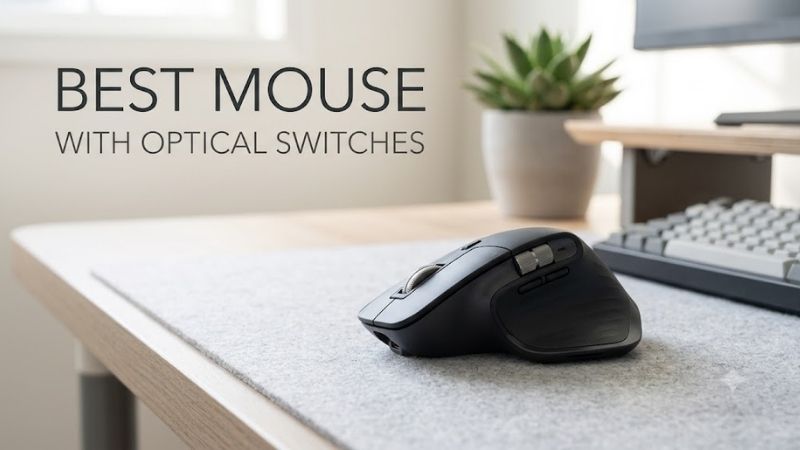
Razer Viper V3 Pro — Best for Competitive FPS
Best For: Low-weight competitive FPS gaming
Key Features
- Focus Pro 35K Optical Sensor Gen-2
- Razer Optical Mouse Switches Gen-3
- Up to 8000 Hz polling
- 2.4 GHz wireless and wired operation
- 54 g black model
- 100% PTFE feet
- Eight programmable controls
Razer Viper V3 Pro is built around competitive FPS use. Its 54 g black version, Focus Pro 35K Optical Sensor Gen-2, Gen-3 Optical Mouse Switches, and support for up to 8000 Hz polling make it the most speed-focused option here. The right-handed symmetrical shell favors claw and fingertip users who want low mass over extra buttons.
What Makes It Different
Its combination of very low weight, symmetrical geometry, high polling capability, and optical primary clicks keeps the design focused on rapid crosshair movement rather than productivity features. Players using low sensitivity can make repeated wide swipes without moving the mass of a feature-heavy mouse, while the minimal control layout avoids unnecessary complexity.
Pros
- Very low 54 g weight
- Optical primary switches
- Up to 8000 Hz polling
- High-end Focus Pro sensor
- Large PTFE feet
- Clean competitive layout
Cons
- No Bluetooth
- No tilt wheel
- Fewer controls than feature-focused mice
- Symmetrical shape may not suit palm-focused ergonomic users
Use Case: Valorant, Counter-Strike 2, Overwatch 2, Apex Legends, and other aim-intensive competitive games.
Who It’s For: Claw or fingertip players who prioritize low inertia, fast repositioning, and a stripped-down competitive design.
Razer DeathAdder V3 Pro — Best Ergonomic Optical Mouse
Best For: Competitive players wanting more palm support
Key Features
- Focus Pro 30K Optical Sensor
- Razer Optical Mouse Switches Gen-3
- 90-million-click switch rating
- HyperSpeed Wireless
- Optional HyperPolling support
- 63 g black model
- Ergonomic right-handed shell
Razer DeathAdder V3 Pro pairs Gen-3 Optical Mouse Switches with a larger ergonomic shell. At about 63 g in black, it remains light while giving the hand more support than a low-profile ambidextrous shape. Its Focus Pro 30K sensor and optional 8000 Hz HyperPolling suit competitive play without forcing users into a flat FPS-oriented body.
What Makes It Different
The DeathAdder approach is less about achieving the lowest possible weight and more about combining competitive specifications with a pronounced right-handed contour. That higher ergonomic profile can provide more hand contact during long sessions, though players who prefer narrow symmetrical mice may find the body comparatively substantial.
Pros
- Lightweight ergonomic construction
- Gen-3 optical switches
- High-end optical sensor
- High polling support
- Large PTFE feet
- Strong fit for palm and relaxed claw styles
Cons
- No Bluetooth
- No tilt scroll wheel
- Larger shell than ultralight symmetrical models
- Maximum polling performance depends on compatible hardware
Use Case: Competitive shooters where low weight is important but a fuller ergonomic shell is preferred.
Who It’s For: Right-handed players who like the DeathAdder-style shape and want optical switches without moving to a heavier multi-button mouse.
ROG Keris II Ace — Best Tri-Mode Optical Gaming Mouse
Best For: Lightweight gaming across several connection types
Key Features
- ROG 100M Optical Micro Switches
- 42,000-dpi ROG AimPoint Pro sensor
- 54 g weight
- USB, 2.4 GHz RF, and Bluetooth
- Up to 8000 Hz wired polling with Polling Rate Booster
- Up to 4000 Hz wireless polling on the U.S. specification
- PTFE feet
ROG Keris II Ace combines a 54 g ergonomic body with ROG 100M Optical Micro Switches and a 42,000-dpi AimPoint Pro sensor. It also supports wired, 2.4 GHz RF, and Bluetooth connectivity. The included polling-rate hardware enables higher report rates, making it useful for players who want an ultralight FPS mouse with broader device flexibility.
What Makes It Different
Unlike many esports-focused lightweight mice that omit Bluetooth, the Keris II Ace combines competitive 2.4 GHz operation with an additional connection for laptops or secondary systems. Its ergonomic shell also separates it from low-profile symmetrical FPS mice, giving buyers another 54 g option without requiring the Viper-style body.
Pros
- 54 g construction
- Optical primary switches
- Tri-mode connectivity
- Ergonomic right-handed shell
- High polling capability
- Track-on-glass sensor support
Cons
- Right-handed shape limits appeal for left-handed users
- Highest polling settings increase system and power demands
- Armoury Crate is required for deeper software configuration
Use Case: Competitive gaming on a primary desktop plus Bluetooth use with laptops or secondary devices.
Who It’s For: Players who want esports-oriented weight and optical switches without giving up Bluetooth flexibility.
Logitech G502 X LIGHTSPEED — Best for Extra Controls
Best For: Games requiring more programmable inputs
Key Features
- LIGHTFORCE hybrid optical-mechanical switches
- LIGHTSPEED wireless
- 13 programmable controls
- USB-C charging
- Onboard profiles
- PTFE feet
- Right-handed ergonomic body
Logitech G502 X LIGHTSPEED uses LIGHTFORCE hybrid optical-mechanical switches rather than a purely optical click mechanism. The design keeps a tactile mechanical feel while using optical actuation for signal detection. Its 13 programmable controls and heavier body suit multi-command games and productivity better than ultralight FPS play.
What Makes It Different
LIGHTFORCE deliberately mixes optical detection with mechanical feedback, so the G502 X LIGHTSPEED targets users who want optical actuation without abandoning a distinct tactile click. The larger control count also supports weapon commands, shortcuts, macros, and productivity functions that minimalist esports mice cannot expose directly.
Pros
- Hybrid optical actuation
- 13 programmable controls
- LIGHTSPEED wireless
- USB-C charging
- Multiple onboard profiles
- Strong command flexibility
Cons
- Much heavier than 54–63 g FPS mice
- No Bluetooth
- More controls than minimalist players may need
- Hybrid switch design differs from fully optical implementations
Use Case: RPGs, action games, strategy titles, productivity shortcuts, and players who bind several commands directly to the mouse.
Who It’s For: Gamers who prioritize buttons and tactile control over achieving the lowest possible weight.
Razer Basilisk V3 Pro 35K — Best Feature-Rich Option
Best For: Wireless gaming, scrolling, and extensive controls
Key Features
- Razer Optical Mouse Switches Gen-3
- Focus Pro 35K Optical Sensor Gen-2
- 11 programmable buttons
- HyperSpeed Wireless
- Bluetooth
- Wired connectivity
- HyperScroll Tilt Wheel
- Five onboard profiles
- 112 g weight
Razer Basilisk V3 Pro 35K targets gamers who value controls and scroll-wheel versatility over minimum weight. It uses Gen-3 Optical Mouse Switches, a Focus Pro 35K sensor, 11 programmable buttons, tri-mode connectivity, and a four-way HyperScroll Tilt Wheel. At 112 g, it trades low-inertia swipes for richer command access.
What Makes It Different
The HyperScroll Tilt Wheel, multiple programmable controls, onboard profiles, RGB lighting, and Bluetooth separate the Basilisk from stripped-down esports designs. These additions increase weight, but they also make the mouse more adaptable to browsing, editing, RPG controls, weapon selection, horizontal scrolling, and multi-device desk setups.
Pros
- Gen-3 optical switches
- 11 programmable controls
- Four-way tilt wheel
- Bluetooth and 2.4 GHz wireless
- Five onboard profiles
- Extensive customization
Cons
- 112 g is heavy beside modern FPS mice
- Complex controls may be unnecessary for competitive shooters
- Larger design favors users who want substantial hand support
Use Case: Mixed gaming and productivity, RPGs, strategy games, browsing, and workflows where extra commands reduce keyboard movement.
Who It’s For: Users who specifically want optical switches but care more about functionality than ultralight construction.
How to Choose the Best Mouse With Optical Switches
Prioritize Shape Before Switch Technology
Choose optical switches for their actuation method, not as a shortcut for judging the mouse. A fast switch cannot compensate for a shape that cramps your hand or a layout that slows actions. Competitive FPS players should prioritize fit, low mass, sensor behavior, and polling stability, then treat optical clicks as part of the latency package.
Match Weight to Your Game Style
Weight changes how quickly you can start, stop, and redirect the mouse. Models around the mid-50 g range favor repeated flicks and large low-sensitivity movements, while heavier mice can feel steadier and may add more controls. The right balance depends on sensitivity, desk space, grip style, and whether you play aim-heavy or command-heavy games.
Understand Polling Rate
Polling rate determines how often the mouse reports movement and clicks to the PC, but higher figures also increase USB and CPU activity and can reduce wireless battery life. A capable 1000 Hz setup is responsive for many players. Higher rates make more sense with fast systems, high-refresh displays and competitive games where timing is a priority.
Check Wireless and Bluetooth Options
Connectivity affects both convenience and use case. A 2.4 GHz gaming link is the normal choice for low-latency wireless play, USB gives a direct wired path and charging option, while Bluetooth is useful for laptops or secondary devices. Not every mouse includes all three modes, so match connectivity to how often you switch systems or travel.
Optical vs Mechanical Mouse Switches
| Factor | Optical Switch | Traditional Mechanical Switch |
|---|---|---|
| Click detection | Light-based actuation | Electrical contact |
| Contact bounce | Can avoid conventional contact debounce | Usually requires debounce handling |
| Contact wear | Signal does not depend on the same metal contact mechanism | Electrical contacts can wear over time |
| Click feel | Depends on switch and mouse construction | Depends on switch and construction |
| Best reason to choose | Fast, consistent actuation and reduced contact-related issues | Familiar feel and broad product selection |
Pure Optical vs Hybrid Optical-Mechanical Switches
Pure optical designs such as Razer Optical Mouse Switches and ROG Optical Micro Switches use optical sensing as the core click-registration mechanism. Logitech LIGHTFORCE takes a hybrid approach by combining optical actuation with mechanical components designed to retain crisp tactile feedback, so buyers should not assume every optical-switch mouse feels the same.
FAQ
What is an optical mouse switch?
Optical mouse switches use light-based sensing to register actuation, while traditional mechanical switches rely on physical electrical contacts. That can reduce the need for debounce filtering and avoids some contact-wear failure modes. Click feel still varies because springs, shell design, and switch construction influence feedback.
Are optical mouse switches faster than mechanical switches?
Optical switches can reduce one source of click delay, but they do not automatically make a mouse faster in every situation. Total responsiveness also depends on firmware, wireless design, polling rate, system latency, display refresh, and the game engine. A well-designed mechanical-switch mouse can still feel highly responsive in normal play.
Are optical switches good for competitive gaming?
They can be especially useful for competitive gaming because manufacturers often pair optical switches with high-end sensors, low-latency wireless systems, and high polling rates. The bigger advantage is the complete platform rather than the switch alone. Shape and weight usually have a more noticeable effect on aim comfort over long sessions.
Do optical mouse switches prevent double clicking?
Optical switches are often chosen to reduce issues tied to mechanical contact bounce and wear, but no switch design makes an entire mouse immune to failure. Scroll wheels, side buttons, batteries, cables, and sensors are separate components. Long-term durability therefore depends on the whole product, not only the left and right click technology.
Which optical-switch mouse is best for FPS games?
For FPS games, a lightweight optical-switch mouse such as the Viper V3 Pro, DeathAdder V3 Pro, or ROG Keris II Ace fits the category well, but their shapes are different. The Viper favors a lower symmetrical profile, while the DeathAdder and Keris use ergonomic right-handed forms. Hand size and grip should decide between them.
Conclusion
The best mouse with optical switches depends on whether you value ultralight aim, ergonomic support, or extra controls. Viper V3 Pro and Keris II Ace emphasize low weight, DeathAdder V3 Pro adds a fuller ergonomic shape, while G502 X LIGHTSPEED and Basilisk V3 Pro 35K favor command access. Choose shape first, then features and polling needs.